この翻訳は機械によって生成されたものであり、まだ人間による校正は行われていません。 この言語を話せますか? レビューはこちら.
はじめに
この修理ガイドに従って、Motorola Droid Turbo 2の消耗したバッテリーを交換します。バッテリーが膨張している場合は、適切な予防措置をとってください。
安全のため、スマートフォンを分解する前に、バッテリー残量を25%以下まで放電してください。これにより、修理中に誤ってバッテリーを損傷した場合の熱暴走のリスクを軽減できます。
必要な工具と部品
-
-
-
SIM取り出しツール、SIM取り出しビット、または伸ばしたペーパークリップをSIMカードトレイの小さな穴に差し込む。
-
押し込んでトレイを取り出す。
-
SIMカードトレイアセンブリを携帯電話から取り外す。
 FixBotに聞いてみる
-
-
-
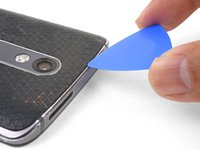
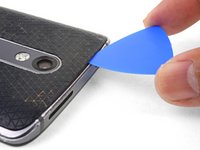
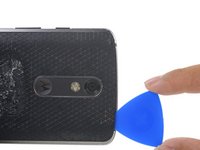
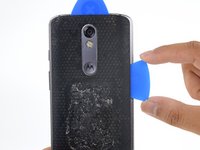
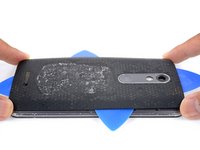
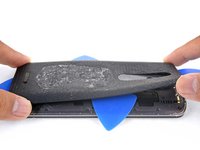
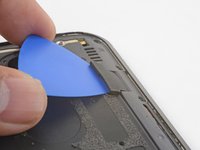
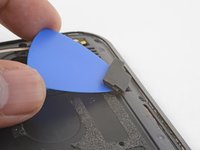
オープニングピックをスマートフォンの上端に沿ってスライドさせ、接着剤を切り離します。
-
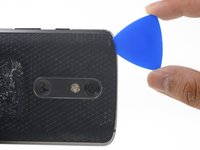
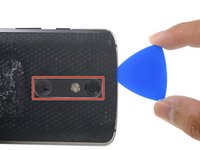
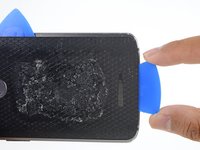
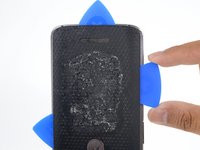
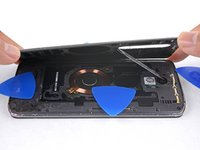
ピックを使って奥の方も解放しますが、カメラベゼルの部分は切断しないように注意してください。
-
-
-
-
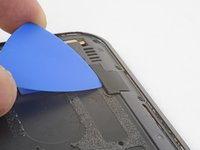
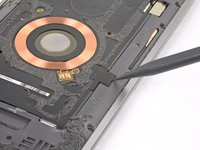
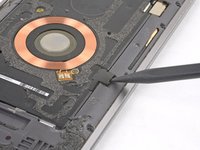
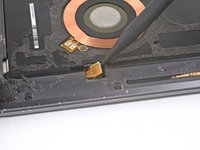
スパッジャーの先端を使用して、コイルコネクタのゴム製カバーを上にこじ開けて取り外します。
-
カバーを再度取り付けるには、カバーを合わせ|new_window=true>、指で前方に押し込んで所定の位置に収めます。
-
-
-
-
-
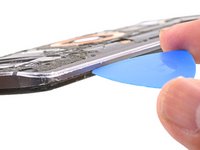
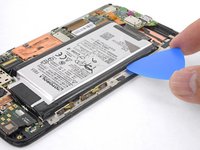
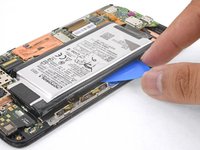
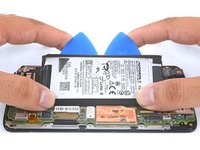
マザーボード側とは反対側のバッテリーの長辺に、オープニングピックを差し込みます。
-
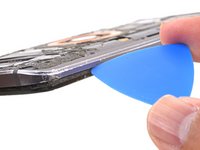
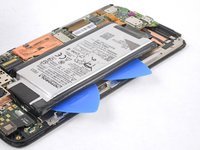
1枚目のオープニングピックの隣に、2枚目のオープニングピックを同じバッテリーの縁に沿って差し込みます。
-
-
この手順で使用する道具:Tesa 61395 Tape$8.95
-
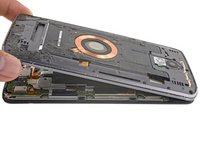
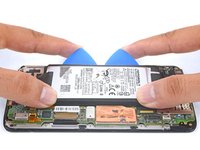
バッテリーを取り外す。
-
位置合わせを確実にするため、接着する前にマザーボードへバッテリーを「一時的に」接続する。組み立てを続ける前に、必ずバッテリーの接続を外す。
-












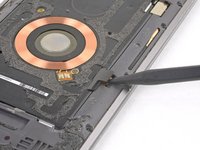


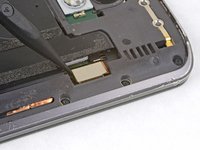
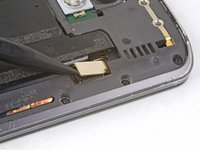


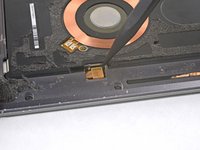




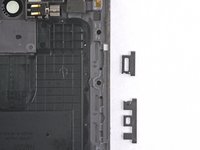


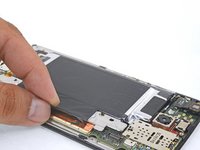
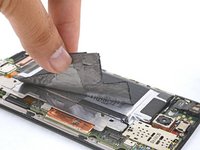
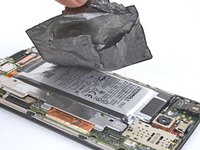


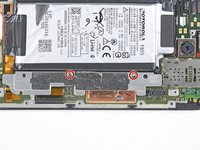
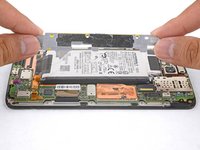


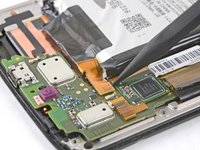
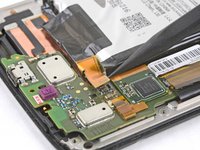






デバイスを再組み立てするには、これらのインストラクションを逆の順番に従って作業を進めてください。
e-wasteを処分する場合は、認可済みリサイクルセンターR2を通じて廃棄してください。
修理がうまくいきませんでしたか?トラブルシューティングについては、Motorola Moto Droid Turbo 2 アンサーコミュニティをご覧ください。
78 の人々がこのガイドを完成させました。
以下の翻訳者の皆さんにお礼を申し上げます:
100%

Translation Botさんは世界中で修理する私たちを助けてくれています! あなたも貢献してみませんか?
翻訳を始める ›


30件のガイドコメント
Despite being careful, I lost one screw that seemingly disappeared as I tried to place it back. Even a rare earth magnet didn't find it. It would be nice to have spare screws.
Bill Koonce - 返信 共有
From whom would get those?
Dan Lo Fat - 返信 共有
Your neighbors Turbo 2…it would've up to you whether or not to tell the neighbors that you got them, lol. Everyone seems to have a junk phone around, open it up and find the closest matching one….. I be yet to find anyone that sells spare phone
Jack Gaites - 返信 共有
Replaced the battery, but now the display is pixelated on the right side. Any ideas? Need help ASAP.
The only thing that got me hung up on this was the volume button reassembly. I can't seem to get the volume button to work properly again.
