メインコンテンツにスキップ
リペアコミュニティに参加 - アカウントの作成

Nintendo Switch 2 Board Replacement

必要な工具と部品

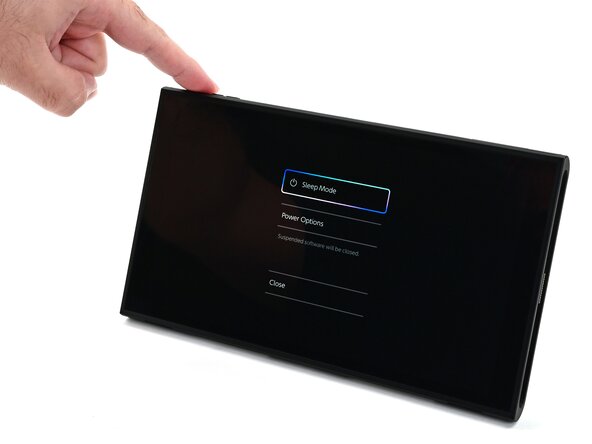
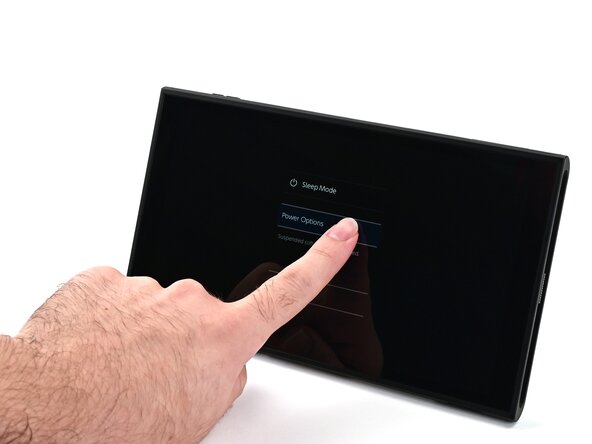
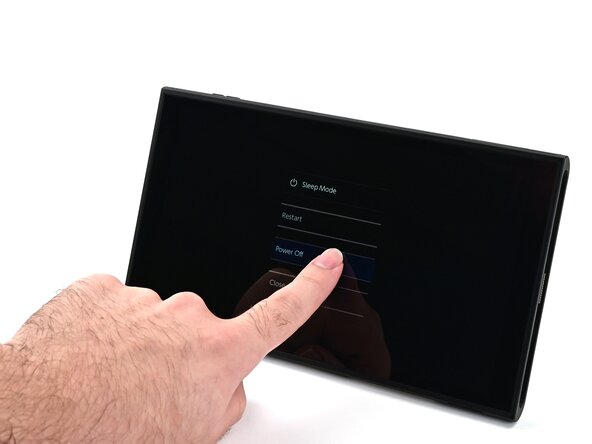
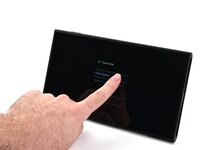
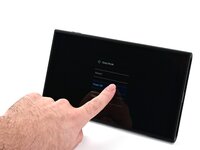
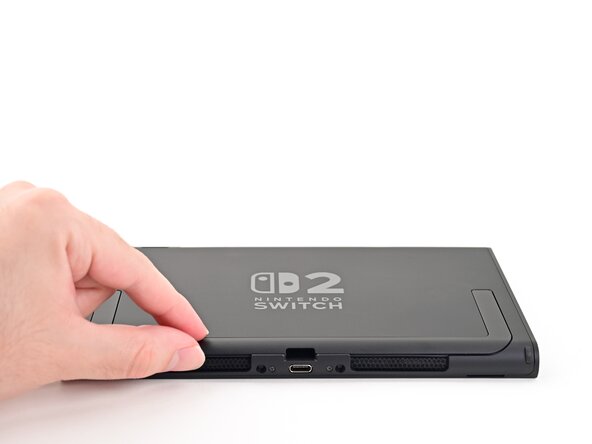
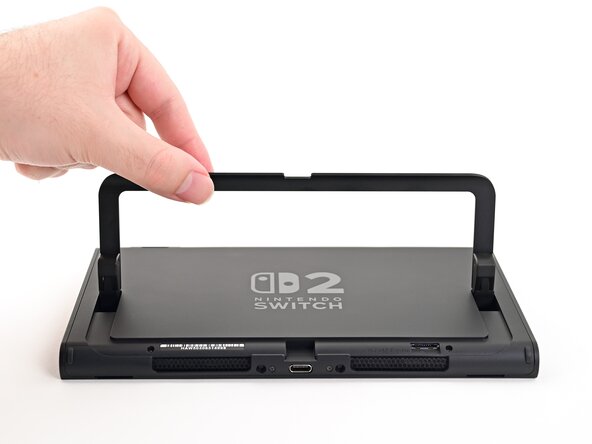
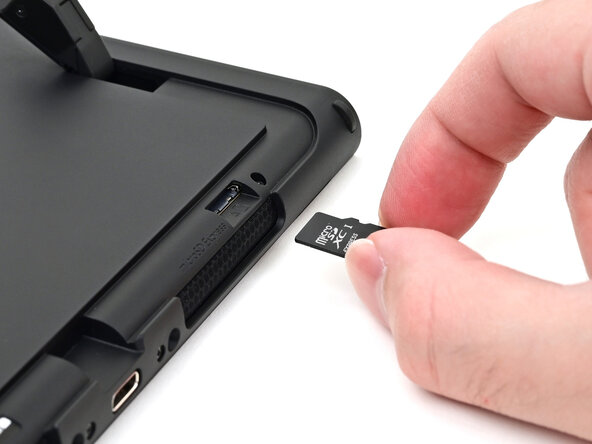
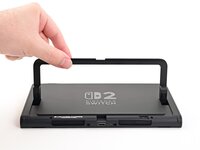
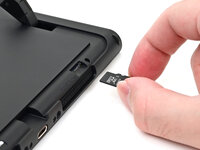
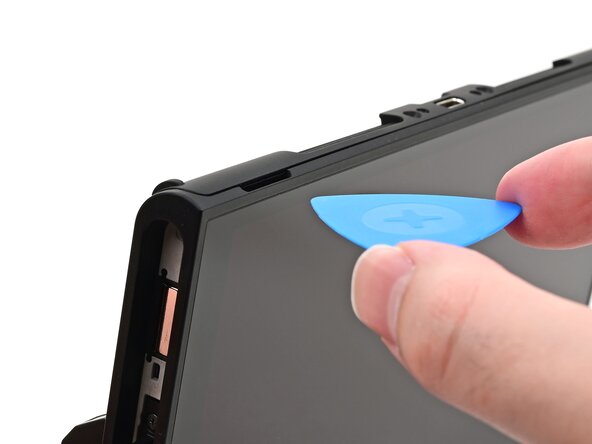
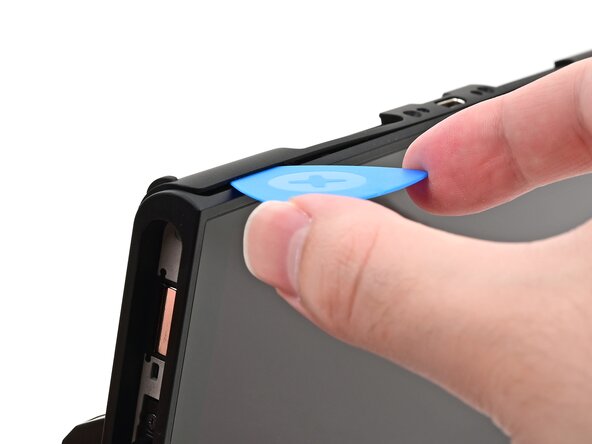
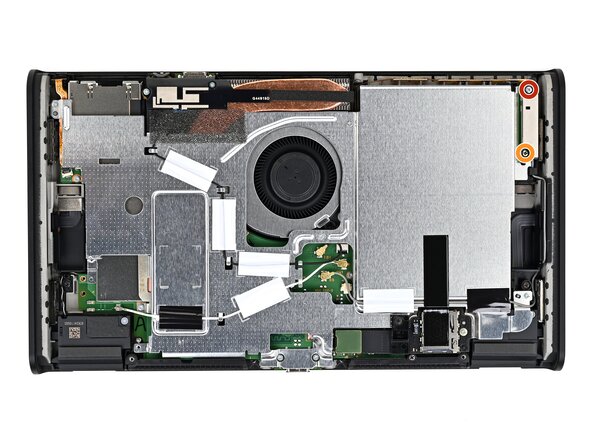
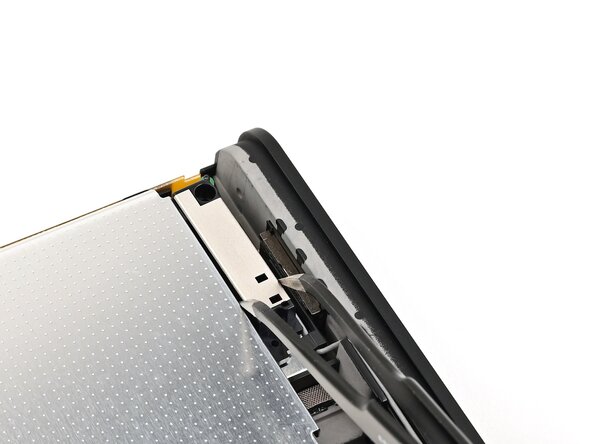
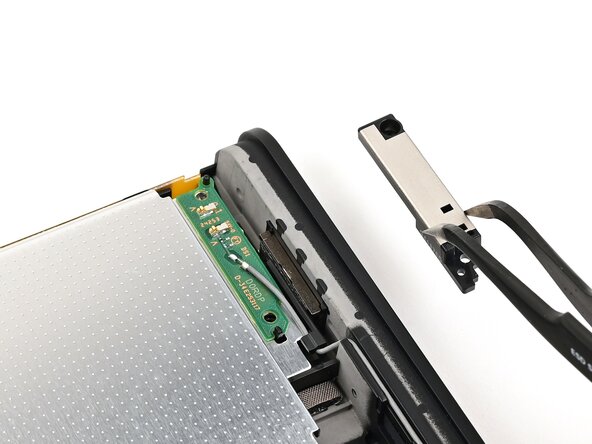
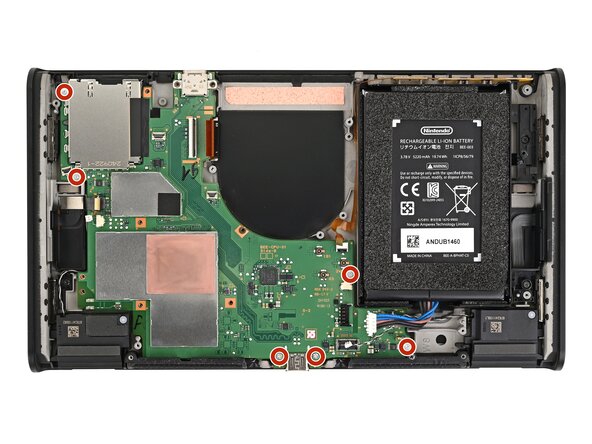
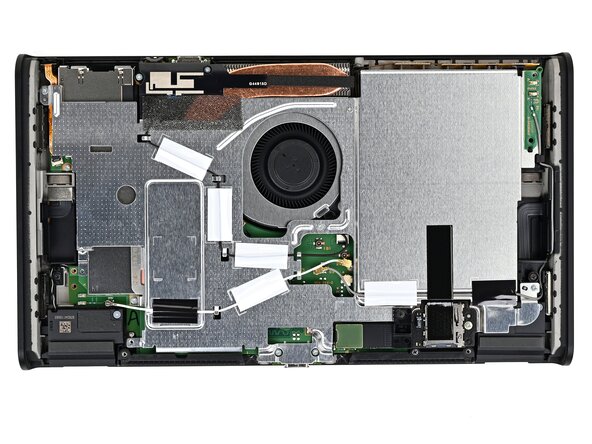
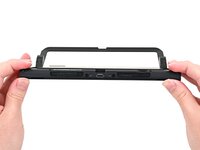
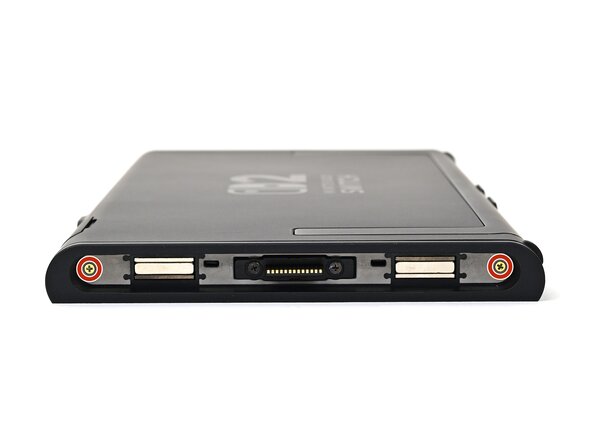
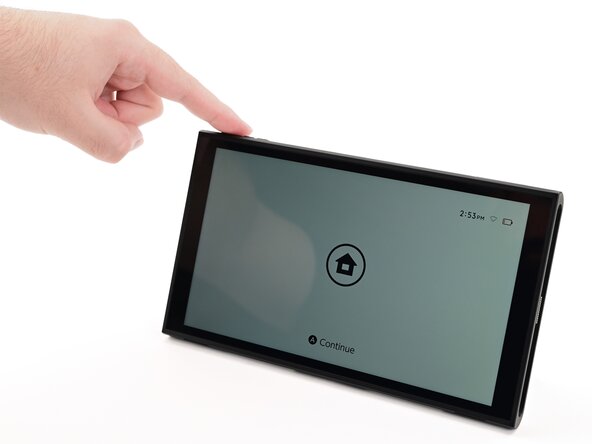
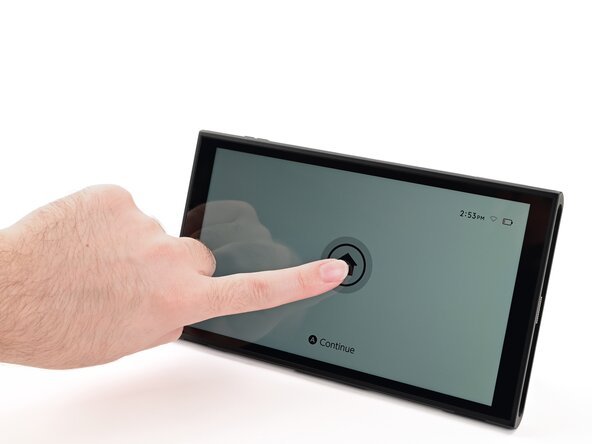
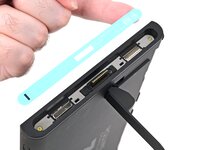
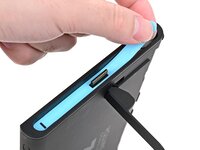
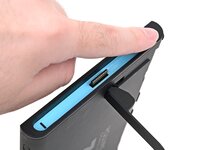
  1. Nintendo Switch 2 Board Replacement, Power off the console: 手順 1、 3の画像 1 Nintendo Switch 2 Board Replacement, Power off the console: 手順 1、 3の画像 2 Nintendo Switch 2 Board Replacement, Power off the console: 手順 1、 3の画像 3
    • For your safety, discharge the battery below 25% before disassembling the console. This reduces the risk of a fire if the battery is damaged during the repair. If the battery is swollen, take appropriate precautions.

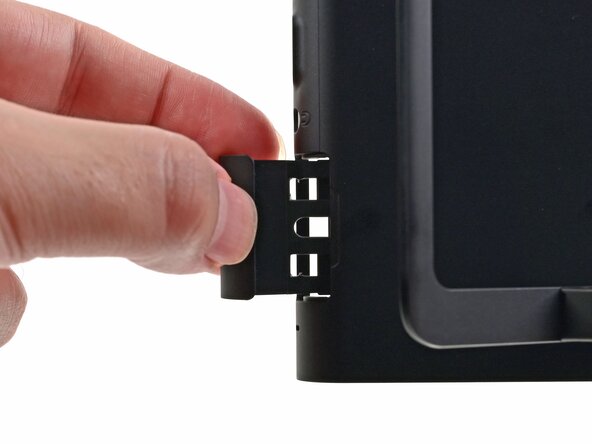
    • Remove any game cards and disconnect any cables, controllers, or other accessories from the console.

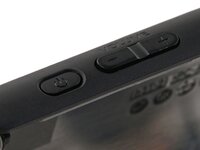
    • Power off the console by holding down the power button, selecting Power Options, then pressing Power Off.

    FixBotに聞いてみる

    コメントを追加

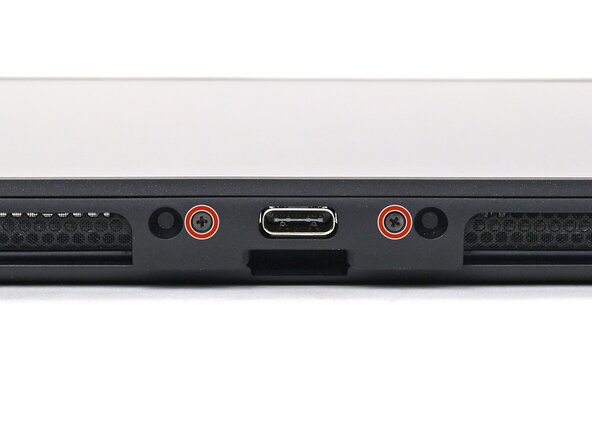
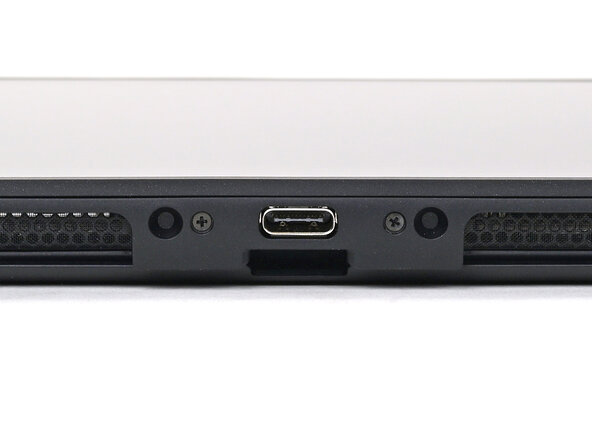
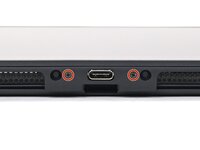
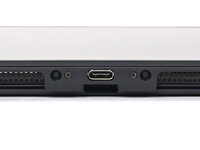
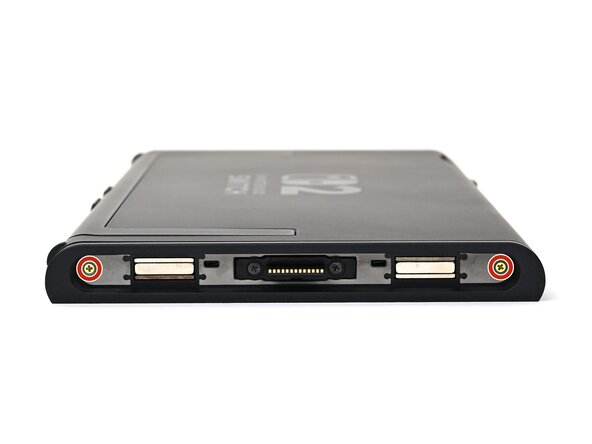
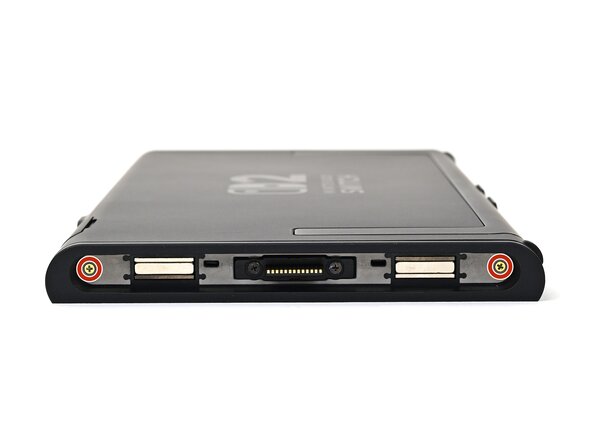
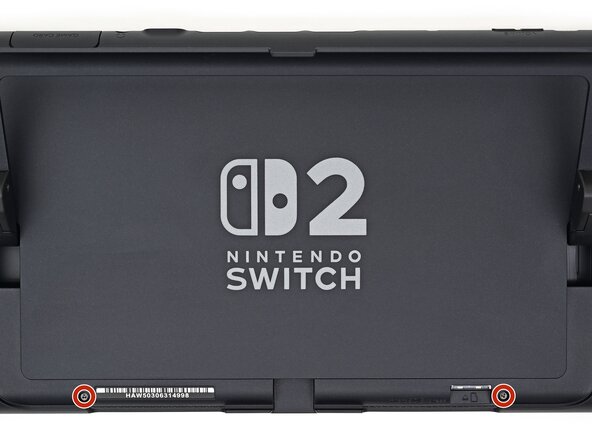
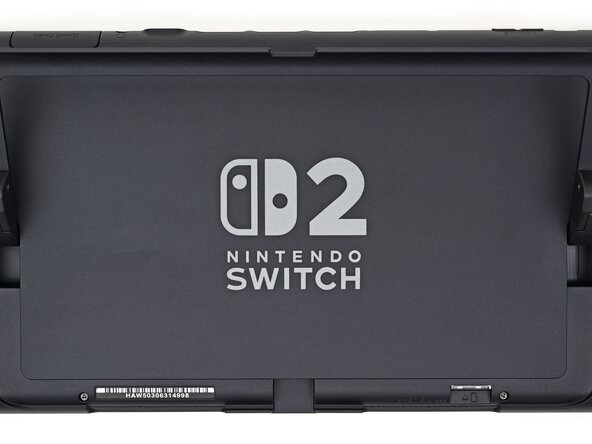
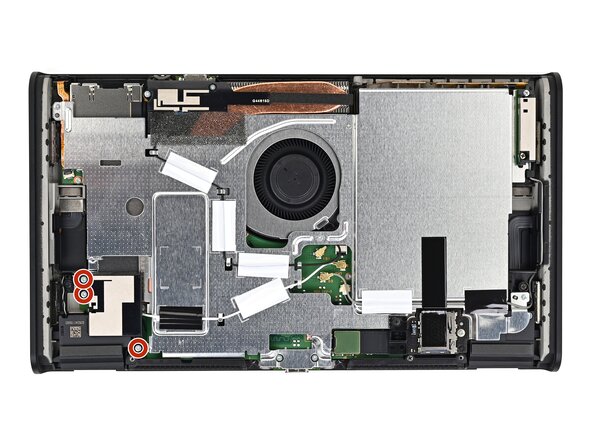
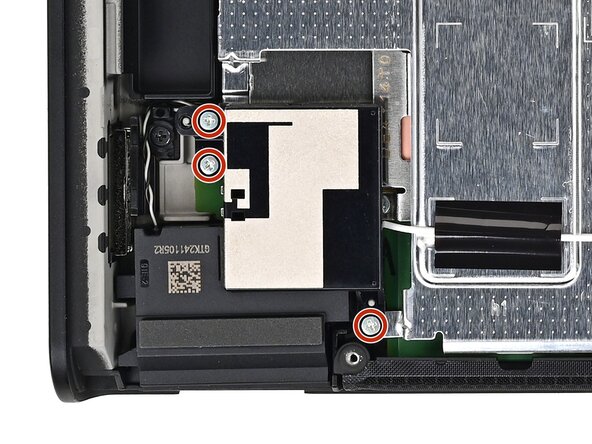
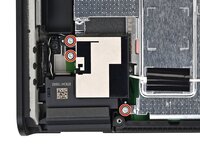
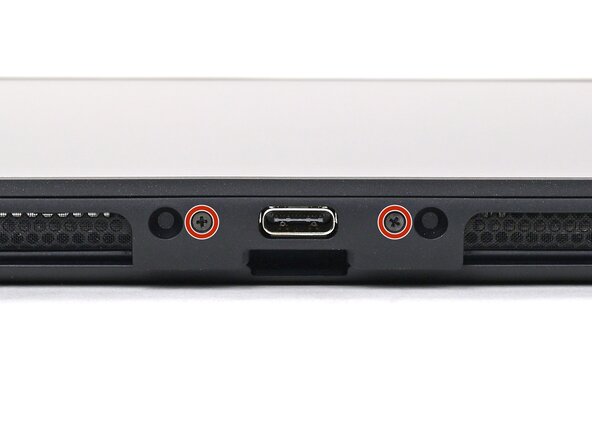
  2. Nintendo Switch 2 Board Replacement, Remove the bottom screws: 手順 2、 2の画像 1 Nintendo Switch 2 Board Replacement, Remove the bottom screws: 手順 2、 2の画像 2
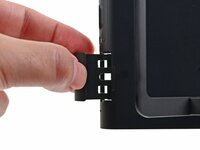
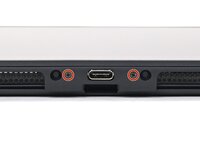
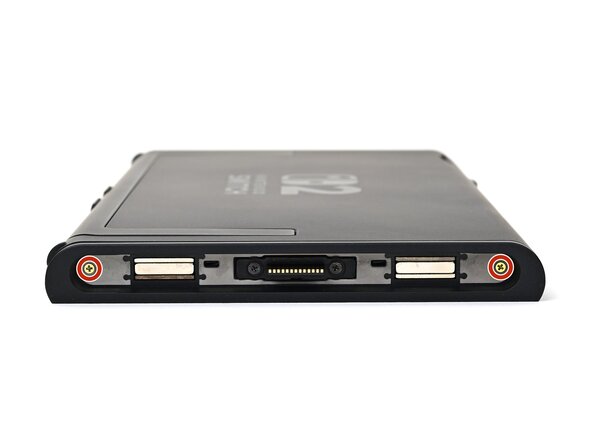
    • Use a JIS 00 driver to remove the two 3.1 mm‑long screws on either side of the bottom USB-C port.

    • You can try a non-iFixit Phillips driver in a pinch, but you risk damaging or stripping the screw. Push down firmly on the driver and twist slowly.

    FixBotに聞いてみる

    コメントを追加

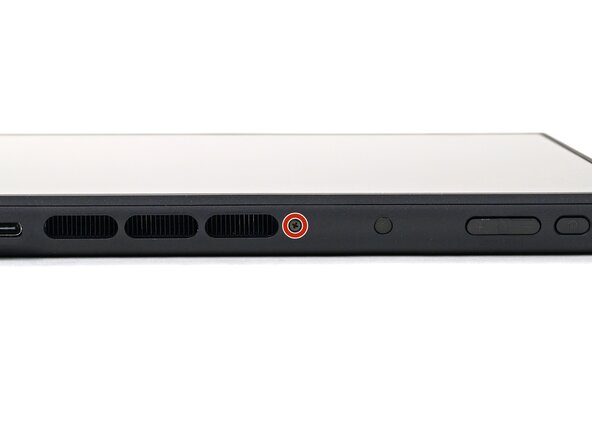
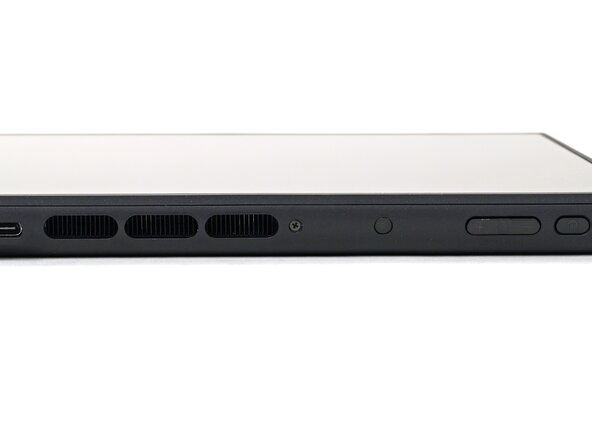
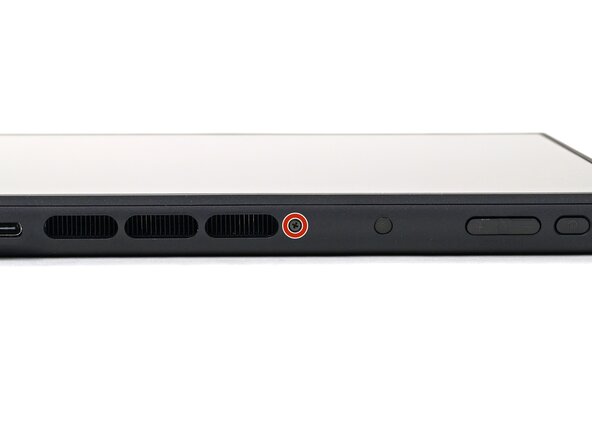
  3. Nintendo Switch 2 Board Replacement, Remove the top screw: 手順 3、 2の画像 1 Nintendo Switch 2 Board Replacement, Remove the top screw: 手順 3、 2の画像 2
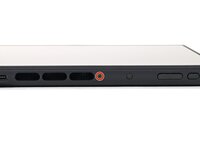
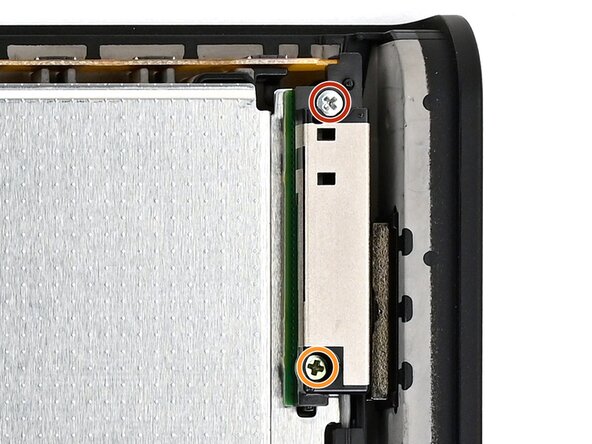
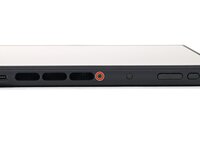
    • Use a JIS 00 driver to remove the 3.1 mm‑long screw on the top edge of the console (next to the ventilation cutouts).

    FixBotに聞いてみる

    コメントを追加

  4. Nintendo Switch 2 Board Replacement, Heat the right side sticker: 手順 4、 1の画像 1
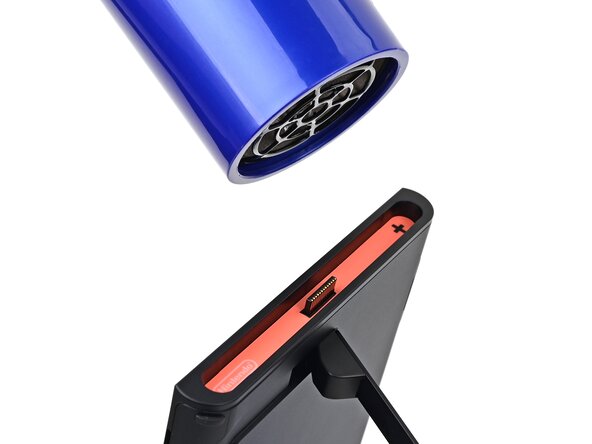
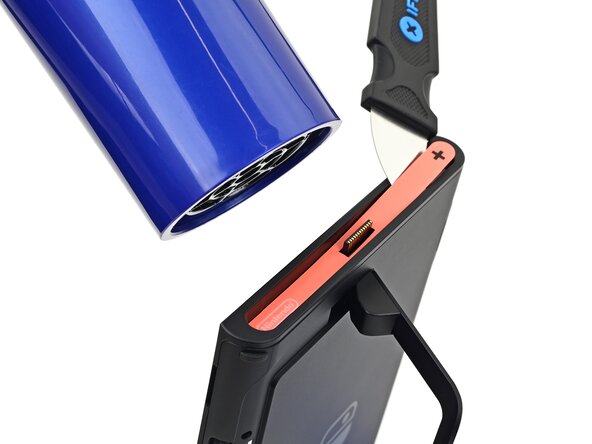
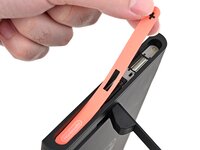
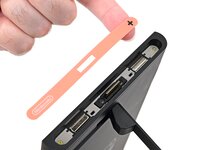
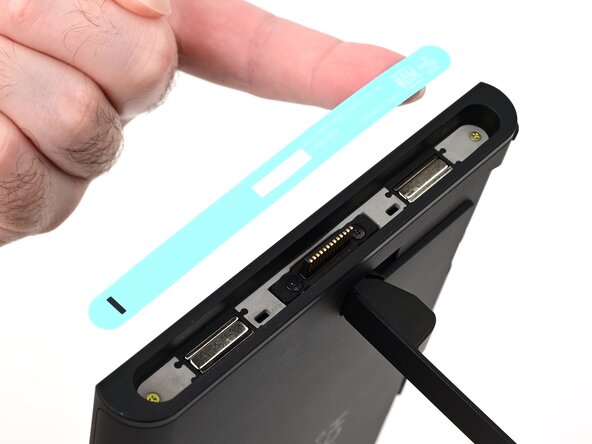
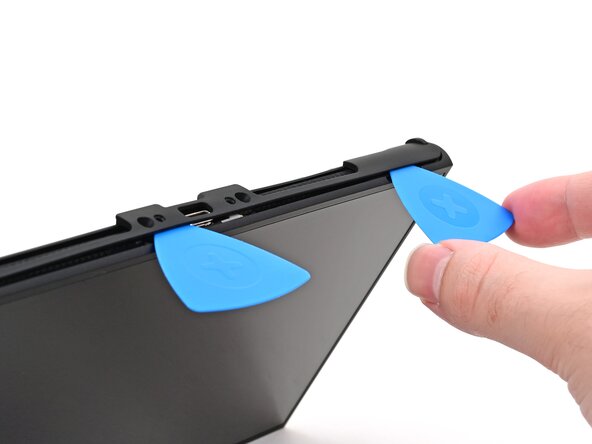
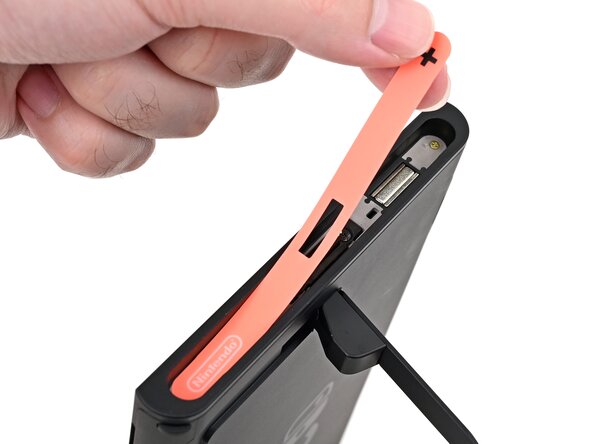
    • The Switch 2 has stickers on either side that need to removed to access the screws securing the back cover. It's easy to damage the stickers during removal, but you can mitigate this by regularly reheating the stickers and working carefully.

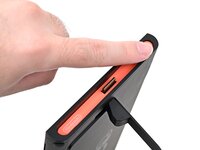
    • Use a hair dryer or heat gun to heat the sticker on the right side of the console, labeled with a "+" symbol, until it's hot to the touch.

    • You can use the kickstand to prop the console up vertically for easier access.

    • If you're using a heat gun, set it to low to avoid melting the plastic edge of the console.

    FixBotに聞いてみる

    コメントを追加

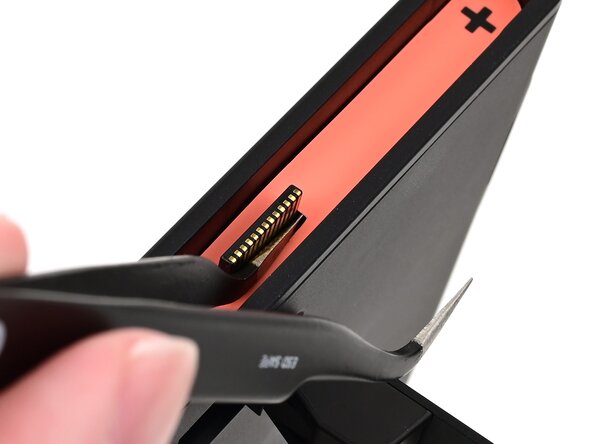
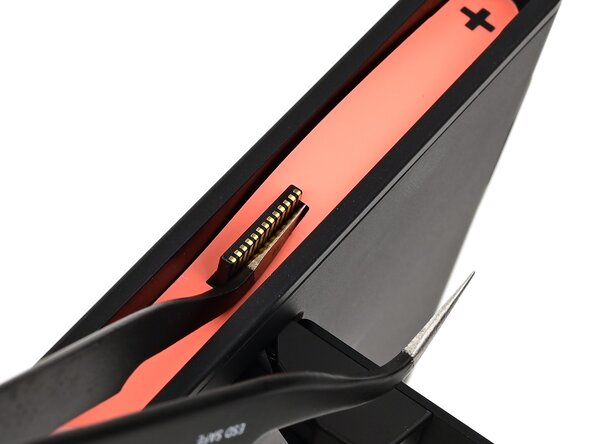
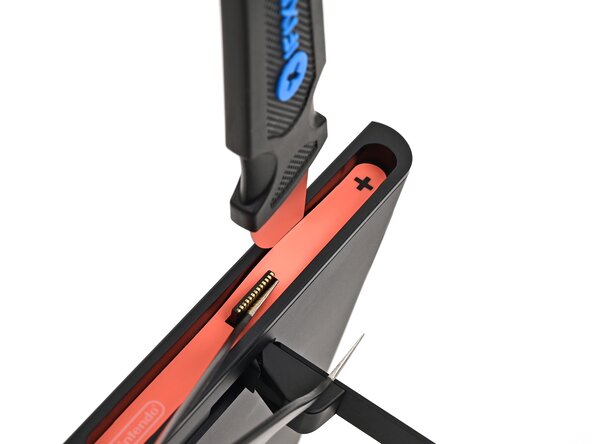
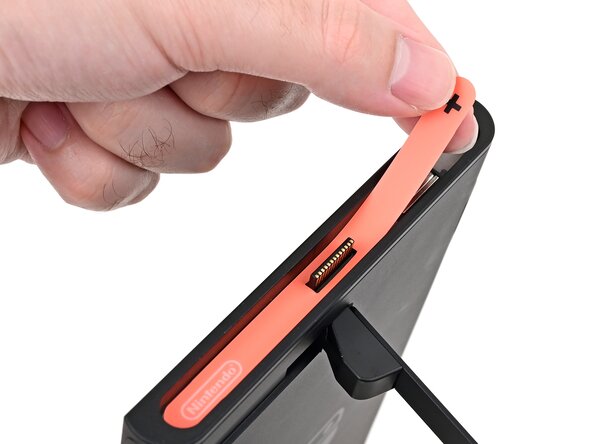
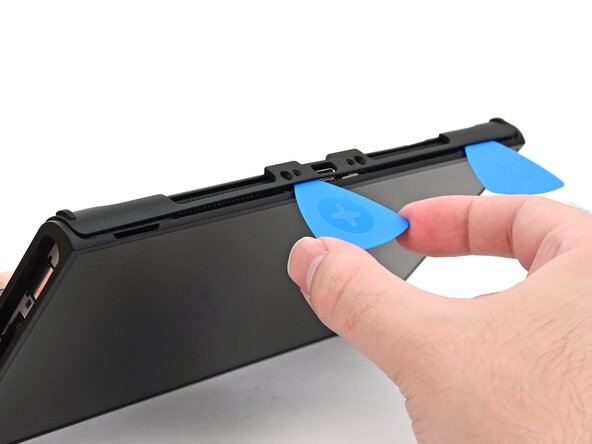
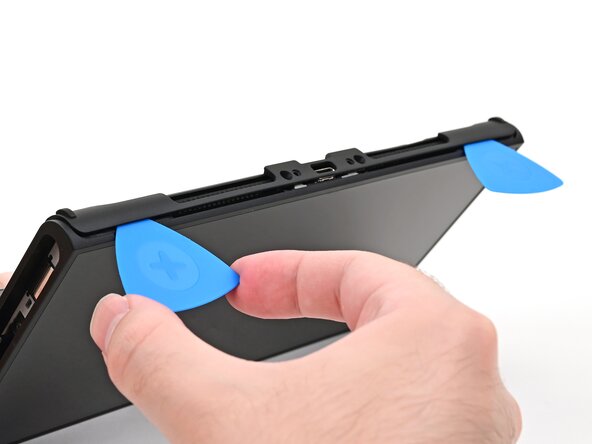
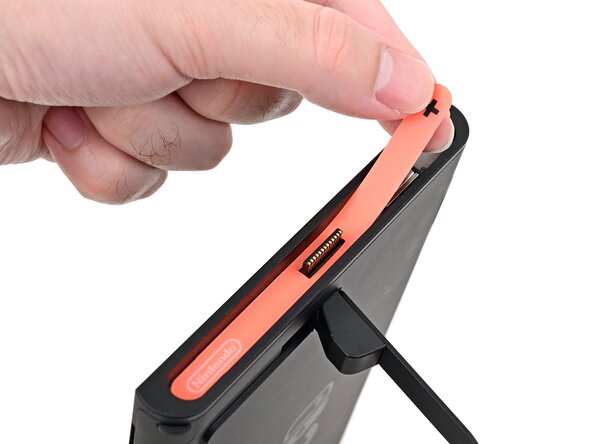
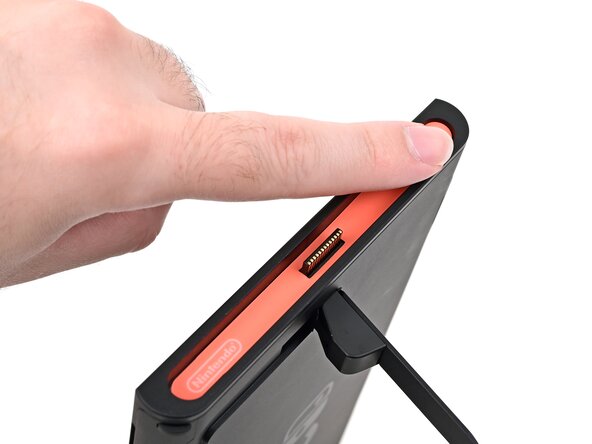
  5. Nintendo Switch 2 Board Replacement, Pry up the right side sticker: 手順 5、 3の画像 1 Nintendo Switch 2 Board Replacement, Pry up the right side sticker: 手順 5、 3の画像 2 Nintendo Switch 2 Board Replacement, Pry up the right side sticker: 手順 5、 3の画像 3
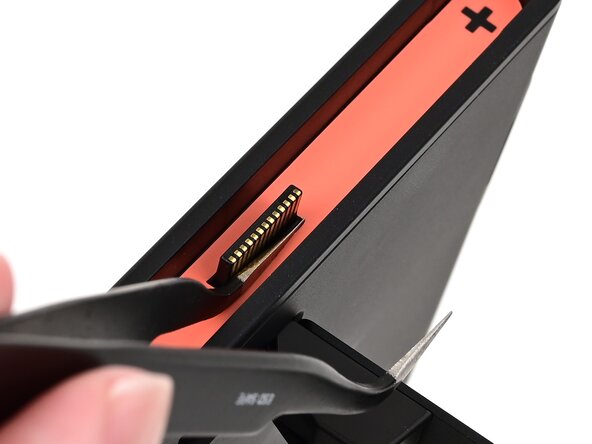
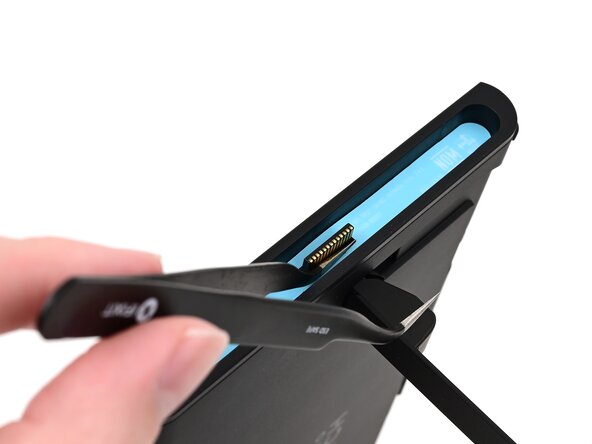
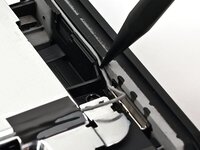
    • The pointed end of the tweezers can damage the sticker from the underside, leaving a noticeable mark. If it's difficult to lift, apply more heat instead of using more force.

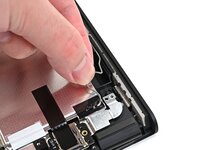
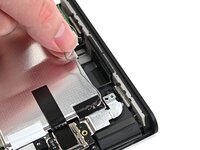
    • Slide one arm of angled tweezers underneath the sticker from its cutout around the right Joy‑Con 2 connector.

    • Gently pry up on the sticker until it starts to lift from the console.

    • Leave the tweezers in place to keep the sticker lifted.

    FixBotに聞いてみる

    コメントを追加

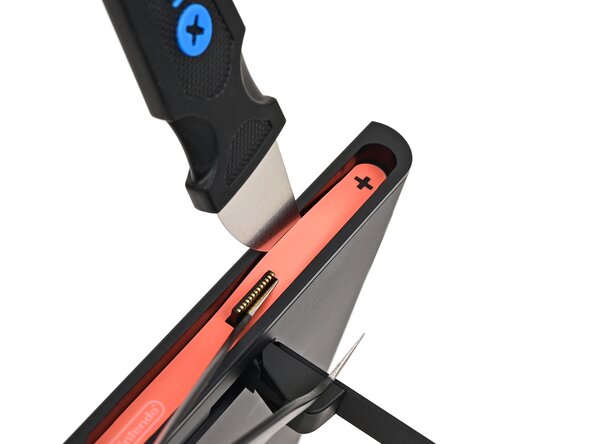
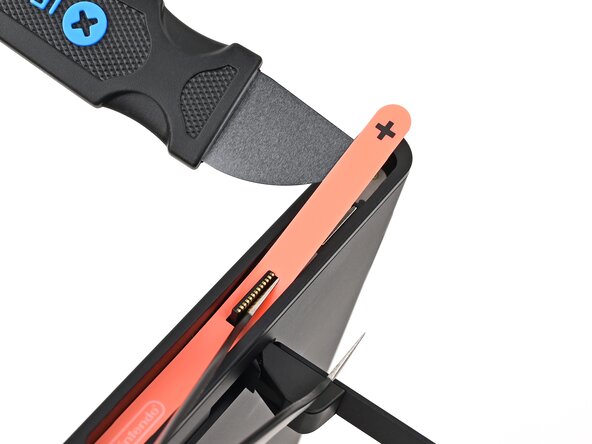
  6. Nintendo Switch 2 Board Replacement: 手順 6、 3の画像 1 Nintendo Switch 2 Board Replacement: 手順 6、 3の画像 2 Nintendo Switch 2 Board Replacement: 手順 6、 3の画像 3
    この手順で使用する道具:
    Jimmy
    $7.95
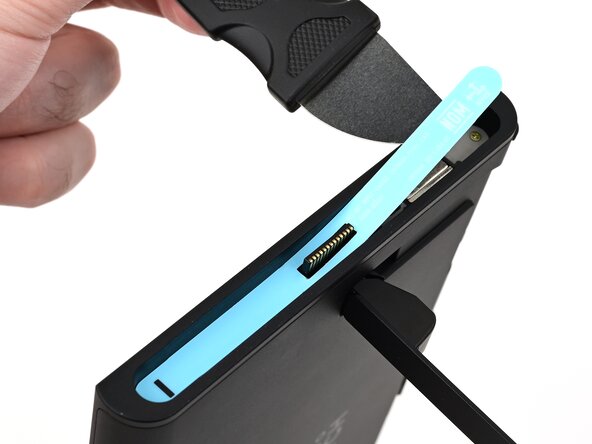
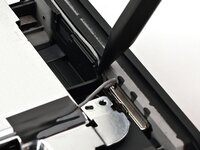
    • Insert the tip of a Jimmy into the gap formed between the long edge of the console and the sticker.

    • Gently pry up the sticker, working your way up the long edge until the top of the sticker is separated from the console.

    • Remove the tweezers once the sticker is lifted.

    • You can leave the Jimmy in place to hold the top of the sticker off the frame—if it falls back into its recess, repeat this procedure to lift it back up.

    FixBotに聞いてみる

    コメントを追加

  7. Nintendo Switch 2 Board Replacement, Heat the right side sticker: 手順 7、 1の画像 1
    • Reheat the bottom of the right side until it's hot to the touch.

    FixBotに聞いてみる

    コメントを追加

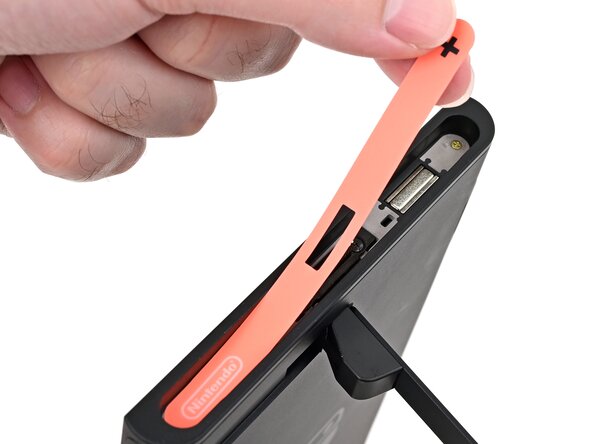
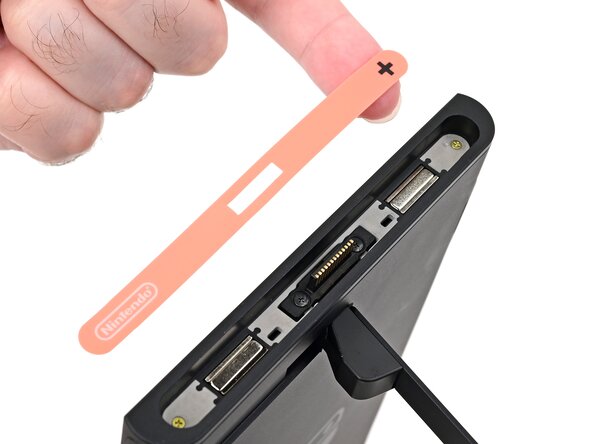
  8. Nintendo Switch 2 Board Replacement, Remove the right side sticker: 手順 8、 3の画像 1 Nintendo Switch 2 Board Replacement, Remove the right side sticker: 手順 8、 3の画像 2 Nintendo Switch 2 Board Replacement, Remove the right side sticker: 手順 8、 3の画像 3
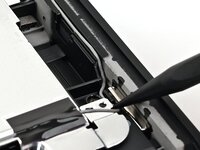
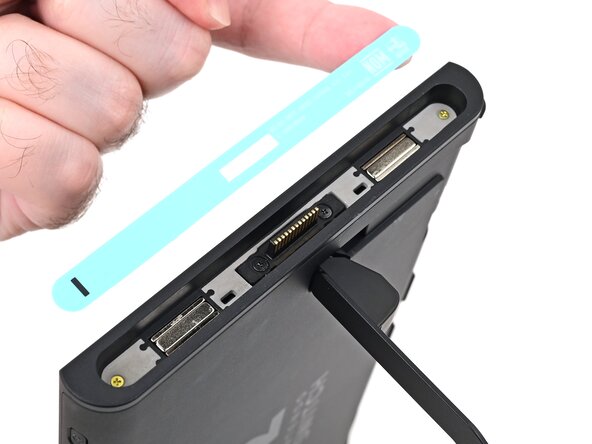
    • Carefully lift the sticker over the Joy‑Con 2 connector, then peel it up fully to remove it.

    FixBotに聞いてみる

    コメントを追加

  9. Nintendo Switch 2 Board Replacement, Remove the left side sticker: 手順 9、 3の画像 1 Nintendo Switch 2 Board Replacement, Remove the left side sticker: 手順 9、 3の画像 2 Nintendo Switch 2 Board Replacement, Remove the left side sticker: 手順 9、 3の画像 3
    • Repeat this procedure to remove the sticker along the left side of the console, labeled with a "-" symbol.

    FixBotに聞いてみる

    コメントを追加

  10. Nintendo Switch 2 Board Replacement, Remove the side screws: 手順 10、 2の画像 1 Nintendo Switch 2 Board Replacement, Remove the side screws: 手順 10、 2の画像 2
    • Use a JIS 00 driver to remove the two 3.6 mm‑long gold screws on each side of the console (four in total).

    FixBotに聞いてみる

    コメントを追加

  11. Nintendo Switch 2 Board Replacement, Open the kickstand: 手順 11、 3の画像 1 Nintendo Switch 2 Board Replacement, Open the kickstand: 手順 11、 3の画像 2 Nintendo Switch 2 Board Replacement, Open the kickstand: 手順 11、 3の画像 3
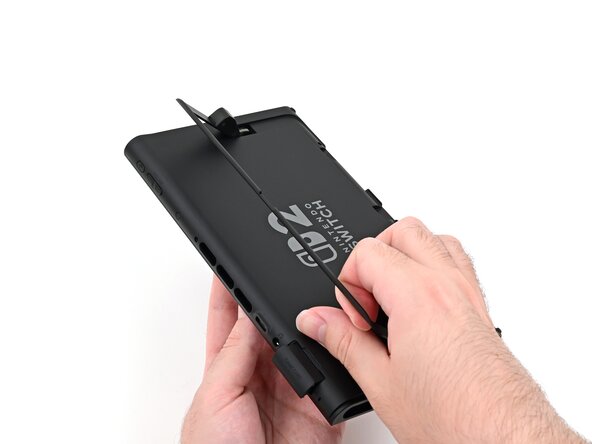
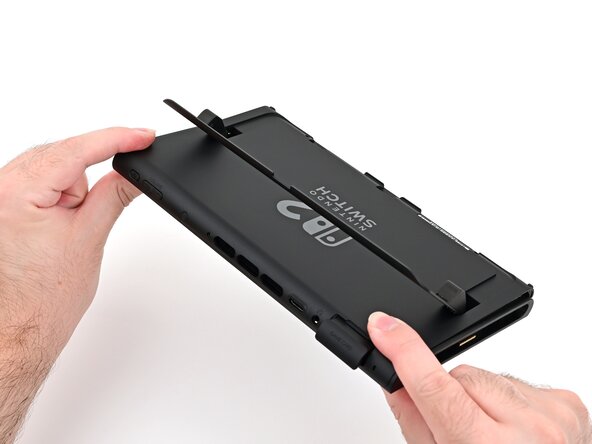
    • Use your fingers to flip up the kickstand on the back of the console.

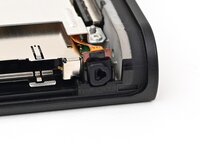
    • If there's a microSD Express card installed, remove it now before you continue to the next step.

    FixBotに聞いてみる

    コメントを追加

  12. Nintendo Switch 2 Board Replacement, Remove the back-side screws: 手順 12、 2の画像 1 Nintendo Switch 2 Board Replacement, Remove the back-side screws: 手順 12、 2の画像 2
    • Use a Y00 driver to remove the two 4.4 mm‑long screws in the kickstand cutout.

    FixBotに聞いてみる

    コメントを追加

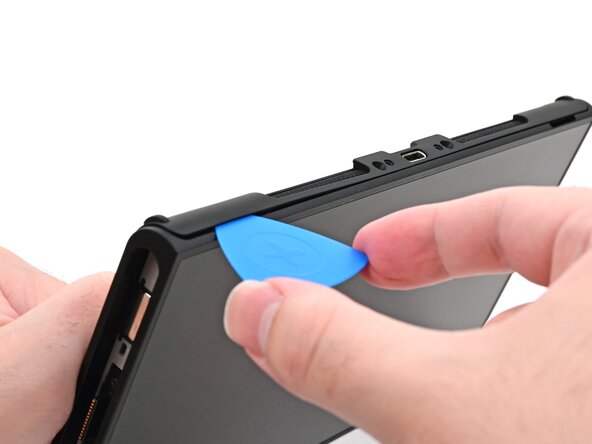
  13. Nintendo Switch 2 Board Replacement, Insert an opening pick: 手順 13、 2の画像 1 Nintendo Switch 2 Board Replacement, Insert an opening pick: 手順 13、 2の画像 2
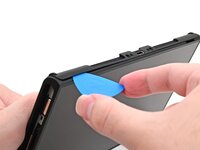
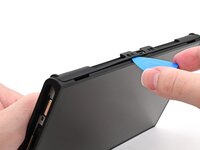
    • Insert an opening pick into the gap between the back cover and speaker cutout on the bottom edge of the console.

    FixBotに聞いてみる

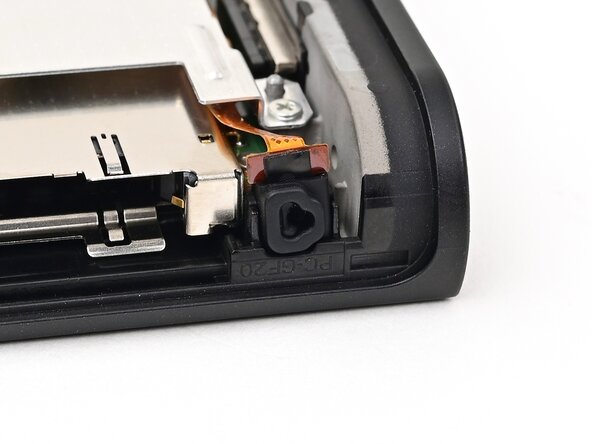
    コメントを追加

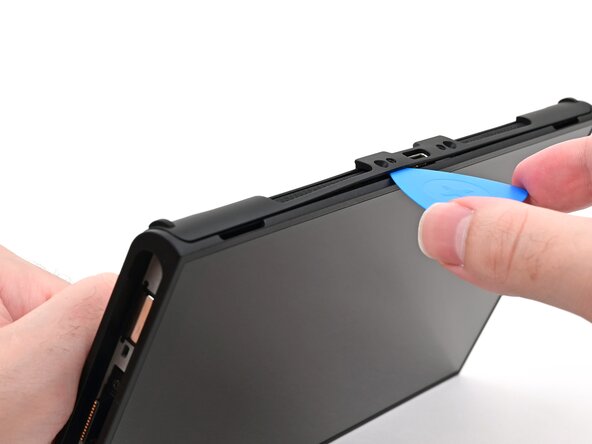
  14. Nintendo Switch 2 Board Replacement: 手順 14、 2の画像 1 Nintendo Switch 2 Board Replacement: 手順 14、 2の画像 2
    • Slide the opening pick towards the USB-C port until it's underneath the screw hole next to the port.

    FixBotに聞いてみる

    コメントを追加

  15. Nintendo Switch 2 Board Replacement, Insert a second opening pick: 手順 15、 3の画像 1 Nintendo Switch 2 Board Replacement, Insert a second opening pick: 手順 15、 3の画像 2 Nintendo Switch 2 Board Replacement, Insert a second opening pick: 手順 15、 3の画像 3
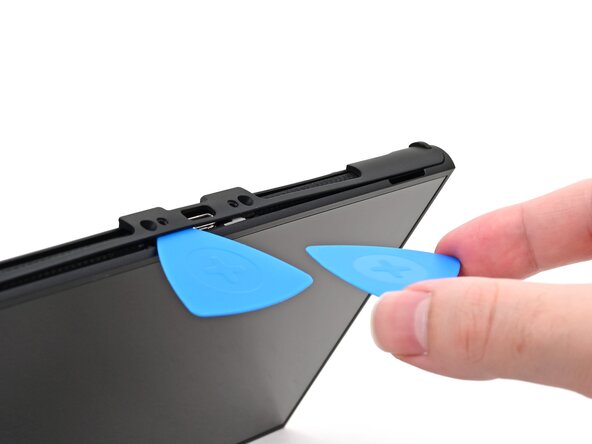
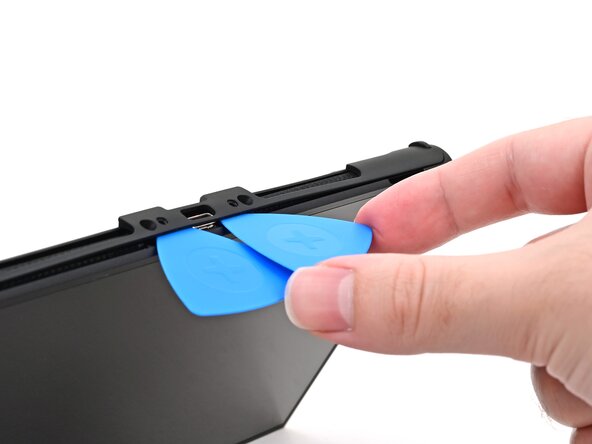
    • Insert a second opening pick underneath the screw hole on the opposite side of the USB-C port, and slide it to the corner of the console.

    FixBotに聞いてみる

    コメントを追加

  16. Nintendo Switch 2 Board Replacement: 手順 16、 2の画像 1 Nintendo Switch 2 Board Replacement: 手順 16、 2の画像 2
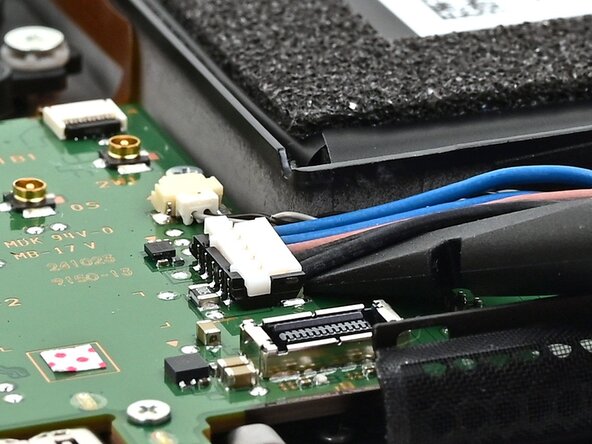
    • Slide the first opening pick back to where it was first inserted.

    FixBotに聞いてみる

    コメントを追加

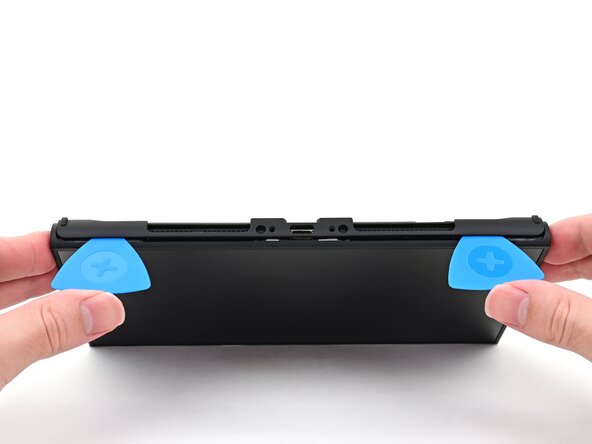
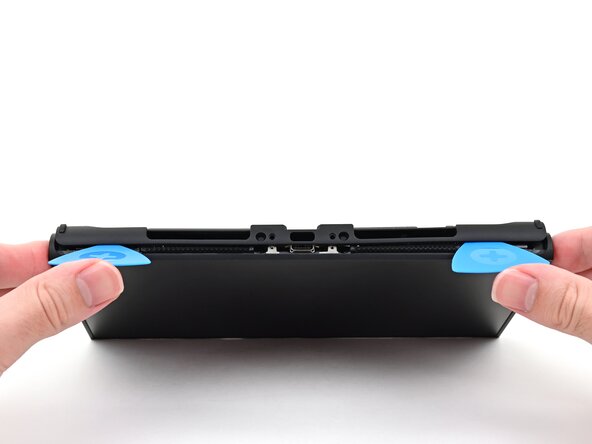
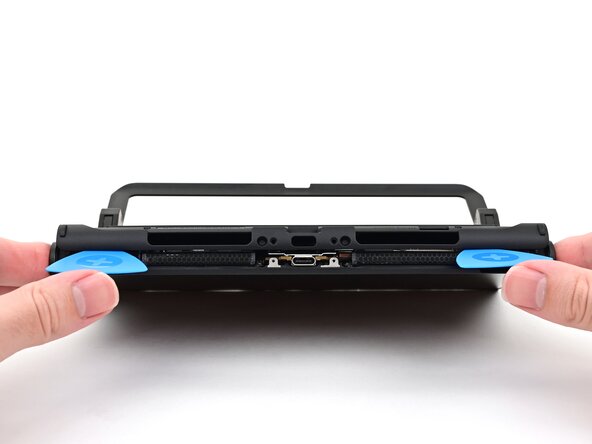
  17. Nintendo Switch 2 Board Replacement, Remove the back cover: 手順 17、 3の画像 1 Nintendo Switch 2 Board Replacement, Remove the back cover: 手順 17、 3の画像 2 Nintendo Switch 2 Board Replacement, Remove the back cover: 手順 17、 3の画像 3
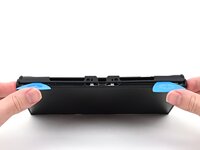
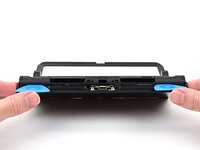
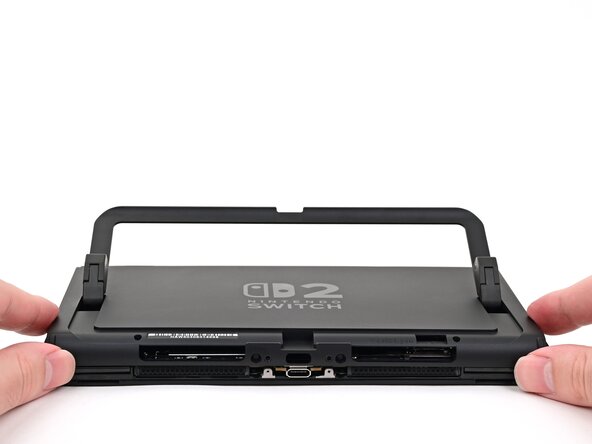
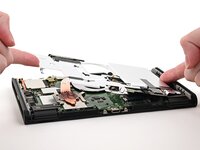
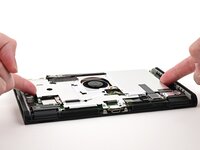
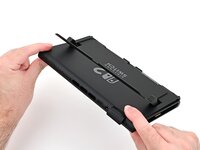
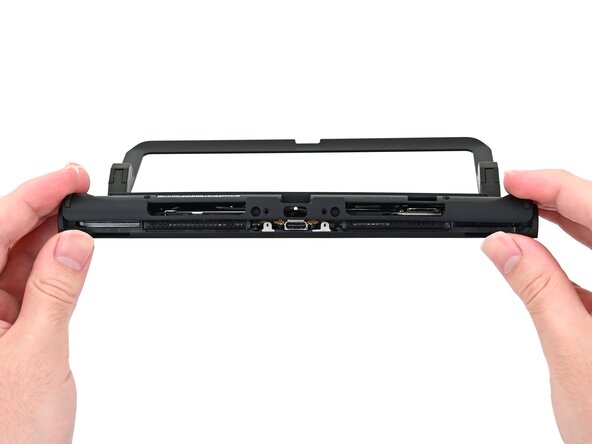
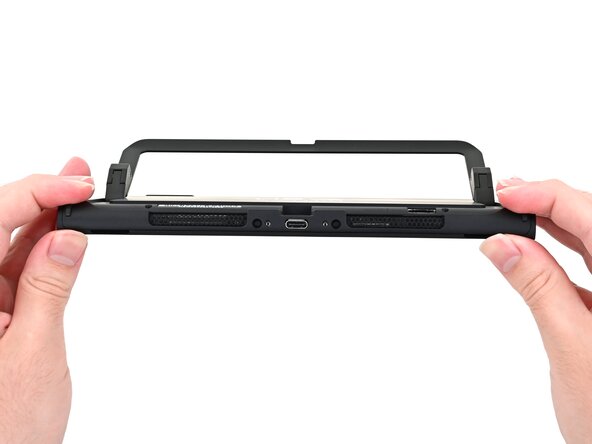
    • Be careful not to drop your console. Once the back cover pops up, the opening picks will fall out of place.

    • Hold the console with two hands. Rest your thumbs on the opening picks.

    • Push up on the opening picks to lift the back cover until it pops up above the USB-C port.

    FixBotに聞いてみる

    コメントを追加

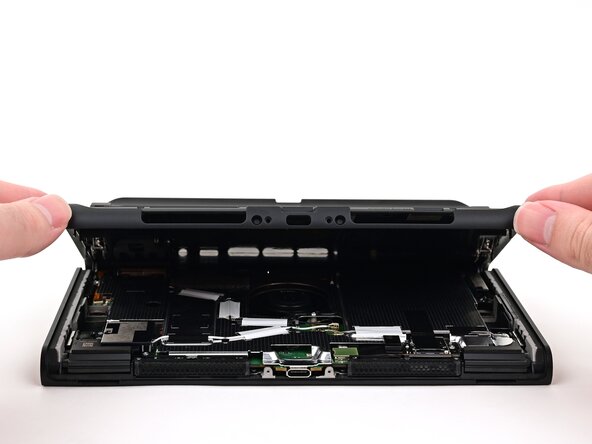
  18. Nintendo Switch 2 Board Replacement: 手順 18、 3の画像 1 Nintendo Switch 2 Board Replacement: 手順 18、 3の画像 2 Nintendo Switch 2 Board Replacement: 手順 18、 3の画像 3
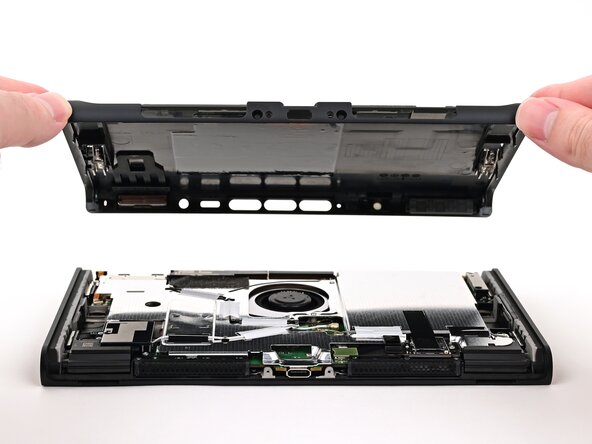
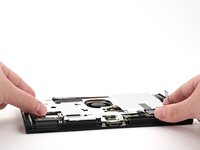
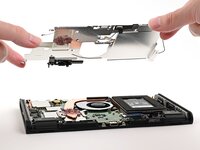
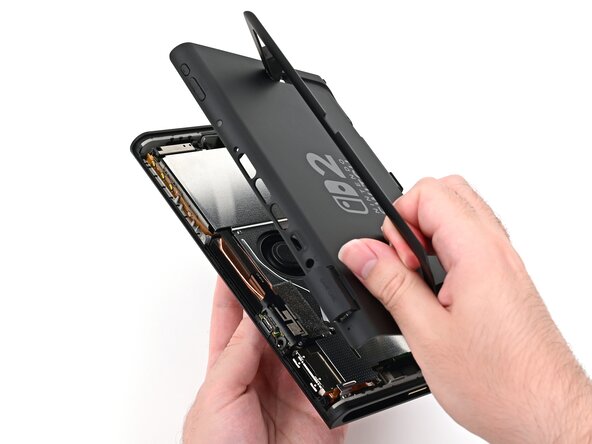
    • Lift the back cover up from the bottom edge and remove it.

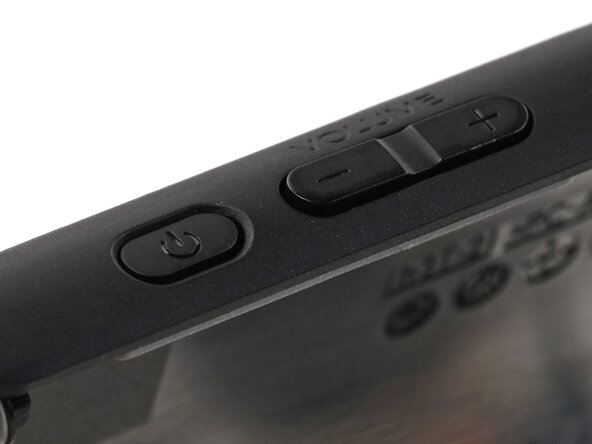
    FixBotに聞いてみる

    コメントを追加

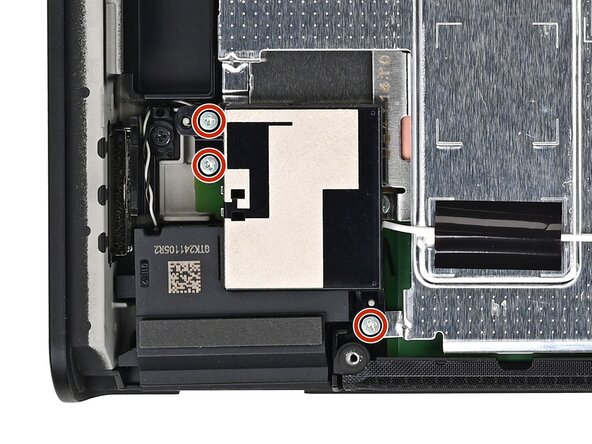
  19. Nintendo Switch 2 Board Replacement, Remove the lower antenna screws: 手順 19、 2の画像 1 Nintendo Switch 2 Board Replacement, Remove the lower antenna screws: 手順 19、 2の画像 2
    • Use a JIS 00 driver to remove the three 4.4 mm‑long silver screws securing the lower antenna.

    FixBotに聞いてみる

    コメントを追加

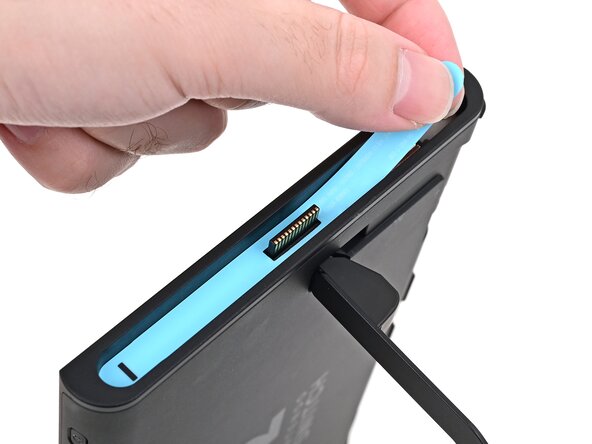
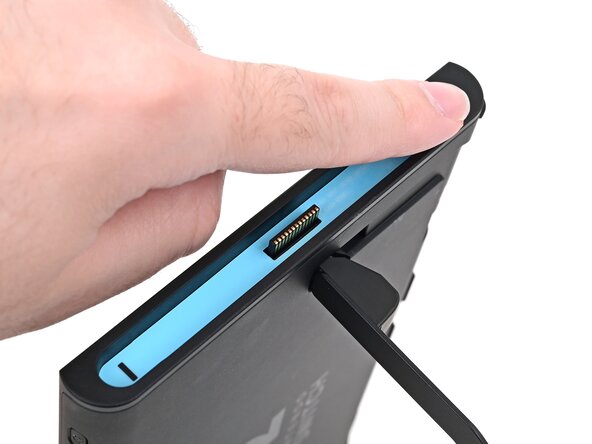
  20. Nintendo Switch 2 Board Replacement, Remove the lower antenna: 手順 20、 2の画像 1 Nintendo Switch 2 Board Replacement, Remove the lower antenna: 手順 20、 2の画像 2
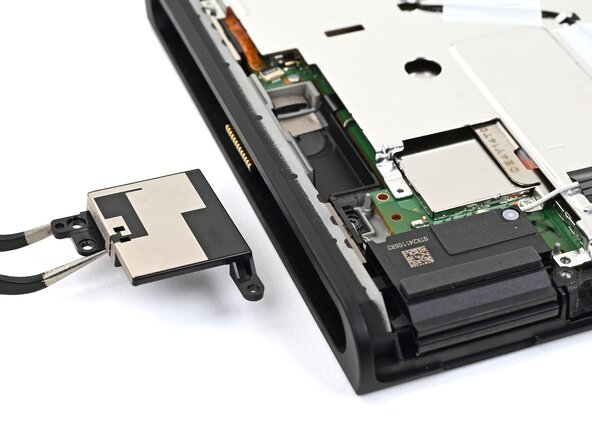
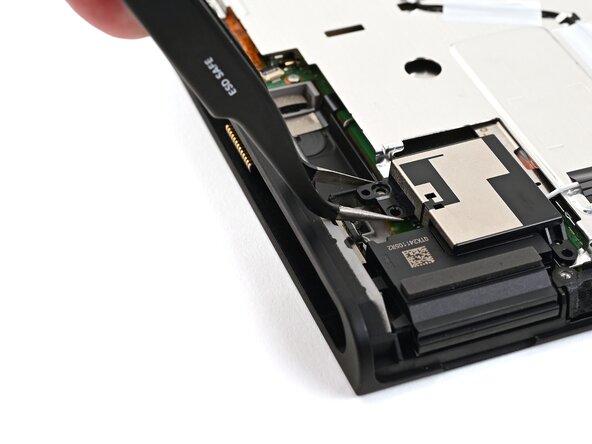
    • Use tweezers or your fingers to remove the lower antenna.

    FixBotに聞いてみる

    コメントを追加

  21. Nintendo Switch 2 Board Replacement, Remove the upper antenna screws: 手順 21、 2の画像 1 Nintendo Switch 2 Board Replacement, Remove the upper antenna screws: 手順 21、 2の画像 2
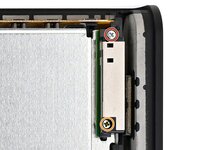
    • Use a JIS 00 driver to remove the two screws securing the upper antenna:

    • One 4.4 mm‑long silver screw

    • One 4.6 mm‑long green screw

    FixBotに聞いてみる

    コメントを追加

  22. Nintendo Switch 2 Board Replacement, Remove the upper antenna: 手順 22、 2の画像 1 Nintendo Switch 2 Board Replacement, Remove the upper antenna: 手順 22、 2の画像 2
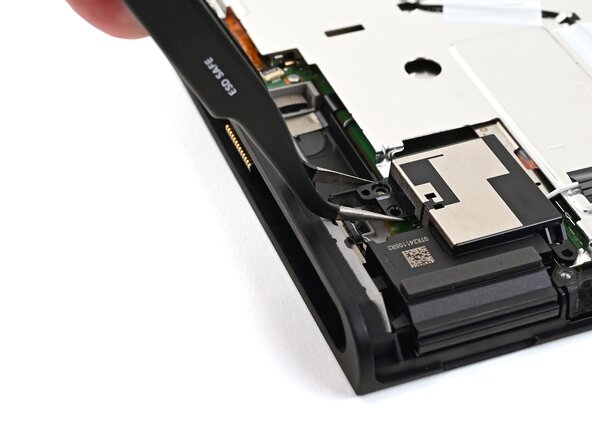
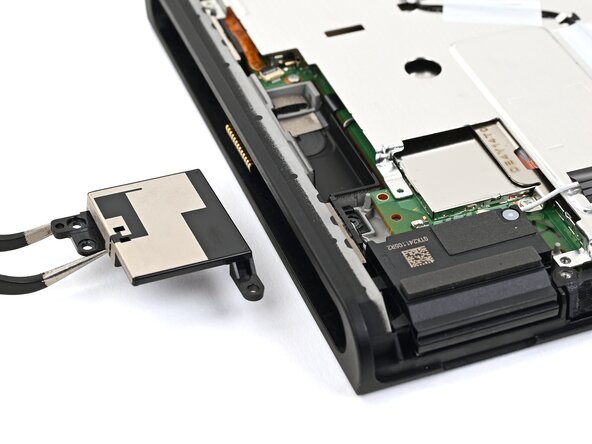
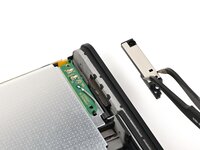
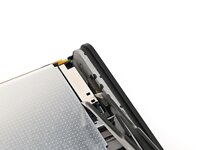
    • Use tweezers or your fingers to remove the upper antenna.

    FixBotに聞いてみる

    コメントを追加

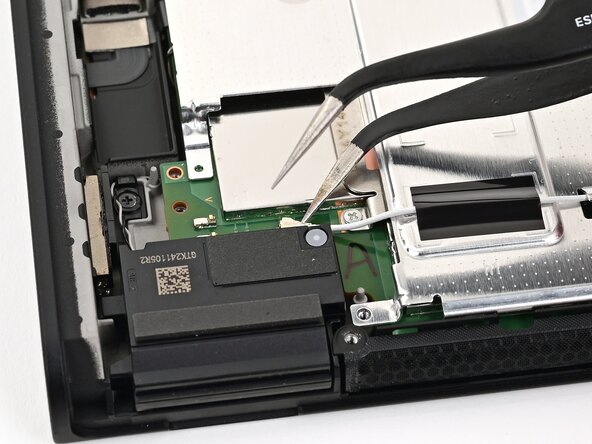
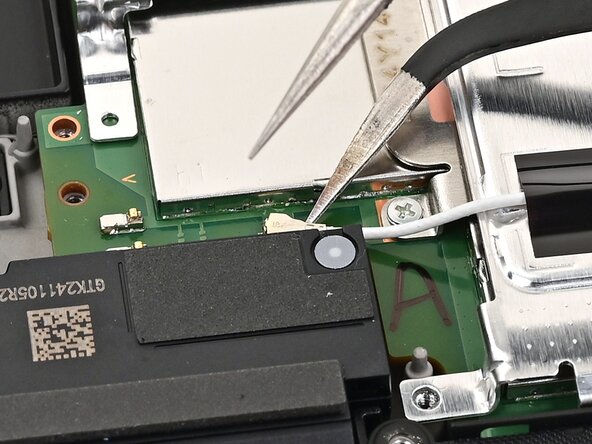
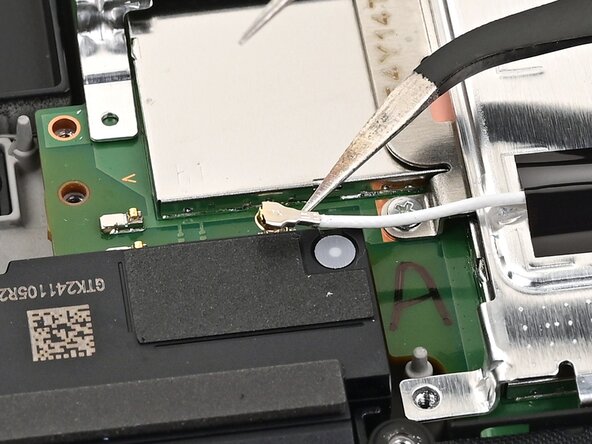
  23. Nintendo Switch 2 Board Replacement, Disconnect the lower antenna cable: 手順 23、 3の画像 1 Nintendo Switch 2 Board Replacement, Disconnect the lower antenna cable: 手順 23、 3の画像 2 Nintendo Switch 2 Board Replacement, Disconnect the lower antenna cable: 手順 23、 3の画像 3
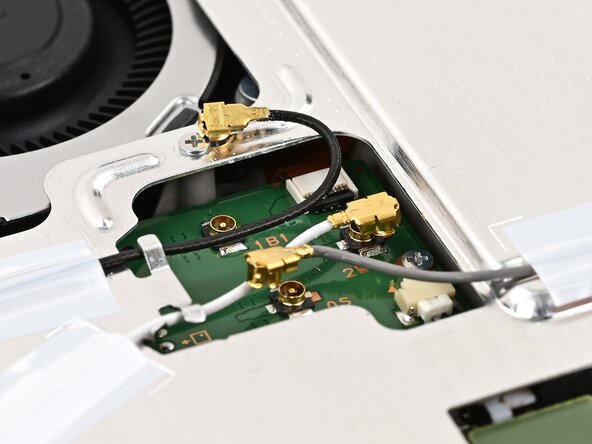
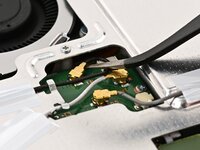
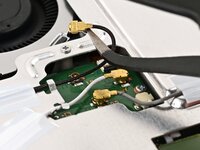
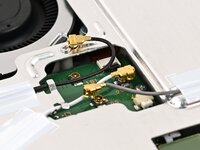
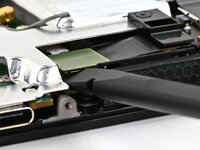
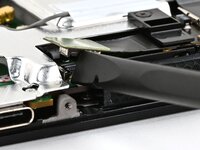
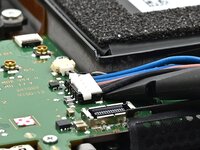
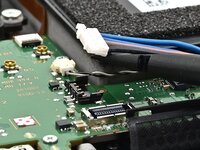
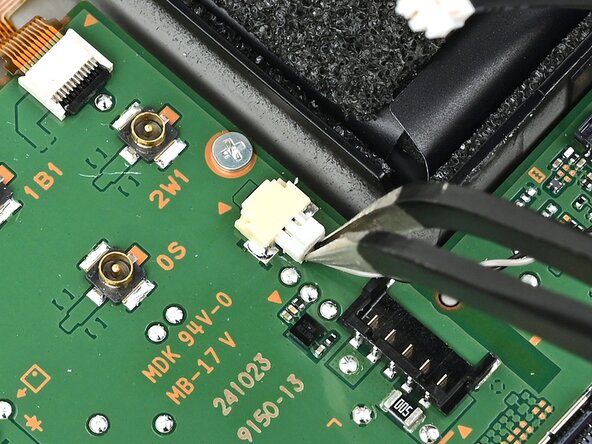
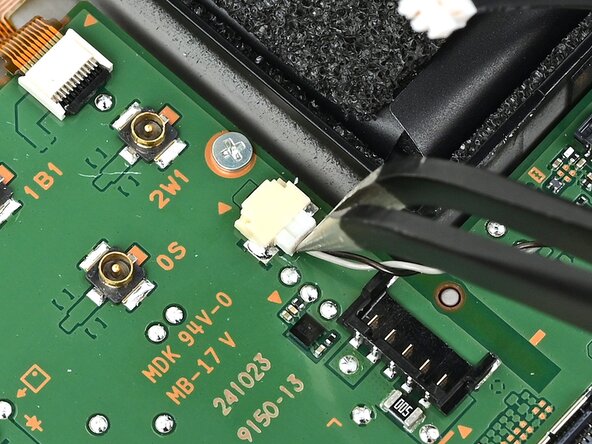
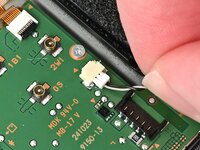
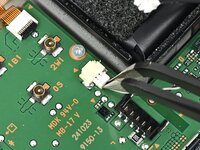
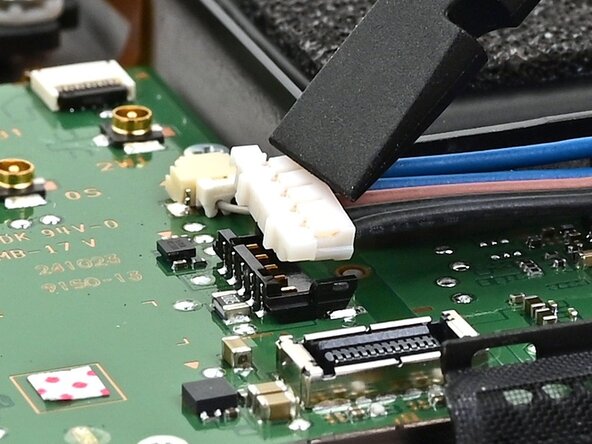
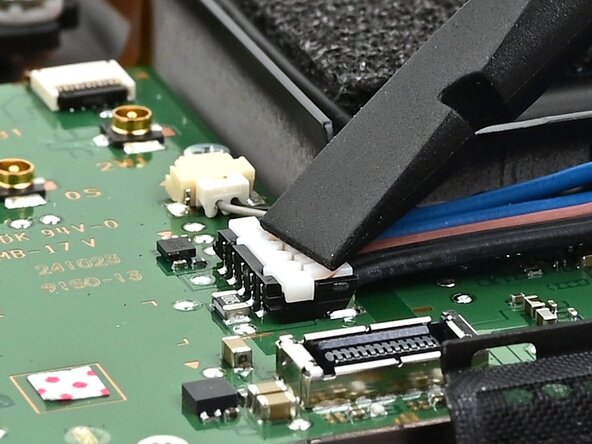
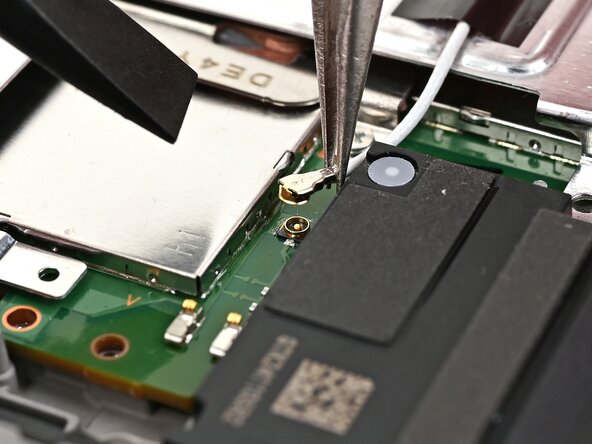
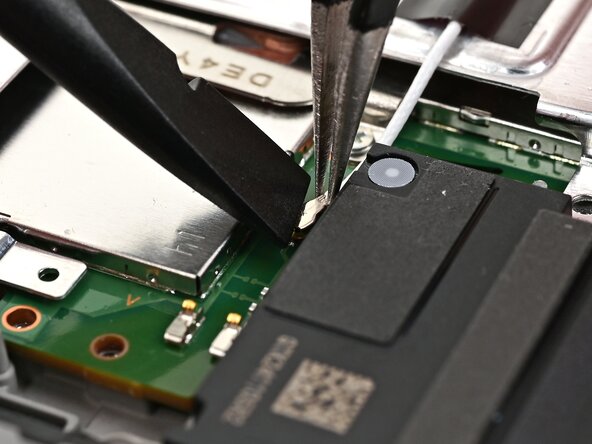
    • Insert an arm of angled tweezers under the metal neck of the white interconnect cable coaxial connector (located beneath the lower antenna) and lift straight up to disconnect it.

    FixBotに聞いてみる

    コメントを追加

  24. Nintendo Switch 2 Board Replacement, Disconnect the remaining antenna cables: 手順 24、 3の画像 1 Nintendo Switch 2 Board Replacement, Disconnect the remaining antenna cables: 手順 24、 3の画像 2 Nintendo Switch 2 Board Replacement, Disconnect the remaining antenna cables: 手順 24、 3の画像 3
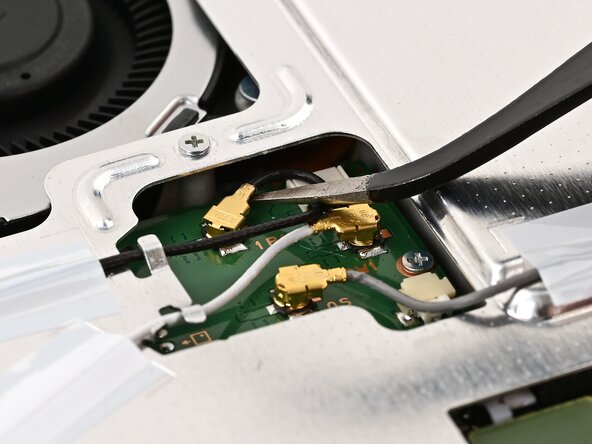
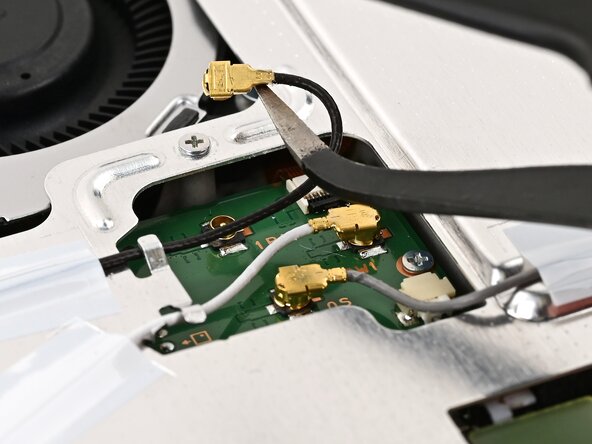
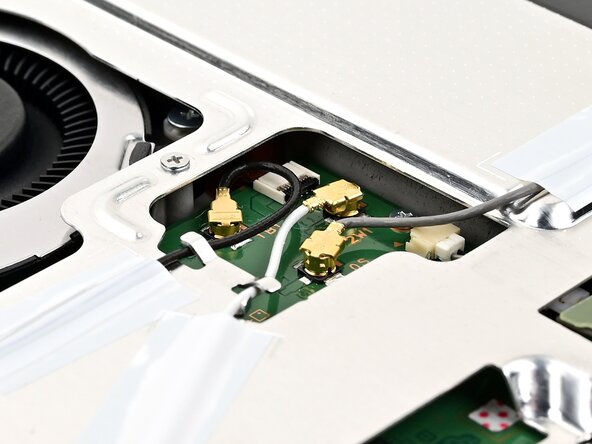
    • Repeat this procedure to disconnect the three central coaxial connectors from the board.

    FixBotに聞いてみる

    コメントを追加

  25. Nintendo Switch 2 Board Replacement, Disconnect the MicroSD connector: 手順 25、 3の画像 1 Nintendo Switch 2 Board Replacement, Disconnect the MicroSD connector: 手順 25、 3の画像 2 Nintendo Switch 2 Board Replacement, Disconnect the MicroSD connector: 手順 25、 3の画像 3
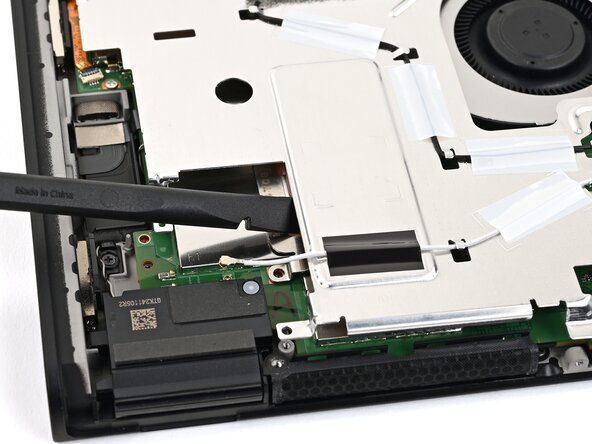
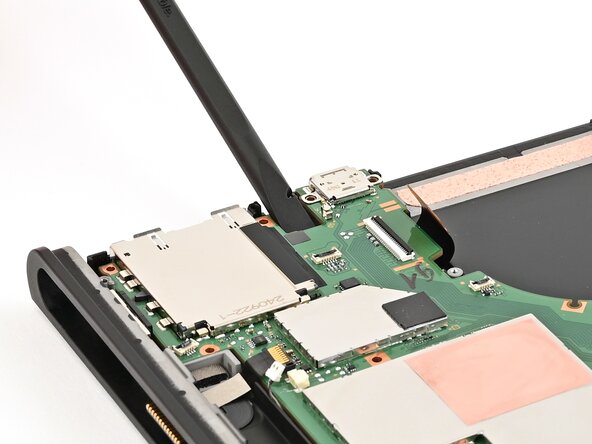
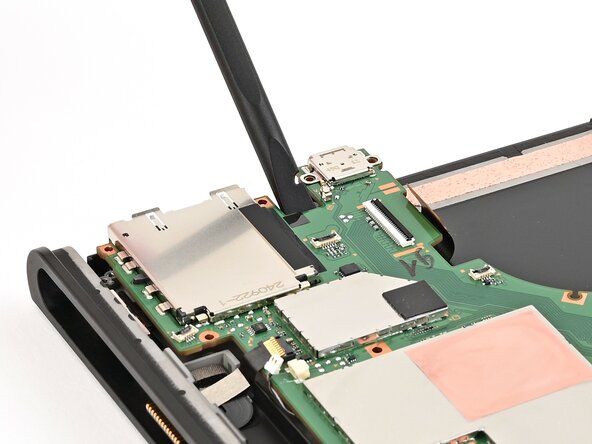
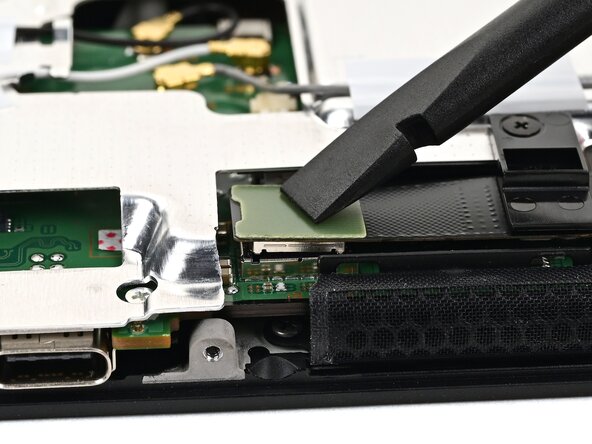
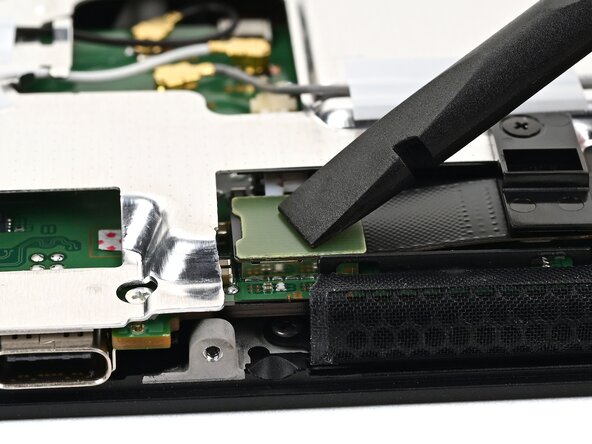
    • Use the flat end of a spudger to pry up and disconnect the MicroSD card reader press connector, located next to the bottom USB‑C port.

    FixBotに聞いてみる

    コメントを追加

  26. Nintendo Switch 2 Board Replacement, Remove the shield plate screws: 手順 26、 2の画像 1 Nintendo Switch 2 Board Replacement, Remove the shield plate screws: 手順 26、 2の画像 2
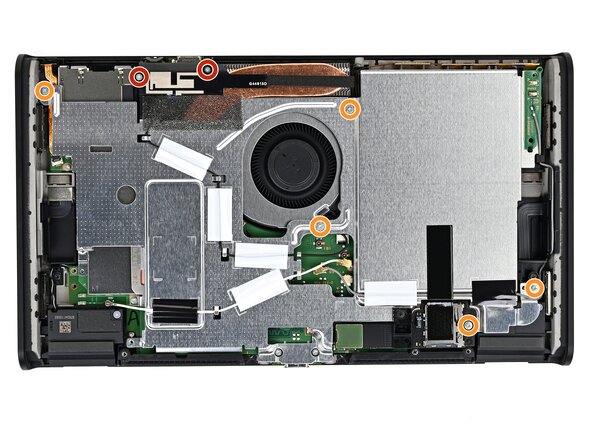
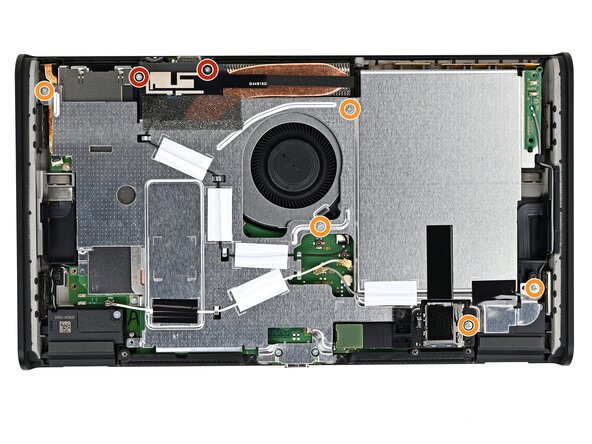
    • Use a JIS 00 driver to remove the seven screws securing the shield plate:

    • Two 6.2 mm‑long silver screws

    • Five 4.4 mm‑long silver screws

    FixBotに聞いてみる

    コメントを追加

  27. Nintendo Switch 2 Board Replacement, Lift the shield plate: 手順 27、 3の画像 1 Nintendo Switch 2 Board Replacement, Lift the shield plate: 手順 27、 3の画像 2 Nintendo Switch 2 Board Replacement, Lift the shield plate: 手順 27、 3の画像 3
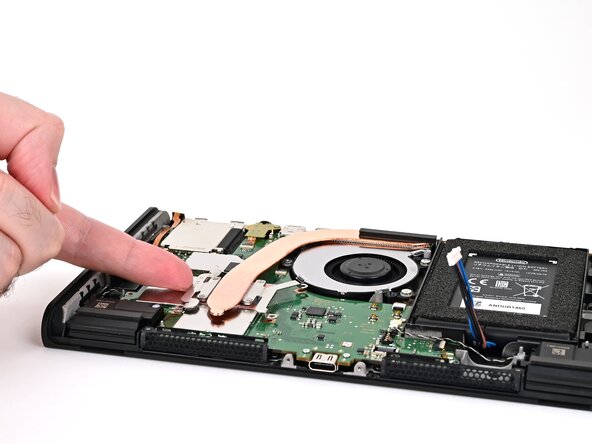
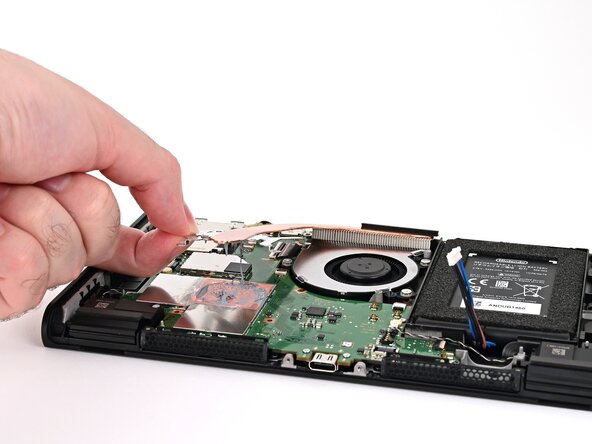
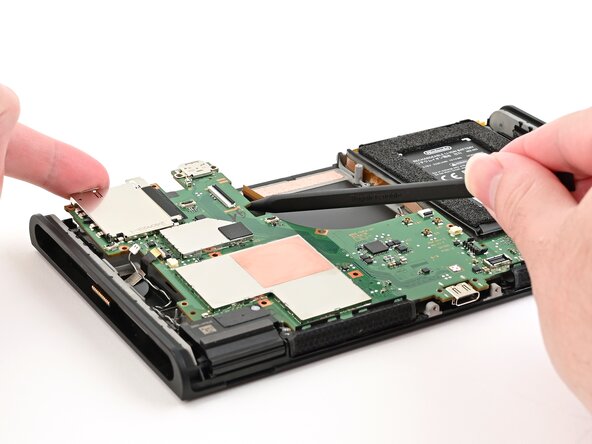
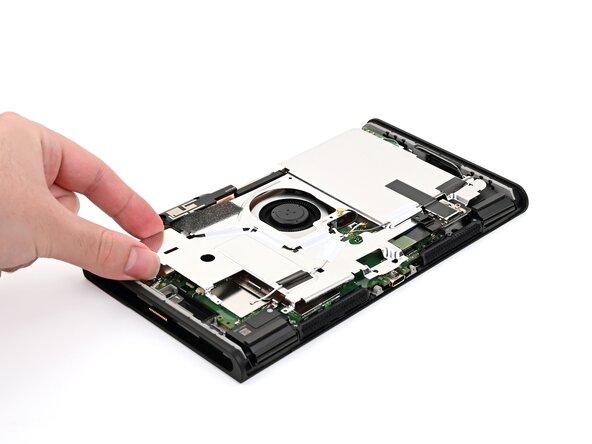
    • Insert the flat end of a spudger between the shield plate and the processor's heat sink, next to the square (⛶) marking on the shield plate.

    • Twist the spudger to lift the shield plate and separate the thermal putty bonded to it. Keep lifting the shield plate until you don't feel resistance.

    FixBotに聞いてみる

    コメントを追加

  28. Nintendo Switch 2 Board Replacement: 手順 28、 3の画像 1 Nintendo Switch 2 Board Replacement: 手順 28、 3の画像 2 Nintendo Switch 2 Board Replacement: 手順 28、 3の画像 3
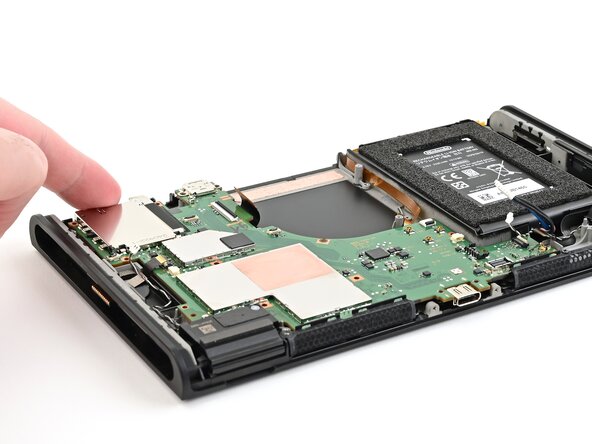
    • Lift the left edge of the shield plate to ensure it's fully separated from the thermal putty.

    • Gently set the shield plate back down.

    FixBotに聞いてみる

    コメントを追加

  29. Nintendo Switch 2 Board Replacement, Unroute the gray antenna cable: 手順 29、 3の画像 1 Nintendo Switch 2 Board Replacement, Unroute the gray antenna cable: 手順 29、 3の画像 2 Nintendo Switch 2 Board Replacement, Unroute the gray antenna cable: 手順 29、 3の画像 3
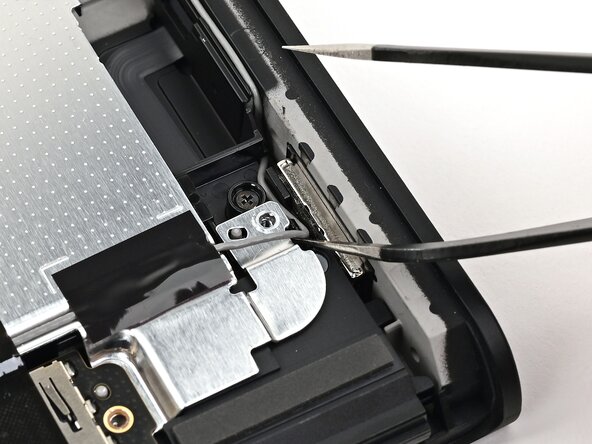
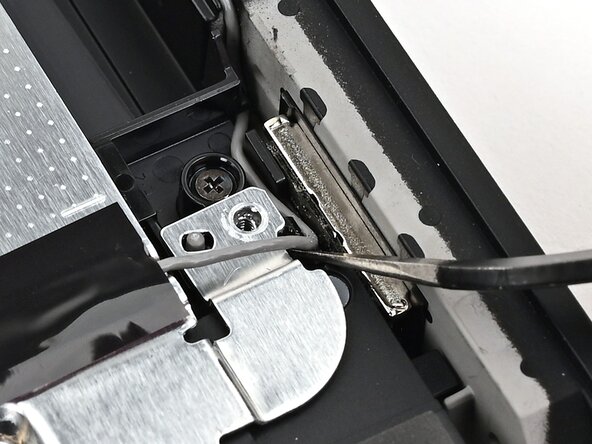
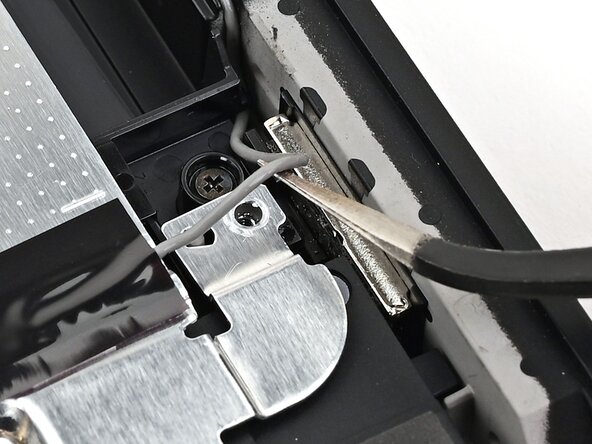
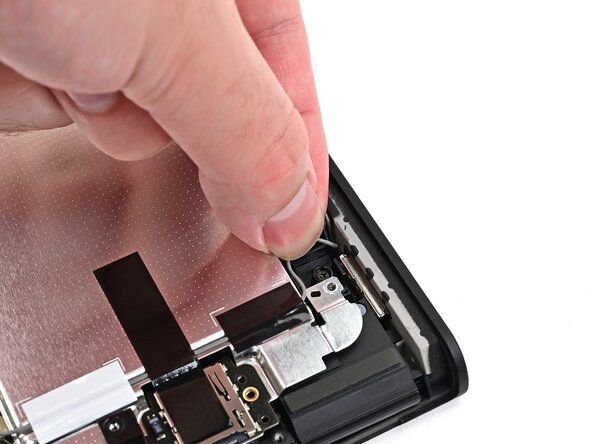
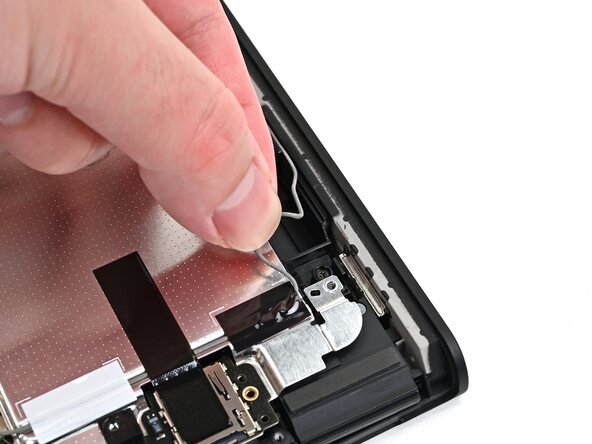
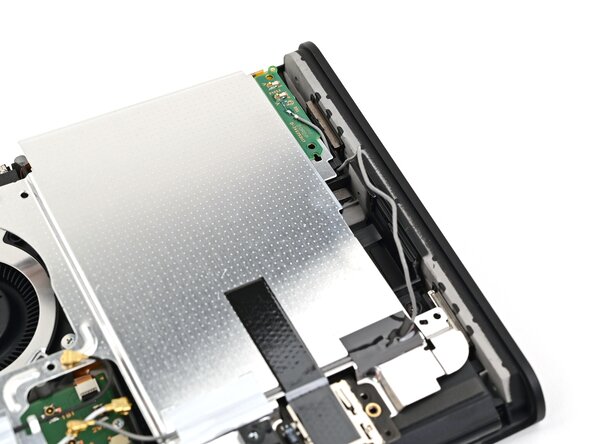
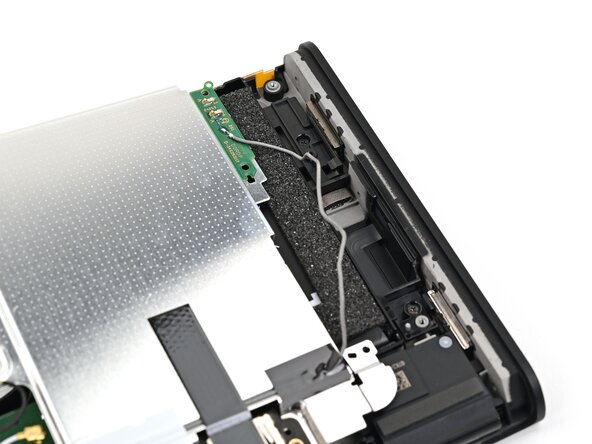
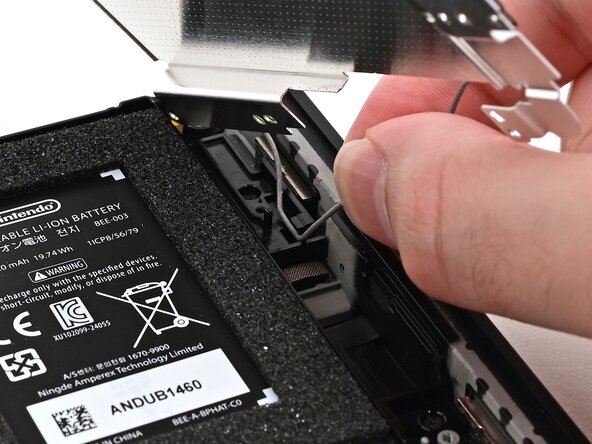
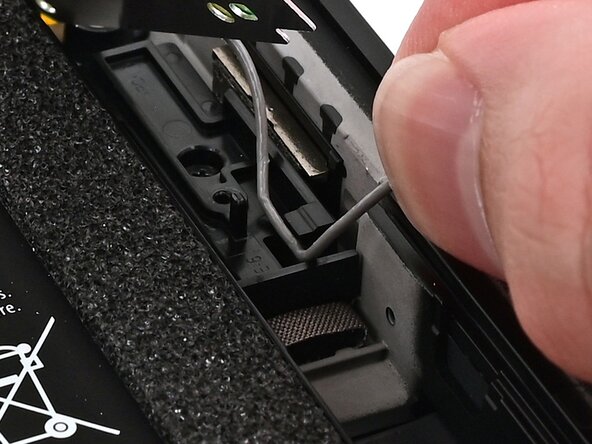
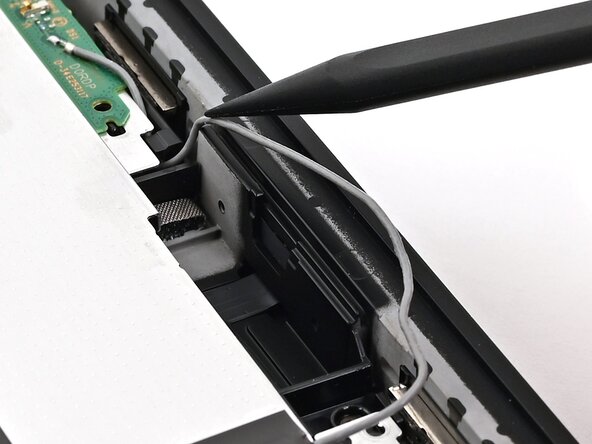
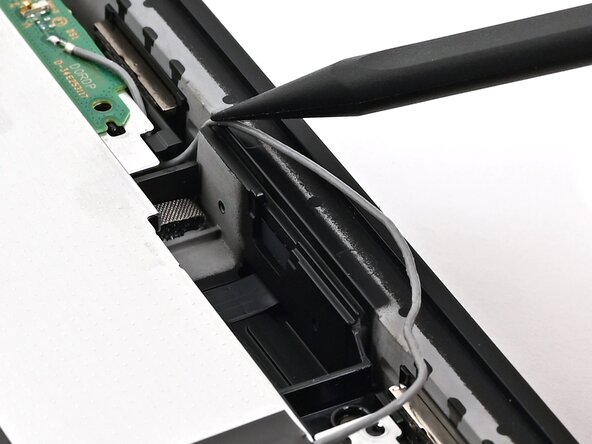
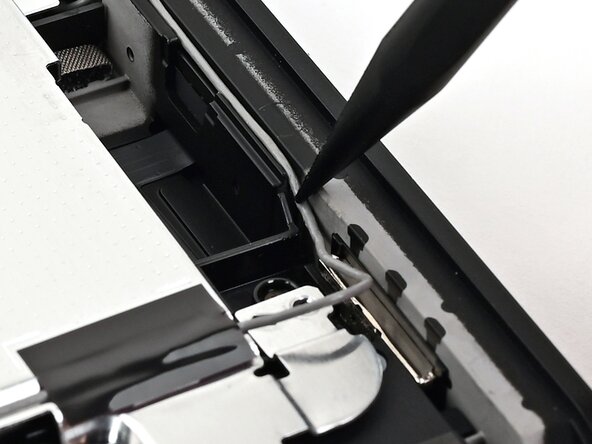
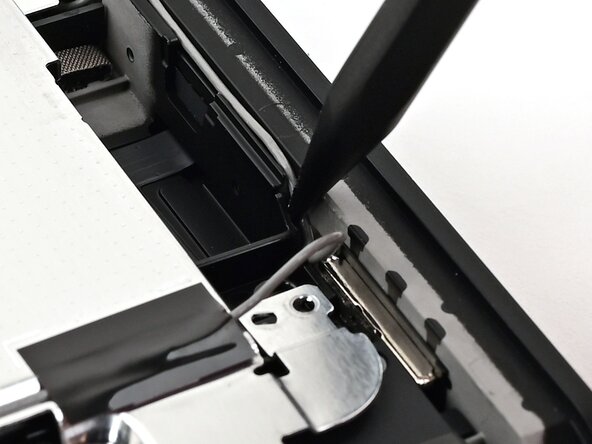
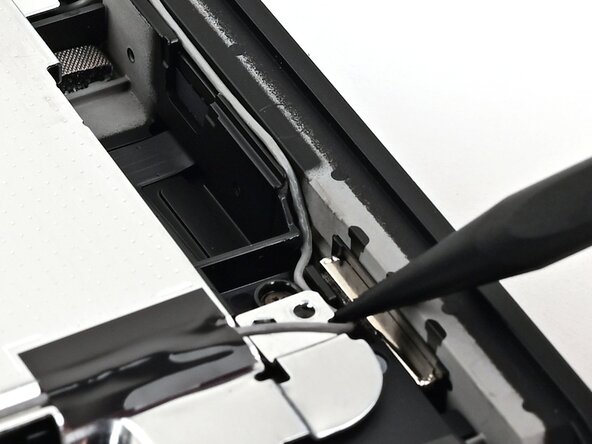
    • Insert one arm of angled tweezers underneath the gray antenna cable at the bottom-right corner of the console.

    • Lift the cable out of the black clip securing it to the frame.

    FixBotに聞いてみる

    コメントを追加

  30. Nintendo Switch 2 Board Replacement: 手順 30、 3の画像 1 Nintendo Switch 2 Board Replacement: 手順 30、 3の画像 2 Nintendo Switch 2 Board Replacement: 手順 30、 3の画像 3
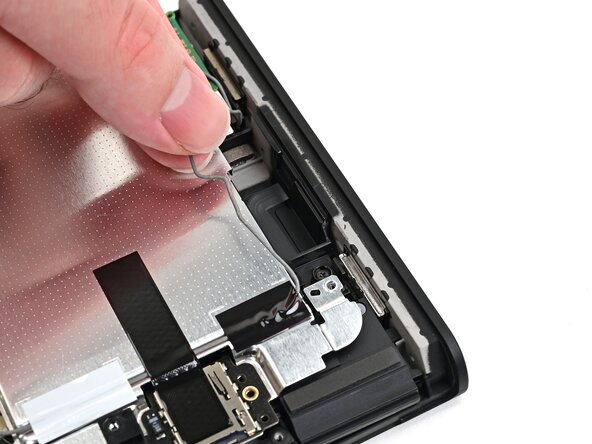
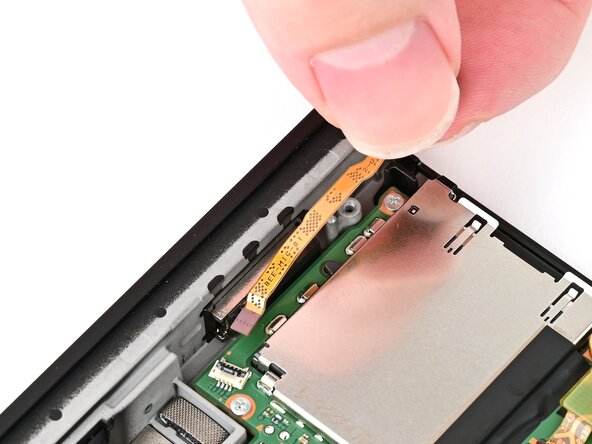
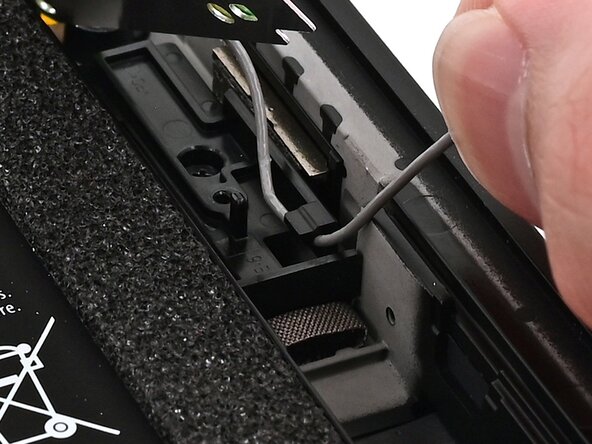
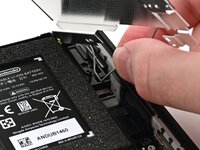
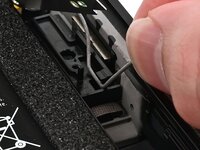
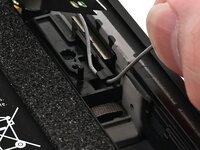
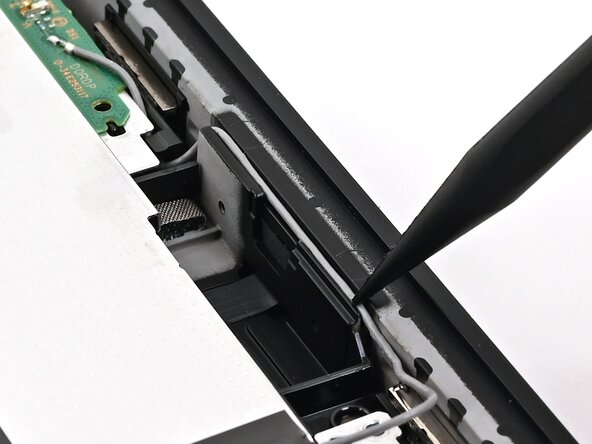
    • Unroute the gray antenna cable from its channel along the right edge of the console.

    FixBotに聞いてみる

    コメントを追加

  31. Nintendo Switch 2 Board Replacement: 手順 31、 2の画像 1 Nintendo Switch 2 Board Replacement: 手順 31、 2の画像 2
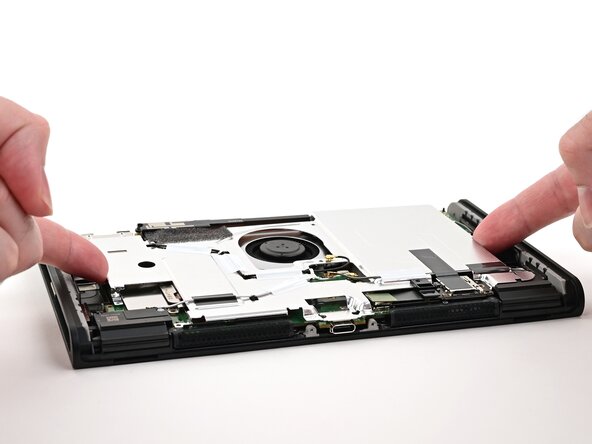
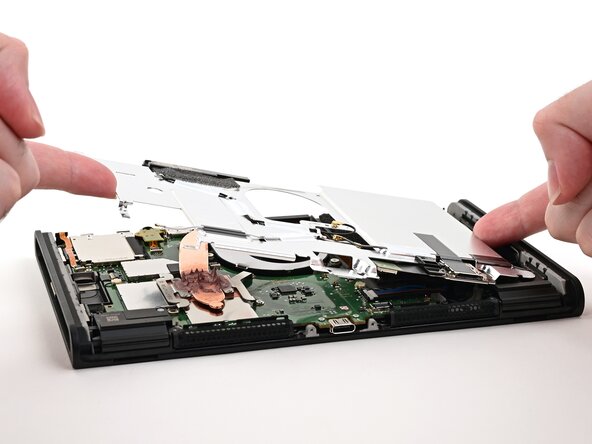
    • Lift and slide the shield plate away from the right edge of the console until the gray antenna cable is completely free.

    FixBotに聞いてみる

    コメントを追加

  32. Nintendo Switch 2 Board Replacement, Remove the shield plate: 手順 32、 2の画像 1 Nintendo Switch 2 Board Replacement, Remove the shield plate: 手順 32、 2の画像 2
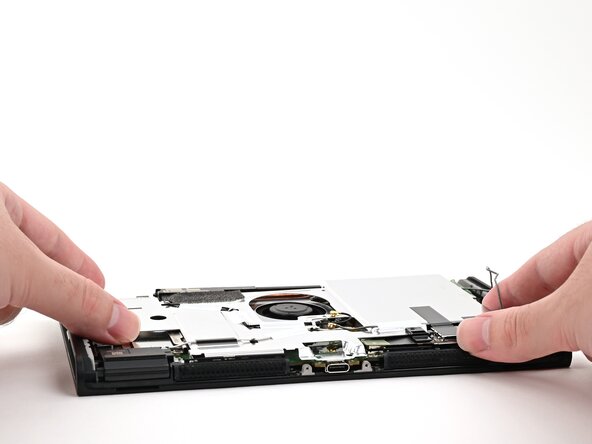
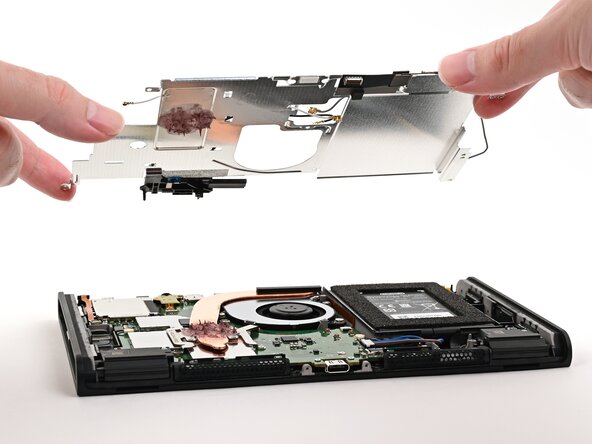
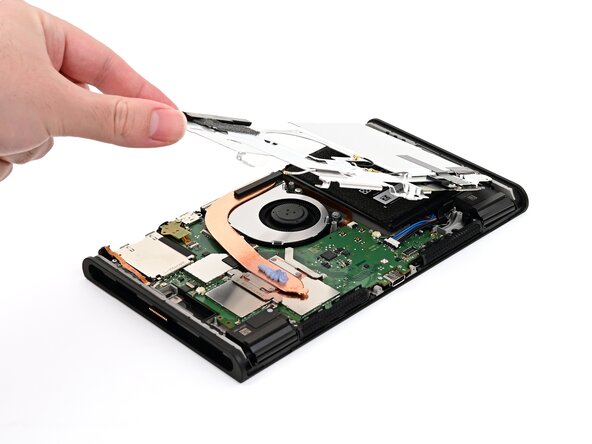
    • Pick up and remove the shield plate.

    FixBotに聞いてみる

    コメントを追加

  33. Nintendo Switch 2 Board Replacement, Disconnect the battery: 手順 33、 2の画像 1 Nintendo Switch 2 Board Replacement, Disconnect the battery: 手順 33、 2の画像 2
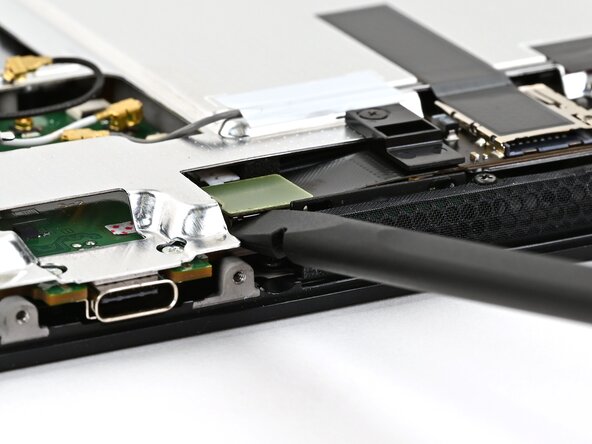
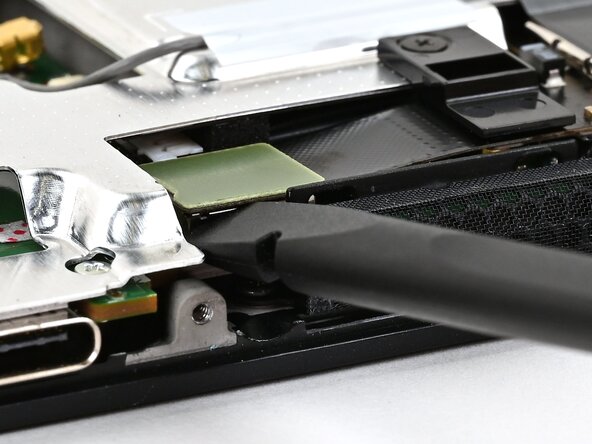
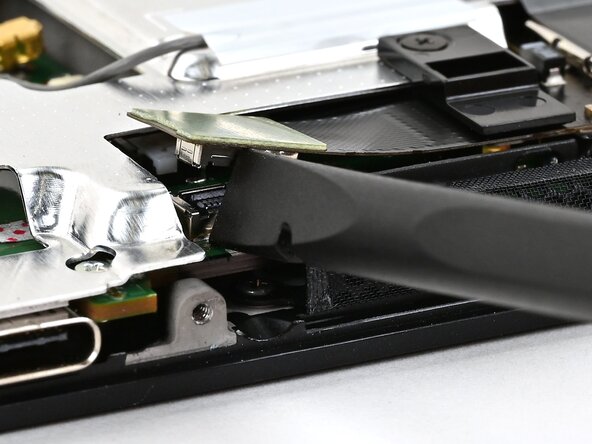
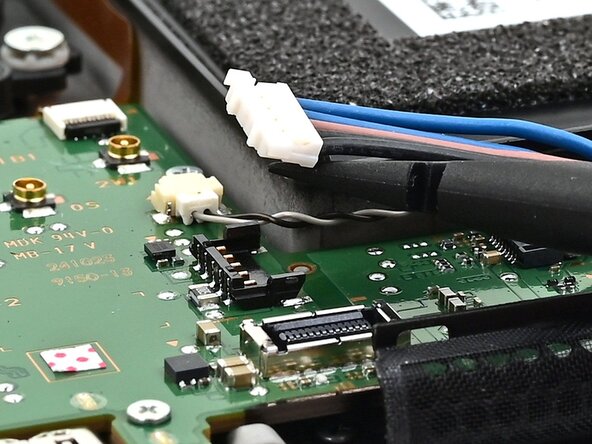
    • Insert the flat end of a spudger underneath the flat-topped battery connector, located next to the battery, and pry up to disconnect it.

    FixBotに聞いてみる

    コメントを追加

  34. Nintendo Switch 2 Board Replacement, Clean the heat pipe: 手順 34、 3の画像 1 Nintendo Switch 2 Board Replacement, Clean the heat pipe: 手順 34、 3の画像 2 Nintendo Switch 2 Board Replacement, Clean the heat pipe: 手順 34、 3の画像 3
    この手順で使用する道具:
    Arctic Silver ArctiClean
    $11.99
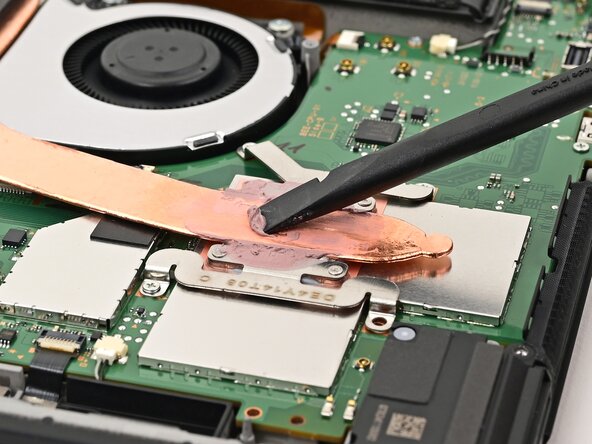
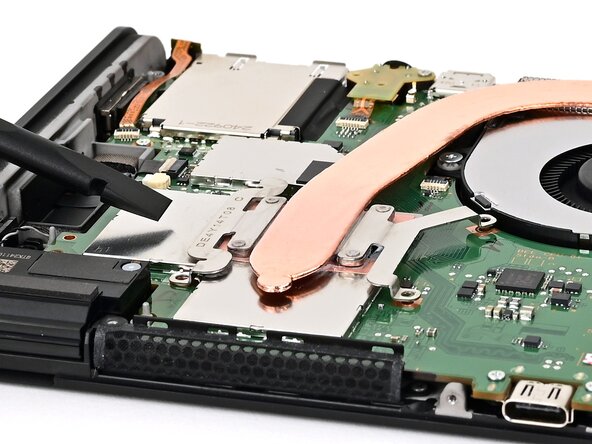
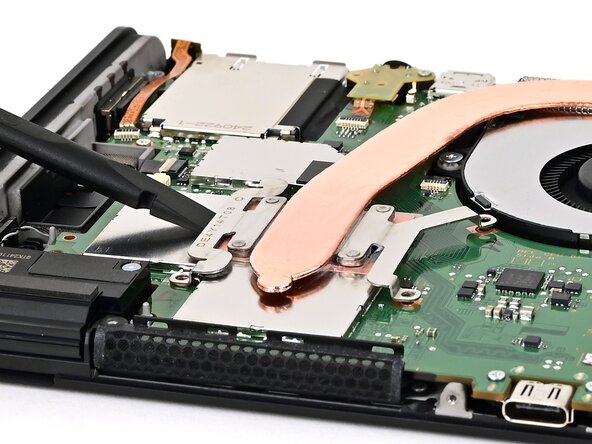
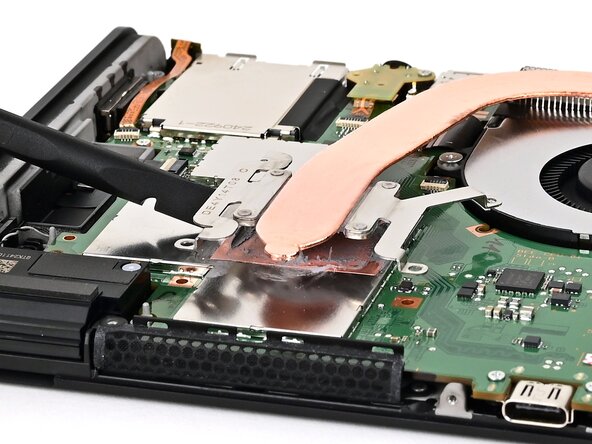
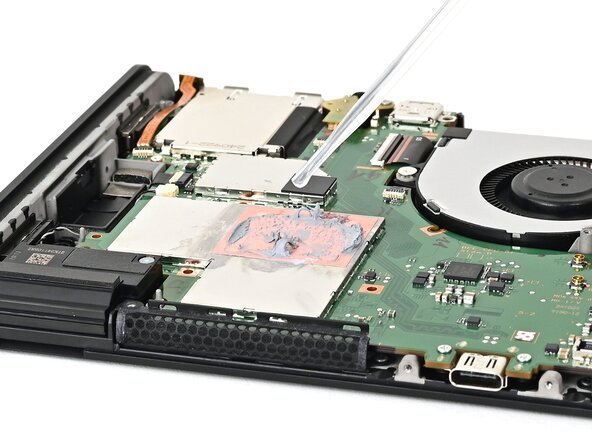
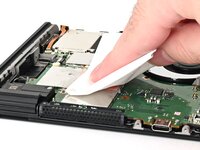
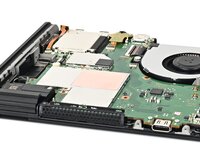
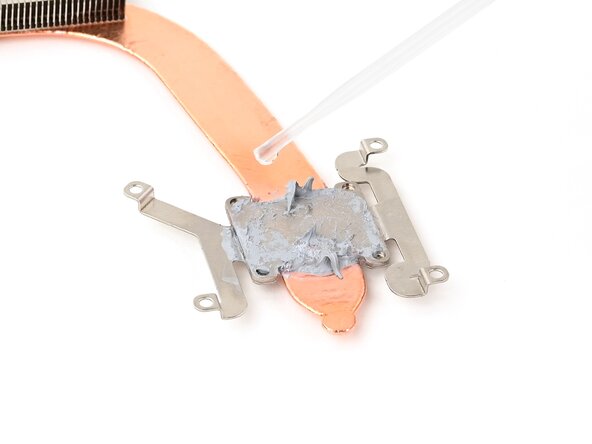
    • If you don't have replacement thermal putty, use the flat end of a spudger to distribute the old putty evenly across the heat pipe, as thick as possible to ensure proper contact. Repeat this process on the shield plate, then skip this step.

    • Use the flat end of a spudger to scrape off the thermal putty on top of the copper heat pipe.

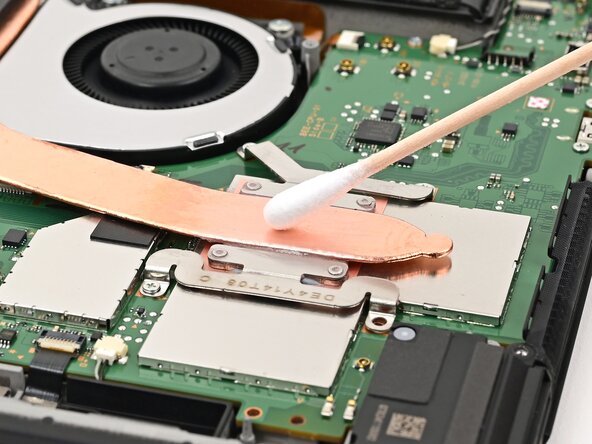
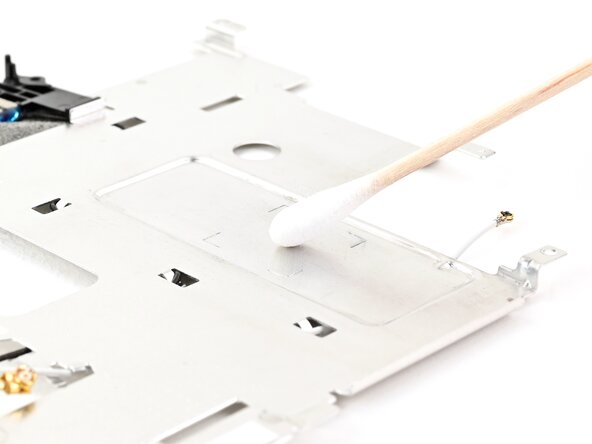
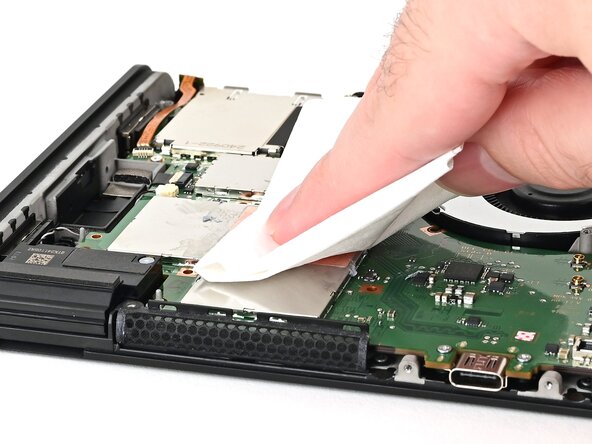
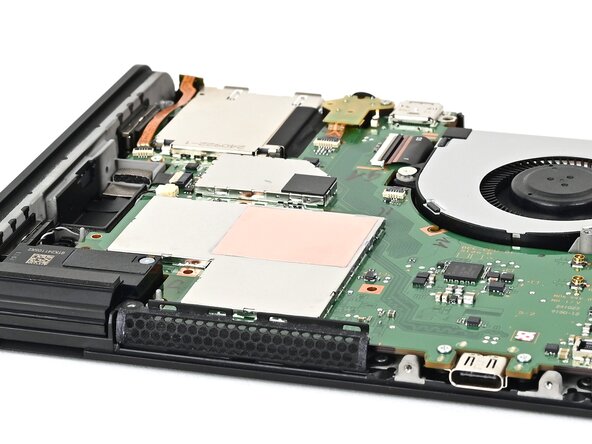
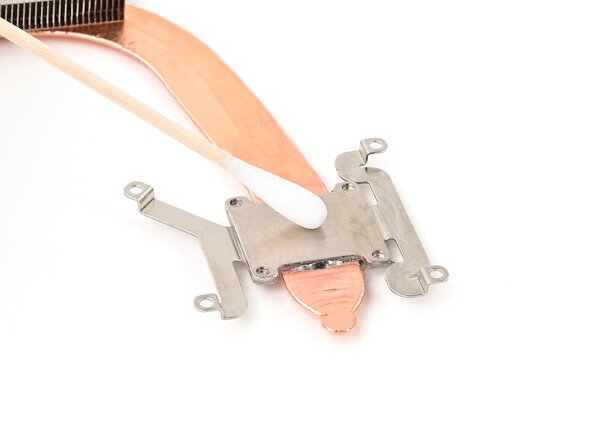
    • Apply high-concentration (90% or higher) isopropyl alcohol or thermal material remover to a cotton swab or lint-free cloth and wipe away any remaining thermal putty on both the heat pipe and shield plate.

    • Don't use a paper towel or rag, as they may scratch the shield plate.

    FixBotに聞いてみる

    コメントを追加

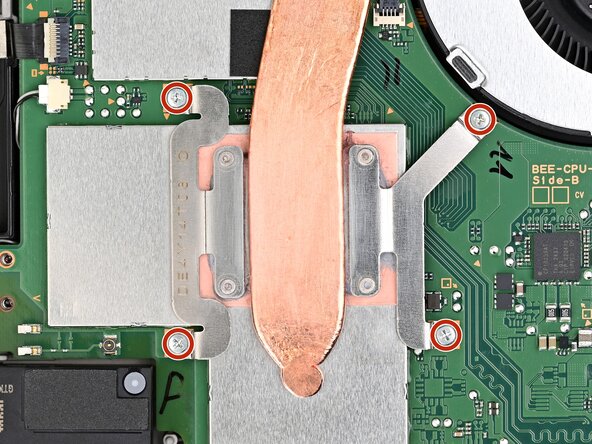
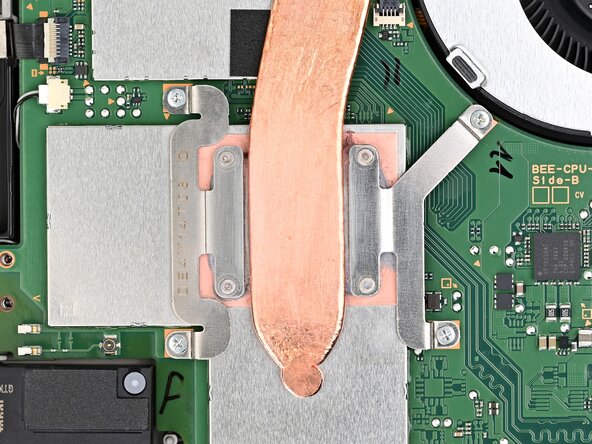
  35. Nintendo Switch 2 Board Replacement, Remove the heat sink screws: 手順 35、 2の画像 1 Nintendo Switch 2 Board Replacement, Remove the heat sink screws: 手順 35、 2の画像 2
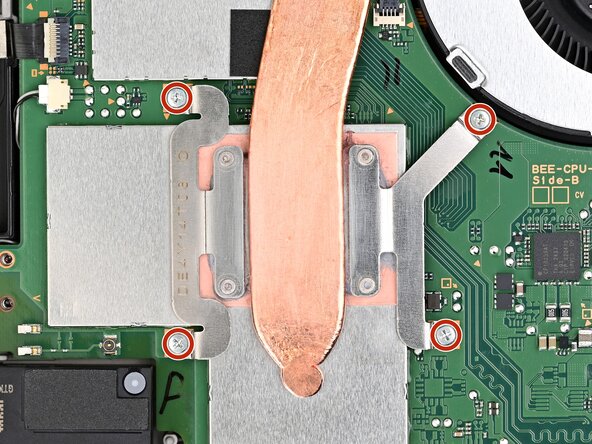
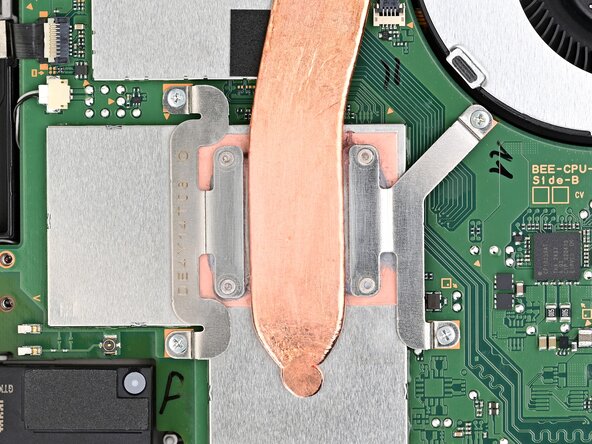
    • Use a JIS 00 driver to remove the four 3.4 mm‑long silver screws securing the heat sink.

    FixBotに聞いてみる

    コメントを追加

  36. Nintendo Switch 2 Board Replacement, Free the heat sink: 手順 36、 3の画像 1 Nintendo Switch 2 Board Replacement, Free the heat sink: 手順 36、 3の画像 2 Nintendo Switch 2 Board Replacement, Free the heat sink: 手順 36、 3の画像 3
    • Insert the flat end of a spudger between the heat sink and the processor's heat spreader.

    • Twist the spudger to lift the heat sink and separate the thermal paste bonded to it.

    FixBotに聞いてみる

    コメントを追加

  37. Nintendo Switch 2 Board Replacement, Remove the heat sink: 手順 37、 3の画像 1 Nintendo Switch 2 Board Replacement, Remove the heat sink: 手順 37、 3の画像 2 Nintendo Switch 2 Board Replacement, Remove the heat sink: 手順 37、 3の画像 3
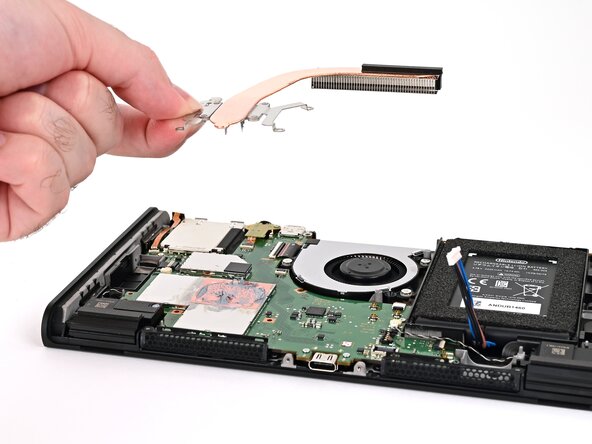
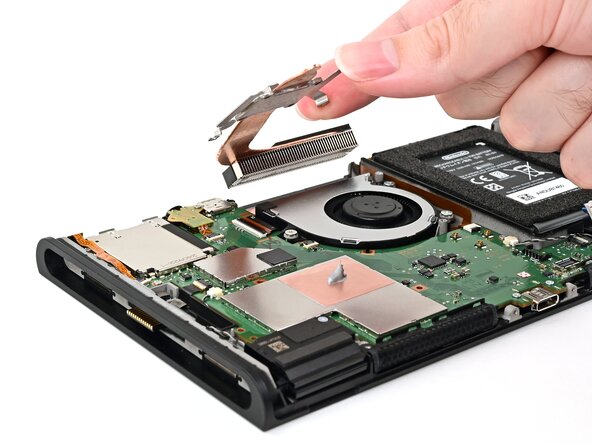
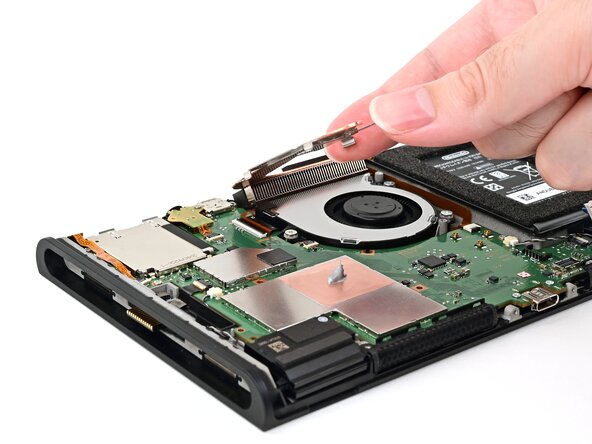
    • Lift the heat sink slowly to avoid bending its thin copper heat pipe.

    • Slowly lift the heat sink from the front, until the aluminum fin stack at the back is detached from the adhesive beneath it.

    • Remove the heat sink.

    FixBotに聞いてみる

    コメントを追加

  38. Nintendo Switch 2 Board Replacement, Clean the thermal paste: 手順 38、 3の画像 1 Nintendo Switch 2 Board Replacement, Clean the thermal paste: 手順 38、 3の画像 2 Nintendo Switch 2 Board Replacement, Clean the thermal paste: 手順 38、 3の画像 3
    この手順で使用する道具:
    Arctic Silver ArctiClean
    $11.99
    • Use high-concentration (90% or higher) isopropyl alcohol or thermal material remover to soak the thermal paste on the processor's heat spreader for one minute.

    • Use a lint-free cloth or cotton swabs to wipe away the thermal paste.

    • Repeat this process until the processor's heat spreader is clean.

    FixBotに聞いてみる

    コメントを追加

  39. Nintendo Switch 2 Board Replacement: 手順 39、 2の画像 1 Nintendo Switch 2 Board Replacement: 手順 39、 2の画像 2
    • If you're replacing your heat sink, skip this step.

    • Repeat this process to clean the thermal paste off the bottom of the heat sink.

    FixBotに聞いてみる

    コメントを追加

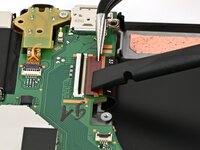
  40. Nintendo Switch 2 Board Replacement, Disconnect the fan: 手順 40、 2の画像 1 Nintendo Switch 2 Board Replacement, Disconnect the fan: 手順 40、 2の画像 2
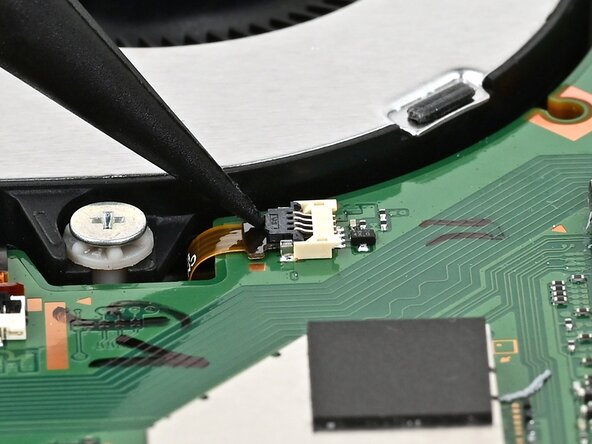
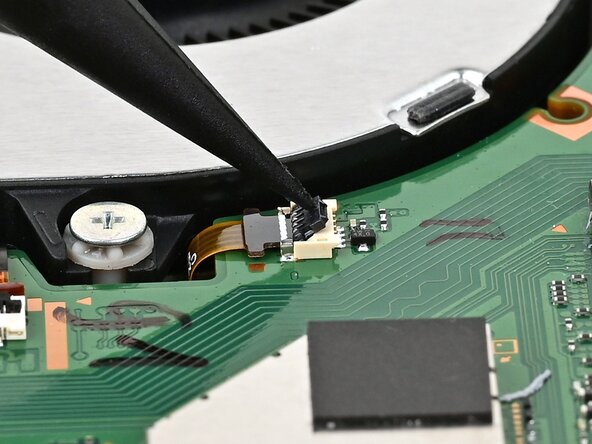
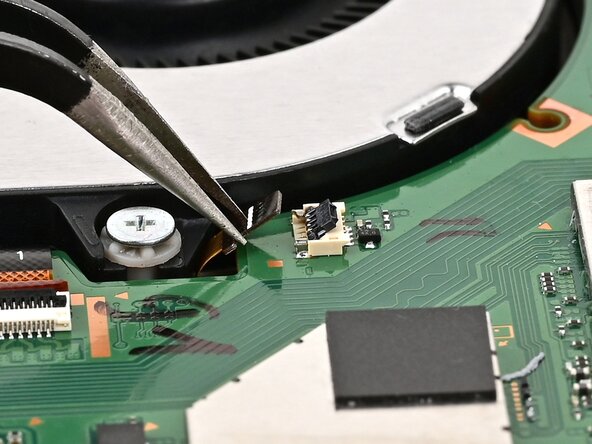
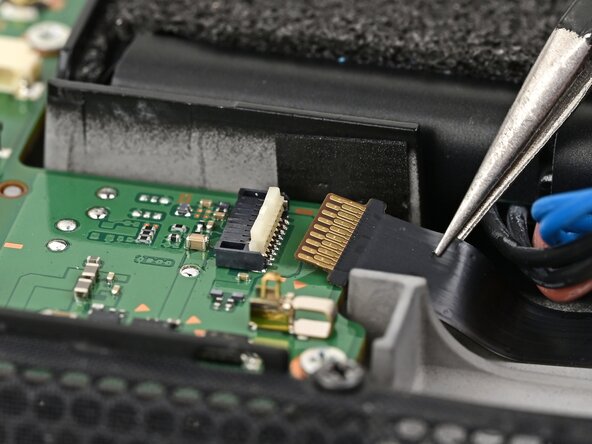
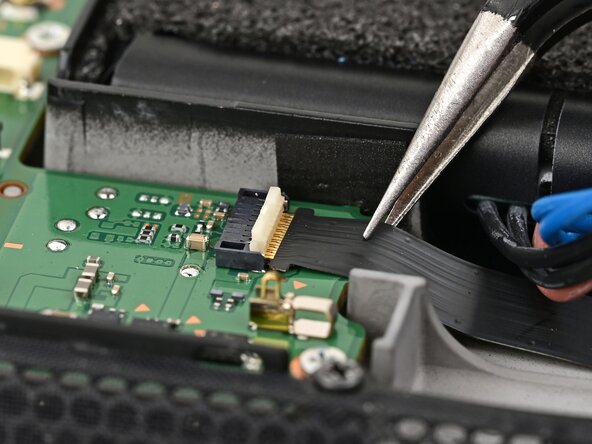
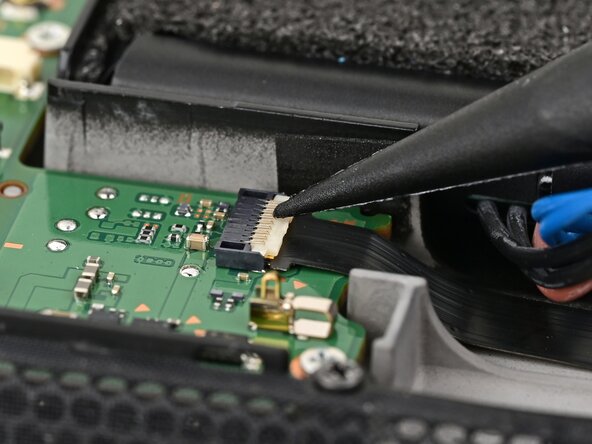
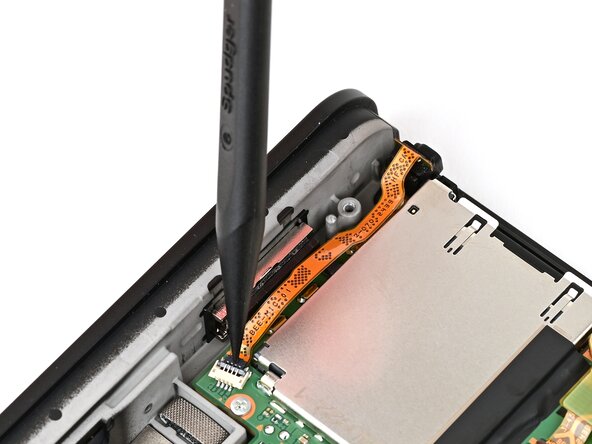
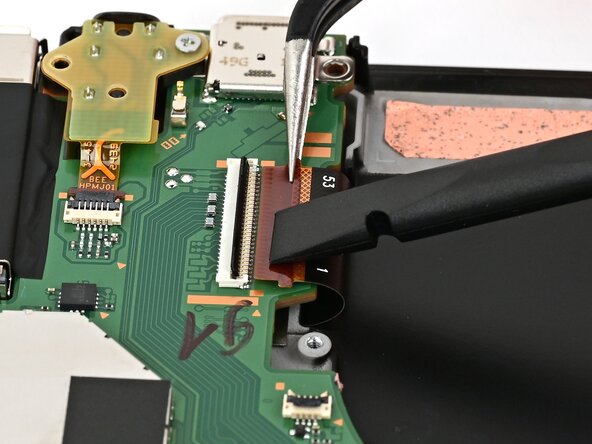
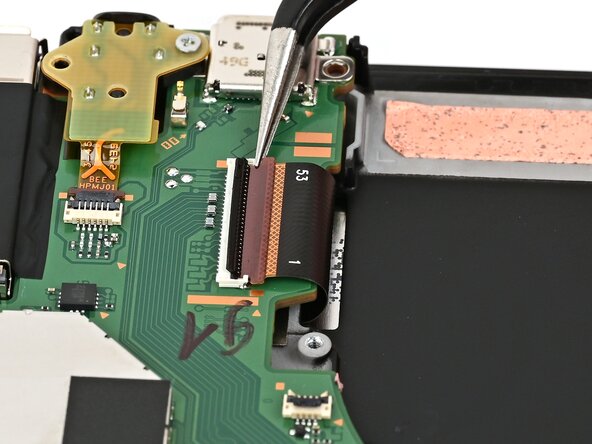
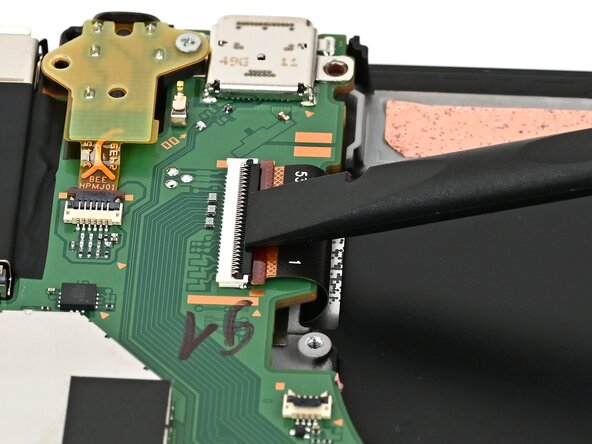
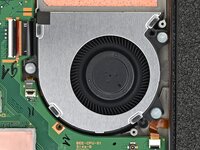
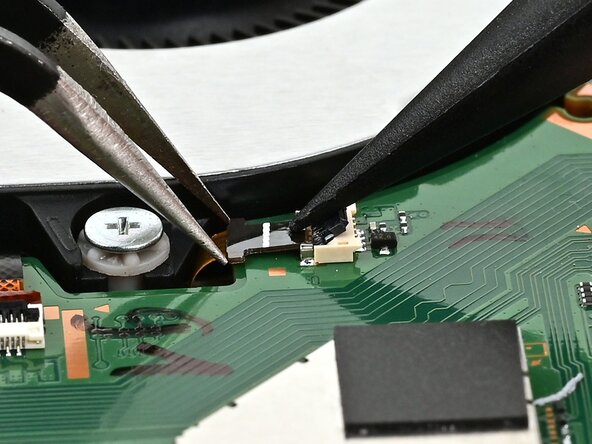
    • Use the point of a spudger to flip up the locking flap on the fan cable ZIF connector, located next to the fan on the console's board.

    FixBotに聞いてみる

    コメントを追加

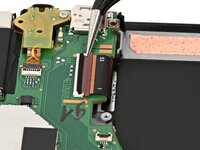
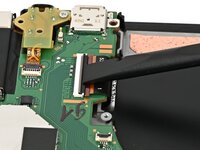
  41. Nintendo Switch 2 Board Replacement: 手順 41、 3の画像 1 Nintendo Switch 2 Board Replacement: 手順 41、 3の画像 2 Nintendo Switch 2 Board Replacement: 手順 41、 3の画像 3
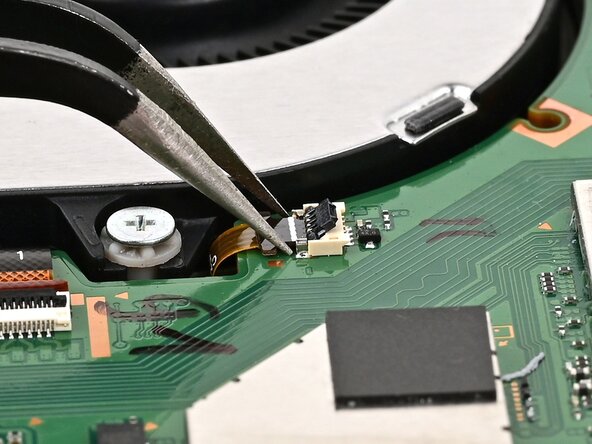
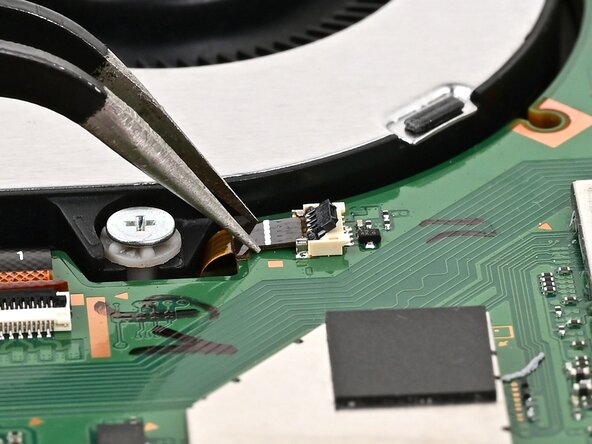
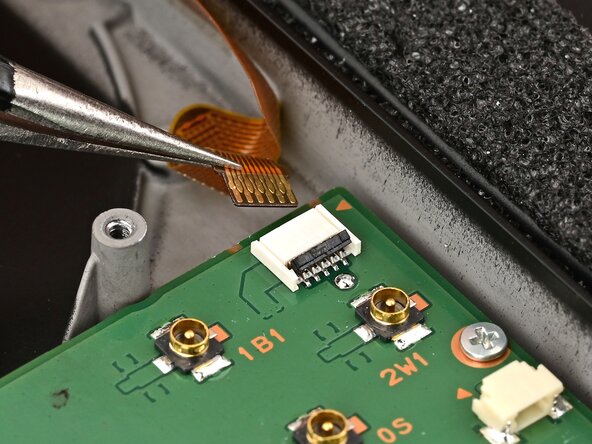
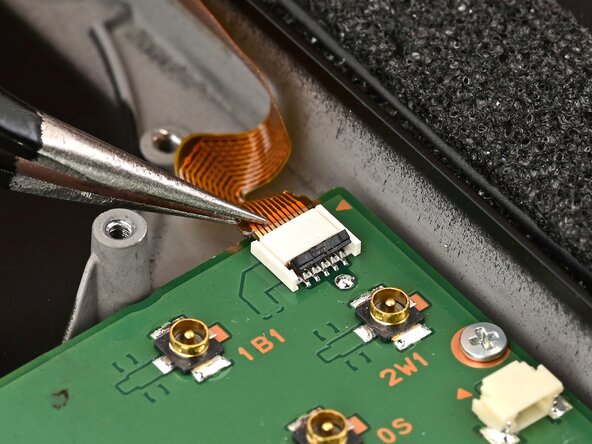
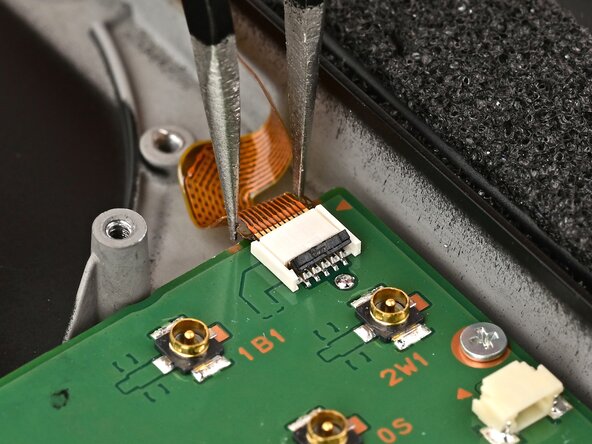
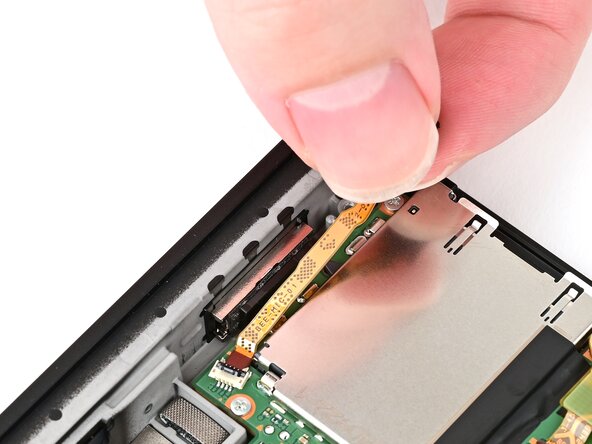
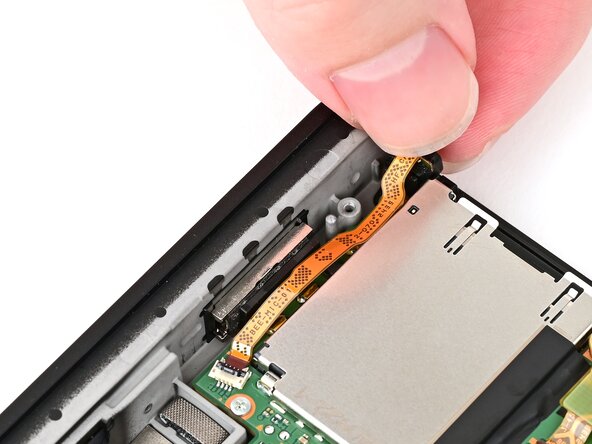
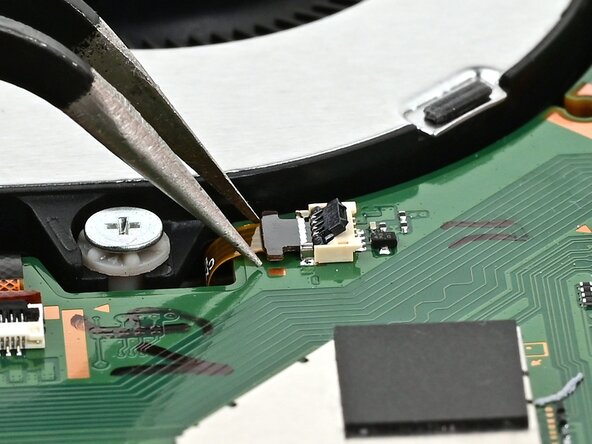
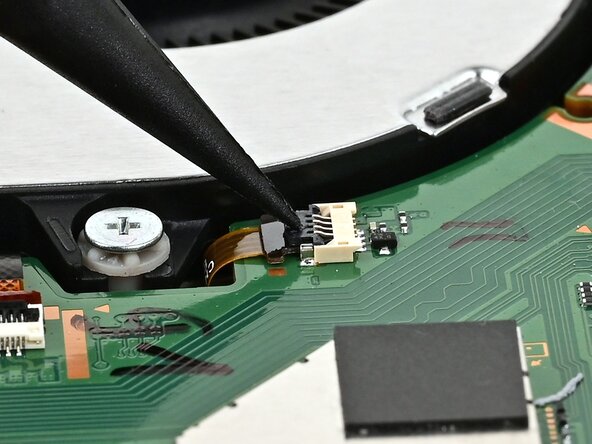
    • Use tweezers or your fingers to gently pull the cable out of its socket.

    • If you're using tweezers, pull the cable out by its "wings" instead of gripping the cable itself.

    FixBotに聞いてみる

    コメントを追加

  42. Nintendo Switch 2 Board Replacement, Remove the fan screws: 手順 42、 2の画像 1 Nintendo Switch 2 Board Replacement, Remove the fan screws: 手順 42、 2の画像 2
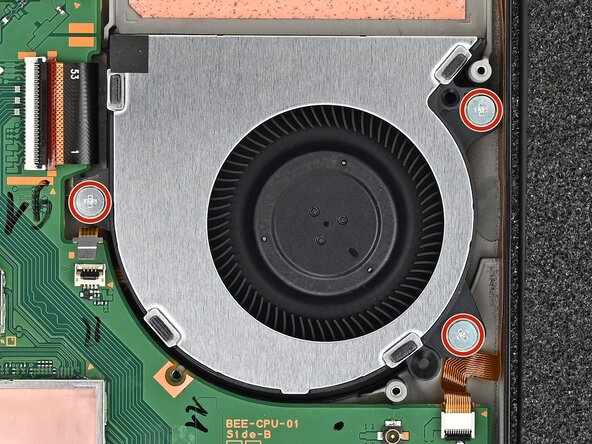
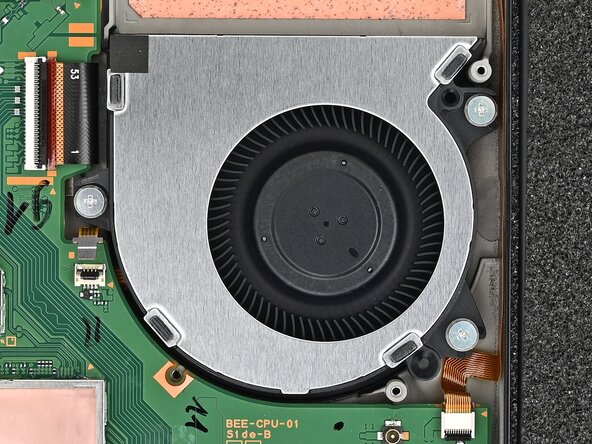
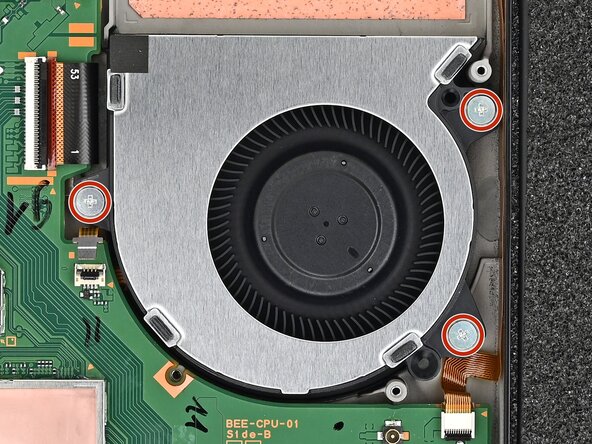
    • Use a JIS 00 driver to remove the three 5.2 mm‑long silver screws securing the fan.

    FixBotに聞いてみる

    コメントを追加

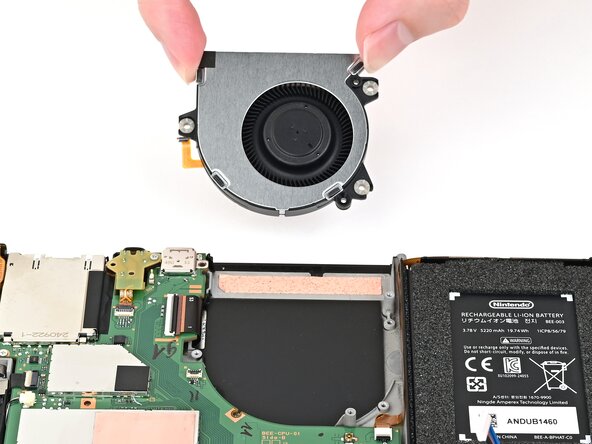
  43. Nintendo Switch 2 Board Replacement, Remove the fan: 手順 43、 3の画像 1 Nintendo Switch 2 Board Replacement, Remove the fan: 手順 43、 3の画像 2 Nintendo Switch 2 Board Replacement, Remove the fan: 手順 43、 3の画像 3
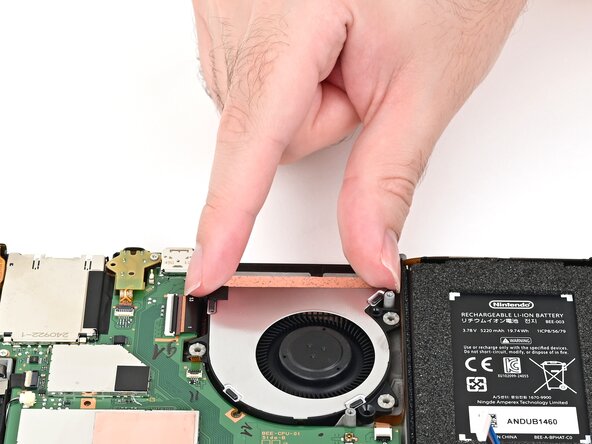
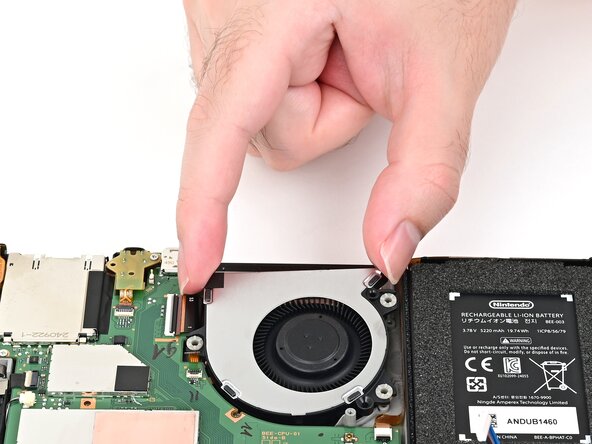
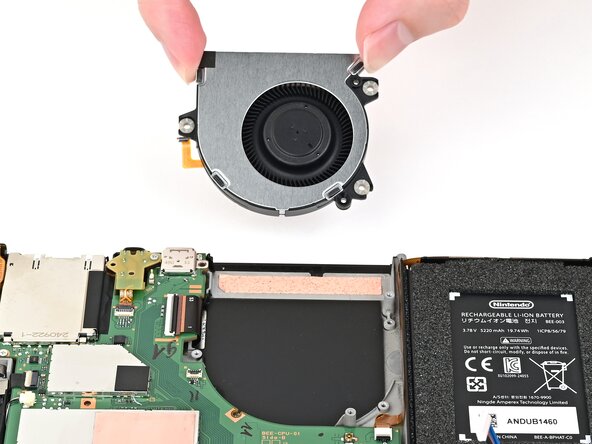
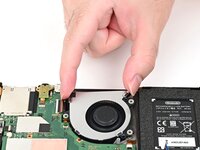
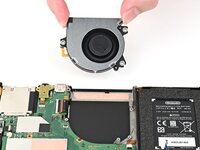
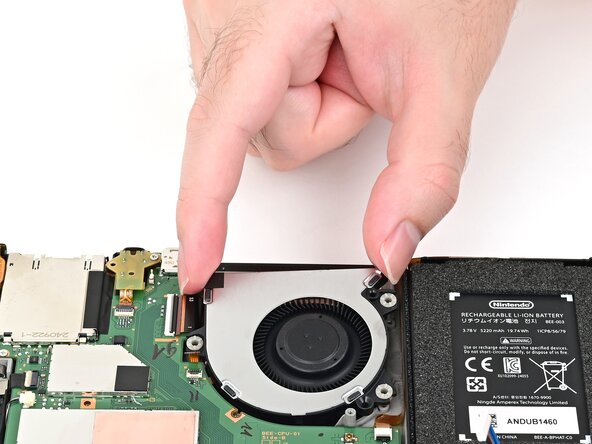
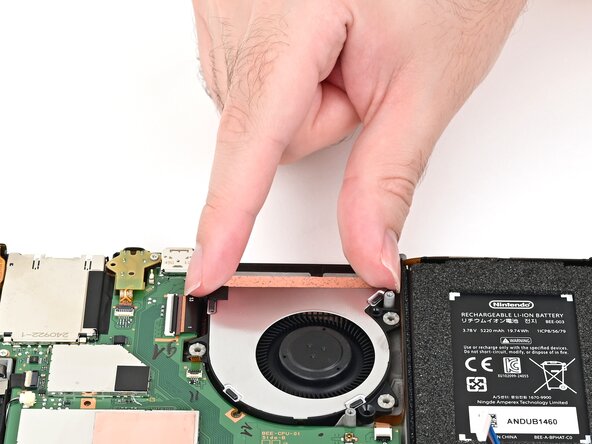
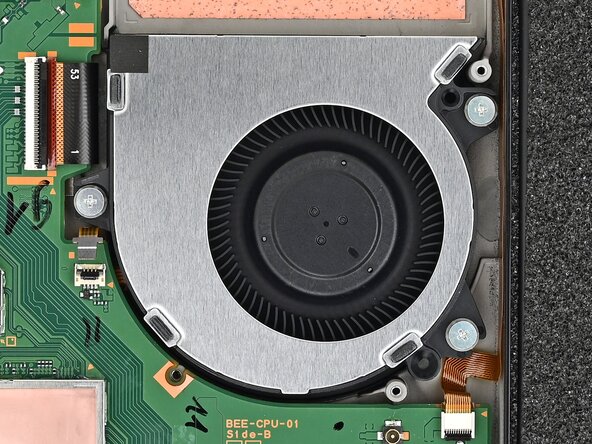
    • Slide the fan out of its recess to free its cable, then pick it up to remove it.

    FixBotに聞いてみる

    コメントを追加

  44. Nintendo Switch 2 Board Replacement, Disconnect the screen: 手順 44、 2の画像 1 Nintendo Switch 2 Board Replacement, Disconnect the screen: 手順 44、 2の画像 2
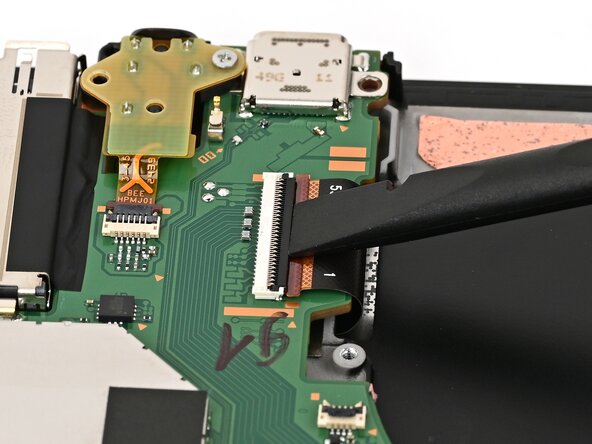
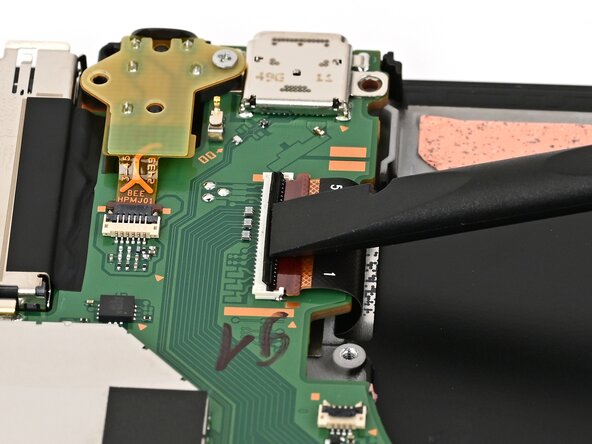
    • Use your finger or the flat end of a spudger to flip up the locking flap on the screen cable ZIF connector.

    FixBotに聞いてみる

    コメントを追加

  45. Nintendo Switch 2 Board Replacement: 手順 45、 2の画像 1 Nintendo Switch 2 Board Replacement: 手順 45、 2の画像 2
    • Use tweezers or your fingers to gently pull the screen cable out of its connector.

    FixBotに聞いてみる

    コメントを追加

  46. Nintendo Switch 2 Board Replacement, Disconnect the headphone jack: 手順 46、 2の画像 1 Nintendo Switch 2 Board Replacement, Disconnect the headphone jack: 手順 46、 2の画像 2
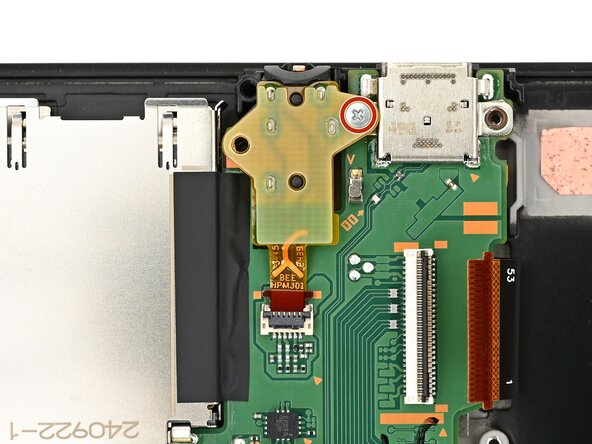
    • Use the point of a spudger to flip up the locking flap on the headphone jack ZIF connector, located on the top edge of the console's board.

    FixBotに聞いてみる

    コメントを追加

  47. Nintendo Switch 2 Board Replacement, Remove the headphone jack: 手順 47、 2の画像 1 Nintendo Switch 2 Board Replacement, Remove the headphone jack: 手順 47、 2の画像 2
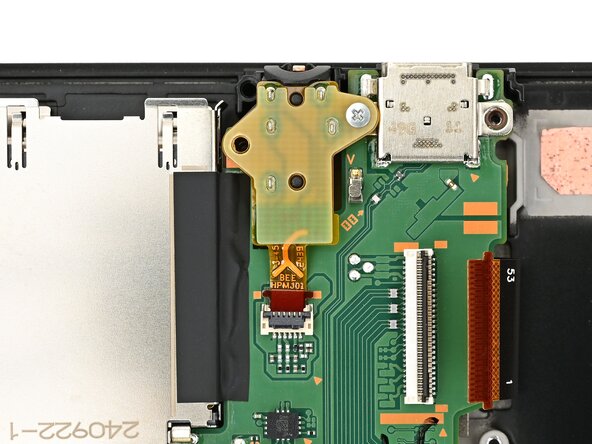
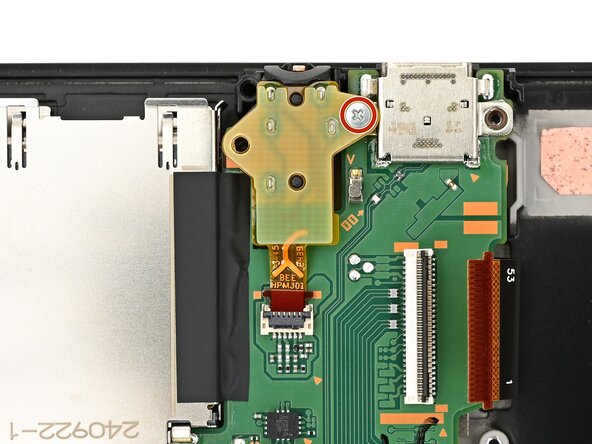
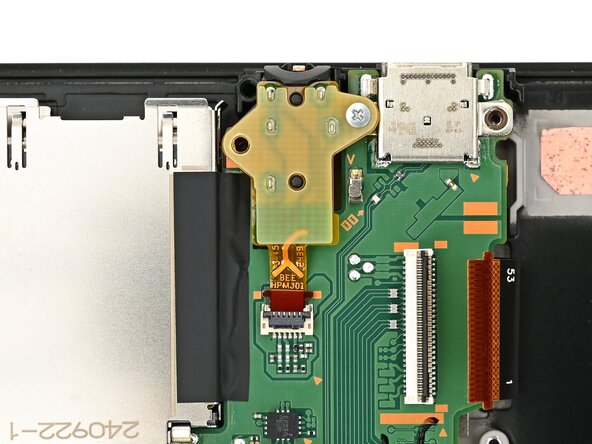
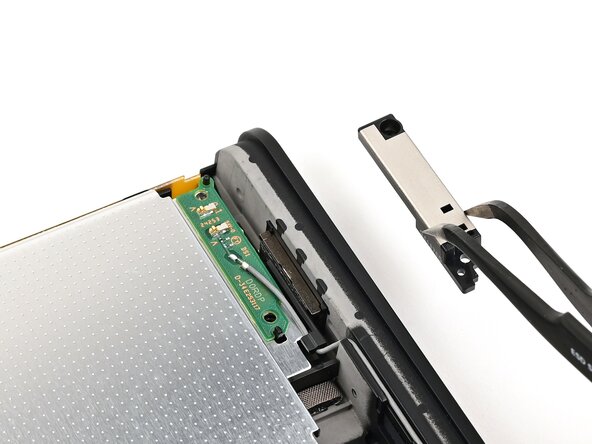
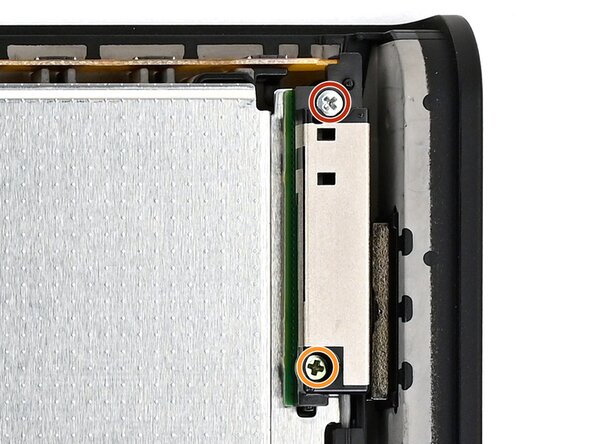
    • Use a JIS 00 driver to remove the 6.2 mm‑long silver screw securing the headphone jack.

    FixBotに聞いてみる

    コメントを追加

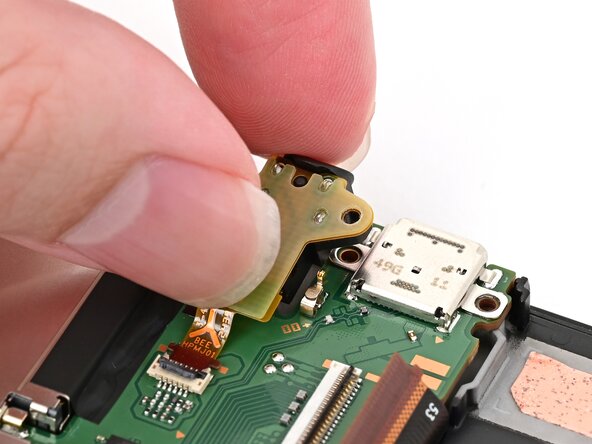
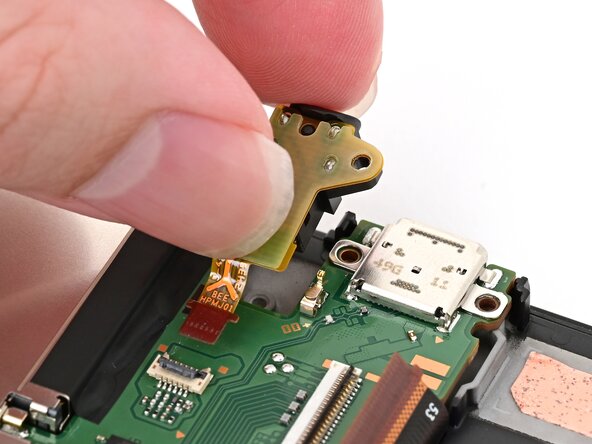
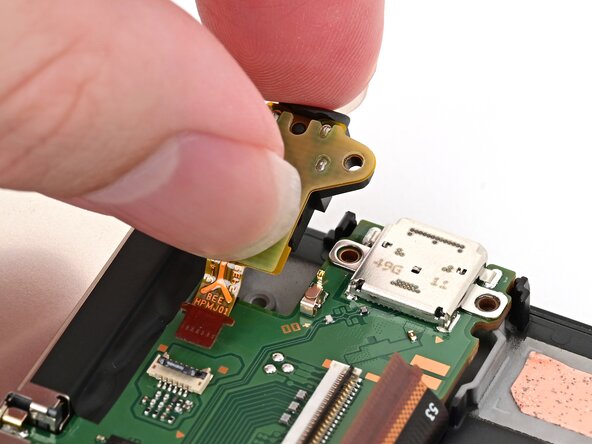
  48. Nintendo Switch 2 Board Replacement: 手順 48、 2の画像 1 Nintendo Switch 2 Board Replacement: 手順 48、 2の画像 2
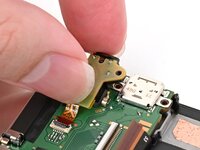
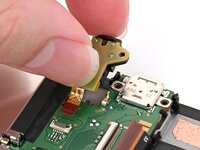
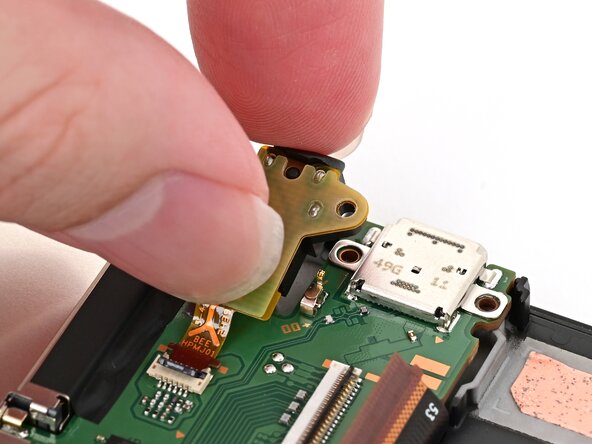
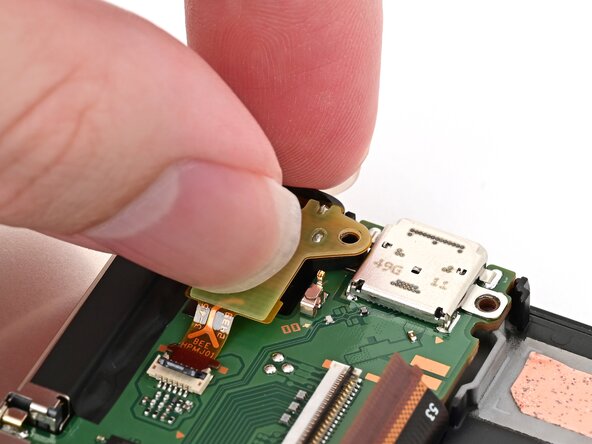
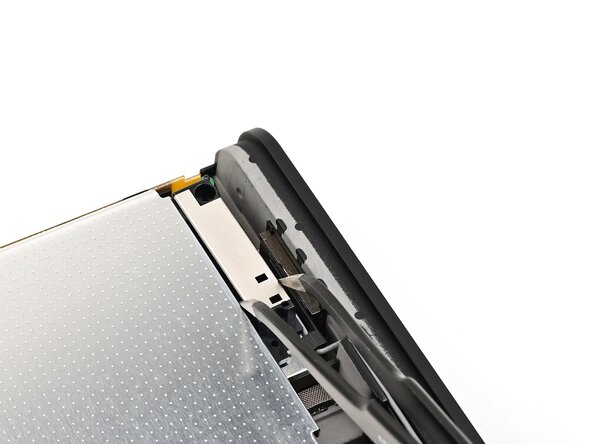
    • Pick up the headphone jack assembly and pull its cable straight out of its connector to remove it.

    FixBotに聞いてみる

    コメントを追加

  49. Nintendo Switch 2 Board Replacement, Remove the microphone: 手順 49、 3の画像 1 Nintendo Switch 2 Board Replacement, Remove the microphone: 手順 49、 3の画像 2 Nintendo Switch 2 Board Replacement, Remove the microphone: 手順 49、 3の画像 3
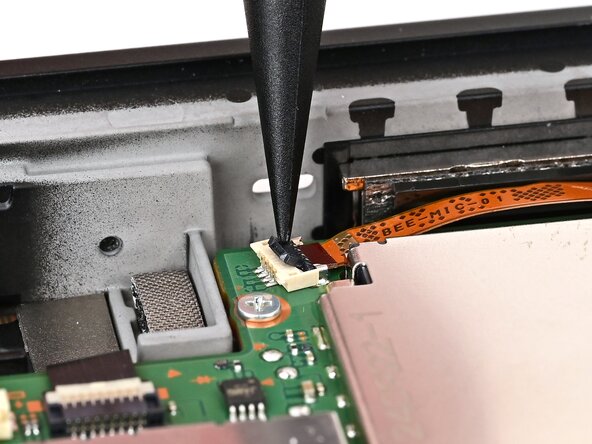
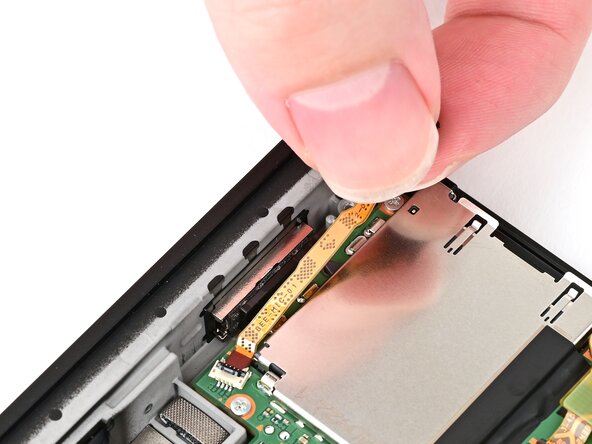
    • Follow the same procedure to disconnect and remove the microphone.

    FixBotに聞いてみる

    コメントを追加

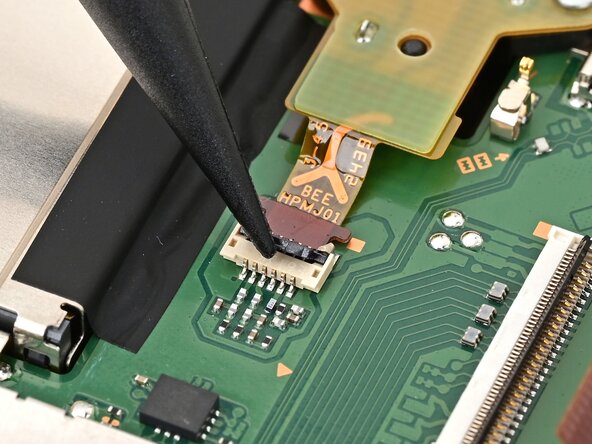
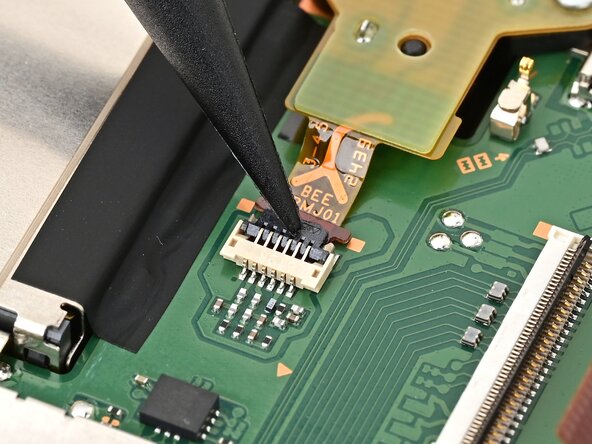
  50. Nintendo Switch 2 Board Replacement, Disconnect the right Joy-Con 2 connector: 手順 50、 2の画像 1 Nintendo Switch 2 Board Replacement, Disconnect the right Joy-Con 2 connector: 手順 50、 2の画像 2
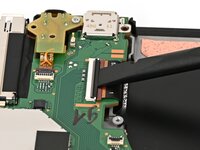
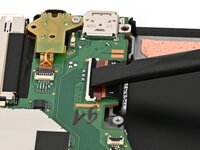
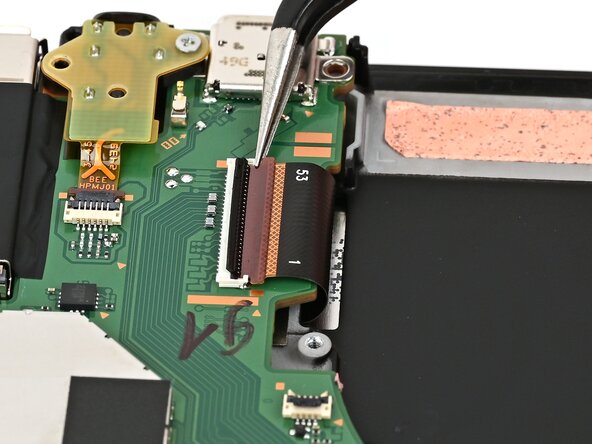
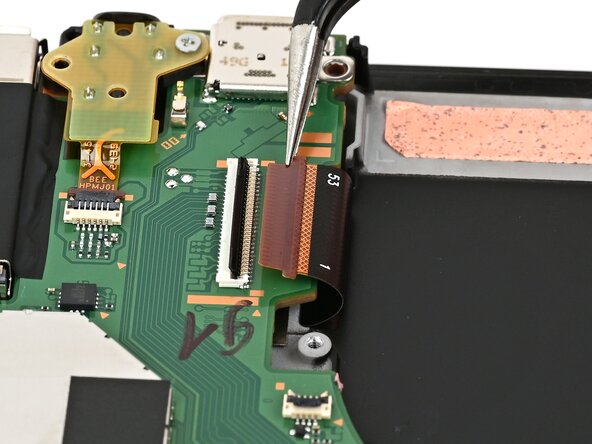
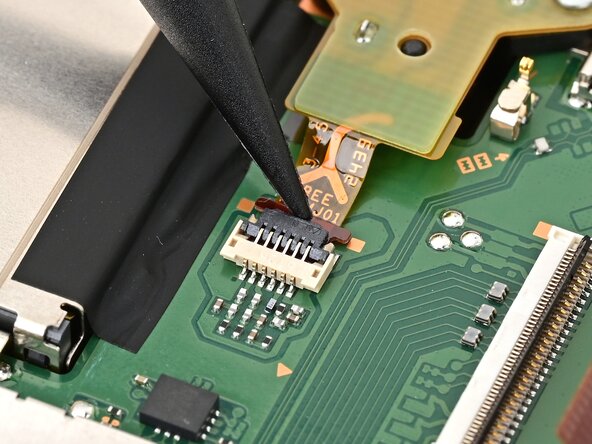
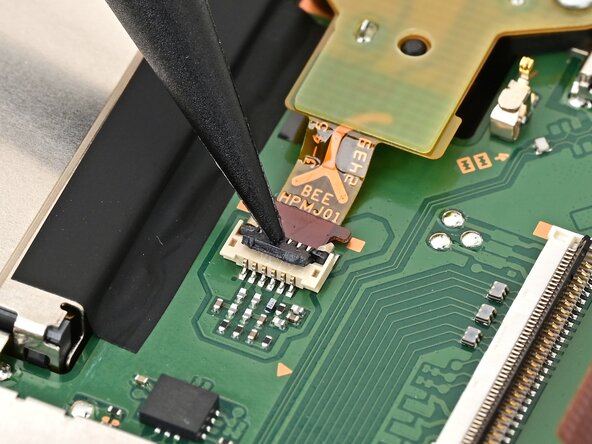
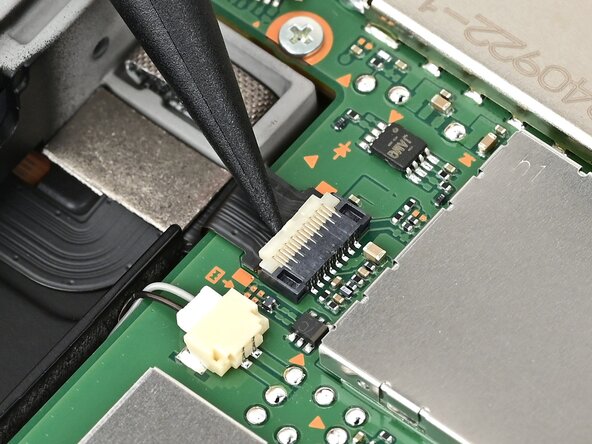
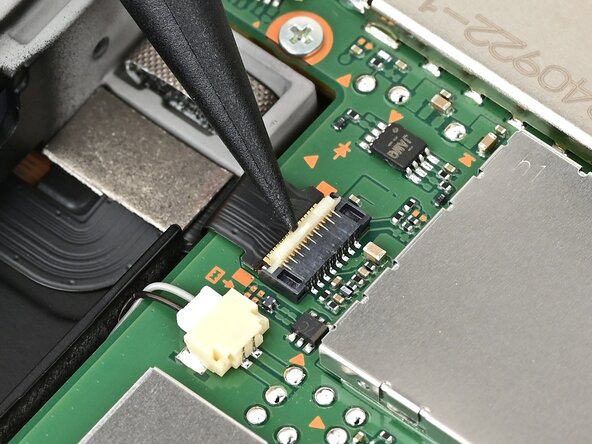
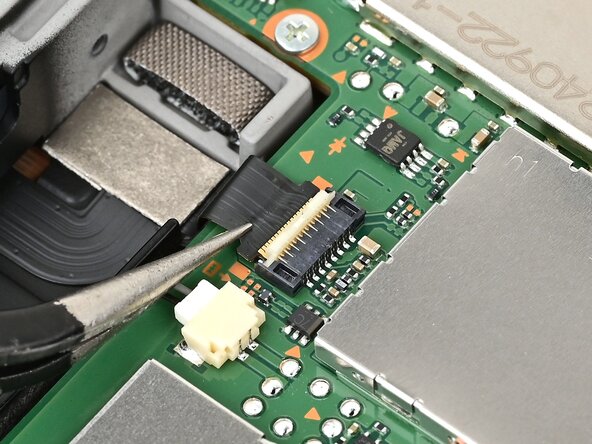
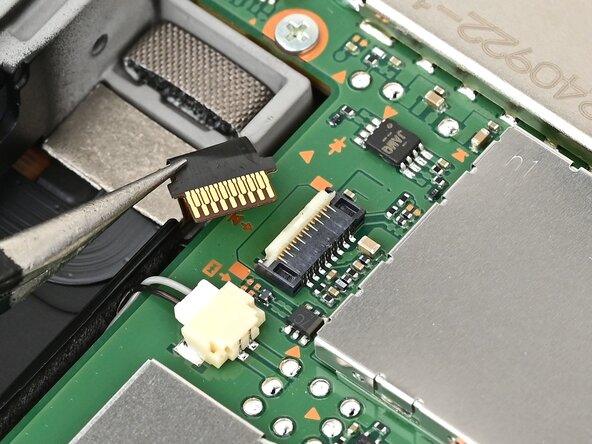
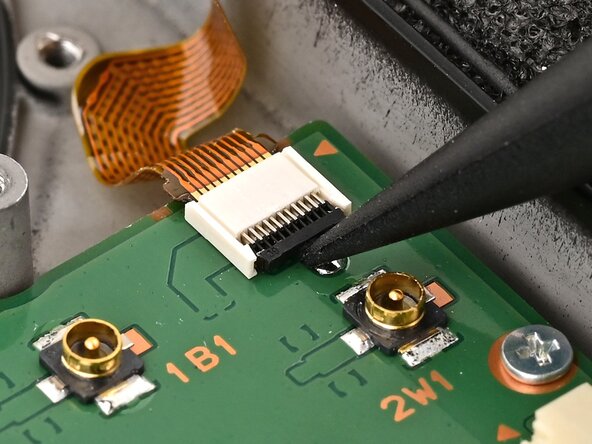
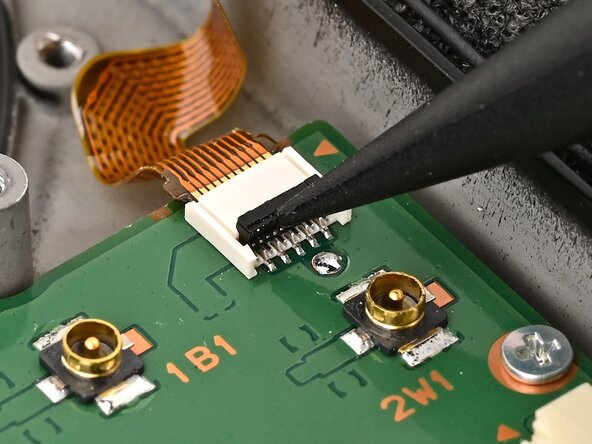
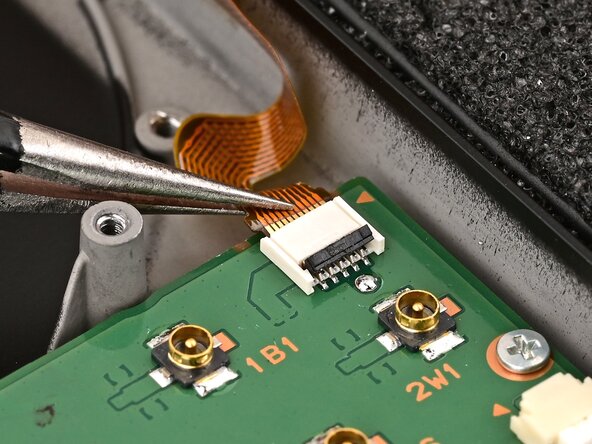
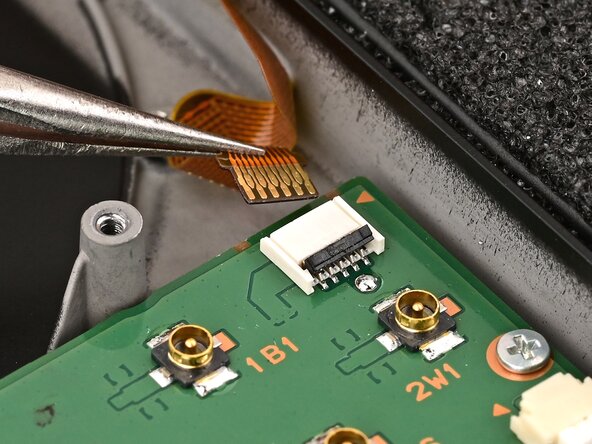
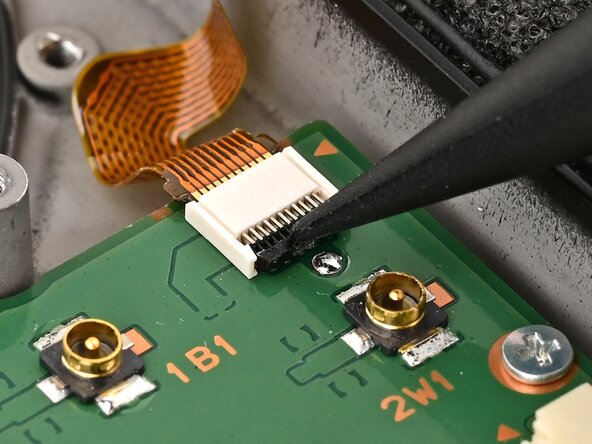
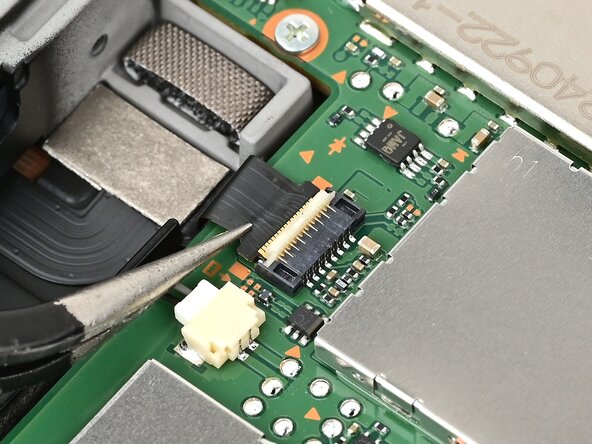
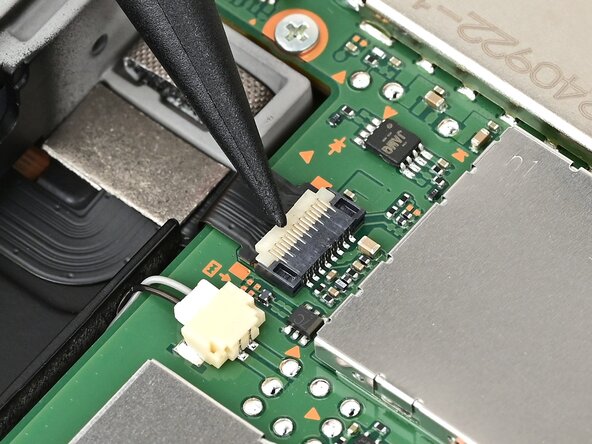
    • Use the point of a spudger to flip up the locking flap on the right Joy‑Con 2 connector cable ZIF connector, located on the edge of the console's board.

    FixBotに聞いてみる

    コメントを追加

  51. Nintendo Switch 2 Board Replacement: 手順 51、 2の画像 1 Nintendo Switch 2 Board Replacement: 手順 51、 2の画像 2
    • Use tweezers or your fingers to gently pull the cable out of its connector.

    FixBotに聞いてみる

    コメントを追加

  52. Nintendo Switch 2 Board Replacement, Disconnect the right speaker: 手順 52、 2の画像 1 Nintendo Switch 2 Board Replacement, Disconnect the right speaker: 手順 52、 2の画像 2
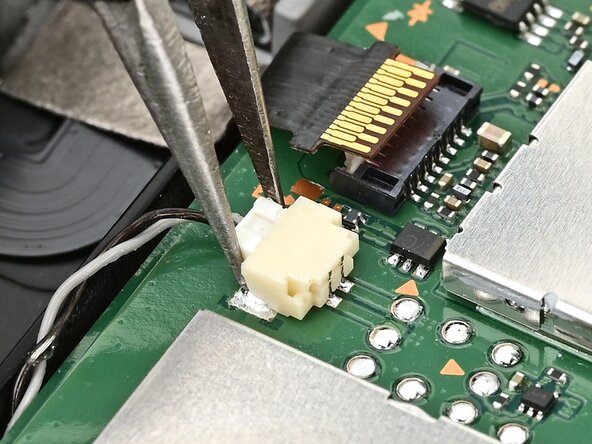
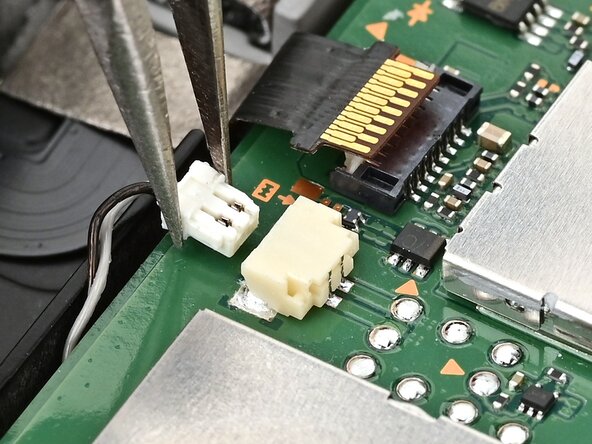
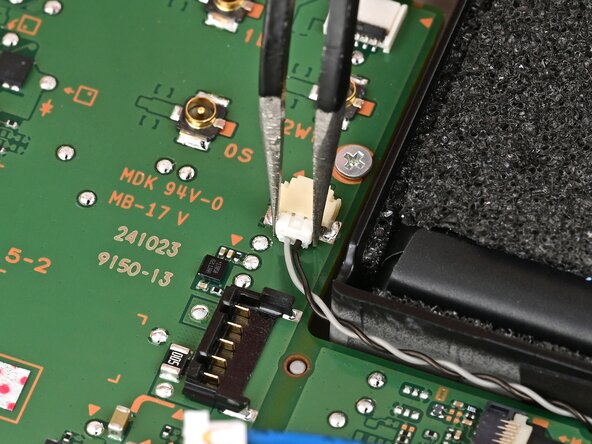
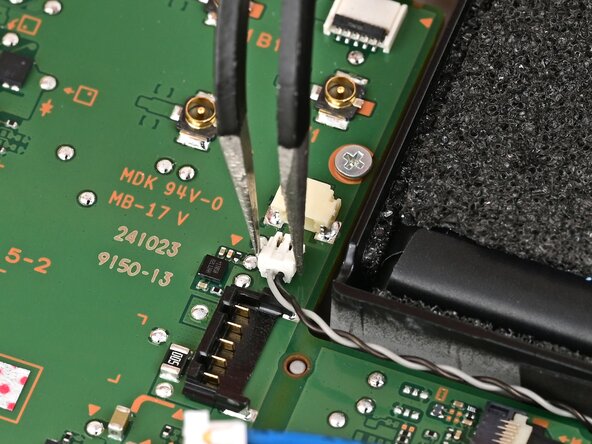
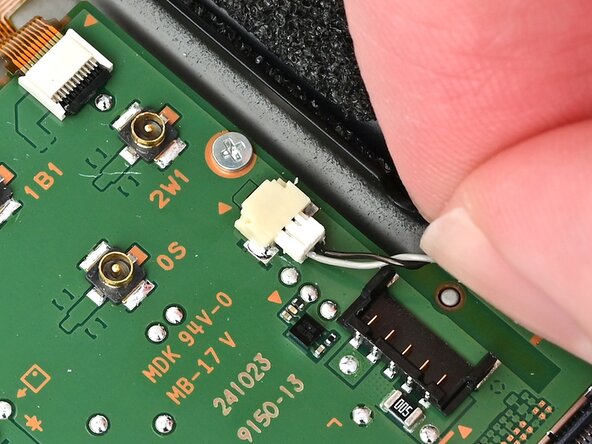
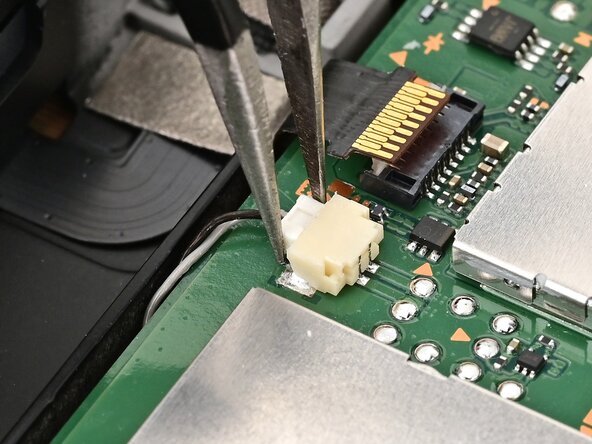
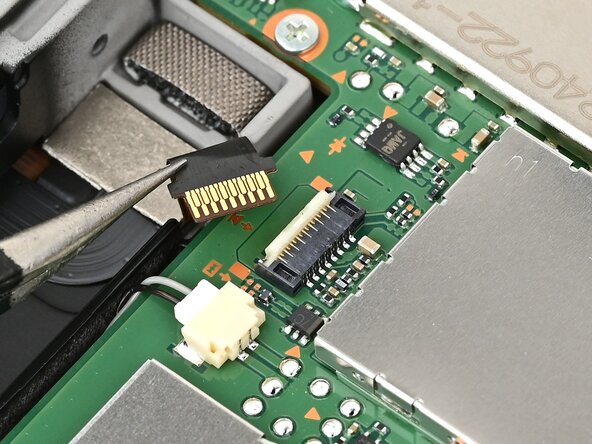
    • Use tweezers or your fingers to firmly grip the right speaker cable's white JST connector and pull straight away from its socket to disconnect it.

    FixBotに聞いてみる

    コメントを追加

  53. Nintendo Switch 2 Board Replacement, Disconnect the button board: 手順 53、 2の画像 1 Nintendo Switch 2 Board Replacement, Disconnect the button board: 手順 53、 2の画像 2
    • Use the point of a spudger to flip up the locking flap on the button cable ZIF connector, located next to the battery.

    FixBotに聞いてみる

    コメントを追加

  54. Nintendo Switch 2 Board Replacement: 手順 54、 2の画像 1 Nintendo Switch 2 Board Replacement: 手順 54、 2の画像 2
    • Use tweezers or your fingers to gently pull the button board cable out of its connector.

    FixBotに聞いてみる

    コメントを追加

  55. Nintendo Switch 2 Board Replacement, Disconnect the left speaker: 手順 55、 2の画像 1 Nintendo Switch 2 Board Replacement, Disconnect the left speaker: 手順 55、 2の画像 2
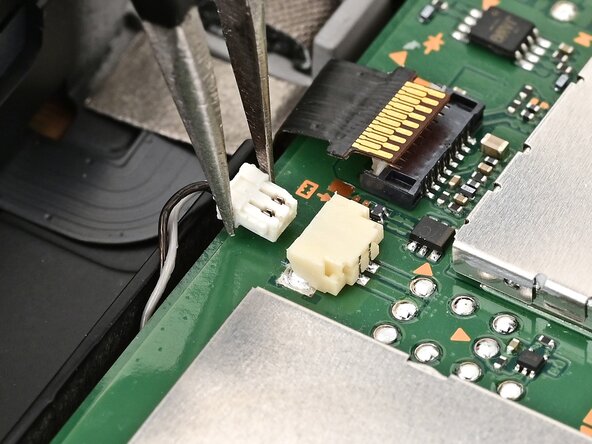
    • Use tweezers or your fingers to firmly grip the left speaker cable's white JST connector and pull straight away from its socket to disconnect it.

    FixBotに聞いてみる

    コメントを追加

  56. Nintendo Switch 2 Board Replacement, Disconnect the left Joy‑Con 2 connector: 手順 56、 2の画像 1 Nintendo Switch 2 Board Replacement, Disconnect the left Joy‑Con 2 connector: 手順 56、 2の画像 2
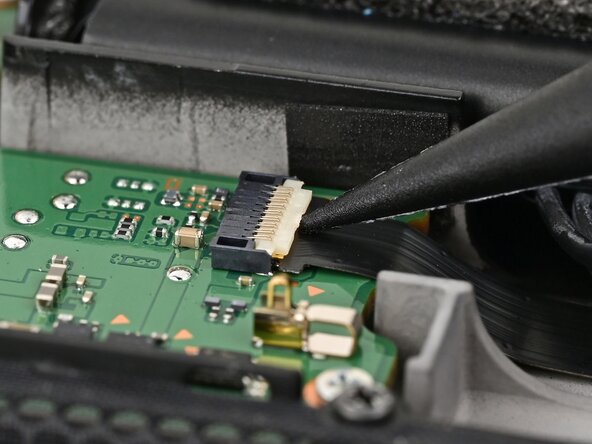
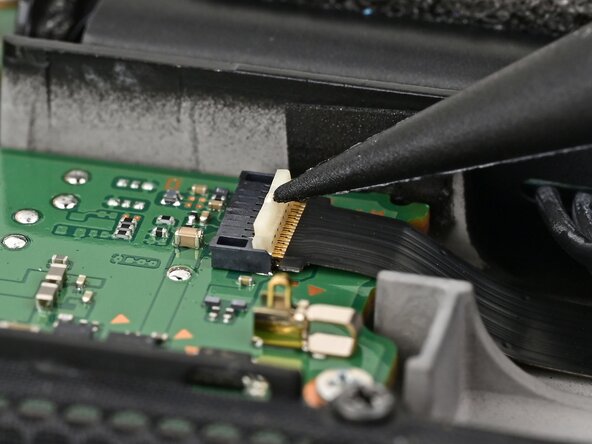
    • Use the point of a spudger to flip up the locking flap on the left Joy‑Con 2 connector cable ZIF connector, located next to the battery on the console's board.

    FixBotに聞いてみる

    コメントを追加

  57. Nintendo Switch 2 Board Replacement: 手順 57、 2の画像 1 Nintendo Switch 2 Board Replacement: 手順 57、 2の画像 2
    • Use tweezers or your fingers to gently pull the cable out of its connector.

    FixBotに聞いてみる

    コメントを追加

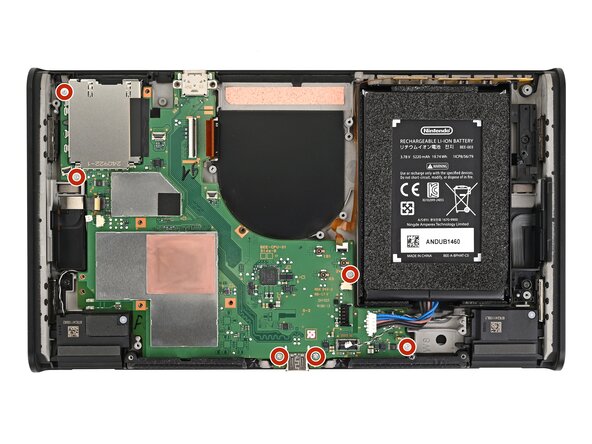
  58. Nintendo Switch 2 Board Replacement, Remove the board screws: 手順 58、 2の画像 1 Nintendo Switch 2 Board Replacement, Remove the board screws: 手順 58、 2の画像 2
    • Use a JIS 00 driver to remove the six 3.4 mm‑long silver screws securing the board.

    FixBotに聞いてみる

    コメントを追加

  59. Nintendo Switch 2 Board Replacement, Lift the board: 手順 59、 2の画像 1 Nintendo Switch 2 Board Replacement, Lift the board: 手順 59、 2の画像 2
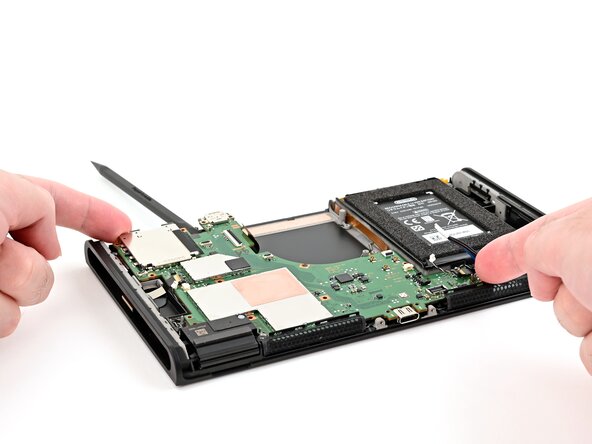
    • Use the flat end of a spudger to lift the board off the frame from the headphone jack cutout.

    FixBotに聞いてみる

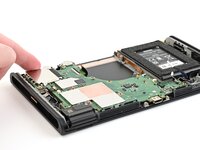
    コメントを追加

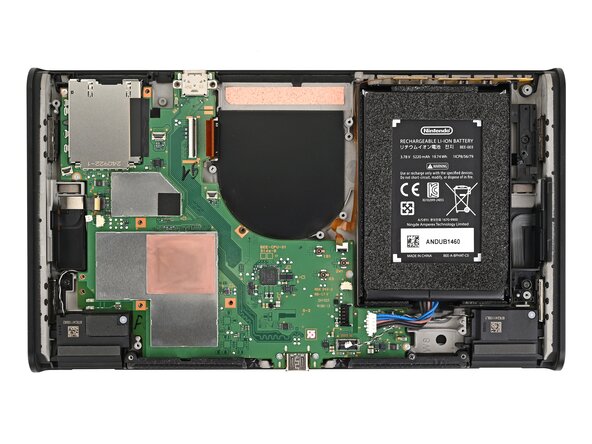
  60. Nintendo Switch 2 Board Replacement, Remove the board: 手順 60、 3の画像 1 Nintendo Switch 2 Board Replacement, Remove the board: 手順 60、 3の画像 2 Nintendo Switch 2 Board Replacement, Remove the board: 手順 60、 3の画像 3
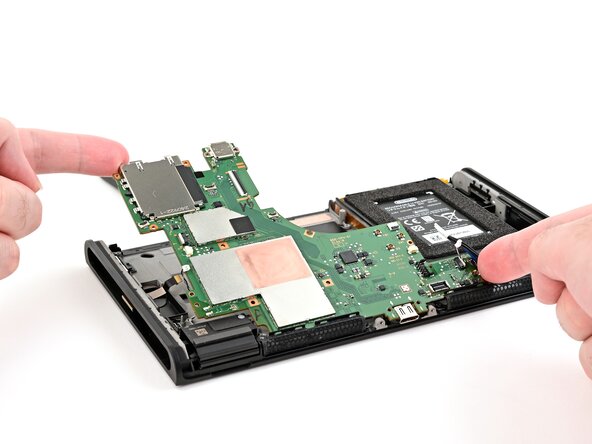
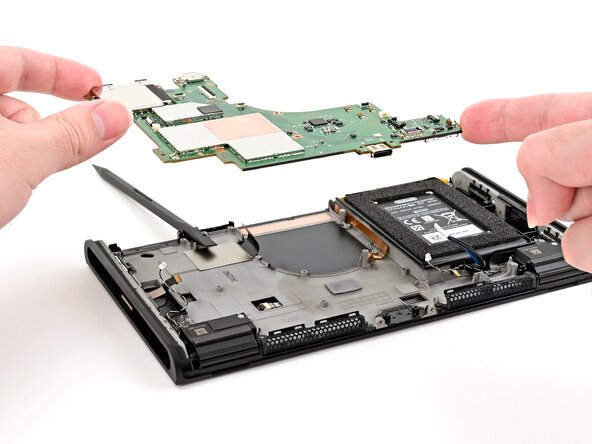
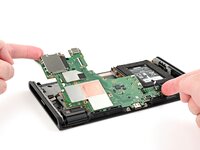
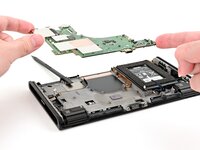
    • Lift the top edge of the board, then the bottom, to remove it.

    FixBotに聞いてみる

    コメントを追加

  61. Nintendo Switch 2 Board Replacement, Disassembly complete: 手順 61、 1の画像 1
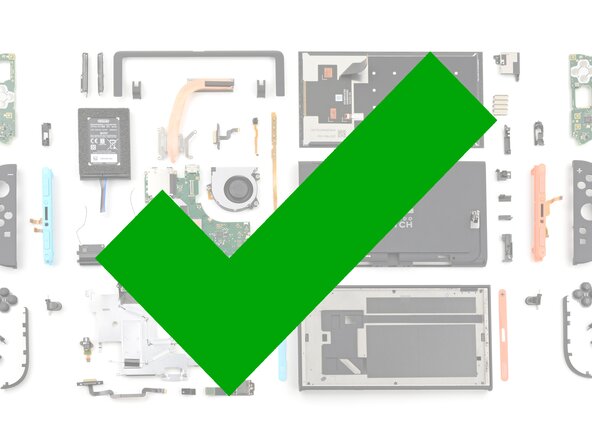
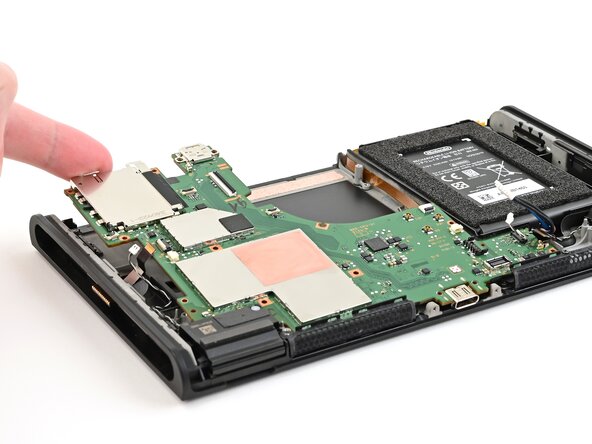
    • Congratulations on completing disassembly! The remaining steps will show how to reassemble your console.

    FixBotに聞いてみる

    コメントを追加

  62. Nintendo Switch 2 Board Replacement, Install the board: 手順 62、 3の画像 1 Nintendo Switch 2 Board Replacement, Install the board: 手順 62、 3の画像 2 Nintendo Switch 2 Board Replacement, Install the board: 手順 62、 3の画像 3
    • Place the board into the console at an angle so it sits underneath the metal grilles on the bottom edge of the console.

    • Use your fingers or a spudger to bend all the ribbon cables away from the board so they aren't stuck beneath it.

    • Lower the board into the console.

    FixBotに聞いてみる

    コメントを追加

  63. Nintendo Switch 2 Board Replacement, Install the board screws: 手順 63、 2の画像 1 Nintendo Switch 2 Board Replacement, Install the board screws: 手順 63、 2の画像 2
    • Use a JIS 00 driver to install the six 3.4 mm‑long silver screws securing the board.

    FixBotに聞いてみる

    コメントを追加

  64. Nintendo Switch 2 Board Replacement, Connect the left Joy‑Con 2 cable: 手順 64、 3の画像 1 Nintendo Switch 2 Board Replacement, Connect the left Joy‑Con 2 cable: 手順 64、 3の画像 2 Nintendo Switch 2 Board Replacement, Connect the left Joy‑Con 2 cable: 手順 64、 3の画像 3
    • Use tweezers to insert the left Joy‑Con 2 connector cable into its ZIF connector on the board until it's fully seated.

    • Use your finger or a spudger to flip the hinged locking flap down to secure the cable.

    FixBotに聞いてみる

    コメントを追加

  65. Nintendo Switch 2 Board Replacement, Connect the left speaker: 手順 65、 3の画像 1 Nintendo Switch 2 Board Replacement, Connect the left speaker: 手順 65、 3の画像 2 Nintendo Switch 2 Board Replacement, Connect the left speaker: 手順 65、 3の画像 3
    • Align the left speaker cable's white JST connector with its socket on the board.

    • Use tweezers or your fingers to fully seat the connector into its socket.

    FixBotに聞いてみる

    コメントを追加

  66. Nintendo Switch 2 Board Replacement, Connect the button board: 手順 66、 3の画像 1 Nintendo Switch 2 Board Replacement, Connect the button board: 手順 66、 3の画像 2 Nintendo Switch 2 Board Replacement, Connect the button board: 手順 66、 3の画像 3
    • Use tweezers or your fingers to insert the button board cable into its ZIF connector.

    • If you're using tweezers, push on the cable's "wings" to ensure it's fully seated.

    FixBotに聞いてみる

    コメントを追加

  67. Nintendo Switch 2 Board Replacement: 手順 67、 2の画像 1 Nintendo Switch 2 Board Replacement: 手順 67、 2の画像 2
    • Flip the hinged locking flap down to secure the button board cable.

    FixBotに聞いてみる

    コメントを追加

  68. Nintendo Switch 2 Board Replacement, Connect the right speaker: 手順 68、 2の画像 1 Nintendo Switch 2 Board Replacement, Connect the right speaker: 手順 68、 2の画像 2
    • Align the right speaker cable's JST connector with its socket on the board and push it in until it's fully seated.

    FixBotに聞いてみる

    コメントを追加

  69. Nintendo Switch 2 Board Replacement, Connect the right Joy-Con 2 connector: 手順 69、 3の画像 1 Nintendo Switch 2 Board Replacement, Connect the right Joy-Con 2 connector: 手順 69、 3の画像 2 Nintendo Switch 2 Board Replacement, Connect the right Joy-Con 2 connector: 手順 69、 3の画像 3
    • Use tweezers to insert the right Joy‑Con 2 connector cable into its ZIF connector on the board until it's fully seated.

    • Flip the hinged locking flap down to secure the cable.

    FixBotに聞いてみる

    コメントを追加

  70. Nintendo Switch 2 Board Replacement, Install the microphone: 手順 70、 3の画像 1 Nintendo Switch 2 Board Replacement, Install the microphone: 手順 70、 3の画像 2 Nintendo Switch 2 Board Replacement, Install the microphone: 手順 70、 3の画像 3
    • Insert the microphone cable into its ZIF connector, then set the microphone into its slot in the frame.

    • Flip the hinged locking flap down to secure the microphone cable.

    FixBotに聞いてみる

    コメントを追加

  71. Nintendo Switch 2 Board Replacement, Install the headphone jack: 手順 71、 3の画像 1 Nintendo Switch 2 Board Replacement, Install the headphone jack: 手順 71、 3の画像 2 Nintendo Switch 2 Board Replacement, Install the headphone jack: 手順 71、 3の画像 3
    • Guide the headphone jack cable into its connector, then set the assembly into its recess in the frame.

    FixBotに聞いてみる

    コメントを追加

  72. Nintendo Switch 2 Board Replacement: 手順 72、 2の画像 1 Nintendo Switch 2 Board Replacement: 手順 72、 2の画像 2
    • Use a JIS 00 driver to install the 6.2 mm‑long silver screw securing the headphone jack.

    FixBotに聞いてみる

    コメントを追加

  73. Nintendo Switch 2 Board Replacement: 手順 73、 2の画像 1 Nintendo Switch 2 Board Replacement: 手順 73、 2の画像 2
    • Flip the hinged locking flap down to secure the headphone jack cable.

    FixBotに聞いてみる

    コメントを追加

  74. Nintendo Switch 2 Board Replacement, Connect the screen cable: 手順 74、 3の画像 1 Nintendo Switch 2 Board Replacement, Connect the screen cable: 手順 74、 3の画像 2 Nintendo Switch 2 Board Replacement, Connect the screen cable: 手順 74、 3の画像 3
    • Use tweezers or your fingers to slide the screen cable into its ZIF connector until it's fully seated.

    • If you're using tweezers, you can use the flat end of a spudger to help guide the cable into its connector.

    • Flip the hinged locking flap down to secure the cable.

    FixBotに聞いてみる

    コメントを追加

  75. Nintendo Switch 2 Board Replacement, Install the fan: 手順 75、 3の画像 1 Nintendo Switch 2 Board Replacement, Install the fan: 手順 75、 3の画像 2 Nintendo Switch 2 Board Replacement, Install the fan: 手順 75、 3の画像 3
    • Slide the fan into its recess. Ensure its cable slides underneath the edge of the board.

    • Align the fan with its screw posts on the frame.

    FixBotに聞いてみる

    コメントを追加

  76. Nintendo Switch 2 Board Replacement: 手順 76、 2の画像 1 Nintendo Switch 2 Board Replacement: 手順 76、 2の画像 2
    • Use a JIS 00 driver to install the three 5.2 mm‑long silver screws securing the fan.

    FixBotに聞いてみる

    コメントを追加

  77. Nintendo Switch 2 Board Replacement, Connect the fan: 手順 77、 3の画像 1 Nintendo Switch 2 Board Replacement, Connect the fan: 手順 77、 3の画像 2 Nintendo Switch 2 Board Replacement, Connect the fan: 手順 77、 3の画像 3
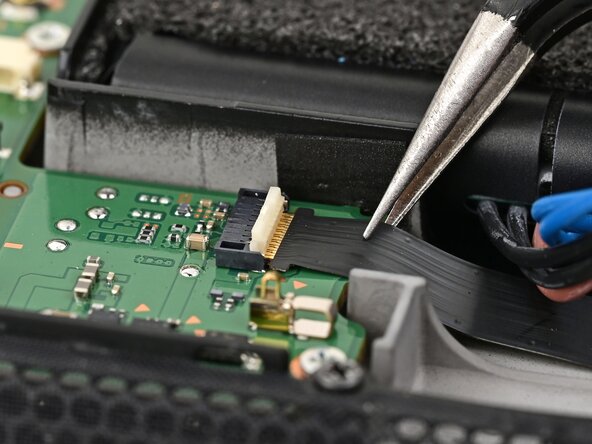
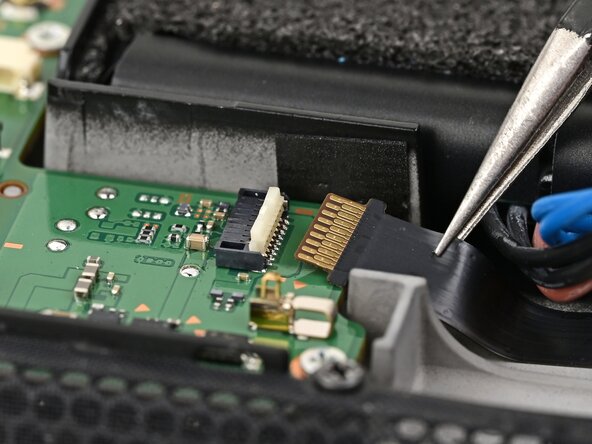
    • Use tweezers or your fingers to slide the fan cable into its ZIF connector until it's fully seated.

    • If you're using tweezers, you can use a spudger to help guide the cable into its connector.

    • Flip the hinged locking flap down to secure the cable.

    FixBotに聞いてみる

    コメントを追加

  78. Nintendo Switch 2 Board Replacement, Install thermal paste: 手順 78、 3の画像 1 Nintendo Switch 2 Board Replacement, Install thermal paste: 手順 78、 3の画像 2 Nintendo Switch 2 Board Replacement, Install thermal paste: 手順 78、 3の画像 3
    この手順で使用する道具:
    iFixit Thermal Paste
    $9.95
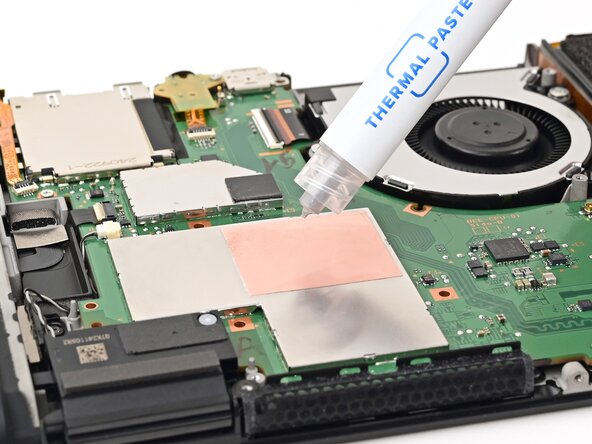
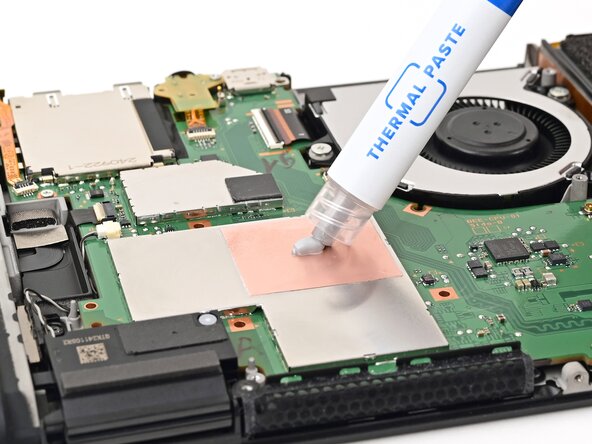
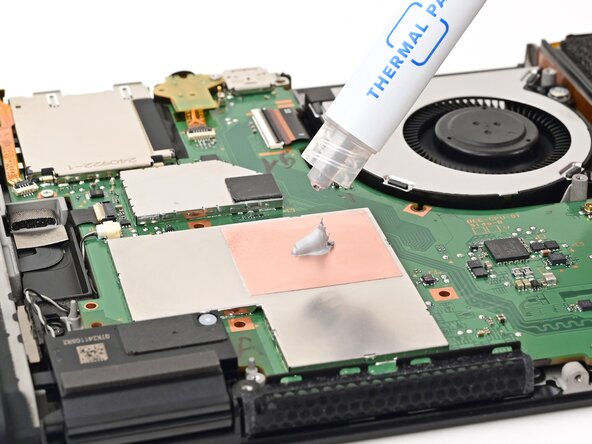
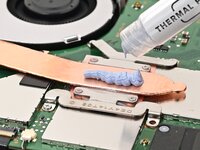
    • Apply a bead of new thermal paste to the center of the processor's copper heat spreader, roughly the size of a pea.

    FixBotに聞いてみる

    コメントを追加

  79. Nintendo Switch 2 Board Replacement, Install the heat sink: 手順 79、 3の画像 1 Nintendo Switch 2 Board Replacement, Install the heat sink: 手順 79、 3の画像 2 Nintendo Switch 2 Board Replacement, Install the heat sink: 手順 79、 3の画像 3
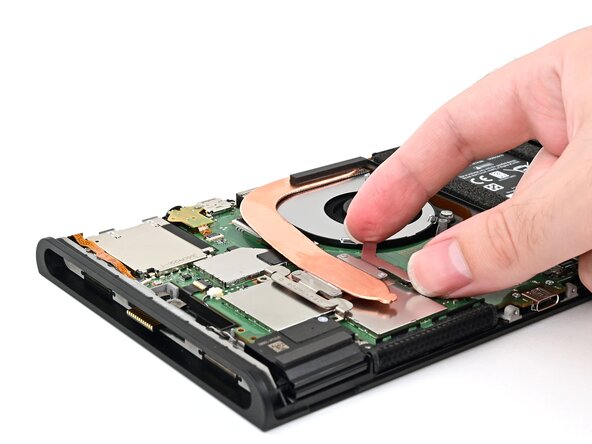
    • Set the heat sink's aluminum fins into its recess behind the fan, then lower the heat sink onto the board.

    FixBotに聞いてみる

    コメントを追加

  80. Nintendo Switch 2 Board Replacement: 手順 80、 2の画像 1 Nintendo Switch 2 Board Replacement: 手順 80、 2の画像 2
    • Use a JIS 00 driver to partially install the four 3.4 mm‑long silver screws securing the heat sink.

    • Tighten the screws in an X pattern. For example: bottom left, top right, bottom right, then top left.

    FixBotに聞いてみる

    コメントを追加

  81. Nintendo Switch 2 Board Replacement, Connect the battery: 手順 81、 2の画像 1 Nintendo Switch 2 Board Replacement, Connect the battery: 手順 81、 2の画像 2
    • Align the battery connector over its socket on the board.

    • Use your finger or the flat end of a spudger to press the battery connector onto its socket until it's fully seated.

    FixBotに聞いてみる

    コメントを追加

  82. Nintendo Switch 2 Board Replacement, Apply thermal putty: 手順 82、 3の画像 1 Nintendo Switch 2 Board Replacement, Apply thermal putty: 手順 82、 3の画像 2 Nintendo Switch 2 Board Replacement, Apply thermal putty: 手順 82、 3の画像 3
    この手順で使用する道具:
    iFixit Thermal Putty
    $9.95
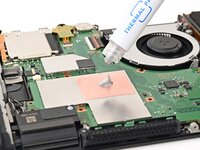
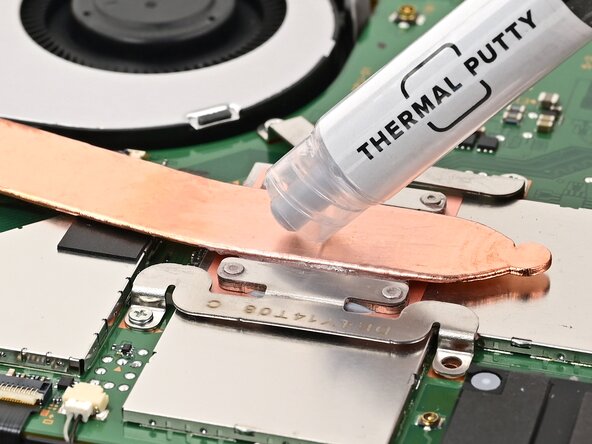
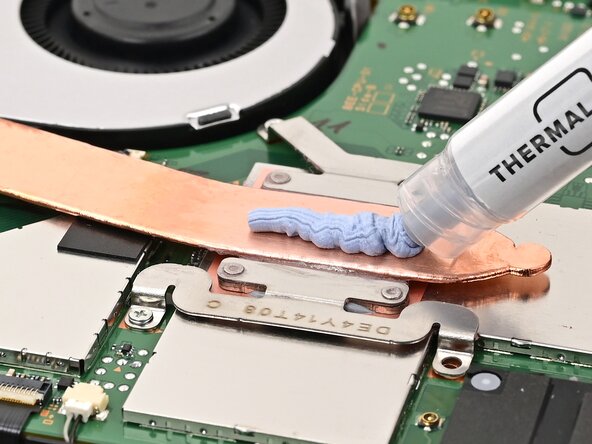
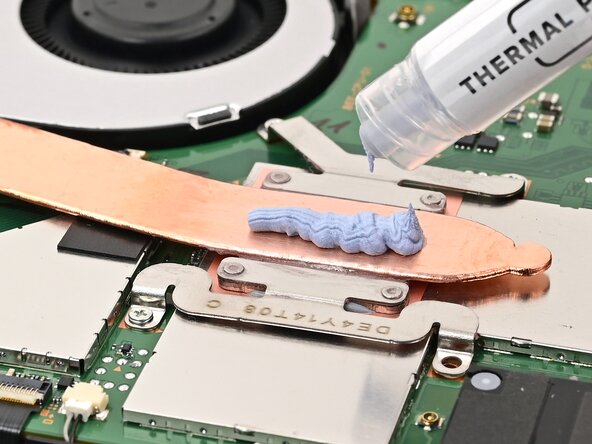
    • Apply a line of new thermal putty down the center of the heat pipe, roughly the thickness of a pea.

    FixBotに聞いてみる

    コメントを追加

  83. Nintendo Switch 2 Board Replacement, Route the gray antenna cable: 手順 83、 3の画像 1 Nintendo Switch 2 Board Replacement, Route the gray antenna cable: 手順 83、 3の画像 2 Nintendo Switch 2 Board Replacement, Route the gray antenna cable: 手順 83、 3の画像 3
    • Hold the top‑right corner of the shield plate above the top‑right corner of the console.

    • Route the gray antenna cable underneath the black hook near the top corner of the frame.

    FixBotに聞いてみる

    コメントを追加

  84. Nintendo Switch 2 Board Replacement, Lower the shield plate: 手順 84、 2の画像 1 Nintendo Switch 2 Board Replacement, Lower the shield plate: 手順 84、 2の画像 2
    • Lower the shield plate into place and align it with its screw holes.

    FixBotに聞いてみる

    コメントを追加

  85. Nintendo Switch 2 Board Replacement, Finish routing the gray antenna cable: 手順 85、 3の画像 1 Nintendo Switch 2 Board Replacement, Finish routing the gray antenna cable: 手順 85、 3の画像 2 Nintendo Switch 2 Board Replacement, Finish routing the gray antenna cable: 手順 85、 3の画像 3
    • Route the gray antenna cable down its channel on the right edge of the frame.

    FixBotに聞いてみる

    コメントを追加

  86. Nintendo Switch 2 Board Replacement: 手順 86、 3の画像 1 Nintendo Switch 2 Board Replacement: 手順 86、 3の画像 2 Nintendo Switch 2 Board Replacement: 手順 86、 3の画像 3
    • Press the gray antenna cable into its groove at the bottom of its channel, and continue routing until it's secured to the clip at the bottom of the frame.

    FixBotに聞いてみる

    コメントを追加

  87. Nintendo Switch 2 Board Replacement, Install the shield plate screws: 手順 87、 2の画像 1 Nintendo Switch 2 Board Replacement, Install the shield plate screws: 手順 87、 2の画像 2
    • Use a JIS 00 driver to install the seven screws securing the shield plate:

    • Two 6.2 mm‑long silver screws

    • Five 4.4 mm‑long silver screws

    FixBotに聞いてみる

    コメントを追加

  88. Nintendo Switch 2 Board Replacement, Connect the MicroSD connector: 手順 88、 2の画像 1 Nintendo Switch 2 Board Replacement, Connect the MicroSD connector: 手順 88、 2の画像 2
    • Use your finger or the flat end of a spudger to press the MicroSD card reader press connector onto its socket on the board.

    • Don't try to force the connector into place. If you're having trouble, reposition it and try again.

    FixBotに聞いてみる

    コメントを追加

  89. Nintendo Switch 2 Board Replacement, Connect the antenna cables: 手順 89、 3の画像 1 Nintendo Switch 2 Board Replacement, Connect the antenna cables: 手順 89、 3の画像 2 Nintendo Switch 2 Board Replacement, Connect the antenna cables: 手順 89、 3の画像 3
    • Use tweezers to hold the lower antenna coaxial connector in place over its socket and gently press down with your finger or a spudger—the connector should "snap" into place. If you're having trouble, reposition the head instead of using more force.

    • Repeat this process to connect the three central coaxial connectors to their respective sockets.

    • The black cable connects to the socket closest to the fan, the white to the middle, and the gray the furthest away.

    FixBotに聞いてみる

    コメントを追加

  90. Nintendo Switch 2 Board Replacement, Install the upper antenna: 手順 90、 3の画像 1 Nintendo Switch 2 Board Replacement, Install the upper antenna: 手順 90、 3の画像 2 Nintendo Switch 2 Board Replacement, Install the upper antenna: 手順 90、 3の画像 3
    • Use tweezers or your fingers to align the upper antenna with its screw holes and black alignment pegs and set it into place.

    • Use a JIS 00 driver to install the two screws securing the upper antenna:

    • One 4.4 mm‑long silver screw

    • One 4.6 mm‑long green screw

    FixBotに聞いてみる

    コメントを追加

  91. Nintendo Switch 2 Board Replacement, Install the lower antenna: 手順 91、 3の画像 1 Nintendo Switch 2 Board Replacement, Install the lower antenna: 手順 91、 3の画像 2 Nintendo Switch 2 Board Replacement, Install the lower antenna: 手順 91、 3の画像 3
    • Use tweezers or your fingers to align the lower antenna with its screw holes and gray alignment pegs and set it into place.

    • Use a JIS 00 driver to install the three 4.4 mm‑long screws securing the lower antenna.

    FixBotに聞いてみる

    コメントを追加

  92. Nintendo Switch 2 Board Replacement, Prepare the back cover: 手順 92、 3の画像 1 Nintendo Switch 2 Board Replacement, Prepare the back cover: 手順 92、 3の画像 2 Nintendo Switch 2 Board Replacement, Prepare the back cover: 手順 92、 3の画像 3
    • Fully pull out the game card tray.

    • Double-check the power and volume buttons to ensure they're seated correctly. If the rubber membrane beneath the buttons is out of place, ensure it's aligned with its pegs.

    • Check the microphone to ensure it's fully seated in its slot in the frame.

    FixBotに聞いてみる

    コメントを追加

  93. Nintendo Switch 2 Board Replacement, Install the back cover: 手順 93、 3の画像 1 Nintendo Switch 2 Board Replacement, Install the back cover: 手順 93、 3の画像 2 Nintendo Switch 2 Board Replacement, Install the back cover: 手順 93、 3の画像 3
    • Align the top of the back cover with the top of the console.

    • Set the top edge of the back cover into place, checking the buttons and ports to ensure they're aligned properly. If they aren't, lift the back cover and try again.

    • Press along the top edge to fasten the clips securing the back cover to the console.

    FixBotに聞いてみる

    コメントを追加

  94. Nintendo Switch 2 Board Replacement: 手順 94、 2の画像 1 Nintendo Switch 2 Board Replacement: 手順 94、 2の画像 2
    • Squeeze the rest of the back cover and console together to fasten the clips.

    FixBotに聞いてみる

    コメントを追加

  95. Nintendo Switch 2 Board Replacement, Install the back-side screws: 手順 95、 3の画像 1 Nintendo Switch 2 Board Replacement, Install the back-side screws: 手順 95、 3の画像 2 Nintendo Switch 2 Board Replacement, Install the back-side screws: 手順 95、 3の画像 3
    • Use a JIS 00 driver to install the three 3.1 mm‑long screws securing the back cover: one on the top edge of the console, and two on either side of the bottom USB-C port.

    • Use a Y00 driver to install the two 4.4 mm‑long screws in the kickstand cutout.

    FixBotに聞いてみる

    コメントを追加

  96. Nintendo Switch 2 Board Replacement, Install the side screws: 手順 96、 2の画像 1 Nintendo Switch 2 Board Replacement, Install the side screws: 手順 96、 2の画像 2
    • Install the two 3.6 mm‑long gold screws on each side of the console (four in total).

    FixBotに聞いてみる

    コメントを追加

  97. Nintendo Switch 2 Board Replacement, Test the console: 手順 97、 2の画像 1 Nintendo Switch 2 Board Replacement, Test the console: 手順 97、 2の画像 2
    • Power on the console and test functionality to ensure it's working as expected.

    FixBotに聞いてみる

    コメントを追加

  98. Nintendo Switch 2 Board Replacement, Install the stickers: 手順 98、 3の画像 1 Nintendo Switch 2 Board Replacement, Install the stickers: 手順 98、 3の画像 2 Nintendo Switch 2 Board Replacement, Install the stickers: 手順 98、 3の画像 3
    • Align the right side sticker with its recess. Ensure the cutout in the sticker is aligned with the Joy-Con connector.

    • Set the sticker into its recess, first on one side, then the other.

    • Use your finger or the flat end of a spudger to press the sticker into place.

    • If the sticker isn't sticking well, apply heat after you press it into place.

    FixBotに聞いてみる

    コメントを追加

  99. Nintendo Switch 2 Board Replacement: 手順 99、 3の画像 1 Nintendo Switch 2 Board Replacement: 手順 99、 3の画像 2 Nintendo Switch 2 Board Replacement: 手順 99、 3の画像 3
    • Repeat this procedure to install the left side sticker.

    FixBotに聞いてみる

    コメントを追加

終わりに

You finished fixing your Switch 2!

Take your e-waste to an R2 or e-Stewards certified recycler.

Repair didn’t go as planned? Try some basic troubleshooting, or ask our Nintendo Switch 2 Answers Community for help.

キャンセル: このガイドを終了できませんでした。

作成者

1人の作成者と共同作成されました。

Nick Schultz

メンバー登録日: 03/24/24

56,845 ポイント

321のガイドは作成済み

0件のガイドコメント

コメントを追加

統計データ:

過去 24時間: 34

過去 7 日: 157

過去 30 日: 531

今までの合計 3,496