メインコンテンツにスキップ
リペアコミュニティに参加 - アカウントの作成

MNT Pocket Reform Processor Module Replacement

必要な工具と部品

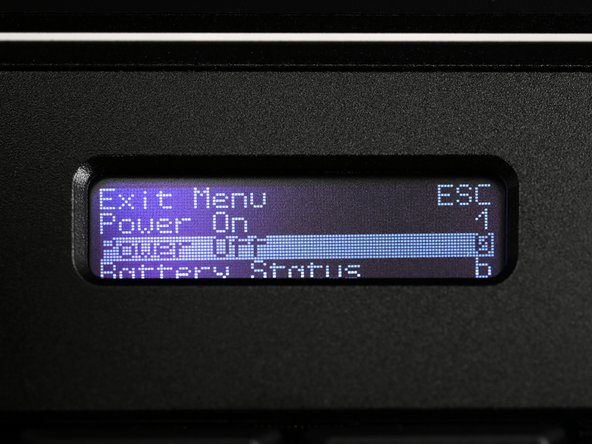
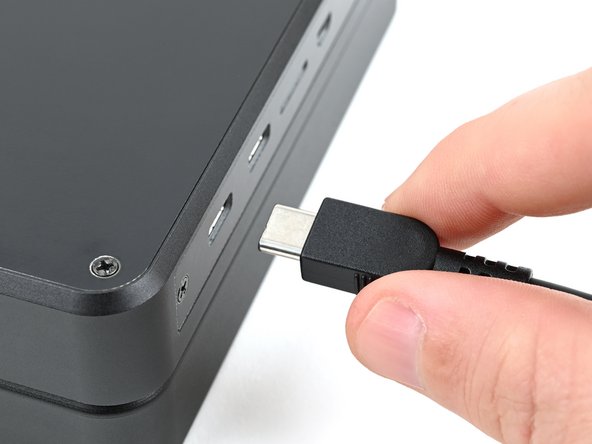
    1. MNT Pocket Reform Processor Module Replacement, Shut down the laptop: 手順 1、 3の画像 1 MNT Pocket Reform Processor Module Replacement, Shut down the laptop: 手順 1、 3の画像 2 MNT Pocket Reform Processor Module Replacement, Shut down the laptop: 手順 1、 3の画像 3
      • If you've installed an operating system, follow the appropriate steps to safely shut down the laptop.

      • If you've not yet installed an operating system, or the laptop is not responsive, you can shut it down with these steps:

      • Turn on the OLED screen by pressing the Hyper key (diagonal arrow) and Enter at the same time.

      • Use the arrow keys to select Power Off on the OLED screen.

      • Press Enter to shut down the laptop.

      • Disconnect all cables from the laptop.

      FixBotに聞いてみる

      コメントを追加

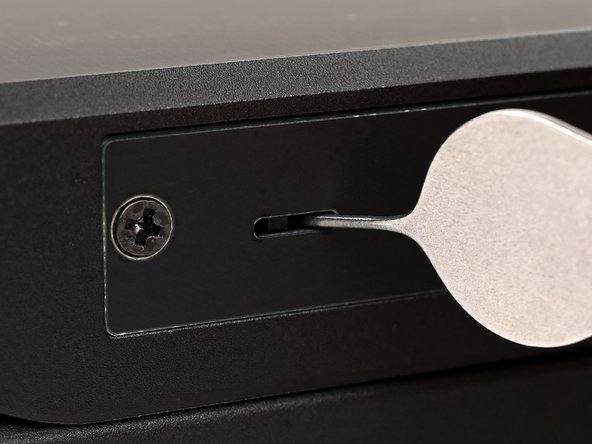
    2. MNT Pocket Reform Processor Module Replacement, Turn off the standby power: 手順 2、 2の画像 1 MNT Pocket Reform Processor Module Replacement, Turn off the standby power: 手順 2、 2の画像 2
      • Use a small tool, like a SIM eject tool or a bent paperclip, to turn off the standby power switch by sliding the switch away from the headset jack.

      • The standby power switch is located in a small recess on the same side as the headset jack.

      FixBotに聞いてみる

      コメントを追加

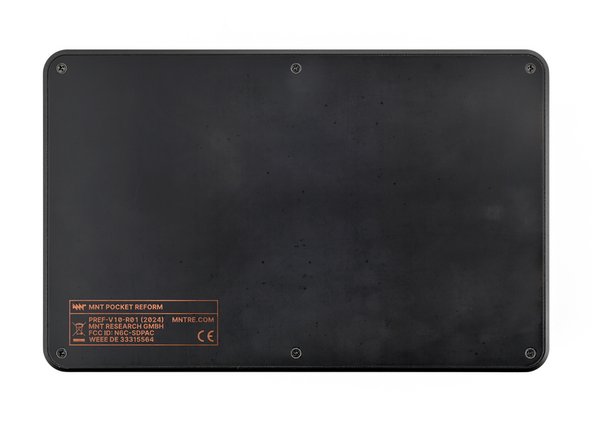
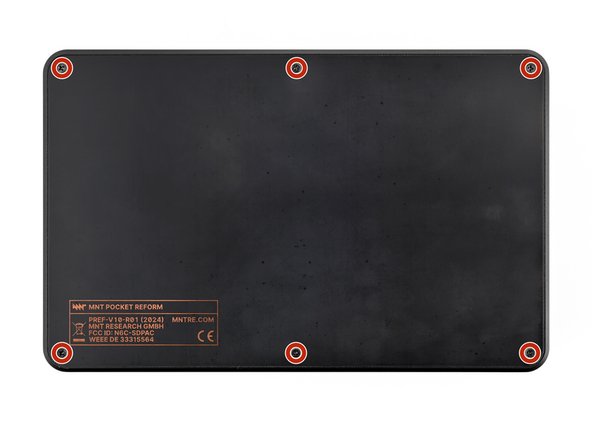
    1. MNT Pocket Reform Processor Module Replacement, Remove the bottom cover screws: 手順 3、 2の画像 1 MNT Pocket Reform Processor Module Replacement, Remove the bottom cover screws: 手順 3、 2の画像 2
      • Place the laptop on your work surface so the bottom cover, with the regulatory info box, is facing up.

      • Use a Phillips screwdriver to remove the six 4.8 mm‑long screws securing the bottom cover.

      FixBotに聞いてみる

      コメントを追加

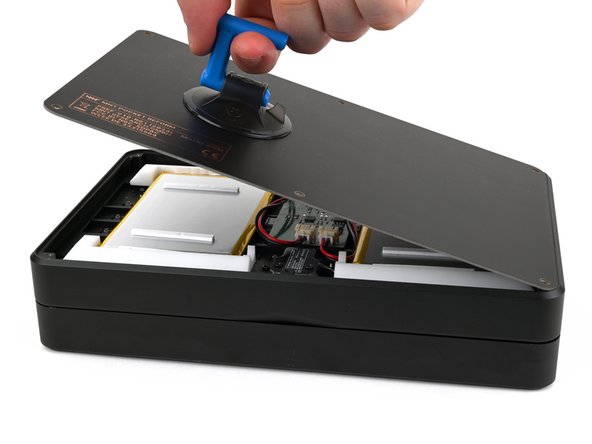
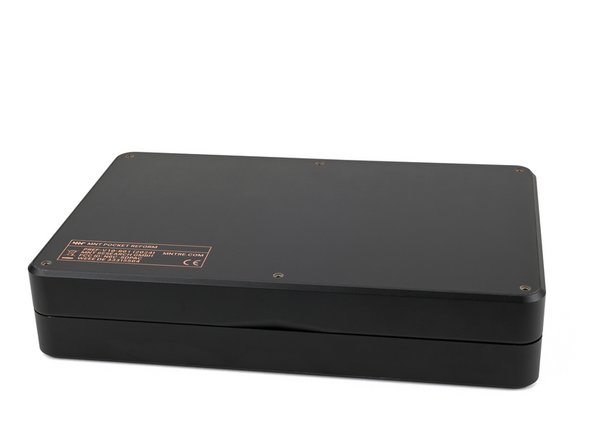
    2. MNT Pocket Reform Processor Module Replacement, Remove the bottom cover: 手順 4、 3の画像 1 MNT Pocket Reform Processor Module Replacement, Remove the bottom cover: 手順 4、 3の画像 2 MNT Pocket Reform Processor Module Replacement, Remove the bottom cover: 手順 4、 3の画像 3
      • The bottom cover is made of printed circuit board (PCB) material. Press gently but firmly near an edge when applying the suction handle to avoid breaking the cover.

      • Apply a suction handle to the bottom cover.

      • Use the suction handle to lift the bottom cover off of the laptop.

      • Alternatively, you can use a thin prying tool to lift the cover, or tilt the laptop until the cover falls out.

      • During reassembly, place the bottom cover on the laptop so the info box is opposite the hinges.

      FixBotに聞いてみる

      コメントを追加

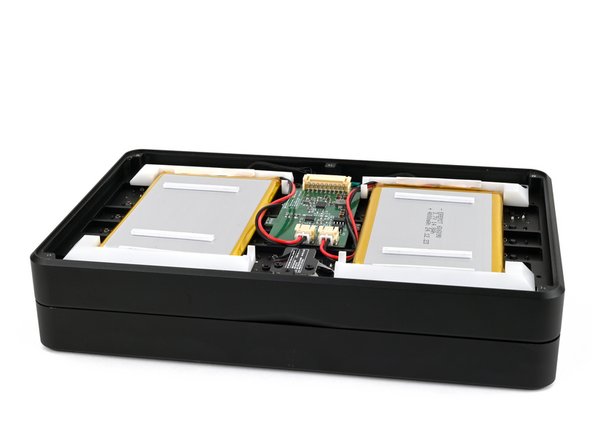
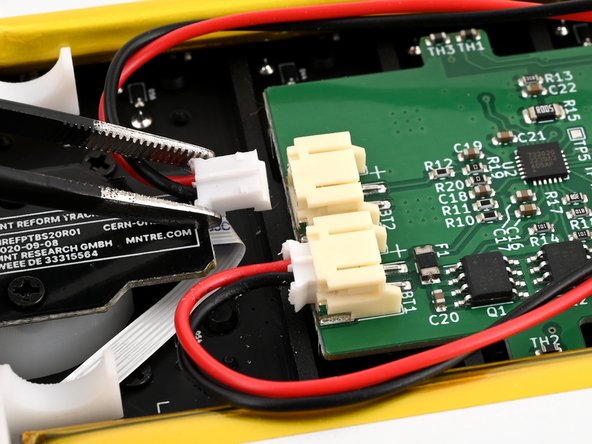
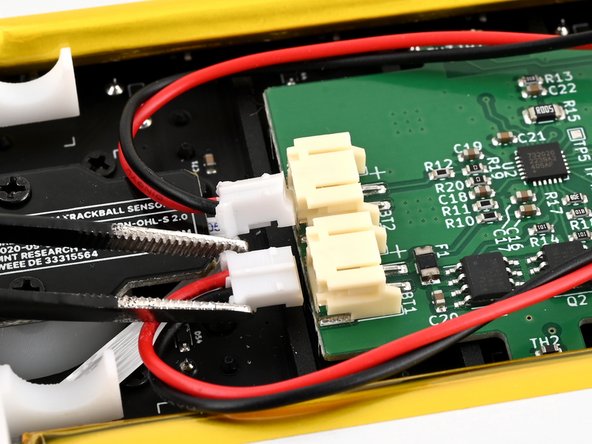
    1. MNT Pocket Reform Processor Module Replacement, Disconnect the batteries: 手順 5、 3の画像 1 MNT Pocket Reform Processor Module Replacement, Disconnect the batteries: 手順 5、 3の画像 2 MNT Pocket Reform Processor Module Replacement, Disconnect the batteries: 手順 5、 3の画像 3
      • Be careful not to damage the lithium-polymer batteries when working around them with metal tools. If the batteries are damaged or deformed in any way, take appropriate precautions.

      • Use a pair of tweezers or your fingers to disconnect the batteries' sliding connectors from the charger board.

      FixBotに聞いてみる

      コメントを追加

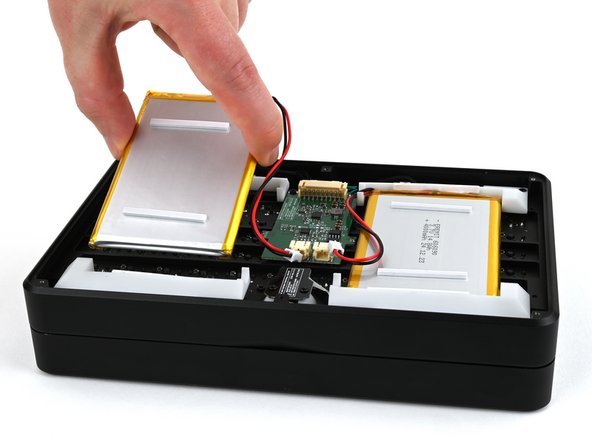
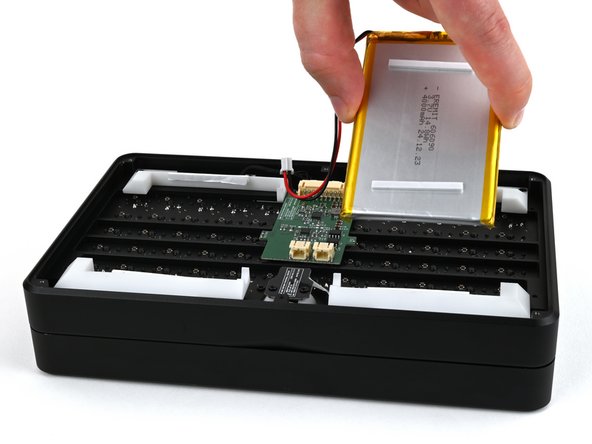
    2. MNT Pocket Reform Processor Module Replacement, Remove the batteries: 手順 6、 3の画像 1 MNT Pocket Reform Processor Module Replacement, Remove the batteries: 手順 6、 3の画像 2 MNT Pocket Reform Processor Module Replacement, Remove the batteries: 手順 6、 3の画像 3
      • Lift the batteries out of the frame.

      • During reassembly, install the batteries so the foam stickers face up, the sides of the batteries with wires are towards the hinges, and the wires run towards the middle of the laptop.

      FixBotに聞いてみる

      コメントを追加

    1. MNT Pocket Reform Processor Module Replacement, Secure the bottom cover: 手順 7、 3の画像 1 MNT Pocket Reform Processor Module Replacement, Secure the bottom cover: 手順 7、 3の画像 2 MNT Pocket Reform Processor Module Replacement, Secure the bottom cover: 手順 7、 3の画像 3
      • Place the bottom cover on the laptop.

      • Use a Phillips screwdriver to secure the bottom cover with the six 4.8 mm‑long screws.

      FixBotに聞いてみる

      コメントを追加

    1. MNT Pocket Reform Processor Module Replacement, Remove the top cover: 手順 8、 2の画像 1 MNT Pocket Reform Processor Module Replacement, Remove the top cover: 手順 8、 2の画像 2
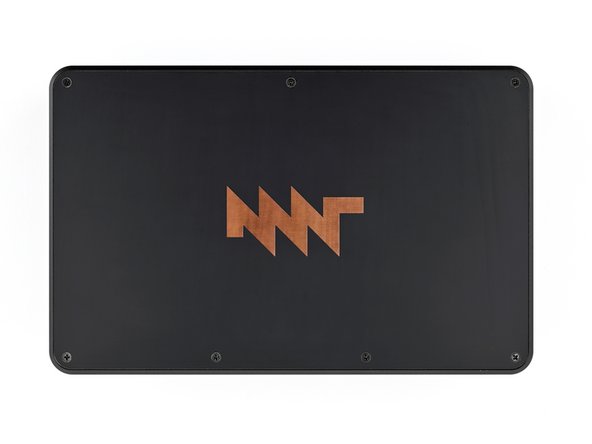
      • Place the laptop on your work surface so the top cover with the MNT logo is facing up.

      • Use a Phillips screwdriver to remove the seven 4.8 mm‑long screws securing the top cover.

      FixBotに聞いてみる

      コメントを追加

    2. MNT Pocket Reform Processor Module Replacement: 手順 9、 3の画像 1 MNT Pocket Reform Processor Module Replacement: 手順 9、 3の画像 2 MNT Pocket Reform Processor Module Replacement: 手順 9、 3の画像 3
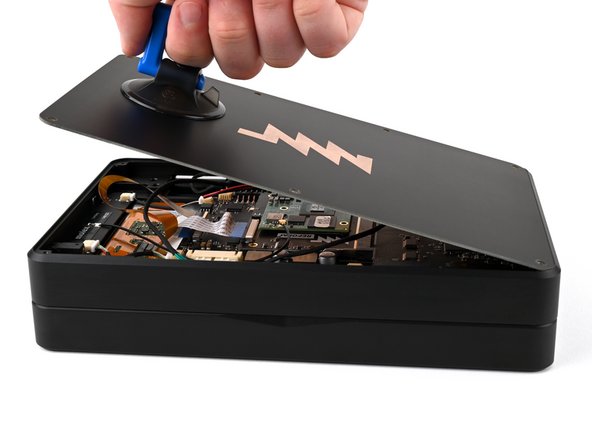
      • The top cover is made of printed circuit board (PCB) material. Press gently but firmly near an edge when applying the suction handle to avoid breaking the cover.

      • Apply a suction handle to the top cover.

      • Use the suction handle to lift the top cover off of the laptop.

      • Alternatively, you can use a thin prying tool to lift the cover, or tilt the laptop until the cover falls out.

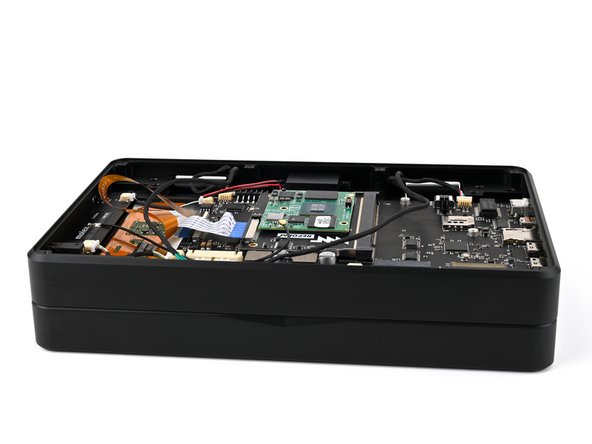
      • There's a thermal pad between the top cover and the processor that may stick to the top cover during removal.

      FixBotに聞いてみる

      コメントを追加

    1. MNT Pocket Reform Processor Module Replacement, Thermal pad info: 手順 10、 3の画像 1 MNT Pocket Reform Processor Module Replacement, Thermal pad info: 手順 10、 3の画像 2 MNT Pocket Reform Processor Module Replacement, Thermal pad info: 手順 10、 3の画像 3
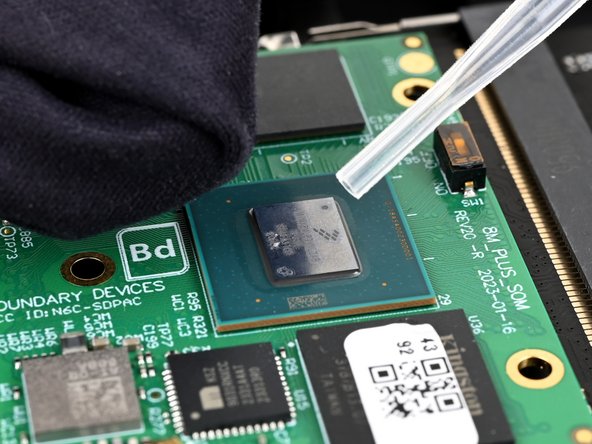
      • If the thermal pad is damaged in any way, follow the thermal pad replacement guide to apply a new thermal pad during reassembly.

      • If the thermal pad stuck to the top cover and is in good condition, you can proceed with this repair and simply reinstall the top cover with the thermal pad.

      • If the thermal pad stuck to the processor and is in good condition, use a pair of tweezers or your fingers to remove the thermal pad and set it aside. Then, follow the reassembly instructions below.

      • During reassembly:

      • Use high concentration (greater than 90%) isopropyl alcohol and a coffee filter or lint-free cloth to clean the new processor and the area of the cover that will contact the thermal pad.

      • Apply the thermal pad to the processor on the new processor module.

      • Proceed with re-installing the top cover.

      FixBotに聞いてみる

      コメントを追加

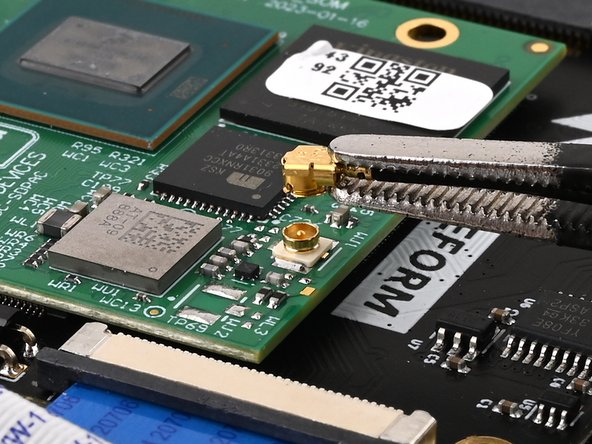
    2. MNT Pocket Reform Processor Module Replacement, Disconnect the WiFi antenna: 手順 11、 2の画像 1 MNT Pocket Reform Processor Module Replacement, Disconnect the WiFi antenna: 手順 11、 2の画像 2
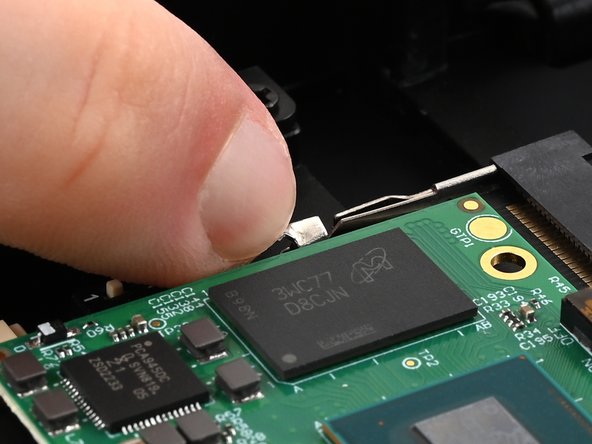
      • Slide one arm of a pair of tweezers under the antenna coaxial cable connector, as close to the metal head as possible.

      • Lift the connector straight up and off the processor module to disconnect it.

      • Be sure to lift the coaxial connector straight up off of the socket to avoid bending the connector.

      • During reassembly, align the connector over the socket and use your finger to press it into place. A tool like a spudger can slide off and damage the surface-mounted components around the connector.

      FixBotに聞いてみる

      コメントを追加

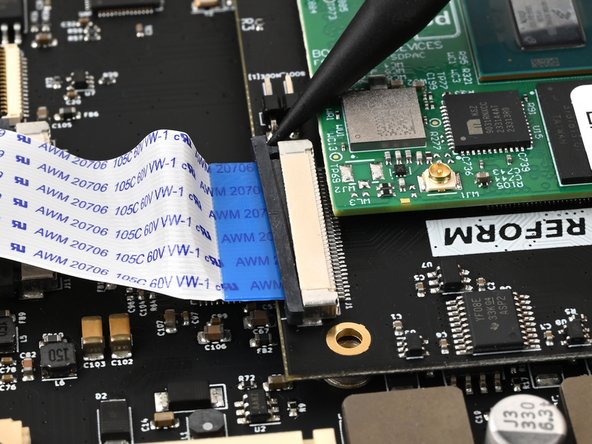
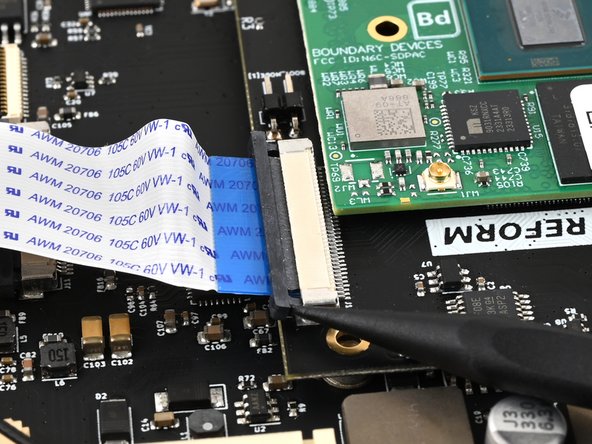
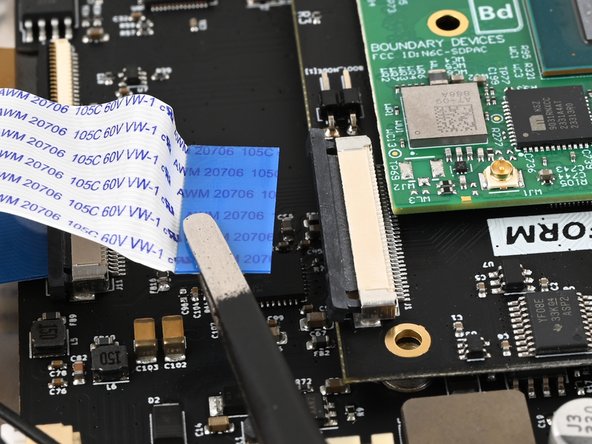
    3. MNT Pocket Reform Processor Module Replacement, Disconnect the ribbon cable: 手順 12、 3の画像 1 MNT Pocket Reform Processor Module Replacement, Disconnect the ribbon cable: 手順 12、 3の画像 2 MNT Pocket Reform Processor Module Replacement, Disconnect the ribbon cable: 手順 12、 3の画像 3
      • Use a spudger to push on alternating sides of the locking tab that holds the interconnect ribbon cable in place on the processor module until the locking tab clicks into its open position.

      FixBotに聞いてみる

      コメントを追加

    4. MNT Pocket Reform Processor Module Replacement: 手順 13、 2の画像 1 MNT Pocket Reform Processor Module Replacement: 手順 13、 2の画像 2
      • Use a pair of tweezers or your fingers to grip the blue tab on the ribbon cable and pull it out of the connector.

      FixBotに聞いてみる

      コメントを追加

    5. MNT Pocket Reform Processor Module Replacement, Remove the processor module: 手順 14、 3の画像 1 MNT Pocket Reform Processor Module Replacement, Remove the processor module: 手順 14、 3の画像 2 MNT Pocket Reform Processor Module Replacement, Remove the processor module: 手順 14、 3の画像 3
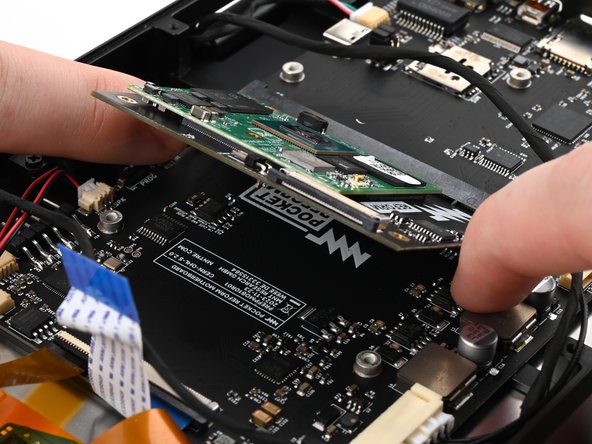
      • Use your fingers to pull the two metal tabs on the short sides of the processor module away from the module at the same time.

      • The processor module will spring up once both tabs are released.

      FixBotに聞いてみる

      コメントを追加

    6. MNT Pocket Reform Processor Module Replacement: 手順 15、 2の画像 1 MNT Pocket Reform Processor Module Replacement: 手順 15、 2の画像 2
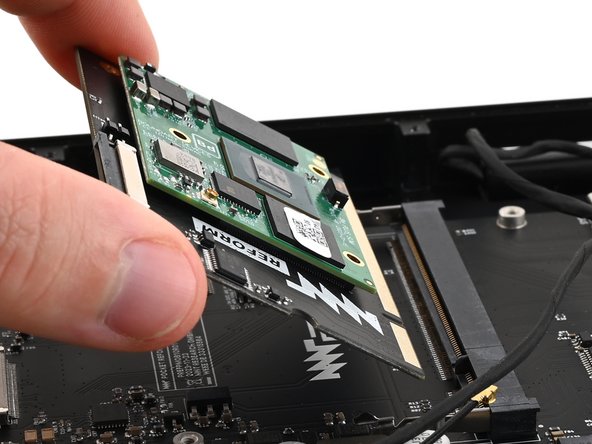
      • Pull the processor module out of its socket on the motherboard.

      • During reassembly, insert the processor module at an angle of about 45º before pressing it down and engaging the clips. The module should slide in easily. If it doesn't reposition it and try again.

      FixBotに聞いてみる

      コメントを追加

終わりに

To reassemble your device, follow these instructions in reverse order.

Repair didn’t go as planned? Try some basic troubleshooting, or ask our Answers community for help.

Take your e-waste to an R2 or e-Stewards certified recycler.

キャンセル: このガイドを終了できませんでした。

作成者

1人の作成者と共同作成されました。

Spencer Pennington

メンバー登録日: 09/09/23

26,679 ポイント

126のガイドは作成済み

チーム

Guide Team Guide Team人のメンバー

Staff

10 メンバー

32,640のガイドは作成済み

0件のガイドコメント

コメントを追加

統計データ:

過去 24時間: 2

過去 7 日: 6

過去 30 日: 21

今までの合計 417