メインコンテンツにスキップ
リペアコミュニティに参加 - アカウントの作成

MNT Pocket Reform Thermal Pad Replacement

必要な工具と部品

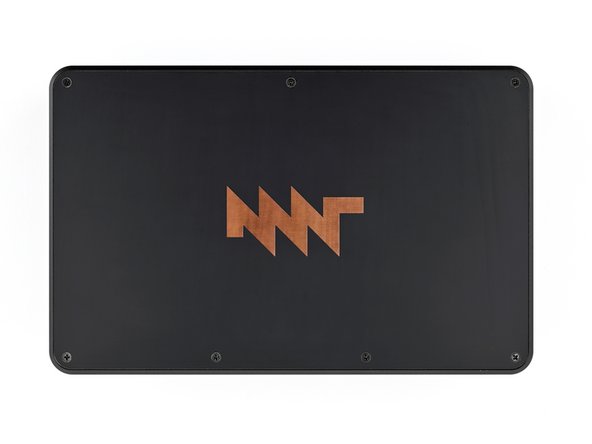
    1. MNT Pocket Reform Thermal Pad Replacement, Remove the top cover: 手順 1、 2の画像 1 MNT Pocket Reform Thermal Pad Replacement, Remove the top cover: 手順 1、 2の画像 2
      • Place the laptop on your work surface so the top cover with the MNT logo is facing up.

      • Use a Phillips screwdriver to remove the seven 4.8 mm‑long screws securing the top cover.

      FixBotに聞いてみる

      コメントを追加

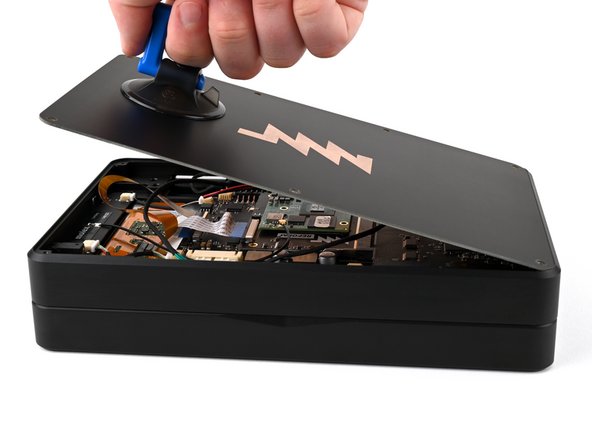
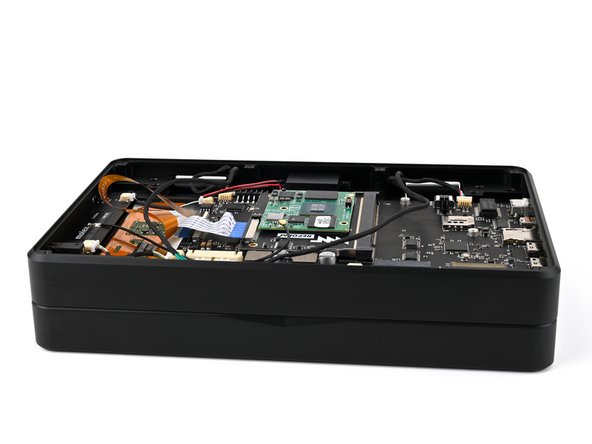
    2. MNT Pocket Reform Thermal Pad Replacement: 手順 2、 3の画像 1 MNT Pocket Reform Thermal Pad Replacement: 手順 2、 3の画像 2 MNT Pocket Reform Thermal Pad Replacement: 手順 2、 3の画像 3
      • The top cover is made of printed circuit board (PCB) material. Press gently but firmly near an edge when applying the suction handle to avoid breaking the cover.

      • Apply a suction handle to the top cover.

      • Use the suction handle to lift the top cover off of the laptop.

      • Alternatively, you can use a thin prying tool to lift the cover, or tilt the laptop until the cover falls out.

      • There's a thermal pad between the top cover and the processor that may stick to the top cover during removal.

      FixBotに聞いてみる

      コメントを追加

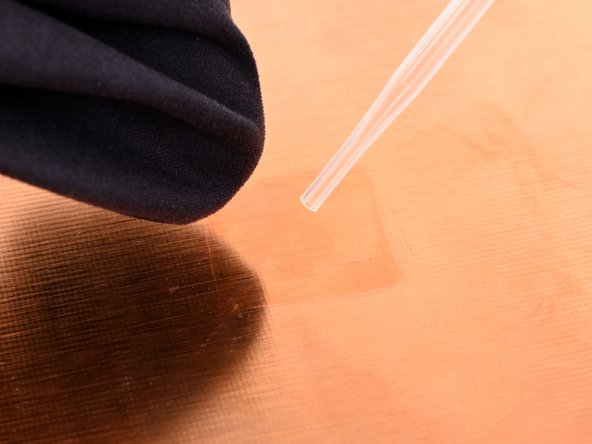
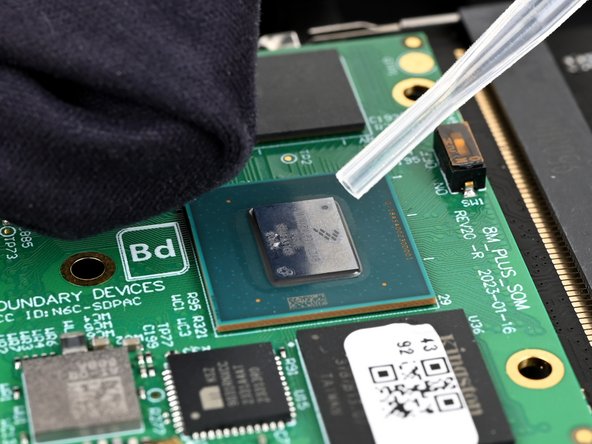
    1. MNT Pocket Reform Thermal Pad Replacement, Remove the thermal pad and residue: 手順 3、 3の画像 1 MNT Pocket Reform Thermal Pad Replacement, Remove the thermal pad and residue: 手順 3、 3の画像 2 MNT Pocket Reform Thermal Pad Replacement, Remove the thermal pad and residue: 手順 3、 3の画像 3
      • Use tweezers or your fingers to peel up the old thermal pad.

      • The thermal pad may be stuck to either the processor or the top cover.

      • Use high concentration (greater than 90%) isopropyl alcohol and a coffee filter or a lint-free cloth to clean the processor and the area of the top cover that will contact the thermal pad.

      • Clean both the processor and the top cover even if it's a new part.

      FixBotに聞いてみる

      コメントを追加

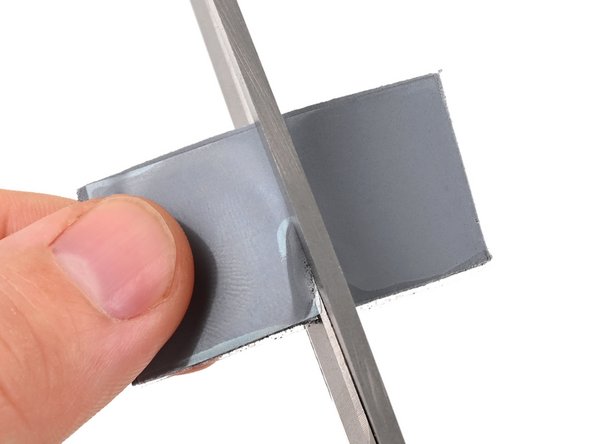
    2. MNT Pocket Reform Thermal Pad Replacement, Prepare the thermal pad: 手順 4、 2の画像 1 MNT Pocket Reform Thermal Pad Replacement, Prepare the thermal pad: 手順 4、 2の画像 2
      • Cut the thermal pad to a size of about 2 cm by 2 cm.

      FixBotに聞いてみる

      コメントを追加

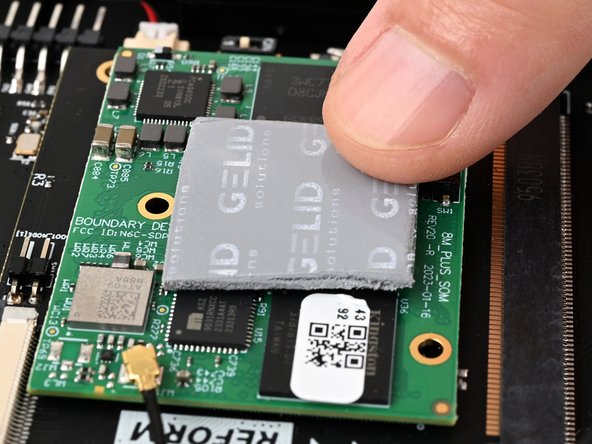
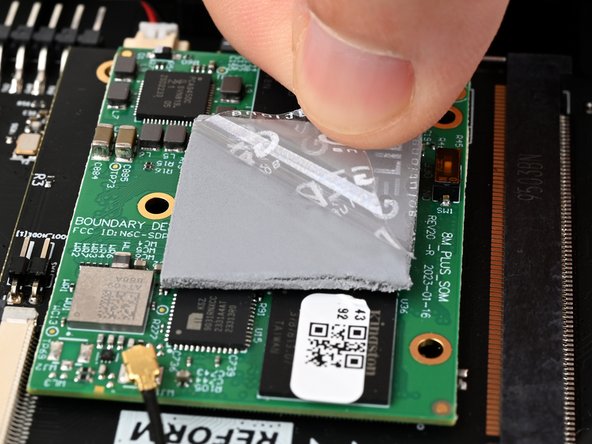
    3. MNT Pocket Reform Thermal Pad Replacement, Apply the thermal pad: 手順 5、 3の画像 1 MNT Pocket Reform Thermal Pad Replacement, Apply the thermal pad: 手順 5、 3の画像 2 MNT Pocket Reform Thermal Pad Replacement, Apply the thermal pad: 手順 5、 3の画像 3
      • Peel the backing off of one side of the thermal pad.

      • Apply the thermal pad to the processor, which is the large chip on the processor module that sits on top of the motherboard.

      • Peel the backing off of the other side of the thermal pad.

      FixBotに聞いてみる

      コメントを追加

終わりに

To reassemble your device, follow these instructions in reverse order.

Repair didn’t go as planned? Try some basic troubleshooting, or ask our Answers community for help.

キャンセル: このガイドを終了できませんでした。

Spencer Pennington

メンバー登録日: 09/09/23

26,888 ポイント

126のガイドは作成済み

チーム

Guide Team Guide Team人のメンバー

Staff

10 メンバー

47,016のガイドは作成済み

0件のガイドコメント

コメントを追加

統計データ:

過去 24時間: 1

過去 7 日: 4

過去 30 日: 7

今までの合計 307