メインコンテンツにスキップ
リペアコミュニティに参加 - アカウントの作成

HTC Vive OLED Screen Replacement

アーカイブされたガイド
このガイドは将来的な使用のためにのみ保存されてます。ご自身の修理作業には更新バージョンをご利用ください。

必要な工具と部品

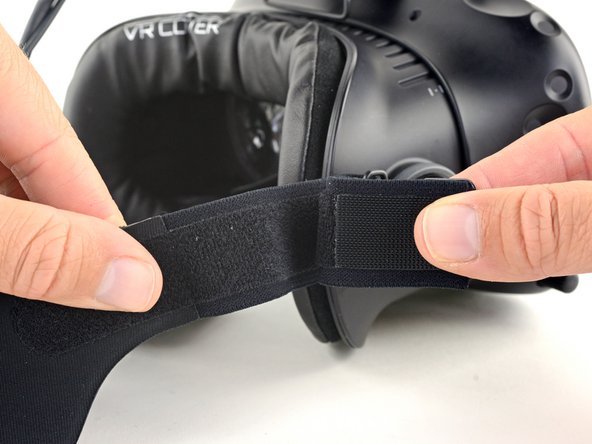
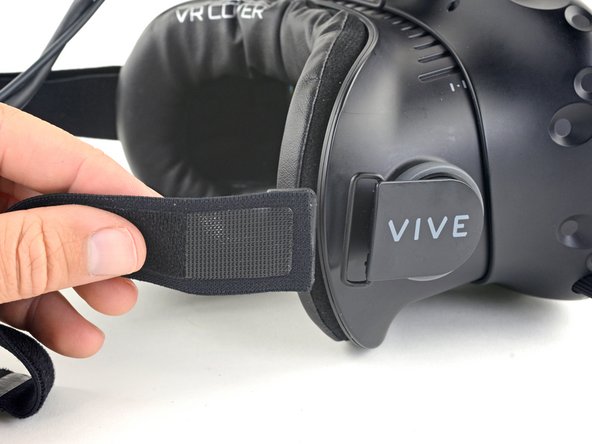
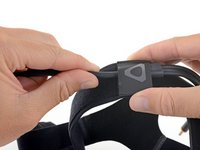
  1. HTC Vive OLED Screen Replacement, Release the upper head strap: 手順 1、 2の画像 1 HTC Vive OLED Screen Replacement, Release the upper head strap: 手順 1、 2の画像 2
    • Be sure to power down and disconnect your Vive before beginning.

    • Pull the hook-and-loop (Velcro) closure at the top of the head strap apart to release the top of the head strap.

    FixBotに聞いてみる

    コメントを追加

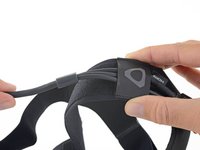
  2. HTC Vive OLED Screen Replacement, Remove the upper head strap: 手順 2、 2の画像 1 HTC Vive OLED Screen Replacement, Remove the upper head strap: 手順 2、 2の画像 2
    • Slide the top part of the head strap through its metal loop on the headset to remove it.

    FixBotに聞いてみる

    コメントを追加

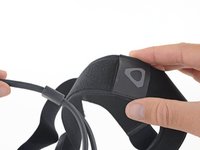
  3. HTC Vive OLED Screen Replacement, Remove the right side of the head strap: 手順 3、 3の画像 1 HTC Vive OLED Screen Replacement, Remove the right side of the head strap: 手順 3、 3の画像 2 HTC Vive OLED Screen Replacement, Remove the right side of the head strap: 手順 3、 3の画像 3
    • Pull the hook-and-loop closure at the right side of the head strap apart to release the right side of the head strap.

    • Slide the right side of the head strap through its metal loop to remove it.

    FixBotに聞いてみる

    コメントを追加

  4. HTC Vive OLED Screen Replacement, Remove the left side of the head strap: 手順 4、 3の画像 1 HTC Vive OLED Screen Replacement, Remove the left side of the head strap: 手順 4、 3の画像 2 HTC Vive OLED Screen Replacement, Remove the left side of the head strap: 手順 4、 3の画像 3
    • Pull the hook-and-loop closure at the left side of the head strap apart to release the left side of the head strap.

    • Slide the left side of the head strap through its metal loop to remove it.

    FixBotに聞いてみる

    コメントを追加

  5. HTC Vive OLED Screen Replacement, Remove the head strap: 手順 5、 3の画像 1 HTC Vive OLED Screen Replacement, Remove the head strap: 手順 5、 3の画像 2 HTC Vive OLED Screen Replacement, Remove the head strap: 手順 5、 3の画像 3
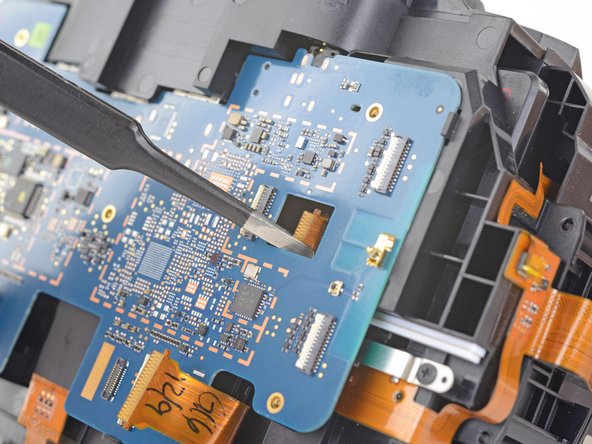
    • Slide the head strap along the cable, away from the Vive.

    • When the head strap comes to the end of the cable, gently slide it over the plugs and remove it.

    FixBotに聞いてみる

    コメントを追加

  6. HTC Vive OLED Screen Replacement, Unscrew the head strap mounts: 手順 6、 2の画像 1 HTC Vive OLED Screen Replacement, Unscrew the head strap mounts: 手順 6、 2の画像 2
    • Be sure to power down and disconnect your Vive before beginning.

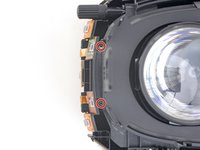
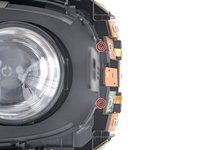
    • Use a T5 Torx driver to remove the two 12 mm-long screws securing the head strap mounts on either side of the headset.

    • For some devices, a T6 Torx driver may work better.

    • The mounts may fall off when the screws are removed, so be careful not to lose any parts.

    FixBotに聞いてみる

    コメントを追加

  7. HTC Vive OLED Screen Replacement, Remove the head strap mounts: 手順 7、 3の画像 1 HTC Vive OLED Screen Replacement, Remove the head strap mounts: 手順 7、 3の画像 2 HTC Vive OLED Screen Replacement, Remove the head strap mounts: 手順 7、 3の画像 3
    • Remove both head strap mounts.

    FixBotに聞いてみる

    コメントを追加

  8. HTC Vive OLED Screen Replacement, Remove the facerest: 手順 8、 2の画像 1 HTC Vive OLED Screen Replacement, Remove the facerest: 手順 8、 2の画像 2
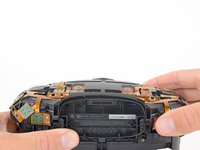
    • Slide the facerest straight away from the headset to remove it.

    FixBotに聞いてみる

    コメントを追加

  9. HTC Vive OLED Screen Replacement, Unscrew the outer shell: 手順 9、 3の画像 1 HTC Vive OLED Screen Replacement, Unscrew the outer shell: 手順 9、 3の画像 2 HTC Vive OLED Screen Replacement, Unscrew the outer shell: 手順 9、 3の画像 3
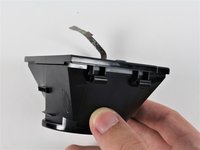
    この手順で使用する道具:
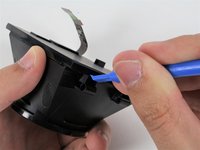
    Tweezers
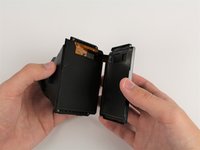
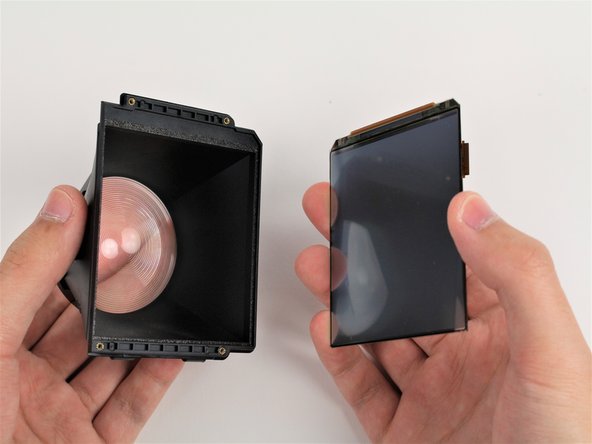
    $4.99
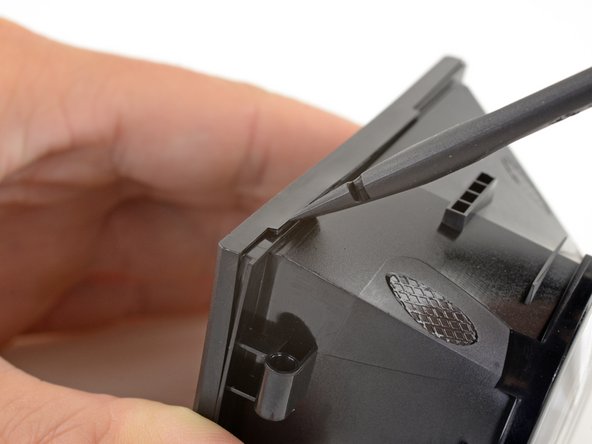
    • Use tweezers to remove the small stickers over the four screws securing the outer shell.

    • Use a T5 Torx driver to remove the four 3.4 mm-long screws securing the outer shell.

    FixBotに聞いてみる

    コメントを追加

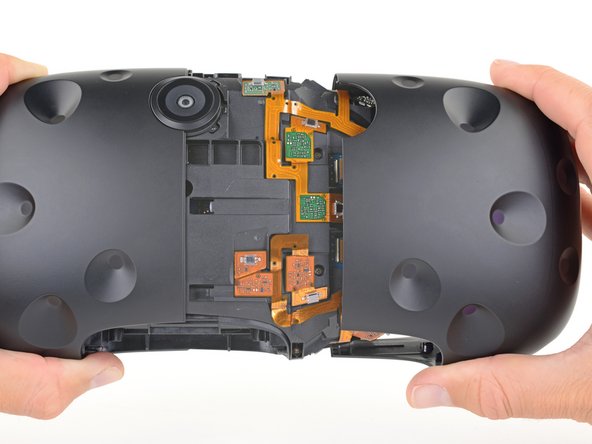
  10. HTC Vive OLED Screen Replacement, Remove the outer shell: 手順 10、 2の画像 1 HTC Vive OLED Screen Replacement, Remove the outer shell: 手順 10、 2の画像 2
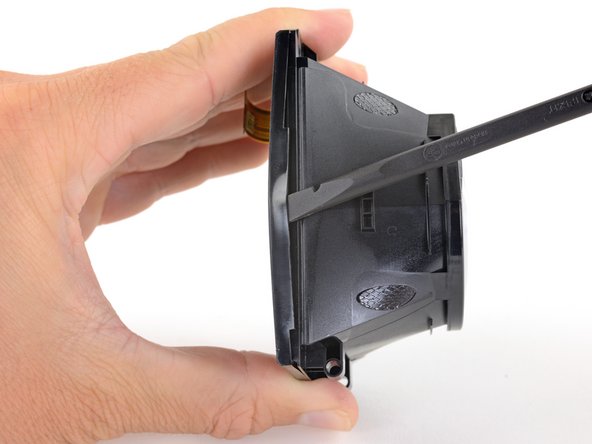
    • Use the flat end of a spudger to pry up the top edge of the right half of the outer shell, behind the component cover and near the seam in the center, until it is unclipped from the headset.

    FixBotに聞いてみる

    コメントを追加

  11. HTC Vive OLED Screen Replacement: 手順 11、 2の画像 1 HTC Vive OLED Screen Replacement: 手順 11、 2の画像 2
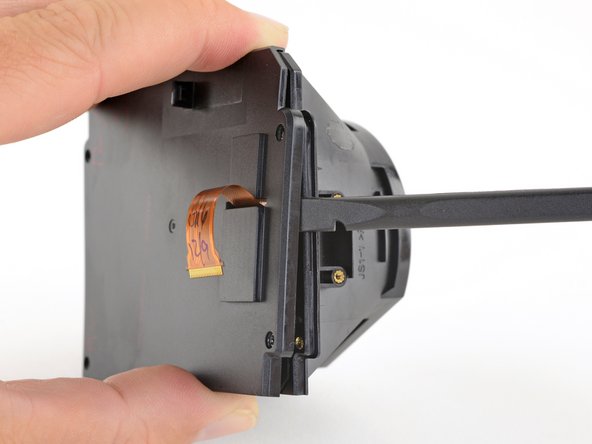
    • Grasp the right half the outer shell and pull it to the right and toward the front of the headset until you feel the clips on the front of the cover release.

    • If the shell is difficult to remove, try prying along the seam with the flat end of a spudger to release the clips.

    FixBotに聞いてみる

    コメントを追加

  12. HTC Vive OLED Screen Replacement: 手順 12、 2の画像 1 HTC Vive OLED Screen Replacement: 手順 12、 2の画像 2
    • Slide the right side of the outer shell to the right and off of the headset.

    FixBotに聞いてみる

    コメントを追加

  13. HTC Vive OLED Screen Replacement: 手順 13、 2の画像 1 HTC Vive OLED Screen Replacement: 手順 13、 2の画像 2
    • Repeat the last three steps for the left side of the outer shell and remove it.

    FixBotに聞いてみる

    コメントを追加

  14. HTC Vive OLED Screen Replacement, Disconnect the sensor array cables: 手順 14、 3の画像 1 HTC Vive OLED Screen Replacement, Disconnect the sensor array cables: 手順 14、 3の画像 2 HTC Vive OLED Screen Replacement, Disconnect the sensor array cables: 手順 14、 3の画像 3
    この手順で使用する道具:
    Tweezers
    $4.99
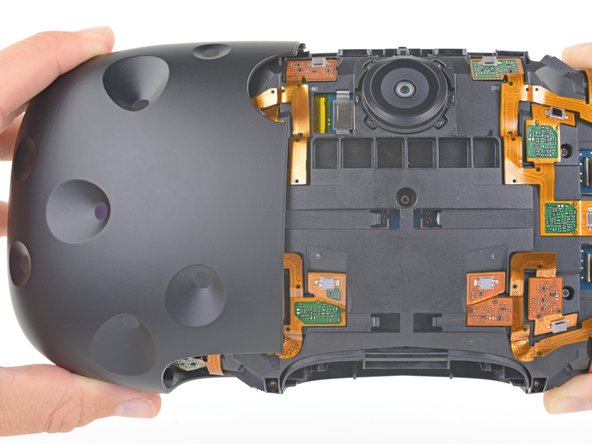
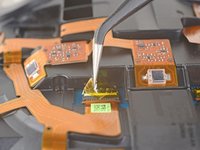
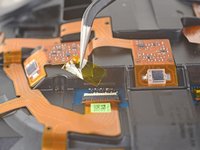
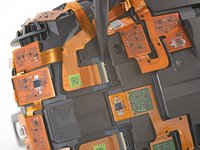
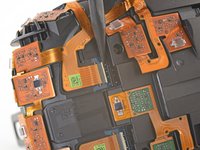
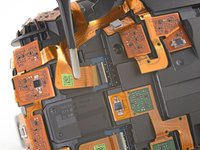
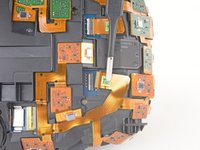
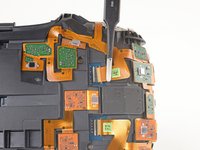
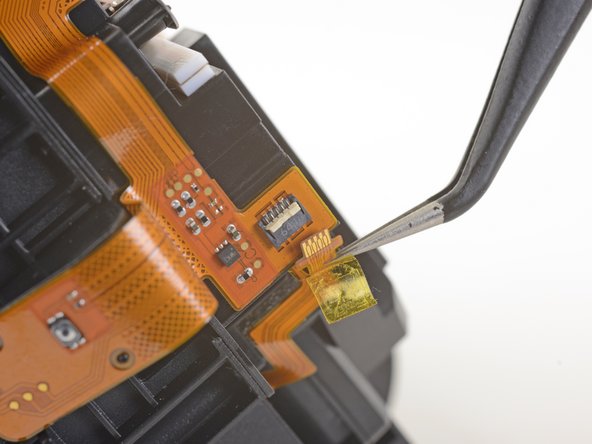
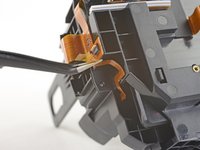
    • Use tweezers to remove the clear tape over all four of the sensor array cable connectors.

    FixBotに聞いてみる

    コメントを追加

  15. HTC Vive OLED Screen Replacement: 手順 15、 3の画像 1 HTC Vive OLED Screen Replacement: 手順 15、 3の画像 2 HTC Vive OLED Screen Replacement: 手順 15、 3の画像 3
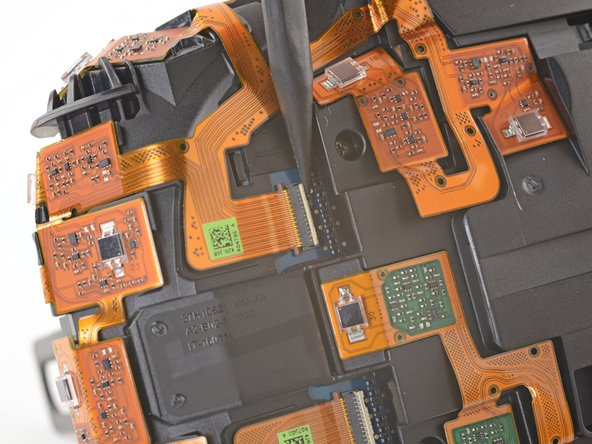
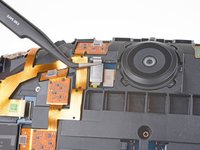
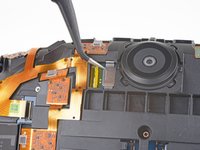
    • Use the pointed end of a spudger to flip up the small locking flap on one of the sensor array ZIF connectors.

    • Slide the cable straight out of its socket on the motherboard.

    FixBotに聞いてみる

    コメントを追加

  16. HTC Vive OLED Screen Replacement: 手順 16、 3の画像 1 HTC Vive OLED Screen Replacement: 手順 16、 3の画像 2 HTC Vive OLED Screen Replacement: 手順 16、 3の画像 3
    • Repeat the previous step for the remaining three sensor array cables to disconnect the remaining cables.

    FixBotに聞いてみる

    コメントを追加

  17. HTC Vive OLED Screen Replacement: 手順 17、 2の画像 1 HTC Vive OLED Screen Replacement: 手順 17、 2の画像 2
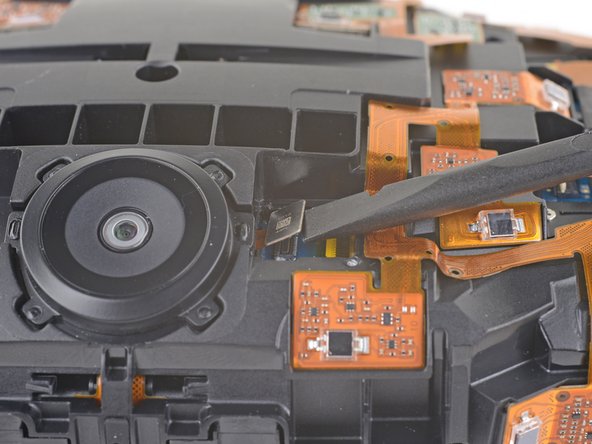
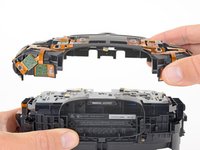
    • Use tweezers or a spudger to pry up the camera cable cover and remove it.

    FixBotに聞いてみる

    コメントを追加

  18. HTC Vive OLED Screen Replacement: 手順 18、 2の画像 1 HTC Vive OLED Screen Replacement: 手順 18、 2の画像 2
    • Use the flat end of a spudger to pry the camera cable connector straight up from its socket on the motherboard.

    FixBotに聞いてみる

    コメントを追加

  19. HTC Vive OLED Screen Replacement, Unscrew the sensor array: 手順 19、 1の画像 1
    • Use a PH000 driver to remove the five 3.9 mm screws securing the sensor array.

    FixBotに聞いてみる

    コメントを追加

  20. HTC Vive OLED Screen Replacement: 手順 20、 1の画像 1
    • Use a PH000 driver to remove the four 3.9 mm screws securing the sensor array.

    FixBotに聞いてみる

    コメントを追加

  21. HTC Vive OLED Screen Replacement: 手順 21、 2の画像 1 HTC Vive OLED Screen Replacement: 手順 21、 2の画像 2
    この手順で使用する道具:
    Phillips #000 Screwdriver
    $5.49
    • Use a PH000 driver to remove the four 3.9 mm screws securing the sensor array.

    • You'll need a narrow, long-shaft driver to reach these screws.

    FixBotに聞いてみる

    コメントを追加

  22. HTC Vive OLED Screen Replacement, Remove the sensor array: 手順 22、 2の画像 1 HTC Vive OLED Screen Replacement, Remove the sensor array: 手順 22、 2の画像 2
    • Lift the sensor array away from the headset to remove it.

    FixBotに聞いてみる

    コメントを追加

  23. HTC Vive OLED Screen Replacement, Disconnect the motherboard: 手順 23、 3の画像 1 HTC Vive OLED Screen Replacement, Disconnect the motherboard: 手順 23、 3の画像 2 HTC Vive OLED Screen Replacement, Disconnect the motherboard: 手順 23、 3の画像 3
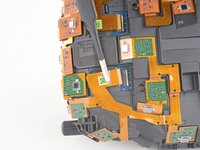
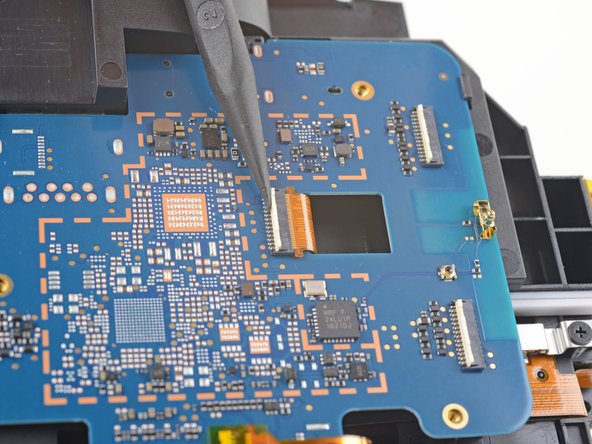
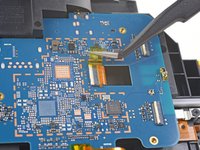
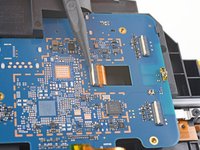
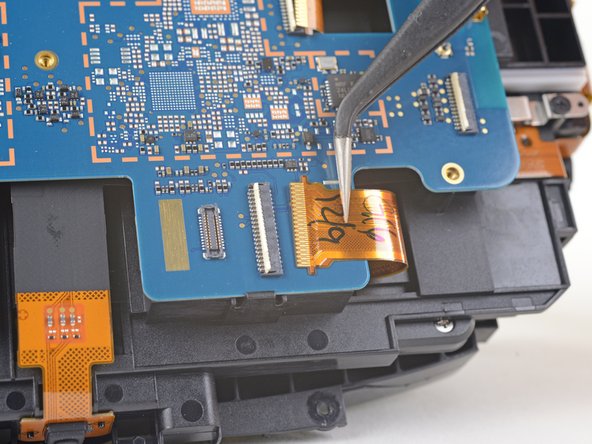
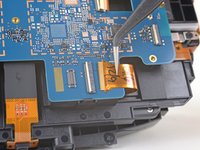
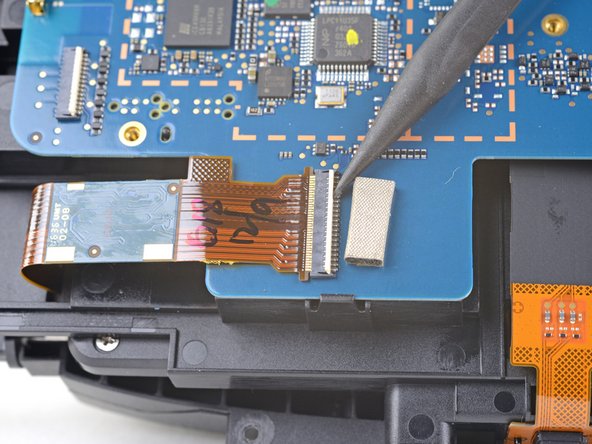
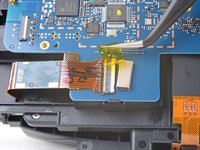
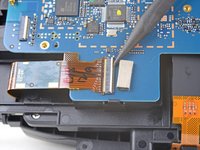
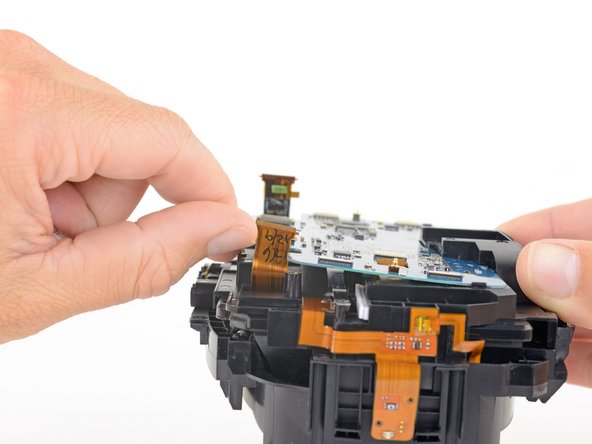
    • Remove the tape covering the interconnect cable socket.

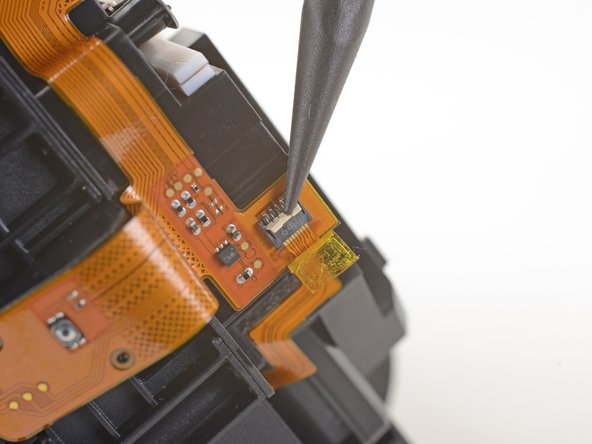
    • Use the point of a spudger to flip up the small locking flap on the cable socket.

    • Slide the interconnect cable straight out of its socket on the motherboard.

    FixBotに聞いてみる

    コメントを追加

  24. HTC Vive OLED Screen Replacement: 手順 24、 3の画像 1 HTC Vive OLED Screen Replacement: 手順 24、 3の画像 2 HTC Vive OLED Screen Replacement: 手順 24、 3の画像 3
    • Remove the tape covering the left OLED cable socket.

    • Use the point of a spudger to flip up the small locking flap on the cable socket.

    • Slide the left OLED cable straight out of its socket on the motherboard.

    FixBotに聞いてみる

    コメントを追加

  25. HTC Vive OLED Screen Replacement: 手順 25、 3の画像 1 HTC Vive OLED Screen Replacement: 手順 25、 3の画像 2 HTC Vive OLED Screen Replacement: 手順 25、 3の画像 3
    • Remove the tape covering the right OLED cable socket.

    • Use the point of a spudger to flip up the small locking flap on the cable socket.

    • Slide the right OLED cable straight out of its socket on the motherboard.

    FixBotに聞いてみる

    コメントを追加

  26. HTC Vive OLED Screen Replacement: 手順 26、 2の画像 1 HTC Vive OLED Screen Replacement: 手順 26、 2の画像 2
    この手順で使用する道具:
    Tweezers
    $4.99
    • Use a pair tweezers to slightly twist the interconnect cable and press it down until the tabs on either side of the cable clear the hole in the motherboard.

    • During reassembly, make sure to thread the interconnect cable through its slot in the motherboard.

    FixBotに聞いてみる

    コメントを追加

  27. HTC Vive OLED Screen Replacement, Remove the motherboard: 手順 27、 3の画像 1 HTC Vive OLED Screen Replacement, Remove the motherboard: 手順 27、 3の画像 2 HTC Vive OLED Screen Replacement, Remove the motherboard: 手順 27、 3の画像 3
    • Press the non-port-end of the motherboard toward the top of headset while hinging it away from the midframe to free it from the clips securing that end.

    • Slide the motherboard toward the bottom of the headset, over the clips, to remove it.

    • Take care not to snag any cables during removal.

    FixBotに聞いてみる

    コメントを追加

  28. HTC Vive OLED Screen Replacement, Disconnect the facerest midframe: 手順 28、 3の画像 1 HTC Vive OLED Screen Replacement, Disconnect the facerest midframe: 手順 28、 3の画像 2 HTC Vive OLED Screen Replacement, Disconnect the facerest midframe: 手順 28、 3の画像 3
    この手順で使用する道具:
    Tweezers
    $4.99
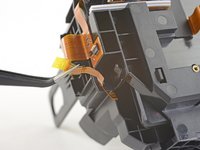
    • Use a pair of tweezers to peel back the plastic covering the eyepiece midframe cable socket.

    • Use the pointed end of a spudger to flip up the plastic locking flap on the socket.

    • Slide the cable straight out of its socket to remove it.

    FixBotに聞いてみる

    コメントを追加

  29. HTC Vive OLED Screen Replacement: 手順 29、 2の画像 1 HTC Vive OLED Screen Replacement: 手順 29、 2の画像 2
    • Gently peel the eyepiece midframe cable off of the facerest midframe.

    FixBotに聞いてみる

    コメントを追加

  30. HTC Vive OLED Screen Replacement, Unscrew the facerest midframe: 手順 30、 1の画像 1
    • Use a PH000 driver to remove the four 3.9 mm screws securing the facerest midframe.

    FixBotに聞いてみる

    コメントを追加

  31. HTC Vive OLED Screen Replacement, Remove the facerest midframe: 手順 31、 2の画像 1 HTC Vive OLED Screen Replacement, Remove the facerest midframe: 手順 31、 2の画像 2
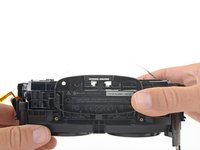
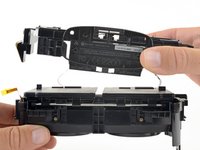
    • Lift the facerest midframe off of the eyepiece midframe.

    • Take care not to snag any cables during removal.

    FixBotに聞いてみる

    コメントを追加

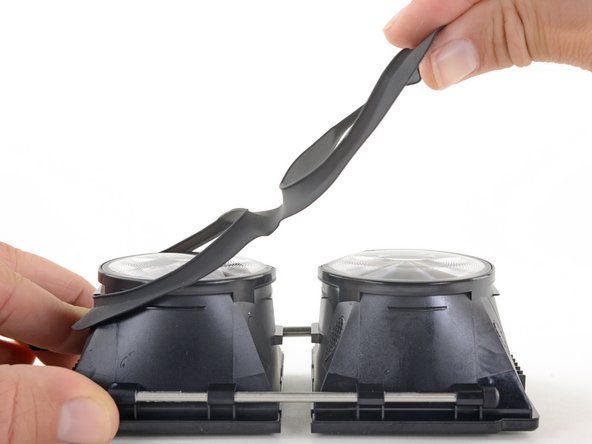
  32. HTC Vive OLED Screen Replacement, Remove the eyepiece gasket: 手順 32、 3の画像 1 HTC Vive OLED Screen Replacement, Remove the eyepiece gasket: 手順 32、 3の画像 2 HTC Vive OLED Screen Replacement, Remove the eyepiece gasket: 手順 32、 3の画像 3
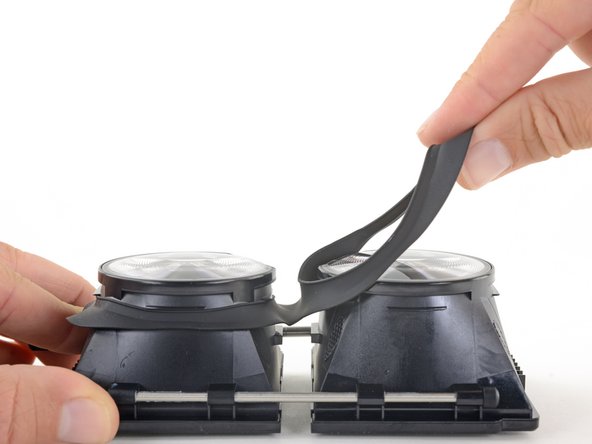
    • Gently lift the eyepiece gasket off of the lens and OLED frames to remove it.

    FixBotに聞いてみる

    コメントを追加

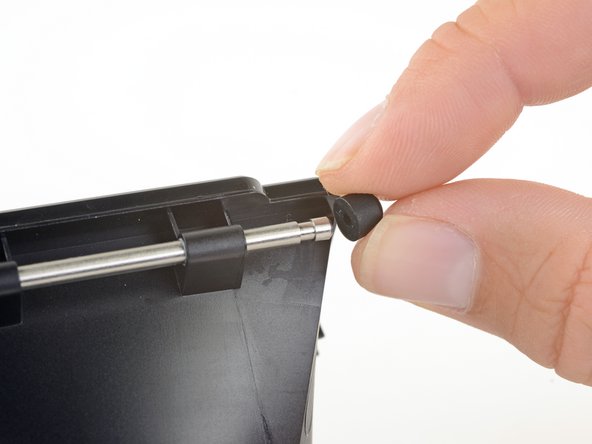
  33. HTC Vive OLED Screen Replacement, Remove the support rod: 手順 33、 3の画像 1 HTC Vive OLED Screen Replacement, Remove the support rod: 手順 33、 3の画像 2 HTC Vive OLED Screen Replacement, Remove the support rod: 手順 33、 3の画像 3
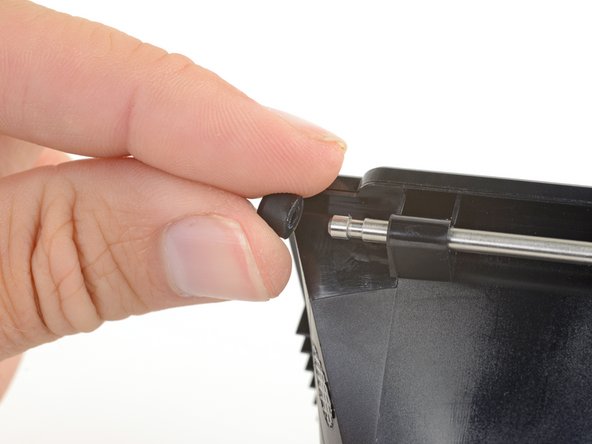
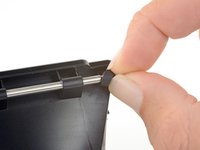
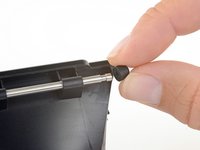
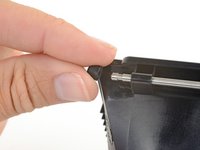
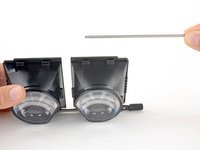
    • Pull the rubber bumpers off of either end of the support rod.

    FixBotに聞いてみる

    コメントを追加

  34. HTC Vive OLED Screen Replacement: 手順 34、 3の画像 1 HTC Vive OLED Screen Replacement: 手順 34、 3の画像 2 HTC Vive OLED Screen Replacement: 手順 34、 3の画像 3
    • Slide the support rod out of its brackets on the lens and OLED frames.

    FixBotに聞いてみる

    コメントを追加

  35. HTC Vive OLED Screen Replacement, Remove the focus rod: 手順 35、 1の画像 1
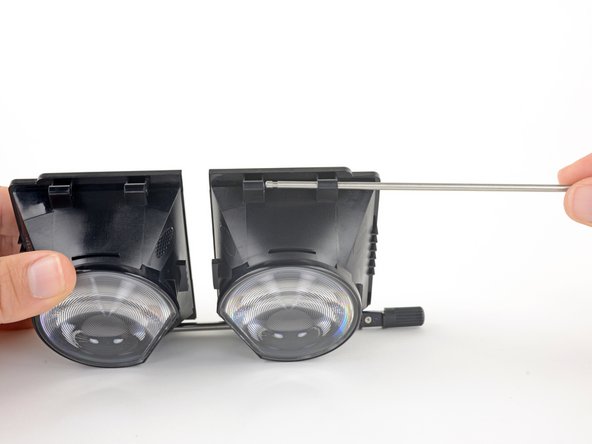
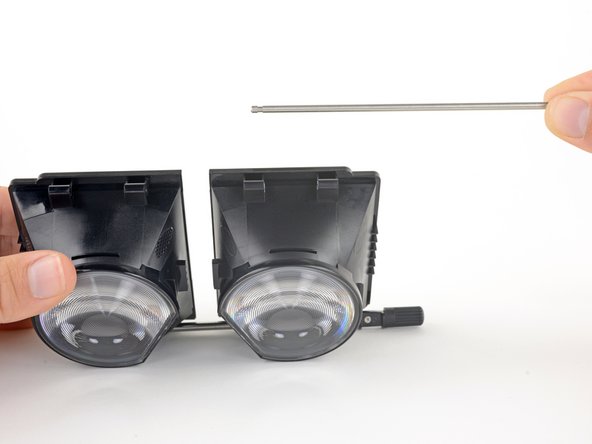
    • Use a PH000 driver to remove the eight 3.1 mm screws securing the focus rod brackets.

    FixBotに聞いてみる

    コメントを追加

  36. HTC Vive OLED Screen Replacement: 手順 36、 1の画像 1
    • Remove the focus rod and its brackets.

    FixBotに聞いてみる

    コメントを追加

  37. HTC Vive OLED Screen Replacement, Unscrew the OLED covers: 手順 37、 1の画像 1
    • Use a PH000 driver to remove the eight 2.4 mm screws securing the OLED covers.

    FixBotに聞いてみる

    コメントを追加

  38. HTC Vive OLED Screen Replacement, Remove the OLED covers: 手順 38、 2の画像 1 HTC Vive OLED Screen Replacement, Remove the OLED covers: 手順 38、 2の画像 2
    • Use the flat end of a spudger push up one edge of the OLED cover and start unclipping that edge.

    FixBotに聞いてみる

    コメントを追加

  39. HTC Vive OLED Screen Replacement: 手順 39、 2の画像 1 HTC Vive OLED Screen Replacement: 手順 39、 2の画像 2
    • Slide the spudger under the clip along that edge to free the rest of the edge.

    FixBotに聞いてみる

    コメントを追加

  40. HTC Vive OLED Screen Replacement: 手順 40、 3の画像 1 HTC Vive OLED Screen Replacement: 手順 40、 3の画像 2 HTC Vive OLED Screen Replacement: 手順 40、 3の画像 3
    • Slide the spudger around the remaining edges of the OLED cover to unclip those edges.

    FixBotに聞いてみる

    コメントを追加

  41. HTC Vive OLED Screen Replacement: 手順 41、 2の画像 1 HTC Vive OLED Screen Replacement: 手順 41、 2の画像 2
    • Remove the OLED cover.

    • Repeat the last three steps to remove the other OLED cover.

    • During reassembly, remember to thread the OLED cables through their slots in the OLED cover.

    FixBotに聞いてみる

    コメントを追加

  42. HTC Vive OLED Screen Replacement, Remove the OLED displays: 手順 42、 1の画像 1
    • Very carefully lift the OLED display by its edges out of its frame.

    • If you are reusing the OLED displays, be very careful to avoid touching the front of the displays or bending or cracking the displays.

    • Repeat this process for the other OLED display.

    FixBotに聞いてみる

    コメントを追加

  43. HTC Vive OLED Screen Replacement, Remove the lenses: 手順 43、 1の画像 1
    • Apply an iOpener to the lens to soften the adhesive securing it to the frame.

    FixBotに聞いてみる

    コメントを追加

  44. HTC Vive OLED Screen Replacement: 手順 44、 2の画像 1 HTC Vive OLED Screen Replacement: 手順 44、 2の画像 2
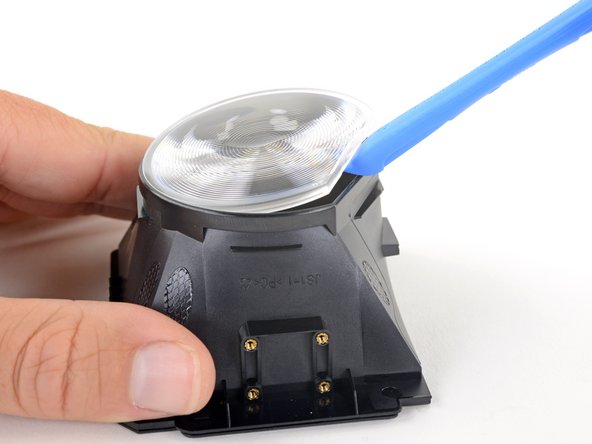
    • Use an opening tool to pry up the flat edge of the lens.

    • If it's difficult to pry up, apply the iOpener for another 30 seconds to further soften the adhesive.

    FixBotに聞いてみる

    コメントを追加

  45. HTC Vive OLED Screen Replacement, Remove the lens: 手順 45、 1の画像 1
    • Remove the lens.

    • Repeat the last two steps to remove the other lens.

    • Only the lens and OLED frames remain.

    • During reassembly, make sure the convex side of the lens is facing away from the frame.

    FixBotに聞いてみる

    コメントを追加

  46. HTC Vive OLED Screen Replacement, OLED Screen: 手順 46、 1の画像 1
    • The screws are very close to the screen. Applying too much pressure to the screws can stress or crack the screen. Be careful when unscrewing and screwing around the screen.

    • Remove the four 2mm #00 Philips head screws holding the screen in place from the eyepiece assembly.

    FixBotに聞いてみる

    コメントを追加

  47. HTC Vive OLED Screen Replacement: 手順 47、 3の画像 1 HTC Vive OLED Screen Replacement: 手順 47、 3の画像 2 HTC Vive OLED Screen Replacement: 手順 47、 3の画像 3
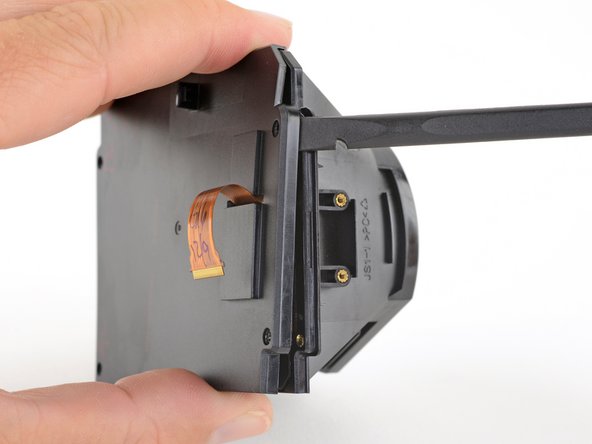
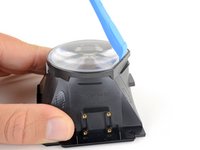
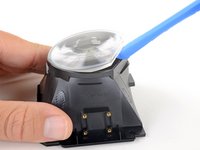
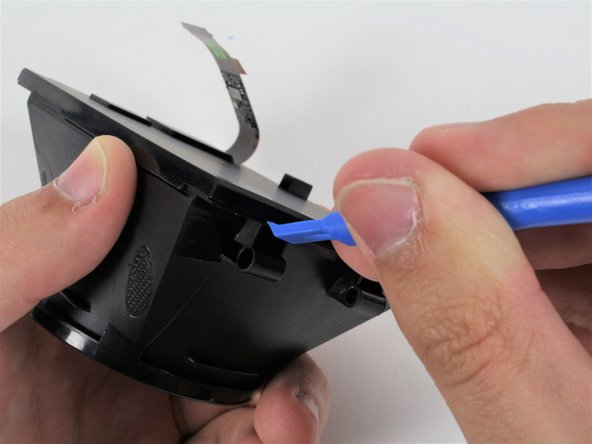
    • Use a plastic opening tool to gently pry around the seam between the eyepiece housing and the screen.

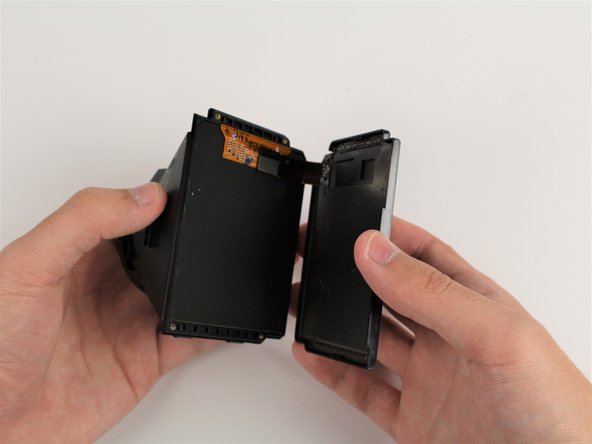
    • Gently pull the screen cover away from the eyepiece housing, threading the ribbon cable through the hole.

    FixBotに聞いてみる

    コメントを追加

  48. HTC Vive OLED Screen Replacement: 手順 48、 2の画像 1 HTC Vive OLED Screen Replacement: 手順 48、 2の画像 2
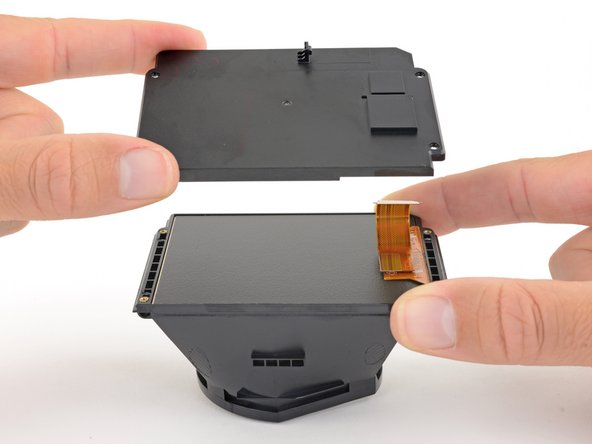
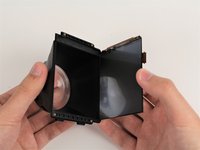
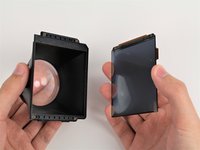
    • Remove the screen from the eyepiece housing by pulling the two pieces away from each other.

    FixBotに聞いてみる

    コメントを追加

終わりに

To reassemble your device, follow these instructions in reverse order.

キャンセル: このガイドを終了できませんでした。

ある他の人がこのガイドを完成しました。

作成者

4人の作成者と共同で作成されました。

Caleb Watts

メンバー登録日: 09/25/17

2,439 ポイント

11のガイドは作成済み

チーム

Cal Poly, Team S18-G1, Forte Fall 2017 Cal Poly, Team S18-G1, Forte Fall 2017人のメンバー

CPSU-FORTE-F17S18G1

5 メンバー

11のガイドは作成済み

3件のガイドコメント

This is a beautiful guide and I’m elated that I’ve found it. However, in order to use it, I need a place that I can get the screen since it has been flickering, color is off, and now it has a solid green vert line. Any direction? Thanks!

Jason - 返信 共有

Hi can you clean the vive OLED screen? if it has smudge mark on it… And what would you use

Al Shelley - 返信 共有

where do you buy a new screen from I’ve looked all over the net for it I can’t find one for my headset (htc vive cosmos elite)

Ian Miller - 返信 共有

コメントを追加

統計データ:

過去 24時間: 2

過去 7 日: 11

過去 30 日: 47

今までの合計 5,058