メインコンテンツにスキップ

Battery Disconnection

必要条件のみ
これは前提条件のみのガイドです!このガイドは別の手順の一部であり、単独で使用されません。

必要な工具と部品

  1. Battery Disconnection, Heat the right edge: 手順 1、 1の画像 1
    • Heat an iOpener and apply it to the right edge of the back cover for two minutes to soften the adhesive.

    • A hair dryer, heat gun, or hot plate may also be used, but be careful not to overheat the phone—the display and internal battery are susceptible to heat damage.

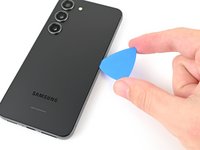
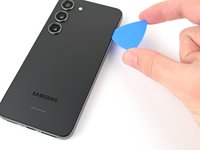
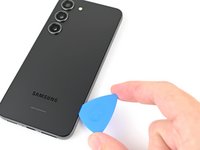
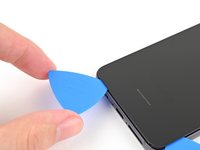
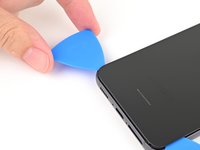
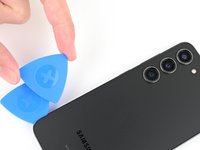
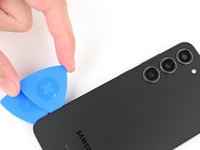
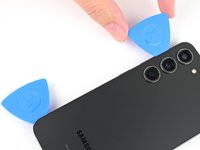
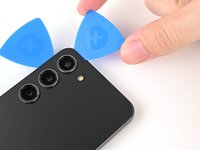
  2. Battery Disconnection, Insert an opening pick: 手順 2、 3の画像 1 Battery Disconnection, Insert an opening pick: 手順 2、 3の画像 2 Battery Disconnection, Insert an opening pick: 手順 2、 3の画像 3
    • Apply a suction handle to the back cover, as close to the center of the right edge as possible.

    • Pull up on the suction handle with strong, steady force to create a gap between the cover and the frame.

    • If you have trouble creating a gap, apply more heat to further soften the adhesive. Follow the iOpener instructions to avoid overheating.

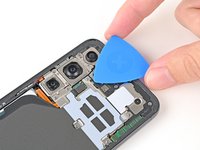
    • Insert an opening pick into the gap.

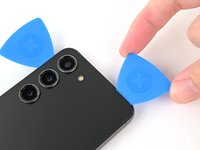
  3. Battery Disconnection, Separate the right adhesive: 手順 3、 3の画像 1 Battery Disconnection, Separate the right adhesive: 手順 3、 3の画像 2 Battery Disconnection, Separate the right adhesive: 手順 3、 3の画像 3
    • Slide the pick back and forth along the right edge to separate the adhesive.

    • Leave the pick inserted near the bottom right corner to prevent the adhesive from resealing.

  4. Battery Disconnection, Heat the bottom edge: 手順 4、 1の画像 1
    • Apply a heated iOpener to the bottom edge of the back cover for two minutes.

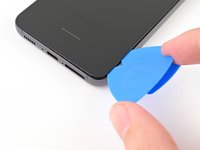
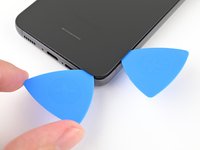
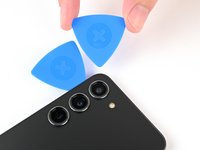
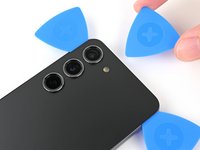
  5. Battery Disconnection, Separate the corner adhesive: 手順 5、 3の画像 1 Battery Disconnection, Separate the corner adhesive: 手順 5、 3の画像 2 Battery Disconnection, Separate the corner adhesive: 手順 5、 3の画像 3
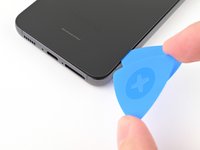
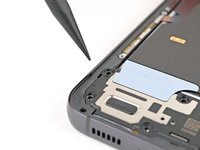
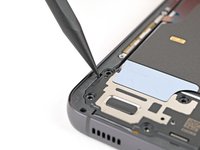
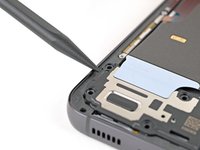
    • Insert a second opening pick at the bottom right corner.

    • Rotate it around the bottom right corner to separate the adhesive.

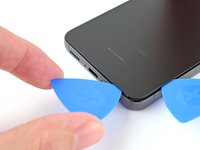
  6. Battery Disconnection, Separate the bottom adhesive: 手順 6、 2の画像 1 Battery Disconnection, Separate the bottom adhesive: 手順 6、 2の画像 2
    • Slide your opening pick to the bottom left corner to separate the adhesive.

    • Leave the pick in the bottom left corner to prevent the adhesive from resealing.

  7. Battery Disconnection, Heat the left edge: 手順 7、 1の画像 1
    • Apply a heated iOpener to the left edge of the back cover for two minutes.

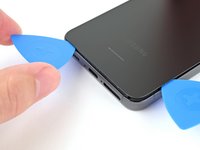
  8. Battery Disconnection, Separate the corner adhesive: 手順 8、 2の画像 1 Battery Disconnection, Separate the corner adhesive: 手順 8、 2の画像 2
    • Rotate the opening pick around the bottom left corner to separate the adhesive.

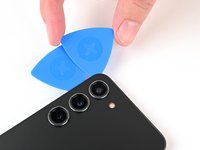
  9. Battery Disconnection, Separate the left adhesive: 手順 9、 3の画像 1 Battery Disconnection, Separate the left adhesive: 手順 9、 3の画像 2 Battery Disconnection, Separate the left adhesive: 手順 9、 3の画像 3
    • Insert a third opening pick at the bottom left corner.

    • Slide your pick toward the top left corner to separate the adhesive.

    • Leave the pick in the top left corner to prevent the adhesive from resealing.

  10. Battery Disconnection, Heat the top edge: 手順 10、 1の画像 1
    • Heat an iOpener and apply it to the top edge of the back cover for two minutes.

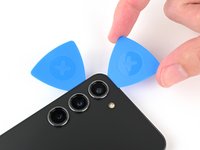
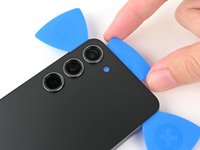
  11. Battery Disconnection, Separate the corner adhesive: 手順 11、 3の画像 1 Battery Disconnection, Separate the corner adhesive: 手順 11、 3の画像 2 Battery Disconnection, Separate the corner adhesive: 手順 11、 3の画像 3
    • Insert a fourth opening pick at the top left corner.

    • Rotate it around the top left corner to separate the adhesive.

  12. Battery Disconnection, Separate the top adhesive: 手順 12、 2の画像 1 Battery Disconnection, Separate the top adhesive: 手順 12、 2の画像 2
    • Slide your opening pick to the top right corner to separate the adhesive.

    • Leave the pick in the top right corner to prevent the adhesive from resealing.

  13. Battery Disconnection, Separate the flash adhesive: 手順 13、 3の画像 1 Battery Disconnection, Separate the flash adhesive: 手順 13、 3の画像 2 Battery Disconnection, Separate the flash adhesive: 手順 13、 3の画像 3
    • There's a remaining patch of adhesive directly under the flash.

    • Line up the tip of an opening pick with the flash cutout.

    • Slide the opening pick under the top of the back cover until you feel it start to snag on the adhesive.

    • You should see the opening pick through the flash cutout.

    • Keep sliding the pick toward the bottom of the phone until you feel the adhesive completely separate from the back cover.

    • Avoid touching the rear cameras with your pick. Pushing against the lenses risks damaging them.

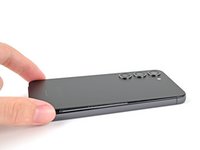
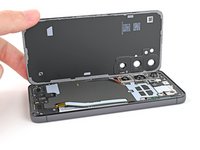
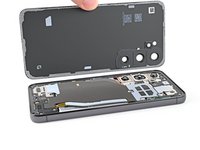
  14. Battery Disconnection, Remove the back cover: 手順 14、 3の画像 1 Battery Disconnection, Remove the back cover: 手順 14、 3の画像 2 Battery Disconnection, Remove the back cover: 手順 14、 3の画像 3
    • Grab and remove the back cover.

    • If your cover is still sticking to the frame, slide an opening pick around the perimeter until the cover completely separates.

    • During reassembly:

    • This is a good point to power on your phone and test all functions before sealing it up. Be sure to power your phone back down completely before you continue working.

    • Remove any adhesive chunks with a pair of tweezers or your fingers. Apply heat and isopropyl alcohol (90% or greater) if you're having trouble removing the adhesive.

    • If you're using custom-cut adhesives, follow this guide.

    • If you're using double-sided tape, follow this guide.

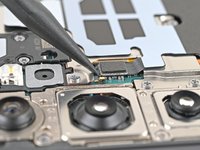
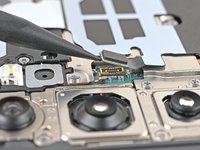
  15. Battery Disconnection, Disconnect the wireless charging coil: 手順 15、 2の画像 1 Battery Disconnection, Disconnect the wireless charging coil: 手順 15、 2の画像 2
    • Use the point of your spudger to pry up and disconnect the wireless charging coil press connector from the motherboard.

    • To re-attach press connectors, carefully align and press down on one side until it clicks into place, then repeat on the other side. Don't press down on the middle. If the connector is misaligned, the pins can bend and cause permanent damage.

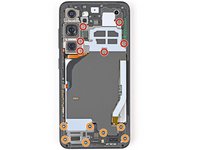
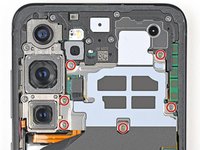
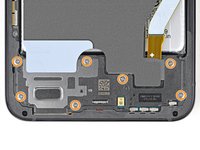
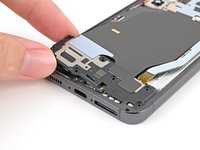
  16. Battery Disconnection, Remove the wireless charging coil and loudspeaker screws: 手順 16、 3の画像 1 Battery Disconnection, Remove the wireless charging coil and loudspeaker screws: 手順 16、 3の画像 2 Battery Disconnection, Remove the wireless charging coil and loudspeaker screws: 手順 16、 3の画像 3
    • Use a Phillips screwdriver to remove the thirteen 3.5 mm‑long screws securing the wireless charging coil and the loudspeaker:

    • Six screws securing the wireless charging coil

    • Seven screws securing the loudspeaker

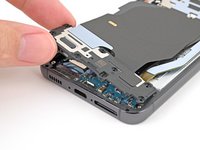
  17. Battery Disconnection, Remove the wireless charging coil and loudspeaker: 手順 17、 3の画像 1 Battery Disconnection, Remove the wireless charging coil and loudspeaker: 手順 17、 3の画像 2 Battery Disconnection, Remove the wireless charging coil and loudspeaker: 手順 17、 3の画像 3
    • Insert the point of your spudger in the notch at the top left corner of the loudspeaker.

    • Pry up to unclip the loudspeaker from the frame.

  18. Battery Disconnection: 手順 18、 3の画像 1 Battery Disconnection: 手順 18、 3の画像 2 Battery Disconnection: 手順 18、 3の画像 3
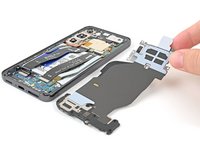
    • Use your fingers to lift the loudspeaker away from the frame to fully separate it.

    • Remove the wireless charging coil and loudspeaker from the frame.

    • During reassembly, press around the perimeter of the loudspeaker to clip it to the frame.

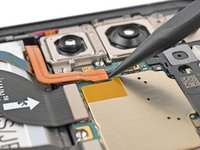
  19. Battery Disconnection, Disconnect the battery: 手順 19、 2の画像 1 Battery Disconnection, Disconnect the battery: 手順 19、 2の画像 2
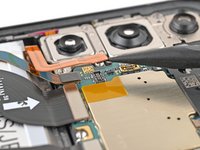
    • Use the point of your spudger to pry up and disconnect the battery press connector.

終わりに

To reassemble your device, follow these instructions in reverse order.

作成者

1人の作成者と共同作成されました。

Alex Diaz-Kokaisl

メンバー登録日: 01/16/22

214,551 ポイント

1,044のガイドは作成済み

チーム

iFixit iFixit人のメンバー

Staff

123 メンバー

23,765のガイドは作成済み

0件のガイドコメント

コメントを追加

統計データ:

過去 24時間: 0

過去 7 日: 0

過去 30 日: 2

今までの合計 70