
エンコーダーストリップ
この翻訳は機械によって生成されたものであり、人間による校正は行われていません。母国語は日本語ですか? 翻訳を校正する。
|
8件の回答 10 スコア |
error code remove and check print cartridges |
|
6件の回答 12 スコア |
once turned on, my photosmarts starts clicking and won't operate! |
|
3件の回答 6 スコア |
2410 scanner :setup says I need software? |
|
2件の回答 1 スコア |
Sending and receiving a fax |
以前、このデバイスの修理に使われていた一般的な工具です。修理過程において全部の工具が必要とは限りません。
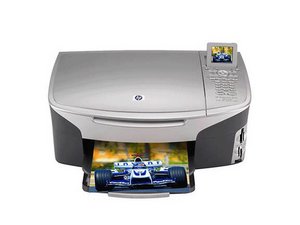
There are five HP PSC 2400 printer models. Only a few minor details like maximum number of copies, digital zoom, fax page memory, and available speed dials differentiate between these five models. Some models are not available in stores or certain countries. To see if you have the HP PSC 2410, follow this link to check your printer's serial number.
The Photosmart 2410 printer is an all in one color printer, scanner, fax, and copy machine. The dimensions are 8.7”(Height)x18.2”(Width)x14.6(Depth), and its weight slightly exceeds 18lbs. It is a home office inkjet printer designed to print up to 5000 pages per month.
A of HP PSC 2410's basic properties include:
Track down problems encountered with your HP PSC 2410 by visiting our Troubleshooting Page.
For more information on Support & Drivers, visit this link to HP's support page.
以下の翻訳者の皆さんにお礼を申し上げます:
100%
Midori Doiさんは世界中で修理する私たちを助けてくれています! あなたも貢献してみませんか?
翻訳を始める ›
過去 24時間: 0
過去 7 日: 12
過去 30 日: 56
今までの合計 59,971


