
メインコンテンツにスキップ
リペアコミュニティに参加 - アカウントの作成

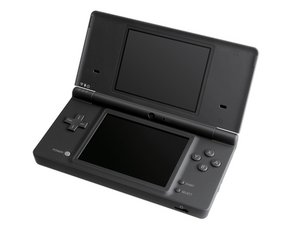
Nintendo DSiは任天堂 DSラインの第3番目となるモデルです。2008年後期に日本で発売されました。

My DSi only works while charging.

Tried playing a game on it a while ago, and when the charger is plugged in it works perfectly fine. When it isn't, it discharges very quickly (not immediately, but definitely in less than a minute). I haven't opened it up yet, because I don't really know what to look for and how to know for sure if the battery is the problem.

What could the issue be + what do I look for to see if that's the case with my DSi in particular?

回答がありました! 回答を表示 同じ問題があります

この質問は役に立ちましたか?

スコア 0
コメントを追加

1 件の回答

ベストアンサー

Sounds like a battery issue. The DSi is now 17 years old, and even the best batteries would have deteriorated after such a long period of time. Swapping the battery is pretty easy on the DSi, compared to modern devices that features glued down batteries. All you have to do is locate the really obvious battery door on the bottom of the DSi, turn a few screws, and you would have access to the battery, which simply pops out like the one in Nokia phones.
Here's the guide for it:Nintendo DSi battery replacement
There might be corrosion caused by a leaked battery, though, if the battery had remained untouched since you first bought it. In that case wear gloves and remove the battery ASAP. Then use cotton swabs dipped in isopropyl alcohol to throughly clean the whole area. If the issue still persists, you might also consider taking it apart and replace the power board, as there is usually rust on the contacts if the battery has indeed leaked, causing batteries to drain fast. Here's the guide for it:Nintendo DSi power board replacement.
If a new battery and power board didn't solve it, then the issue might be motherboard related, caused by corrosion on somewhere else other than the power board. That is the worst case scenario, and it makes the whole repair much more complicated. Take the motherboard out entirely with this guide:Nintendo DSi motherboard replacement, inspect for signs of corrosion(white stains, sticky stuff, anything out of ordinary), and gently brush that area with a toothbrush dipped in isopropyl alcohol. Hopefully that will get rid of the corrosion. If not, you might consider getting a new motherboard, since repairing the old one would require delicate micro soldering.
But again, it might just be a defective battery.
Get yourself a new battery first and me know if this solved your problem!

Nintendo DSi バッテリーの画像

ガイド

Nintendo DSiのバッテリーの交換

難易度:

簡単

2 minutes

Nintendo DSi 電源ボードの画像

ガイド

Nintendo DSiの電源ボードの交換

難易度:

中レベル

Nintendo DSi マザーボードの画像

ガイド

Nintendo DSiのマザーボードの交換

難易度:

中レベル

このアンサーは役に立ちましたか?

スコア 1

2 件のコメント:

Hi!

Doesn't seem to be a leak of any kind, and I nearly ordered a new battery but when I removed the current one to take a look and put it back in, suddenly I didn't have this problem anymore! I suppose sometimes things work out that way.

Thank you for answering though, I suspect something will go wrong eventually and I'll have to come back and refer to this haha

さんによる

Yeah, that's pretty common with Nintendo consoles. They often fix themselves. I guess the problem could be either loose contacts, corrosion of some kind, or a number of other mysterious things. Anyway, I'm glad you fixed it!

さんによる

コメントを追加

回答を追加する

melonyellow さん、ありがとうございました!
統計データ:

過去 24時間: 1

過去 7 日: 9

過去 30 日: 32

今までの合計 334