メインコンテンツにスキップ
リペアコミュニティに参加 - アカウントの作成

Parrot Skycontroller 2 Buttons Replacement

必要な工具と部品

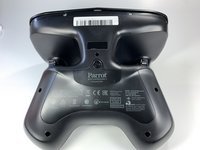
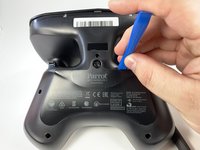
  1. Parrot Skycontroller 2 Buttons Replacement, Battery: 手順 1、 3の画像 1 Parrot Skycontroller 2 Buttons Replacement, Battery: 手順 1、 3の画像 2 Parrot Skycontroller 2 Buttons Replacement, Battery: 手順 1、 3の画像 3
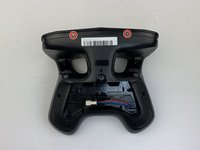
    • Flip your controller face down.

    FixBotに聞いてみる
  2. Parrot Skycontroller 2 Buttons Replacement: 手順 2、 1の画像 1
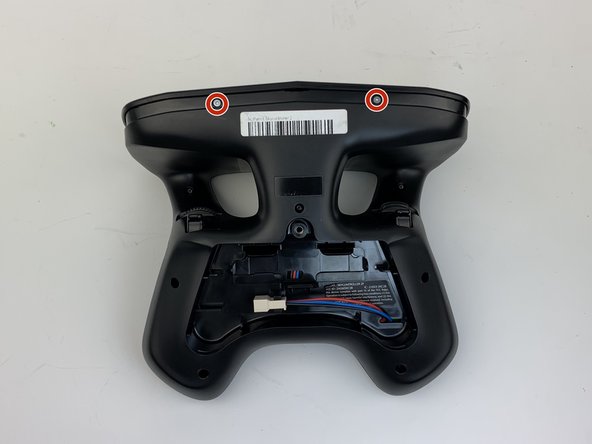
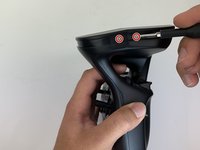
    • Remove one 9mm screw using a #4 flathead screwdriver.

    FixBotに聞いてみる
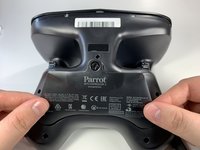
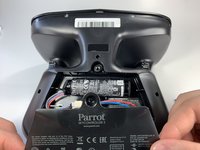
  3. Parrot Skycontroller 2 Buttons Replacement: 手順 3、 3の画像 1 Parrot Skycontroller 2 Buttons Replacement: 手順 3、 3の画像 2 Parrot Skycontroller 2 Buttons Replacement: 手順 3、 3の画像 3
    • Insert the plastic opening tool into the top of the cover and pry upwards to lift the battery cover.

    • Remove the cover by pulling up and out.

    FixBotに聞いてみる
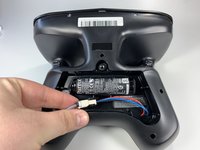
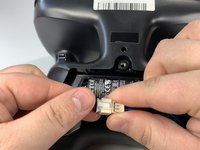
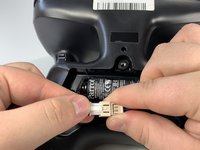
  4. Parrot Skycontroller 2 Buttons Replacement: 手順 4、 3の画像 1 Parrot Skycontroller 2 Buttons Replacement: 手順 4、 3の画像 2 Parrot Skycontroller 2 Buttons Replacement: 手順 4、 3の画像 3
    • Pull the connectors out by gently pushing the tabs and pulling up on the connector.

    • Disconnect the battery from the remote by pressing the white tab and pulling the connectors apart.

    FixBotに聞いてみる
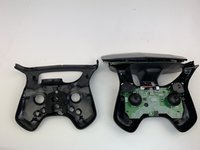
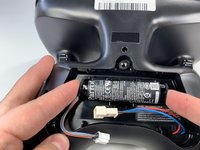
  5. Parrot Skycontroller 2 Buttons Replacement: 手順 5、 2の画像 1 Parrot Skycontroller 2 Buttons Replacement: 手順 5、 2の画像 2
    • Remove the battery from its brackets by pulling up on the ends of the battery.

    FixBotに聞いてみる
  6. Parrot Skycontroller 2 Buttons Replacement, Buttons: 手順 6、 1の画像 1
    • Remove the seven black 11mm screws using the Torx TR6 screwdriver.

    • There is a hidden screw located behind the sticker in the battery compartment.

    • Pull back the sticker with your finger nail and remove the one black 11mm screw using the Torx TR6 screwdriver.

    FixBotに聞いてみる
  7. Parrot Skycontroller 2 Buttons Replacement: 手順 7、 3の画像 1 Parrot Skycontroller 2 Buttons Replacement: 手順 7、 3の画像 2 Parrot Skycontroller 2 Buttons Replacement: 手順 7、 3の画像 3
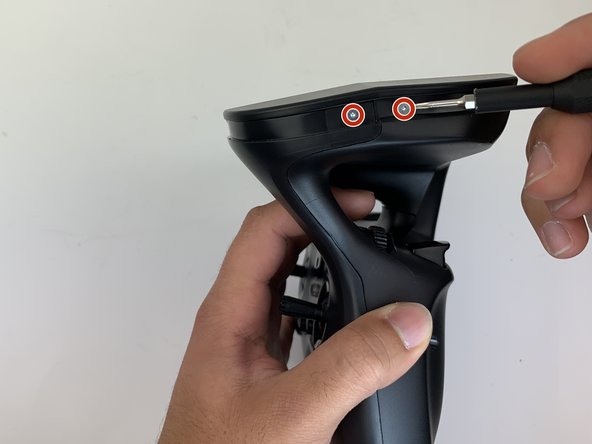
    • Remove the seven silver 4mm screws from around the edge of the top plate using the Torx TR6 Screwdriver.

    • The opposite side to the third picture has a screw located on each side of the USB port.

    FixBotに聞いてみる
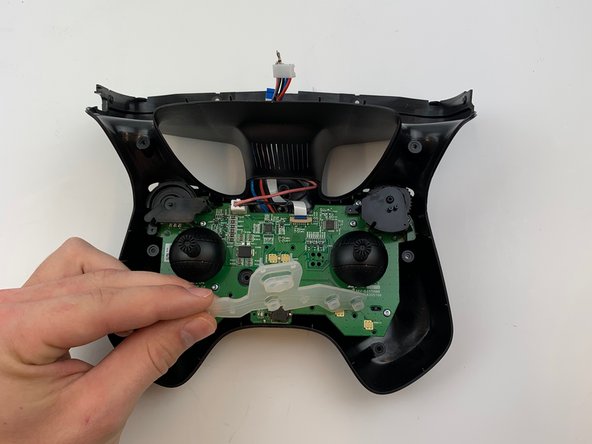
  8. Parrot Skycontroller 2 Buttons Replacement: 手順 8、 1の画像 1
    • Remove the battery compartment plate by pulling up and out.

    FixBotに聞いてみる
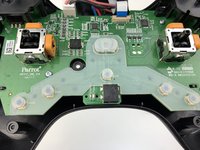
  9. Parrot Skycontroller 2 Buttons Replacement: 手順 9、 1の画像 1
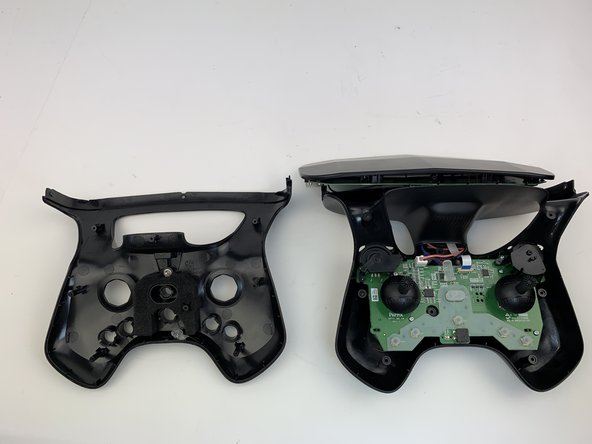
    • Remove the top plate by pushing on the corners with your hand.

    • Be careful to not pull too hard on the cable.

    FixBotに聞いてみる
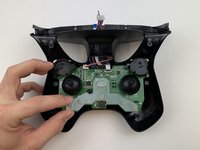
  10. Parrot Skycontroller 2 Buttons Replacement: 手順 10、 2の画像 1 Parrot Skycontroller 2 Buttons Replacement: 手順 10、 2の画像 2
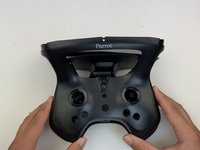
    • Remove the face plate by pulling up and out.

    • Buttons will fall out when this plate is removed.

    FixBotに聞いてみる
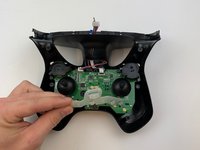
  11. Parrot Skycontroller 2 Buttons Replacement: 手順 11、 3の画像 1 Parrot Skycontroller 2 Buttons Replacement: 手順 11、 3の画像 2 Parrot Skycontroller 2 Buttons Replacement: 手順 11、 3の画像 3
    • Use some force pull up and out on the rubber backing for the buttons.

    FixBotに聞いてみる
終わりに

To reassemble your device, follow these instructions in reverse order.

作成者

3人の作成者と共同で作成されました。

Samuel Lama

メンバー登録日: 01/26/20

136 ポイント

1ガイドが承認済み

0件のガイドコメント

コメントを追加

統計データ:

過去 24時間: 0

過去 7 日: 2

過去 30 日: 42

今までの合計 591