はじめに
このガイドに従って、Nintendo Switchの割れたり損傷したりしたリアパネルを交換してください。
Nintendo SwitchにはJIS規格のネジが使われています。JIS規格の00番プラスドライバーが一番適切ですが、JIS000番のプラスドライバーでも構いません。Phillips規格のプラスドライバーを使うこともできますが、ネジ頭を舐めてしまう恐れがあります。
注意:本ガイド、および弊社が販売するパーツは、2017年に発売された初代Nintendo Switchモデル、および2019年に発売された新しいリフレッシュモデル(それぞれ型番HAC-001、HAC-001(-01))と互換性があります。
必要な工具と部品
-
-
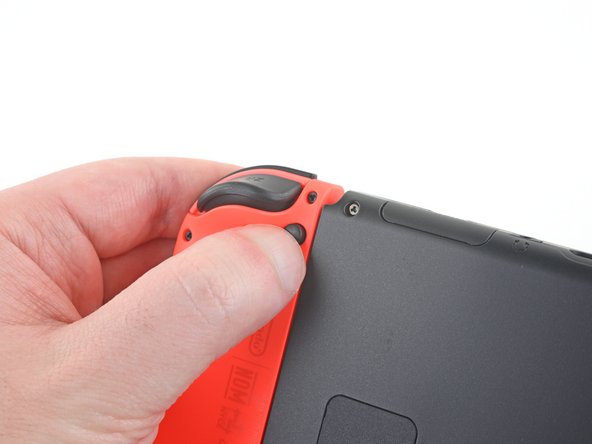
Joy Conコントローラーの裏面上の小さな丸いボタンを押します。
-
ボタンを押しながら、コントローラーを上側に向けてスライドします。
 FixBotに聞いてみる
-
-
この手順で使用する道具:Magnetic Project Mat$16.96
-
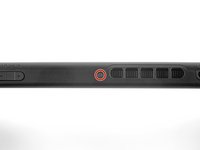
Y00ドライバーを使って、背面パネルを固定している長さ6.3 mmのネジ4本を取り外します。
-
-
-
-
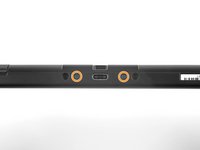
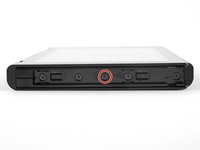
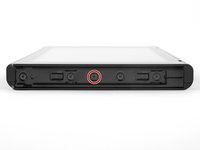
JIS00ドライバーを使って、リアパネルを固定している次のネジを外します。
-
デバイスの上部側面の長さ2.5 mmネジー1本
-
デバイス下部側面の長さ2.5 mmネジー2本
-
-
-
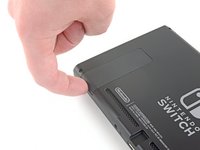
指でデバイスの裏面のキックスタンドを持ち上げます。
-
microSDカードスロットのmicroSDカードが入っている場合は、次の作業に移る前に取り出してください。
-








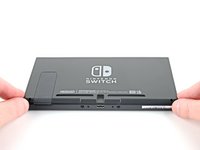
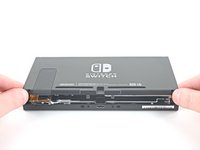
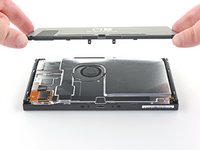
オリジナルのパーツと交換用パーツをよく見比べてください。交換用パーツに付いていない残りのコンポーネントや接着シールなどは、インストールする前に新パーツに移植する必要があります。
このデバイスを再組み立てするには、インストラクションを逆の順番に従って作業を進めてください。
e-wasteを処理する場合は、認可済みリサイクルセンターR2を通じて廃棄してください。
修理が上手く進みませんか?ベーシックなトラブルシューティングのページを参照するか、このモデルのアンサーコミュニティに尋ねてみましょう。
93 の人々がこのガイドを完成させました。
以下の翻訳者の皆さんにお礼を申し上げます:
100%


これらの翻訳者の方々は世界を修理する私たちのサポートをしてくれています。 あなたも貢献してみませんか?
翻訳を始める ›

11件のガイドコメント
Excellent and concise guide.
The new panel doesn’t come with the sticky grille pieces x 2 on the bottom. Is it supposed to be a straight transfer between the old and the new?
fclbriat123 - 返信 共有
You can transfer the grill to the new back plat
Just did this replacement and there are a few things to keep in mind that this review does not mention. There are x2 square foam pieces that can be transferred to the new panel located at the bottom backside of the old. Also, the game cartridge shield hardware and the kickstand holder hardware have to be taken off the back of the old panel and transferred to the new panel. The kickstand has 2 Phillips #000 screws and the game cartridge shield has 1 Phillips #000 screw
Ryan Talbert - 返信 共有
Is the casing the same between the HAC model and the HAD model? This guide doesn’t specify
Julian Webb - 返信 共有
