メインコンテンツにスキップ
リペアコミュニティに参加 - アカウントの作成

モデル番号A1297 unibody: Early 2009, Mid 2009, Mid 2010, Early 2011 & Late 2011

How to Install SSD

I want to install a SSD into my MacBook Pro 17. I bought a Mercury Electra 3G SSD. How do I install it into my MacBook Pro? It didn't come with directions, although they told me it would work.

回答がありました! 回答を表示 同じ問題があります

この質問は役に立ちましたか?

スコア 3
コメントを追加

2件の回答

ベストアンサー

I just installed a second hard drive in the place of the optical drive in my MacBook the other day! It's pretty nice having the extra capacity.

Even if you just replace your current hard drive with your SSD, you'll see a significant speedup.

Here are the relevant guides:

Replacing the current hard drive:

MacBook Pro 17インチ Unibody ハードドライブの交換

Removing the optical drive:

MacBook Pro 17インチ unibody 光学ドライブの交換

Go to the last page of this guide on replacing the optical drive (it's for my machine, but the last page would help for installing the second drive)

MacBook Core 2 Duo デュアルハードドライブの取り付け

And finally, the part that iFixit sells for the second hard drive:

[リンクされた製品が存在しない、もしくは無効: IF107-080]

Good luck and enjoy your SSD!
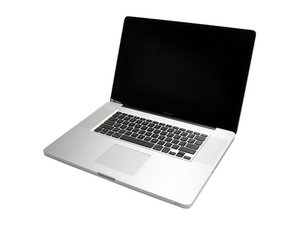
MacBook Pro 17" Unibody ハードドライブの画像

ガイド

MacBook Pro 17インチ Unibody ハードドライブの交換

難易度:

中レベル

15 - 30 minutes

MacBook Pro 17" Unibody 光学ドライブの画像

ガイド

MacBook Pro 17インチ unibody 光学ドライブの交換

難易度:

中レベル

1 - 2 hours

MacBook Core 2 Duo デュアルハードドライブの画像

ガイド

MacBook Core 2 Duo デュアルハードドライブの取り付け

難易度:

中レベル

1 - 2 hours

このアンサーは役に立ちましたか?

スコア 1
コメントを追加
最も参考になった回答

You either have to: 1.) replace your current HDD with the SSD or 2.) remove the SuperDrive CD burner and replace with your current HDD and put the SSD in the original place that the HDD was in. The latter is the most popular because you can still use the SuperDrive via USB by purchasing external case for the SuperDrive and you just plug and play with the USB, therefore having a HDD and SSD. Also, with the latter, you must purchase an OptiBay expansion kit to be able to place the HDD into the SuperDrive bay.

このアンサーは役に立ちましたか?

スコア 1
コメントを追加

回答を追加する

dconkright さん、ありがとうございました!
統計データ:

過去 24時間: 0

過去 7 日: 1

過去 30 日: 23

今までの合計 25,920