メインコンテンツにスキップ
リペアコミュニティに参加 - アカウントの作成

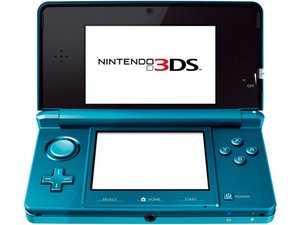
Nintendoのハンドヘルドデバイスは2011年2月に発売されました。モデル番号はCTR-001です。

B and X buttons unresponsive

I've probably dropped my original model 3DS dozens of times since I bought it in 2011, but the B and X buttons are now unresponsive after it fell a foot out of my pants pocket when I was sitting down. They only work if pressed hard; merely tapping them will not work. I opened it up and cleaned the buttons and wiped the contacts on the motherboard with isopropyl alcohol (the contacts didn't look dirty at all), but it didn't help. Any idea what the problem could be?

Also, while not a big deal, the green "3D" LED no longer lights up after I opened up the 3DS. The 3D slider hasn't worked for years and the 3D is stuck on, but I don't want to risk fixing this if it requires heating and prying off the upper display front panel.

この質問に回答する 同じ問題があります

この質問は役に立ちましたか?

スコア 0
コメントを追加

3件の回答

最も参考になった回答

Hi!

You most likely need to replace the buttons. These are stickers on the motherboard with metal pads on it. It’s not that hard to replace them. Just peel the stickers off, clean the golden pads underneath it with isopropyl alcohol and put the new stickers on them.

Regarding the 3D slider, you do need to remove the screen first, otherwise you cannot replace the board and cables there…

Guide: Nintendo 3DSの上部LCDの交換

Sorry for the bad news..

このアンサーは役に立ちましたか?

スコア 3
コメントを追加

Just to add on @dan0 's answer, the buttons on the 3DS is actually metal pads (or whatever they're called) held on by stickers, similar to the Nintendo Switch's Joy-Cons. Wouldn't be a hard job to swap them out since all you need to do is peel it off and align the new ones.

(I'll assume you didn't peel them off to clean them already because if it still didn't work afterwards that's a different matter)

For the 3d sliders tho, very likely the slider's graphite membrane is worn out & unable to detect the slider's position, so you'll pretty much have to take the upper half apart to swap it out. Take your time, it's pretty easy to rip the flex cables while you're routing them (I learned the hard way). A YouTube video would help a lot here, so find one if you want to.

I believe there are glass replacements to the plastic screen cover on the top half of the 3ds so you might want to get that as well, makes it more scratch resistant and have a clearer display.

to see for yourself about the buttons:

Block Image

このアンサーは役に立ちましたか?

スコア 1

3 件のコメント:

Hi Leo!

You are correct with the stickers. I was confused with the DS Original as example. My bad.

さんによる

@dan0 I actually made the same mistake & bought those buttons when my A button failed😂 thought I'd have to solder them on as well. Nintendo does have new & subtle designs with every new-gen console so it is quite easy to mess them up

さんによる

True! They did improve it a lot. This is big adventage for us and makes it way easier to replace :)! Thank you for posting this here!

さんによる

コメントを追加

What about the 3D light? What cable powers that?

このアンサーは役に立ちましたか?

スコア 0

6 件のコメント:

Here it is:

Nintendo 3DSのスピーカーアセンブリの交換

the slider is on the cable so you'll have to replace the whole thing

さんによる

The green "3D" LED, not the 3D slider. Not a big deal, but I'd like to fix it if I open up my 3DS again.

さんによる

I believe the LED is also on there. Next to the slider. So you need to replace it completely. Sorry.

さんによる

@rjd1922 by the way, the slider’s probably broken as well, as you mentioned it is stuck in ‘on’ position. makes sense to replace it since you’re taking it apart anyway. It is possible to fix only the LED, of course, but it requires microsoldering skills & tools so it’s easier and time saving to swap out the whole thing

さんによる

@leooooo1061 I can move the 3D slider, but it doesn't work.

さんによる

1以上のコメントを表示

コメントを追加

回答を追加する

Raymond D さん、ありがとうございました!
統計データ:

過去 24時間: 5

過去 7 日: 17

過去 30 日: 82

今までの合計 82