
メインコンテンツにスキップ
リペアコミュニティに参加 - アカウントの作成

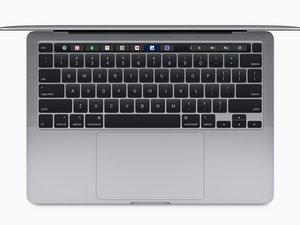
2020年11月発売。MacBook Pro 13インチモデルは、8コアのCPUと8コアのGPUを搭載したAppleのArmベースのM1 SoC。(モデルA2338 / EMC 3578、Thunderbolt 3ポート2基搭載)

Ghost clicks on trackpad

I have a 2020 Macbook Pro 13" A2338 with a ghosting trackpad. I brought it as is, the previous owner said the trackpad would work for a little and then stop, which I confirmed. I brought a replacement trackpad from a reputable seller and a new flex cable.

I installed the new flex cable and trackpad, but I still have a sticky laggy trackpad. Running the Apple diagnostics I see the below:

Block Image

Using the new flex cable on either the old or new pad gives the result seen above. So the two options really are, I damaged the flex cable and both trackpads actually work fine, or the port the flex cable plugs into the motherboard is damaged. Looking at the flex cable I think it's fine?

Block Image

And the the port on the MB I can see I think two pins that either have something on them or maybe damage?

Block Image

Looking for ideas, I am thinking to maybe go back to the parts supplier and ask for another flex cable, but I have a funny feeling it's the port. Open to suggestions.

この質問に回答する 同じ問題があります

この質問は役に立ちましたか?

スコア 0
コメントを追加

2件の回答

I would loosen the trackpad screws a bit as I'm suspecting either the case is warped a bit around the trackpad or the screws are the wrong ones being too long. Recheck let's see if that changed anything.

Yes the cable looks suspect as well, are you sure the other cable is the same.

このアンサーは役に立ちましたか?

スコア 0

4 件のコメント:

It helped a little at first but not much. Someone on the reddit version of the question noticed in the shot showing the MB that two resisters seem to be missing, I opened it back ip and checked and yes comparing to another photo online it seems to be two are. Feeling it with a plastic stick it's lumpy so something was there and got ripped off.

さんによる

@phillipbro11643 - Ah yes they are missing! So they got pulled up somehow.. identifying them will need access to the schematics and board view drawings, then ordering them from an electronics parts supply house.

But the real tricky part is having a good soldering iron and the skills to solder them on without making a mess if you've never done it before.

It might be wise to find someone who can help you locally.

Let me look though my stuff so we can at least identify the resistors.

さんによる

Thank you, they are so small I'd rather have a professional do it, but the more information I can get the less faffing around they have to do to work it out.

さんによる

Ok I had them replaced and that didn't seem to help so back to square one. It could be that the new trackpad is also a dud, be un-luckly. I do notice on the cable connector on the mainboard that it looks like the plastic between two pins is damaged. But I'm getting to my whits end on this and might just flog it off as is and someone else can.....enjoy it.

さんによる

コメントを追加

On the A2338, ghost or laggy trackpad behavior is rarely the trackpad itself. It’s usually a logic board issue on the trackpad I2C/USB-HID line or power rail. Since you already replaced both the trackpad and flex, the likely causes are: liquid damage or corrosion near the trackpad connector, a failing PP3V3_S0 or PP1V8 rail, or cracked solder joints on the connector from flex stress. First, inspect and clean the connector area with IPA under magnification. Then reset SMC/NVRAM (yes, even on Apple Silicon). If that fails, measure voltage stability at the trackpad connector—any drop or ripple will cause ghost input.

このアンサーは役に立ちましたか?

スコア 0

1件のコメント:

I some photos I have taken of the connector on the MB, I think I can see some of the plastic between two pins thinner than what it should be, could that be it? Or maybe a dirty cap or resistor further up the power rail chain? I notice that when the unit starts, the trackpad is mostly working, it's only after about 5min does it start to fail, lock up and be unresponsive.

さんによる

コメントを追加

回答を追加する

Phillip Brown さん、ありがとうございました!
統計データ:

過去 24時間: 1

過去 7 日: 8

過去 30 日: 34

今までの合計 109