
メインコンテンツにスキップ
リペアコミュニティに参加 - アカウントの作成

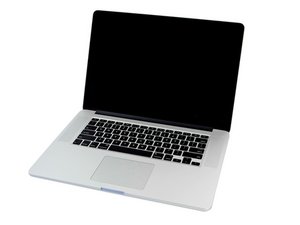
2.2 GHz (Turbo Boost使用時最大3.4 GHz), 2.5 GHz (Turbo Boost使用時最大3.7 GHz)もしくは2.8 GHz (Turbo Boost使用時最大4.0 GHz) L3キャッシュで6 MBのクアッドコアIntel Core i7プロセッサ

Wifi needs constant rebooting

WiFi on my mid 2015 macbook pro keeps cutting out if I don't actively use it for a while. I have to turn it off and then back on again to get it working again.

WiFi works fine on multiple other devices. Someone had a similar problem and a new I/O cable was suggested? Maybe a new card?

I'm replacing the battery anyway, so if there is a fix for this, it would be great to do it at the same time. Thanks.

回答がありました! 回答を表示 同じ問題があります

この質問は役に立ちましたか?

スコア 0
1件のコメント

I hope I guessed correctly that you have a 15" vs 13" system if not let us know!

さんによる

コメントを追加

2件の回答

ベストアンサー

On a mid-2015 MacBook Pro, this issue is usually software or power-management related, not the Wi-Fi card itself. Before replacing hardware, try resetting SMC and NVRAM, and delete/recreate your Wi-Fi network service in Network Settings. Also disable “Wake for network access” and check Energy Saver options, as aggressive sleep can drop Wi-Fi. The I/O board cable is rarely the cause for Wi-Fi dropouts on this model; that suggestion applies more to USB or charging issues. Replace the Wi-Fi card only if diagnostics show hardware failure.

このアンサーは役に立ちましたか?

スコア 1

2 件のコメント:

Can you ask this in a simple way

さんによる

Disabling "Wake for network access" did the trick. I had it enabled because I thought it meant the opposite of what it actually means. Resetting the SMC and NVRAM, which I should have figured out to do on my own, certainly made my computer run faster even if it didn't directly fix the WiFi problem. Thanks everyone for helping me fix it!

さんによる

コメントを追加
最も参考になった回答

As you can see here in the 15" model it has a Airport board that plugs into the main logic board MacBook Pro 15" Retina Display Mid 2015 AirPortボードの交換 in Step 6

In the 13" model the AirPort plugs into the I/O board MacBook Pro 13" Retina Display Early 2015 AirPortボードの交換. Is this your system? While the cable has had its issues often times it just needs to be reseated into its connectors. But I don't think that's your problem.

It's more likely the AirPort boards connection is dirty or needs replacing.

When you loose access did you look at the WiFi AP list to see if you see it as well as others as available? The next time see what it shows.

MacBook Pro 13" Retina Display Early 2015 AirPortボードの画像

ガイド

MacBook Pro 13" Retina Display Early 2015 AirPortボードの交換

難易度:

中レベル

15 - 30 minutes

MacBook Pro 15" Retina Display Mid 2015 AirPort ボードの画像

ガイド

MacBook Pro 15" Retina Display Mid 2015 AirPortボードの交換

難易度:

中レベル

10 - 45 minutes

このアンサーは役に立ちましたか?

スコア 1

12 件のコメント:

Hello, It is the 15". When the WiFi is working, I see a list of several networks. When it stops working, it either stops entirely-I lose the "fan" that says I'm connected, or, it says I'm connected but the other networks disappear. Is this what you mean? Thank you.

さんによる

@pamelaa57612 - I'm not quite sure what you've stated here. If the list is present but your WiFi AP is gone then the AP's location is to far or there are signal blockages between you and the AP.

It's also possible you're jumping between bands 2.4Ghz and 5.0Ghz. 2.4 offers more distance by less throughput, whereas 5.0 offers less distance, but more throughput!

You may need to get an extender to improve the signal. This maybe needed if you have competing AP's which are stealing your band space by over powering yours. There is a nice WiFi Sniffer App called WiFi Explorer in the App Store which will allow you to visually see the WiFi radio's.

さんによる

I'm sorry, I wasn't clear. I stay connected to my AP, but suddenly it isn't actually connecting to the internet anymore until I turn wifi off and on again. Wifi works perfectly on several other devices, just not the Macbook. You had asked about other networks and I misunderstood. This is definitely not an issue of a weak or interfering networks.

さんによる

@pamelaa57612 - OK, that helps a lot! So it's not the WiFi or even your WiFi adapter, and if other systems accessing the internet via this AP then it's not the AP or down stream either!

So... we need to look at what's happing within your system!

How much RAM does it have and how big a drive?

What is your Web Browser and are you accessing multiple Web pages in the top task bar?

What is your drive? HDD or SSD? How full is your drive? (Free Space)

さんによる

16 gigs Ram, 33 gigs available of a 250 gig SSD. I mostly use Firefox with many tabs open, but also occasionally use Safari and Chrome. I should tell you that I am running ancient OS in order to preserve a couple of programs that will die if I upgrade: Sierra 10.12.6! However, this problem is new-it has worked with this software for years. Also, probably a separate issue, the battery (a replacement put in 3 years ago) has been dying for a while and is now dead-an X on the battery icon. I'm intending to get a replacement here, which is why I want to fix the WiFi at the same time if I can. Thanks!

さんによる

7件以上のコメントを表示

コメントを追加

回答を追加する

Pamela A さん、ありがとうございました!
統計データ:

過去 24時間: 2

過去 7 日: 9

過去 30 日: 21

今までの合計 167
