メインコンテンツにスキップ
リペアコミュニティに参加 - アカウントの作成

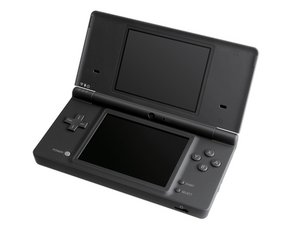
Nintendo DSiは任天堂 DSラインの第3番目となるモデルです。2008年後期に日本で発売されました。

headphone jack acting weird

I recently bought a dsi and for some reason it's not sending audio to the headphone jack, i can hear a slight whine through the headphones if i touch the top screen and it sends audio through the headphones for a split second when I open and close it.

回答がありました! 回答を表示 同じ問題があります

この質問は役に立ちましたか?

スコア 0
1件のコメント

Hello everyone, I literally just did a digitizer replacement and now the headphone jack works?? I'm at a loss, not complaining, just confused... I guess the machine spirit blessed me today ¯\_(ツ)_/¯

さんによる

コメントを追加

3件の回答

ベストアンサー

Hello everyone, I literally just did a digitizer replacement and now the headphone jack works?? I'm at a loss, not complaining, just confused... I guess the machine spirit blessed me today ¯\_(ツ)_/¯

このアンサーは役に立ちましたか?

スコア 0
コメントを追加
最も参考になった回答

Ordinarily I'd go with the idea of replacing the headphone port as the first step (after, of course, trying a different headset as suggested by @fixerofstuff), but the part about it working momentarily when opening and closing the screen makes me rethink that.

Unfortunately, I don't know enough about the internals of the DSi to be able to guess what cable is causing the problem, but it seems like that would be an avenue worth investigating. If it was me, I'd try removing the lower case, leaving the cables and wires connected and turn it on. With headphones plugged in, try flexing all the wires to see if one in particular causes the issue. It could be as simple as a loose plug somewhere, or it could be a damaged flex cable, possibly; those are the usual culprits when opening up a device like a DSi or even a laptop causes problems at certain angles.

Just to cover all the bases, if it does come down to the headphone jack itself, it can be replaced without having to buy a new motherboard, although it would take some moderate soldering skills. From what I can see it should be doable with just a soldering iron and not require anything fancy like a hot air station. If you did want to do that, you'd use the motherboard replacement guide to pull the motherboard first.

Nintendo DSi Motherboard Replacement - iFixit Repair Guide

The part itself can be found online; I didn't see where iFixit sells it myself, but I didn't spend a lot of time looking. Here's an example of one I found; this isn't a recommendation, just one of the first ones I came across.

Headphone port for DSi 3.5mm - ZedLabz

Good luck, and be sure to come back and let us know what you find. Whether you manage to fix it or not, your experience could help the next person who comes along with a similar problem.
このアンサーは役に立ちましたか?

スコア 1

6 件のコメント:

You can find the motherboard-headphone jack assembly under "Handheld Nintendo Consoles". It's, confusingly, under "Motherboards", and cannot be found in "Headphone Jacks". This is even more confusing in that while a motherboard for the DSi XL can be found under "Headphone Jacks", the specific motherboard for the DSi can only be found under "Motherboards". If none of that made any sense, here's the link. You'll have to just paste it into the URL bar because I can't figure out how to insert a proper link in the comments section.

Nintendo DSi Motherboard

さんによる

@fixerofstuff Ah, when you're talking about replacing the jack, you're actually saying you have to replace the entire motherboard, so that's the part you're referring to. I'm talking about replacing just the actual component on the motherboard; the jack itself, which would need to be unsoldered from the motherboard and a new one soldered back on.

さんによる

I should probably add that it keeps playing audio through the built-in speakers even when the headphones are plugged in. It's like it's not switching over to the headphones

さんによる

@normn3 That changes things. There's a kind of a switch in the headphone port that disconnects the internal speakers and redirects the signals to the port. Sounds like your switch is broken, which would require replacing it. Have you cleaned the port of any debris? You might try spraying it with electronic parts cleaner; it could just be gummed up.

さんによる

@dadibrokeit I have checked inside the port and it's completely clean as far as I can see but knowing there's a switch in there makes things a lot less complicated. Where exactly in the port is the switch located?

さんによる

1以上のコメントを表示

コメントを追加

I think you might either need to try a different pair of headphones, or replace the jack. One problem: iFixit sells the part, but it's not currently in stock. Another problem: Replacing the jack also requires replacement of the entire motherboard, as the jack is integrated into it. As for the whining noise, I suspect that it may be audio feedback from your fingertip. Long story short:

First make sure the volume is on. I've done this before on a PC, spending half an hour in system settings trying to find the problem, only to find that the volume was muted.

Then try using a different pair of headphones, earbuds, etc. and hope they work because if they don't...

...you may have to replace the entire motherboard, which contains the jack.

If you don't want to do that, I would personally just not use headphones.

このアンサーは役に立ちましたか?

スコア 0

1件のコメント:

I have tried different headphones and also tested them on other devices, I should probably also add that it keeps playing audio through the built-in speakers even with the headphones plugged in

さんによる

コメントを追加

回答を追加する

NORMN:3 さん、ありがとうございました!
統計データ:

過去 24時間: 0

過去 7 日: 7

過去 30 日: 39

今までの合計 230