メインコンテンツにスキップ
リペアコミュニティに参加 - アカウントの作成

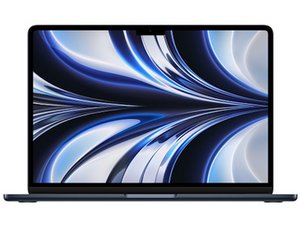
第2世代Appleシリコンと13.6インチLiquid Retinaディスプレイを搭載し、フルモデルチェンジしたMacBook Airの修理ガイドです。モデル番号はA2681。2022年7月15日発売。

This makes no sense!

Hi all, really hoping I can get some help here!

So, in a nutshell, My MacBook won't turn on without being connected to power, and it only connects to power if you unplug the charger from the wall, disconnect the MagSafe charger, then plug both in. Once it boots up it's always showing the date as Thursday 1st April at 8pm, and it says the battery is always at 85% charged. But when I disconnect the charger, the laptop dies, and I have to go through the process again. System info says my battery condition is normal and it's only done 71 cycles so I have no idea. any help would be great!

この質問に回答する 同じ問題があります

この質問は役に立ちましたか?

スコア 0

3 件のコメント:

Let's get a bit of deeper info. Install this gem of an App CoconutBattery take a snapshot of the Apps main window and past it here so we can see it. If you can click on the battery info button as well. With that we should be able to figure what's happening.

さんによる

Hey Dan, everything looks to be fine, shows battery charge at 84.1% and battery health at 95%. Full charge capacity 4,336 mAh, Design capacity 4,563mAh, 71 charge cycles. does say charging with is 0mW if that stands out?

さんによる

@c53dgx8yju3rgxe - Yes! The zero charge is one element. But it would be easier just seeing the full image with all of the data.

さんによる

コメントを追加

1 件の回答

It sounds like your MacBook isn’t getting proper power from the battery despite it showing as “normal.” The issue likely stems from a faulty battery connection, a defective charging circuit, or a failed SMC (System Management Controller). Try resetting the SMC and NVRAM, then test again. If that doesn’t help, open the MacBook and check the battery connector for loose contacts or corrosion. The constant April 1st date indicates loss of real-time clock power—another sign the battery isn’t providing voltage to key circuits. Replacing the battery or checking the logic board’s power IC may be necessary to fix the problem.

このアンサーは役に立ちましたか?

スコア 0

2 件のコメント:

It's best to try to isolate down the fault than throwing so much at the wall to see what sticks. Clearly it's a power issue but where? Which of the many areas would you focus in on?

さんによる

Rashmi on an MacBook Air m2 2022 you cannot reset the SMC, I have tried rebuilding and everything and I still have the same issues

さんによる

コメントを追加

回答を追加する

janesboy さん、ありがとうございました!
統計データ:

過去 24時間: 4

過去 7 日: 9

過去 30 日: 47

今までの合計 309