メインコンテンツにスキップ

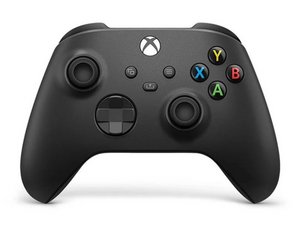
クラシック Xbox ワイヤレス コントローラーの 3 番目のリビジョンは、Xbox Series X および Series S にバンドルされて 2020 年 11 月にリリースされました。このコントローラーは、以前の Xbox One コンソールおよび PC と下位互換性があります。

Antenna Causing XBox Series X/S Controller to Not Work(?)

My Xbox Series X/S controller stopped working and has a weird coil whine when connected with a USB cable. After taking it apart I found that when I disconnect one of the antenna (see Image below), the controller comes back to life, and stops working when I reconnect the antenna cable. Is there a way I can fix the antenna and get the wireless functionality back? Currently I can only use the controller wired. Provided image is the antenna connection that is causing the problem.


Block Image
この質問に回答する 同じ問題があります

この質問は役に立ちましたか?

スコア 1
1件のコメント

I had the same problem I plugged it in and used a small screwdriver to move the part the antenna connects to until the wine stopped and it fixed the problem for me

さんによる

コメントを追加

2件の回答

最も参考になった回答

Hi!

First, replace the antenna and see if that fixes it. You do need to solder to do this.

If you can’t find the part, search for a broken/donor board.

if that didn’t fixed it, you can replace the antenna connector, this will be more difficult, and again, soldering is required.

Good luck with the repair!

このアンサーは役に立ちましたか?

スコア 1

2 件のコメント:

Hello, thank you for the reply! I tried a few things and it appears I have isolated the source of the problem.

Apparently there is some connection issue between the two boards that is causing the problem, reseating the daughterboard alleviated the problem temporarily. I also resoldered the antenna cables and hope that it may help.

Besides the antenna issue, I also discovered that the vibration motors stopped working at random which is seemingly also linked the connection issue between the two boards.

Currently, both of the problems are resolved after repeatedly opening and fiddling with the boards, and I am uncertain if the issues will come back in a future date.

さんによる

Hopefully it will keep working from now. Otherwise one of the boards DO need to replaced. You can buy them both at AliExpress. Most of the time it's caused by the board on top (where also the rumble motors are soldered on), but this is a guess. Looks like some sort of issue between the connectors, which connect them together.

さんによる

コメントを追加

Hello, I just had a controller come in for repair with such an issue, I spent a bit trying to figure it out, but I suspect it was a broken solder joint under the SOC on the top board (the board with the rumble motors).

I threw on some flux and heated it up enough to melt the solder and for now it seems to work, but it's always possible this was just luck and it will stop again

このアンサーは役に立ちましたか?

スコア 0
コメントを追加

回答を追加する

Liu Joshua さん、ありがとうございました!
統計データ:

過去 24時間: 16

過去 7 日: 93

過去 30 日: 508

今までの合計 854
