メインコンテンツにスキップ

モデル番号A1502/2.6GHz(Turbo Boost使用時最大3.1GHz)もしくは2.8GHzTurbo Boost使用時最大3.3GHz)デュアルコアIntel Core i7、4MB共有L3キャッシュに変更可能

Fix keybord cable before replacement

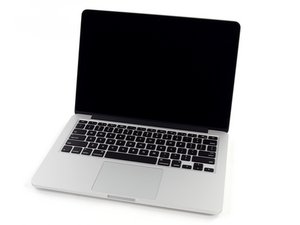
I need to replace the keyboard of my MBP because sone key stopper working and I think it’s because the connector is damnaged. Before proceed, I’ve searched here some similar questions and found also one where there is an attacched video with the needed steps. I’m looking for a written guide I can follow, but my question is, can I fix only the connector instead of replacing the whole keyboard? To do the fix I need to remote the battery and display or I can avoid? If I Remo e the battery how I will put it in place again, is there a special take I can found on Amazon that I can use?

この質問に回答する 同じ問題があります

この質問は役に立ちましたか?

スコア 0
コメントを追加

1 件の回答

最も参考になった回答

I have made written guides for many models but ifixit has yet to approve them.

MacBook Pro 13" Retina Display Early 2015 keyboard Replacement

You'll have to remove the battery to change the keyboard, as the keyboards cable is part of the keyboard, and also to get to the track pad and it's cable, I would check this cable 1st as it is replaceable, check to re connect it 1st. and also any think double sided tape should be strong enough to hold the battery in its place again afterwards.

このアンサーは役に立ちましたか?

スコア 2

2 件のコメント:

The 2015 model have sone differences with the mid2014?

さんによる

@ziobru The exact guide for the 2014 model has yet to be published by ifixit. It is the virtually same procedure anyway.

さんによる

コメントを追加

回答を追加する

B1P さん、ありがとうございました!
統計データ:

過去 24時間: 0

過去 7 日: 2

過去 30 日: 5

今までの合計 72