メインコンテンツにスキップ
リペアコミュニティに参加 - アカウントの作成

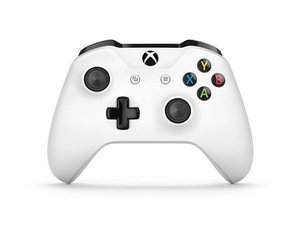
Xbox One コントローラーは、Xbox One S の発売に合わせて2016年に導入され、Windows 10/11 向けの Bluetooth 接続に対応しました。このコントローラーは、モデル 1537/1697 で見られた設計上の欠陥の多くを修正しており、信頼性が大幅に向上しています。本コントローラーは、改良版のモデル 1914 コントローラーに置き換わりました。

How can I make it turn on?

It seems a battery exploded inside the port and calcified the connector and it's surroundings. I already cleaned it as best I could with a bit of alcohol but it doesn't seem to register that it has batteries, even though I put in fresh ones. That being said, when I connected it to my laptop through cable it seemed to receive power and turn on.

この質問に回答する 同じ問題があります

この質問は役に立ちましたか?

スコア 0
コメントを追加

1 件の回答

Hi Alex!

Oh my... The only thing you can do is to clean it with isopropryl alcohol. The whole motherboard, but this is what you already did.

So, the next step is to replace the battery pins for new ones! Soldering is required, but it's not that difficult.

If that didn't worked, then there is something (or more things..) damaged on the motherboard. If this is the case, it's probably not worth to repair it. Sorry.

Hopefully replacing the battery pins will do it!

このアンサーは役に立ちましたか?

スコア 0
コメントを追加

回答を追加する

Alex Gonzalez さん、ありがとうございました!
統計データ:

過去 24時間: 1

過去 7 日: 5

過去 30 日: 20

今までの合計 127