メインコンテンツにスキップ

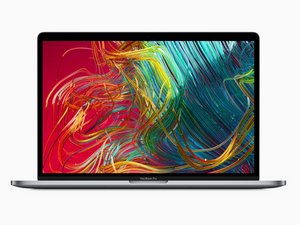
モデル番号A1990。2019年5月発売。6コアもしくは8コアプロセッサのオプション付き。

How to reset Company MBP

Hello guys.

I'm wondering if there any way that I can save one MBP. I was on a company and the company went bankruptcy, they told me to keep the computer but I cannot reset it since it's password protected and I cannot access the tools on the booting since it's password protected.

Are there any options to make a hard reset?

Thanks in advance

Update (01/27/2022)

Unfortunately I don't have access to computer. It's like it's blocked or disabled and the password it's protected.

この質問に回答する 同じ問題があります

この質問は役に立ちましたか?

スコア 0
コメントを追加

4件の回答

最も参考になった回答

If it is password protected and FileVault is enabled, but not iCloud locked (so it’s asking for an admin account password, not an Apple ID password) . Boot into recovery mode (press and hold cmd+ r at boot). When it’s on the screen asking for an administrator account password , click the Apple menu in the top left corner and there should be an option to Erase this Mac. One that’s done you can reinstall the OS and start all over.

If it is iCloud locked, or was enrolled in any sort of device management through the business, it may still ask for a password or credentials in order to activate the device once it was erased. If that is the case, the company would need to unlock it for you in order for it to be usable.

このアンサーは役に立ちましたか?

スコア 2
コメントを追加

Sadly, you need the magic key to get into this system! The company iCloud locked it and it also appears they have via iCloud locked the system if it was working when you had it using your user account and password/TouchID

It’s just a nice paperweight now ;-{

Your only hope is see if any of the IT staff within the now defunked company can help you.

About Touch ID advanced security technology

If your Apple ID is locked or disabled

If you can't unlock your Mac Clearly you don’t own the system so this is not an option!

このアンサーは役に立ちましたか?

スコア 1
コメントを追加

You could take the device together with the letter from your company which declared you legal owner of the device to an apple service provider or apple store and ask them to unlock the system for you.

Since you might be able to prove your ownership they should be willing to help you.

このアンサーは役に立ちましたか?

スコア 1
コメントを追加

I Had this issue, but I actually got it removed completely. Took a lot of research and bs til I finna found out how.

Follow this video until 5:22

Thats it. Don’t download or use whatever bs software the guy is trying to get you to use after the wipe. This removed a very strong corporate lock on a MBP device.

Update (12/23/22)

Whoops forgot the youtube link:

https://youtu.be/PZy5Xayv5PY

このアンサーは役に立ちましたか?

スコア 0
コメントを追加

回答を追加する

Tin Chu さん、ありがとうございました!
統計データ:

過去 24時間: 5

過去 7 日: 33

過去 30 日: 225

今までの合計 28,620


