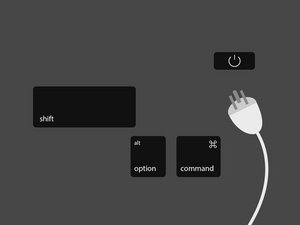
SMCをリセットする方法は、トラブルシューティングを行うMacの種類によって異なります。デバイスを見つけて、対応する手順に従いSMCをリセットしてください。
Macノートブック
AppleノートブックでSMCをリセットする手順は、ユーザーが自分でバッテリーを取り外し可能かによって異なります。古いAppleノートブック(2009年以前に製造)は、一般的にユーザー自身でバッテリーを取り外すことができました。バッテリーをツールを使わずに交換できるAppleノートブックをお持ちの場合にのみ、「取り外し可能なバッテリー」の手順に従ってください。
取り外し可能なバッテリー
Appleノートブックのバッテリーをユーザーが取り外せる場合は、次の手順でSMCをリセットします:
- ノートブックをシステム終了します。
- バッテリーを取り外すか、接続を外します。
- バッテリーを取り外した状態で、電源ボタンを15秒間押し込みます。
- バッテリーを再度取り付け、電源ボタンを押してノートブックの電源を入れます。
取り外し不可能なバッテリー
Appleノートブックのバッテリーをユーザーが取り外せない場合は、次の手順でSMCをリセットします:
- Appleメニューからノートブックをシステム終了します(Appleアイコン -> システム終了)。
- ノートブックが完全にシステム終了したら、内蔵キーボードの左側にあるShift、Control、Optionキーを押しながら、同時に電源ボタンを押します。4つのキーすべてを10秒間押し込みます。
- Touch ID搭載のMacBook Proの場合、Touch IDボタンが電源ボタンを兼ねています。
Macデスクトップ
MacデスクトップコンピューターでSMCをリセットするには:
- コンピューターをシステム終了します。
- 電源ケーブルの接続を外します。
- 電源ボタンを15秒間押し込みます。
- 電源ケーブルを接続します。
- 5秒以上待ってから、コンピューターの電源を入れます。
T2チップ搭載のMacノートブック
Apple独自のT2セキュリティチップを搭載して製造されたMacコンピューターには、上記の方法に加えて「ソフト」なSMCリセット方法があります。Appleはまずこれらの方法を試すことを推奨しています。コンピューターにT2チップが搭載されているかどうかは、こちらのリストで確認してください。
- Appleメニューからコンピューターをシステム終了します(Appleアイコン -> システム終了)。
- コンピューターが完全にシステム終了したら、電源ボタンを15秒間押し込みます。
- 電源ボタンを放し、5秒間待ちます。
- 電源ボタンを再度押してMacの電源を入れます。
SMC関連の機能と症状の全リストについては、AppleのSMCトラブルシューティングページをご覧ください。
スピーカー、ディスプレイ、またはその他の周辺機器関連の問題が発生している場合は、MacのNVRAMをリセットする必要があるかもしれません。
Appleチップ搭載のMac
Appleシリコンプロセッサを搭載したMacは、IntelプロセッサベースのMacのようなシステム管理コントローラーを搭載していないため、SMCリセット処理は行われません。
以下の翻訳者の皆さんにお礼を申し上げます:
100%


これらの翻訳者の方々は世界を修理する私たちのサポートをしてくれています。 あなたも貢献してみませんか?
翻訳を始める ›

10 件のコメント
I have a problem.
My Ctrl-button is non-functional and I have a mid-2012 MacBook Pro - hence I cannot perform the acquired maneuver in order to initiate the SMC-reset.
How do one go about resetting the SMC when faced with that complication, on the Macbook that I happen to have?
/Daniel
Danney - 返信 共有
That MB Pro (2012) is notorious for logic board failures-that CAN NOT be fixed! - I spent countless hours and at least $1k to find out the sad truth. I replaced it in 2018 with an MB Air and have been happy with it.
J R Hildebrand - 返信 共有
my keyboard died years ago, along with display, trackpad and bluetooth, when the cable crapped out.
the cable may be your problem?
meantime my problem is that i am using the machine as a desktop, with external display, etc, and it is really all i have or could ever afford to replace..
have just bought and installed a new battery, now i must reset the SMC, or it will not charge - how do i do this?
or has apple defeated me?
bookface - 返信 共有
Since my mac mini 2018 has a T2 Chip, should I unplug the mini and follow the information above as listed in "Mac Desktops?" Rather than follow the information above listed in "Mac notebooks With a T2 Chip?" The reason for my question is when I followed the information listed in Mac notebooks With a T2 Chip, while holding the power button for 10 seconds, my mini began its startup process, and when waiting five seconds, I again pressed the power button again to turn on my mac, yet the mac was already on.
Dennis Evans - 返信 共有
Please my MacBook was not found on the screen when I just power it it will read slow after that it cut off so I don't know the reason why
Samuel Donkoh - 返信 共有