メインコンテンツにスキップ
リペアコミュニティに参加 - アカウントの作成

dreamGEAR Quad Dock Pro LEDs Replacement

必要な工具と部品

    1. dreamGEAR Quad Dock Pro LEDs Replacement, Prerequisite Guide to Accessing Interior: 手順 1、 2の画像 1 dreamGEAR Quad Dock Pro LEDs Replacement, Prerequisite Guide to Accessing Interior: 手順 1、 2の画像 2
      • Remove the rubber foot pads on the bottom of the device using a plastic opening tool.

      FixBotに聞いてみる

      コメントを追加

    2. dreamGEAR Quad Dock Pro LEDs Replacement: 手順 2、 2の画像 1 dreamGEAR Quad Dock Pro LEDs Replacement: 手順 2、 2の画像 2
      • Remove the six 2 mm PH0 screws on the bottom of the device.

      • Four of those screws are located under the foot pads.

      FixBotに聞いてみる

      コメントを追加

    3. dreamGEAR Quad Dock Pro LEDs Replacement: 手順 3、 1の画像 1
      • Gently remove the bottom of the device.

      FixBotに聞いてみる

      コメントを追加

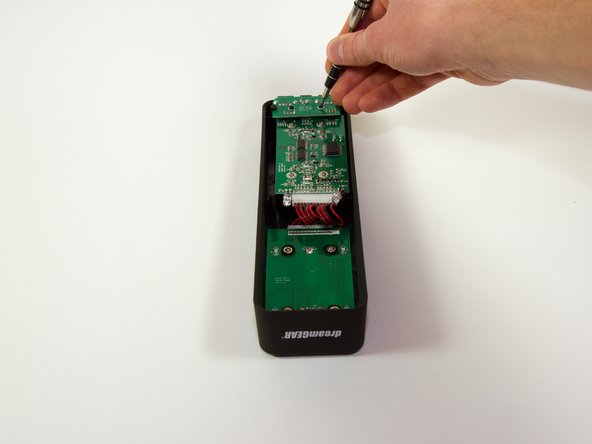
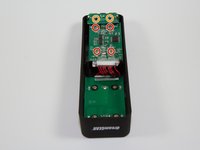
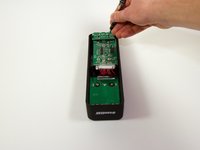
    1. dreamGEAR Quad Dock Pro LEDs Replacement, Mother Board: 手順 4、 2の画像 1 dreamGEAR Quad Dock Pro LEDs Replacement, Mother Board: 手順 4、 2の画像 2
      • Remove the four 1.8 mm J1 screws.

      • Remove the two 2mm PH0 screws.

      FixBotに聞いてみる

      コメントを追加

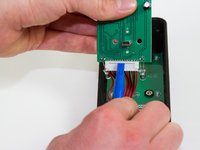
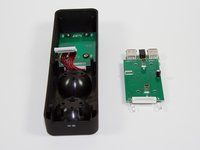
    2. dreamGEAR Quad Dock Pro LEDs Replacement: 手順 5、 1の画像 1
      • Gently pick up the mother board

      • Pick the mother board straight up or you may risk damaging the mini-USB charging ports.

      FixBotに聞いてみる

      コメントを追加

    3. dreamGEAR Quad Dock Pro LEDs Replacement: 手順 6、 2の画像 1 dreamGEAR Quad Dock Pro LEDs Replacement: 手順 6、 2の画像 2
      • Use a plastic opening tool or similar tool to gently pry the power ribbon cord out of its port.

      FixBotに聞いてみる

      コメントを追加

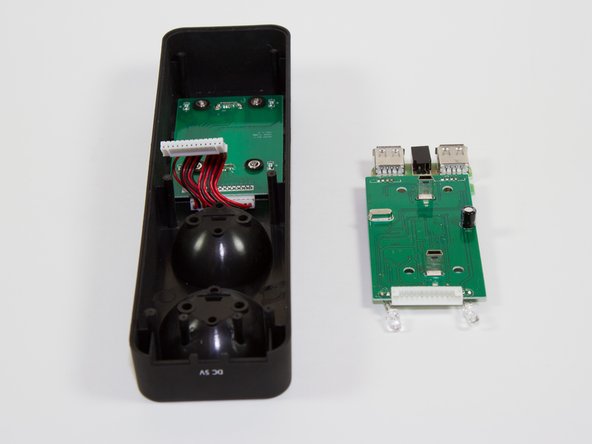
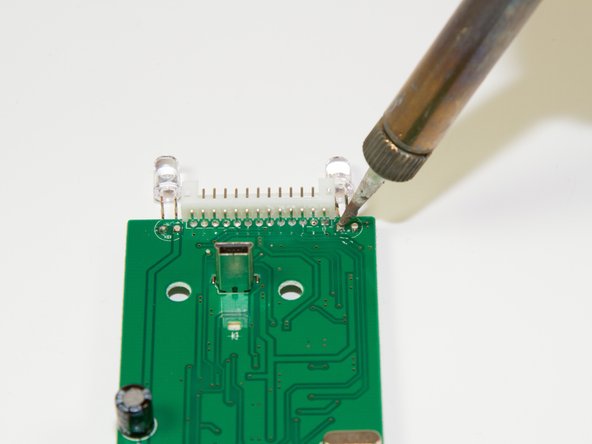
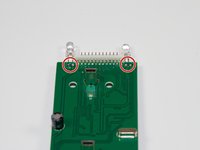
    1. dreamGEAR Quad Dock Pro LEDs Replacement, LEDs: 手順 7、 2の画像 1 dreamGEAR Quad Dock Pro LEDs Replacement, LEDs: 手順 7、 2の画像 2
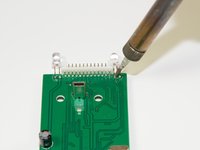
      • Desolder the two points following the instructions included in your soldering kit as you remove the light.

      • FIRE HAZARD! BURN DANGER! Follow all the safety precautions included with your soldering kit.

      • You can follow iFixit's guide to soldering here.

      FixBotに聞いてみる

      コメントを追加

終わりに

To reassemble your device, follow these instructions in reverse order.

キャンセル: このガイドを終了できませんでした。

ある他の人がこのガイドを完成しました。

作成者

3人の作成者と共同で作成されました。

Jacob

メンバー登録日: 03/11/15

757 ポイント

6のガイドは作成済み

チーム

Colorado Springs, Team 4-4, Panko Spring 2015 Colorado Springs, Team 4-4, Panko Spring 2015人のメンバー

UCCS-PANKO-S15S4G4

3 メンバー

12のガイドは作成済み

0件のガイドコメント

コメントを追加

統計データ:

過去 24時間: 0

過去 7 日: 9

過去 30 日: 29

今までの合計 481