はじめに
This guide will exhibit how to replace the microphone board. Soldering is required to detach and replace the board, so refer to the soldering replacement guide for more information.
必要な工具と部品
-
-
-
-
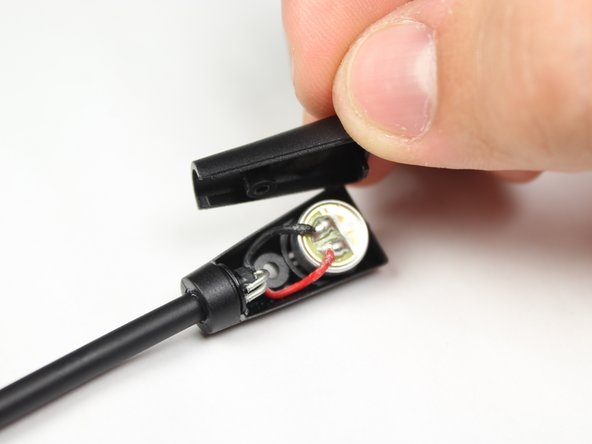
Remove the back casing from the microphone.
-
Desolder the two wires from the back of the microphone. For instructions on soldering, please see iFixit's soldering guide.
-


 FixBotに聞いてみる


To reassemble your device, follow these instructions in reverse order.
7 の人々がこのガイドを完成させました。

チーム

Baylor, Team 10-14, Williams Fall 2015 Baylor, Team 10-14, Williams Fall 2015人のメンバー
BU-WILLIAMS-F15S10G14
3 メンバー
12のガイドは作成済み
1件のガイドコメント
I have a turtle beach recon 200 and there is no category here for it. I have gotten water into my microphone and I do not know how to fix it. My mic is attached to the headset. I have tried blowing into it and wiping it. None of that works. Please help.
Jacob Krantz - 返信 共有
