はじめに
The Shark ION RV754 battery powers the device so that it can move and clean. If your vacuum isn’t holding a charge or stops running early, it might be time to replace the battery. Replacement batteries can be purchased from the Shark website or 3rd-party retailers like Amazon.
Before you begin, make sure to power off your robot vacuum and it's not connected to the charging dock or a charging adaptor.
必要な工具と部品
-
-
-
Place the unit on its back with the wheels facing up.
-
Use a Phillips #1 screwdriver to remove the single screw securing the battery compartment door.
-
Use your finger to lift off the battery door using the small indent next to it.
 FixBotに聞いてみる
-
-
-
-
Lift the battery out just above the compartment to access the battery connector.
-
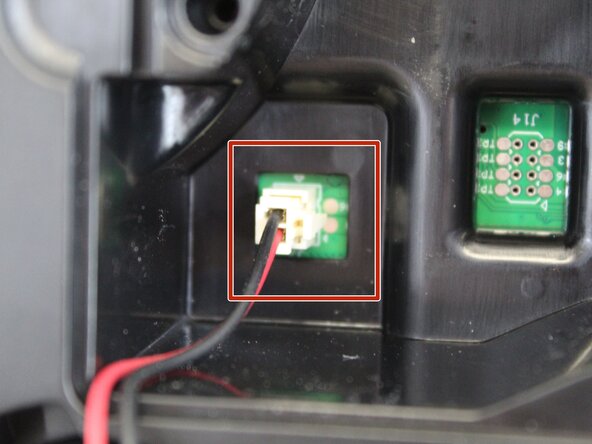
Squeeze the tab against the connector and pull it straight up to disconnect it.
-
Remove the battery completely.
-
-


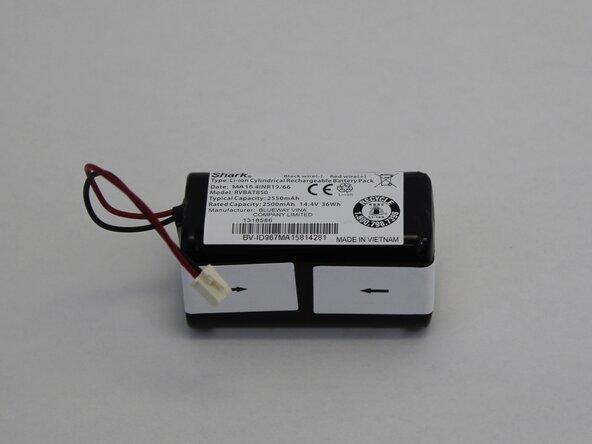


To reassemble your device, follow these instructions in reverse order. Take your e-waste to an R2 or e-Stewards certified recycler.

チーム

Tennessee Tech University, Team 1-1, Pickering Spring 2025 Tennessee Tech University, Team 1-1, Pickering Spring 2025人のメンバー
TNTECH-PICKERING-S25S1G1
4 メンバー
14のガイドは作成済み
