メインコンテンツにスキップ
リペアコミュニティに参加 - アカウントの作成

Nintendo Wii mini Disc Drive Replacement

必要な工具と部品

  1. Nintendo Wii mini Disc Drive Replacement, Unscrew the Bottom: 手順 1、 2の画像 1 Nintendo Wii mini Disc Drive Replacement, Unscrew the Bottom: 手順 1、 2の画像 2
    • Remove the two rubber feet at the back of the console to reveal the hidden screws.

    • Remove the four 6mm Phillips #0 screws.

  2. Nintendo Wii mini Disc Drive Replacement, Remove the Cover: 手順 2、 3の画像 1 Nintendo Wii mini Disc Drive Replacement, Remove the Cover: 手順 2、 3の画像 2 Nintendo Wii mini Disc Drive Replacement, Remove the Cover: 手順 2、 3の画像 3
    • Turn the Wii mini right-side up. Then run a plastic opening tool around the middle edge of the console to loosen the top piece.

    • Gently lift the top piece of the console and set it aside.

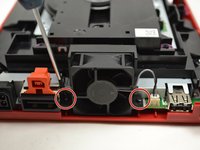
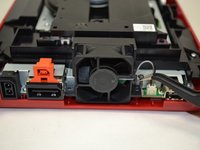
  3. Nintendo Wii mini Disc Drive Replacement, Unscrew the Fan: 手順 3、 2の画像 1 Nintendo Wii mini Disc Drive Replacement, Unscrew the Fan: 手順 3、 2の画像 2
    この手順で使用する道具:
    Tweezers
    $4.99
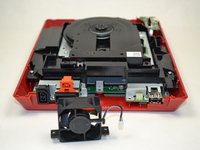
    • Turn the Wii mini around so that the back of the device is facing you.

    • Using a Phillips #0 Screwdriver, unscrew the two 6mm screws on either side of the fan piece.

    • You may need to use tweezers to pull out the screws once they are loosened.

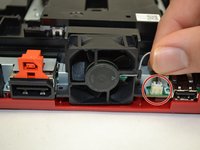
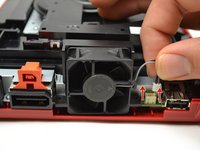
  4. Nintendo Wii mini Disc Drive Replacement, Detach the Fan Connector: 手順 4、 3の画像 1 Nintendo Wii mini Disc Drive Replacement, Detach the Fan Connector: 手順 4、 3の画像 2 Nintendo Wii mini Disc Drive Replacement, Detach the Fan Connector: 手順 4、 3の画像 3
    • Using your fingers, gently pull the top of the pin connector straight up to detach the fan from the console.

    • Do not wiggle the connector or cable while removing. This may cause the connector to come loose

    • Remove the fan piece and set it aside.

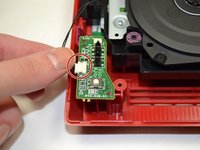
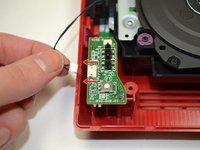
  5. Nintendo Wii mini Disc Drive Replacement, Power Board: 手順 5、 3の画像 1 Nintendo Wii mini Disc Drive Replacement, Power Board: 手順 5、 3の画像 2 Nintendo Wii mini Disc Drive Replacement, Power Board: 手順 5、 3の画像 3
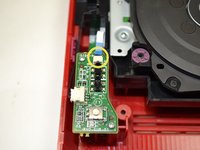
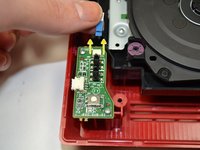
    • Using your fingers, slide out the blue ribbon cable from the the top of the power board.

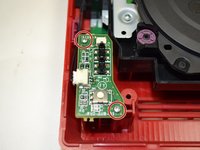
    • Using a Phillips #0 Screwdriver, unscrew the two 4mm screws at the top and bottom of the power board.

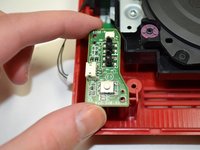
  6. Nintendo Wii mini Disc Drive Replacement: 手順 6、 2の画像 1 Nintendo Wii mini Disc Drive Replacement: 手順 6、 2の画像 2
    • Using your fingers, gently pull the pin connector to disconnect the power board from the disc drive.

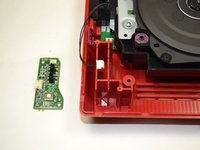
  7. Nintendo Wii mini Disc Drive Replacement: 手順 7、 2の画像 1 Nintendo Wii mini Disc Drive Replacement: 手順 7、 2の画像 2
    • Lift the power board from the console and set it aside.

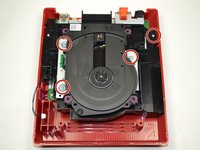
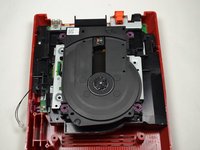
  8. Nintendo Wii mini Disc Drive Replacement, Disc Drive: 手順 8、 2の画像 1 Nintendo Wii mini Disc Drive Replacement, Disc Drive: 手順 8、 2の画像 2
    • Using a Phillips #0 Screwdriver, unscrew the four 6mm screws.

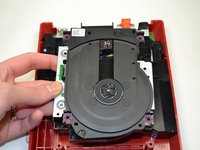
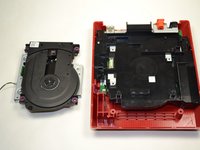
  9. Nintendo Wii mini Disc Drive Replacement: 手順 9、 2の画像 1 Nintendo Wii mini Disc Drive Replacement: 手順 9、 2の画像 2
    • Lift the disc drive out of the console and set it aside.

終わりに

To reassemble your device, follow these instructions in reverse order.

4 の人々がこのガイドを完成させました。

作成者

6人の作成者と共同で作成されました。

Kristin Anderson

メンバー登録日: 01/23/15

1,011 ポイント

5のガイドは作成済み

チーム

UWT Liner: Group 5 UWT Liner: Group 5人のメンバー

Community

3 メンバー

11のガイドは作成済み

1件のガイドコメント

i even took apart the disk drive. turns out it wasn't working because the lid was missing one of the plastic parts that pushes the sensor in the disk drive that indicates that the lid is closed

Alexander Busse - 返信 共有

コメントを追加

統計データ:

過去 24時間: 3

過去 7 日: 11

過去 30 日: 61

今までの合計 5,658