メインコンテンツにスキップ
リペアコミュニティに参加 - アカウントの作成

Nextbook Premium 7SE Battery Replacement

必要な工具と部品

  1. Nextbook Premium 7SE Battery Replacement, Back Cover: 手順 1、 3の画像 1 Nextbook Premium 7SE Battery Replacement, Back Cover: 手順 1、 3の画像 2 Nextbook Premium 7SE Battery Replacement, Back Cover: 手順 1、 3の画像 3
    • Insert the plastic opening tool into the middle of the bottom edge of the device. The tool should be inserted within the seam between the back and front covers.

    • Slide the opening tool to the right and slowly continue to separate the back cover from the device.

    • Avoid prying on the buttons, as they are easily damaged.

    FixBotに聞いてみる
  2. Nextbook Premium 7SE Battery Replacement: 手順 2、 1の画像 1
    • Pull the cover off of the device once about three quarters of the cover has been pried open using the plastic opening tool.

    FixBotに聞いてみる
  3. Nextbook Premium 7SE Battery Replacement, Battery: 手順 3、 1の画像 1
    • Remove masking tape from the battery.

    FixBotに聞いてみる
  4. Nextbook Premium 7SE Battery Replacement: 手順 4、 3の画像 1 Nextbook Premium 7SE Battery Replacement: 手順 4、 3の画像 2 Nextbook Premium 7SE Battery Replacement: 手順 4、 3の画像 3
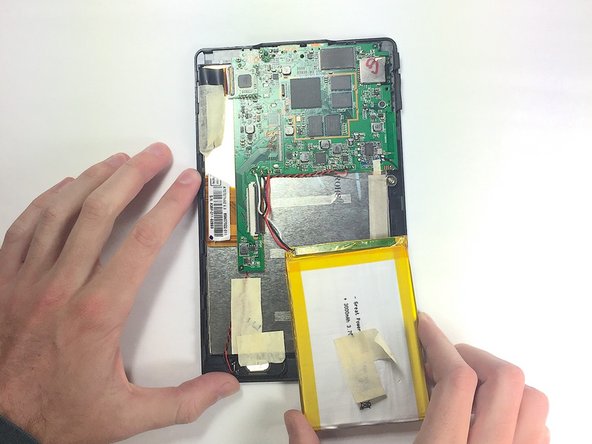
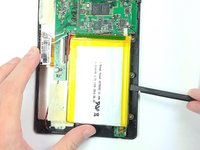
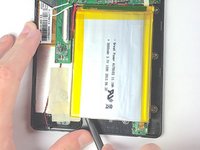
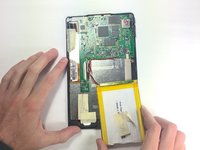
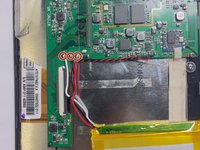
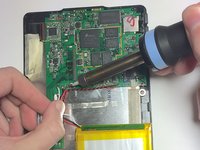
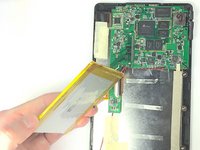
    • Pry the battery from the base using the nylon spudger and move it away from the motherboard.

    • Handle the battery with care to avoid damaging it.

    FixBotに聞いてみる
  5. Nextbook Premium 7SE Battery Replacement: 手順 5、 3の画像 1 Nextbook Premium 7SE Battery Replacement: 手順 5、 3の画像 2 Nextbook Premium 7SE Battery Replacement: 手順 5、 3の画像 3
    FixBotに聞いてみる
終わりに

To reassemble your device, follow these instructions in reverse order, being careful when re-soldering the contacts back into place.

ある他の人がこのガイドを完成しました。

作成者

6人の作成者と共同で作成されました。

Walker Karstens

メンバー登録日: 10/30/16

364 ポイント

3のガイドは作成済み

チーム

Baylor, Team 4-1, Williams Fall 2016 Baylor, Team 4-1, Williams Fall 2016人のメンバー

BU-WILLIAMS-F16S4G1

4 メンバー

14のガイドは作成済み

0件のガイドコメント

コメントを追加

統計データ:

過去 24時間: 1

過去 7 日: 7

過去 30 日: 50

今までの合計 973