メインコンテンツにスキップ

InFocus Screenplay 4805 Lamp Replacement

必要な工具と部品

  1. InFocus Screenplay 4805 Lamp Replacement, Remove the lamp door: 手順 1、 1の画像 1
    • Front panel assembly removal is not required.

    • To remove the lamp door, use a metal or plastic pry tool and unclip the lamp door from the projector. Set this aside for reassembly.

  2. InFocus Screenplay 4805 Lamp Replacement, Disconnect the lamp: 手順 2、 3の画像 1 InFocus Screenplay 4805 Lamp Replacement, Disconnect the lamp: 手順 2、 3の画像 2 InFocus Screenplay 4805 Lamp Replacement, Disconnect the lamp: 手順 2、 3の画像 3
    • Beyond this step, the lamp can be replaced as an assembly and the guide is complete. If you want to rebuild the lamp with a new bulb and reuse the old housing, refer to this guide: InFocus Screenplay 4805 Lamp Rebuild

    • If you are replacing the lamp as an assembly, follow this guide in reverse from this step.

    • Remove the two gold 1 cm screws and washers on the side of lens housing using the 4.0 flat-head bit

    • Pinch the white wire tab to gently detach the side that connects with the lens housing.

  3. InFocus Screenplay 4805 Lamp Replacement, **REBUILD ONLY** Housing disassembly: 手順 3、 2の画像 1 InFocus Screenplay 4805 Lamp Replacement, **REBUILD ONLY** Housing disassembly: 手順 3、 2の画像 2
    • This step is only required when rebuilding the old lamp with a replacement bulb.

    • Slide the bulb housing out of the projector.

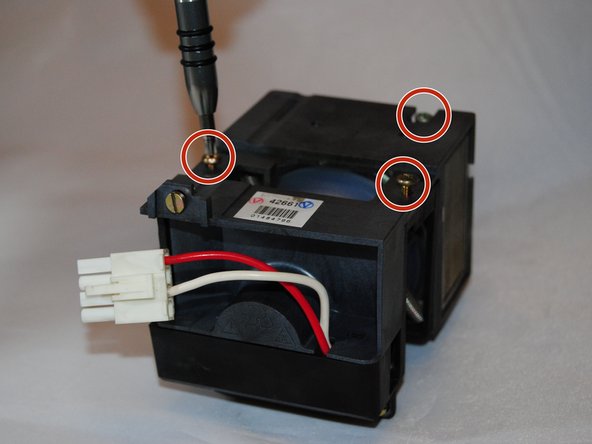
    • Use the Phillips #1 screwdriver to remove the three 1 cm gold screws on the bulb housing.

  4. InFocus Screenplay 4805 Lamp Replacement, **REBUILD ONLY** Housing disassembly: 手順 4、 2の画像 1 InFocus Screenplay 4805 Lamp Replacement, **REBUILD ONLY** Housing disassembly: 手順 4、 2の画像 2
    • This step is only required when rebuilding the old lamp with a replacement bulb.

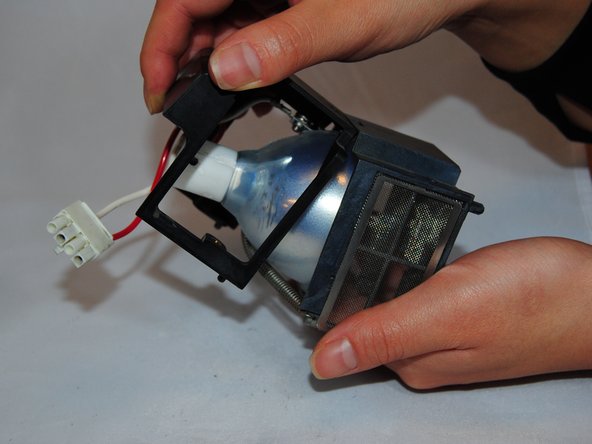
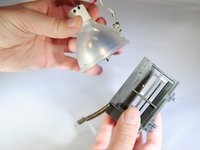
    • Gently pull the top of the bulb housing off.

    • Lift up the middle of the bulb housing to remove it.

    • Be careful of loose parts, such as the metal housing and the glass focusing lens.

  5. InFocus Screenplay 4805 Lamp Replacement, **REBUILD ONLY** Housing disassembly: 手順 5、 3の画像 1 InFocus Screenplay 4805 Lamp Replacement, **REBUILD ONLY** Housing disassembly: 手順 5、 3の画像 2 InFocus Screenplay 4805 Lamp Replacement, **REBUILD ONLY** Housing disassembly: 手順 5、 3の画像 3
    • This step is only required when rebuilding the old lamp with a replacement bulb.

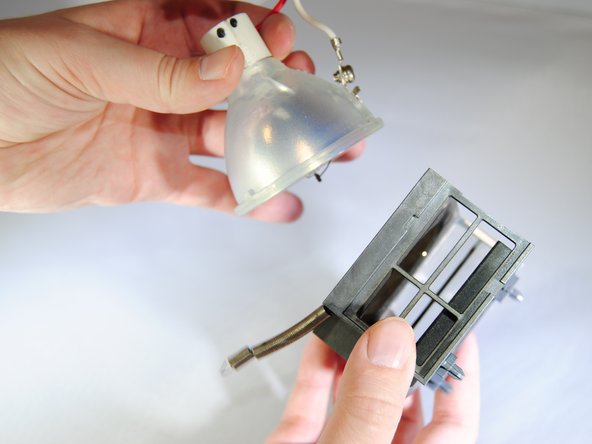
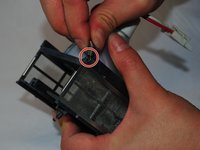
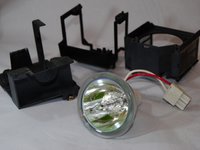
    • Unhook the spring from the bulb housing.

    • Gently remove the bulb.

終わりに

To reassemble the device, follow these instructions in reverse order.

ある他の人がこのガイドを完成しました。

作成者

5人の作成者と共同で作成されました。

Marilyn Urness

メンバー登録日: 09/28/17

671 ポイント

7のガイドは作成済み

チーム

Eastern Washington University, Team S2-G3, Crane Fall 2017 Eastern Washington University, Team S2-G3, Crane Fall 2017人のメンバー

EWU-CRANE-F17S2G3

5 メンバー

7のガイドは作成済み

3件のガイドコメント

To remove and later disassemble the lamp, you don’t need to remove whole cover. Just open the lamp bay door and follow the steps starting  from 6!

madyogi - 返信

madyogi, exactly. You are absolutely right!

ilya.zhizhin - 返信

I was able to fix an old projector I got for $40. Thank you so much for the tutorial.

Madelyn Tapia - 返信

コメントを追加

統計データ:

過去 24時間: 1

過去 7 日: 2

過去 30 日: 18

今までの合計 1,788