はじめに
Use this guide to remove and replace the back cover of the Garmin Edge 530. The back case is a protective cover enclosing all of the inner hardware of the Garmin Edge 530. Removing it is a key step in gaining access to the rest of the device. Accessing the back cover allows you to replace any internal part. Similarly, replacing the back cover requires the removal of every internal part. Only take on this replacement task if you feel confident in your ability to exercise patience and caution in the removal of replacement parts.
The back case may need to be replaced if the case is cracked or damaged. Damage to the back case can limit your ability to mount the Garmin Edge 530 device which limits useability.
In this guide, you will have to pry up the front screen with a metal spudger. It is important to note the potential broken glass hazard when prying the screen from the back cover. After this step, use ESD-safe tools to avoid damage to the rest of the device and protect it from electrostatic discharge.
必要な工具と部品
-
-
-
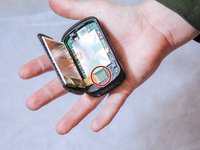
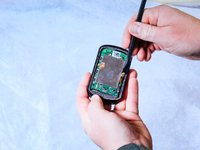
Insert the metal spudger between the edge of the device screen and back cover.
-
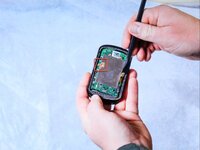
Begin to pry along the perimeter between the device screen and back cover.
 FixBotに聞いてみる
-
-
この手順で使用する道具:Halberd Spudger$2.99
-
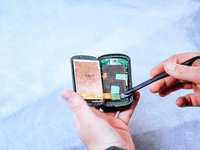
Use the nylon halberd spudger to lift the edge of the screen and begin separating it from the back cover.
-
-
-
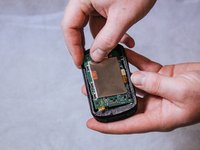
Peel back the tape holding down the orange ribbon cables with the nylon halberd spudger.
-
-
-
-
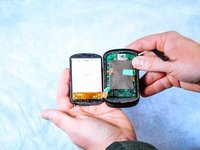
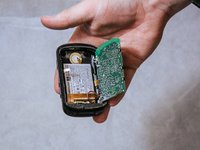
Completely detach the screen from the back cover by disconnecting the orange ribbon cables.
-
-
-
-
この手順で使用する道具:Halberd Spudger$2.99
-
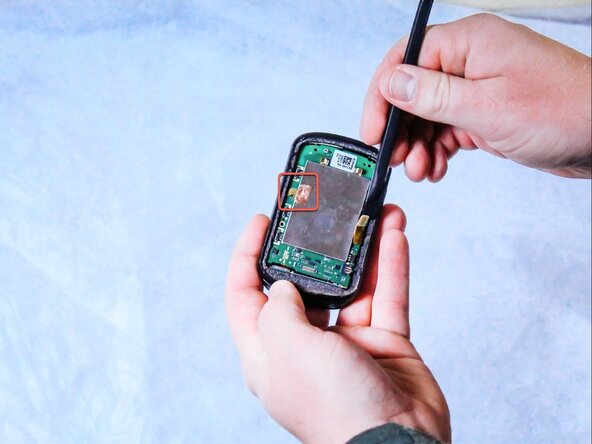
Detach the press-fit connector from the motherboard using the nylon halberd spudger.
-
Gently peel back the copper adhesive strip to free the remaining bonding cable.
-
-
-
Remove the three 6 mm screws connecting the motherboard to the back panel using the T5 Torx screwdriver.
-
-
この手順で使用する道具:Tweezers$3.99
-
Remove the wire harness that connects the motherboard to the battery using the angled tweezers by pulling it out of the compartment.
-
-
-








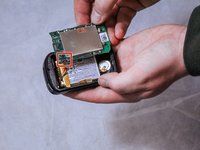
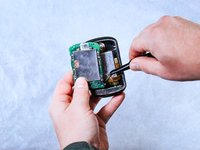
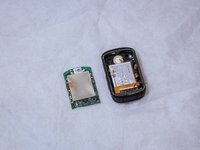

To reassemble your device, follow these instructions in reverse order.
2 の人々がこのガイドを完成させました。

チーム

Clemson, Team 2-1, Hunter Spring 2022 Clemson, Team 2-1, Hunter Spring 2022人のメンバー
CLEM-HUNTER-S22S2G1
5 メンバー
34のガイドは作成済み
