はじめに
Because of manufacturing tolerances the antenna inside the earbuds is sometimes not connected. This guide shows how to fix this to get a more reliable connection.
To check which side(s) have the problem follow these easy steps:
- Take one of the earbuds from the case.
- Connect it to a device and play some music.
- Slowly walk away. If the connection becomes unstable after a few meters this earbud likely has a disconnected antenna.
- repeat with the other one.
必要な工具と部品
-
-
-
Heat up the lid by leaving the earbud upside down on a hotplate at ~80°C for ~1min. A 3d printers hotbed works well for this.
-
A heat gun should also work as well.
 FixBotに聞いてみる
-
-
-
The earbuds are glued shut.
-
Put some cloth around the earbud and put it in a vice like shown.
-
Pliers might work too if you don't have a vice but it's not recommended.
-
Slowly close the vice until there is a cracking sound or a gap forms in the seam.
-
-
-
Heat up the lid again before continuing.
-
Separate the 2 halfs using one of the opening picks.
-
Make sure not to press the pick more then ~1mm into the case to avoid damaging anything on the PCB.
-
Slowly lift up the outer half after cracking the seal around the whole earbud. Slowly pull them apart as there is some flexible adhesive on 2 internal pegs that takes a bit of time to "give up".
-
-
-
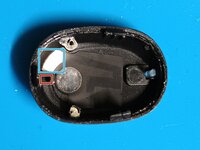
The marked mic cover tends to easily get lost. It's best to take it of and store it with the top half until reassembly.
-
-
-
-
Try to remove as much of the hard, clear glue on the outside edge to make sure the buds close nicely when reassembling them.
-
A precision rotary tool with a fine abrasive tip and/or a scalpel works best.
-
-
-
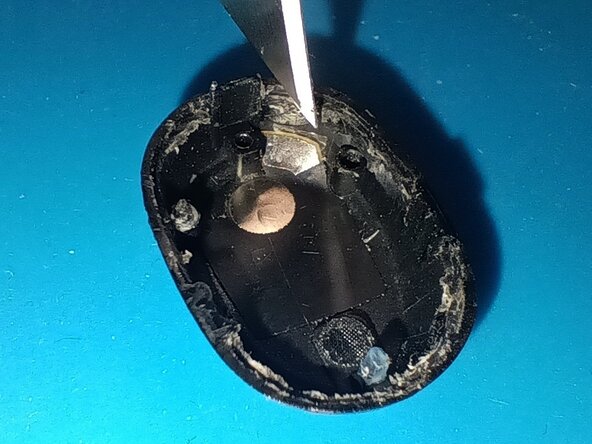
Try to remove as much of the white glue as possible using a scalpel and/or tweezers.
-
Putting the lid back on the hotplate or a bit of Isopropanol can help softening it.
-
-
-
Jump into any of the other guides showing you how to fix specific problems:
-
-
-
-
-
Put a thin piece of foam the size of the contact area behind it.
-