メインコンテンツにスキップ
リペアコミュニティに参加 - アカウントの作成

DigiTech RP70 Input/Output ¼” Ports Replacement

必要な工具と部品

    1. DigiTech RP70 Input/Output ¼” Ports  Replacement, Motherboard: 手順 1、 2の画像 1 DigiTech RP70 Input/Output ¼” Ports  Replacement, Motherboard: 手順 1、 2の画像 2
      • Unplug the device from its AC power adapter; unplug anything connected to the input/output jacks.

      • Remove the four 8mm Phillips #0 screws located on the back panel.

      FixBotに聞いてみる

      コメントを追加

    2. DigiTech RP70 Input/Output ¼” Ports  Replacement: 手順 2、 2の画像 1 DigiTech RP70 Input/Output ¼” Ports  Replacement: 手順 2、 2の画像 2
      • Remove the back panel to expose the motherboard.

      FixBotに聞いてみる

      コメントを追加

    3. DigiTech RP70 Input/Output ¼” Ports  Replacement: 手順 3、 1の画像 1
      • Remove the two 11mm #0 Phillips screws located at the bottom of the motherboard.

      FixBotに聞いてみる

      コメントを追加

    4. DigiTech RP70 Input/Output ¼” Ports  Replacement: 手順 4、 1の画像 1
      • Lift the indented end of the motherboard opposite the input/output jacks. Then, pull away from the input/output jacks to slide the motherboard out of the casing.

      FixBotに聞いてみる

      コメントを追加

    1. DigiTech RP70 Input/Output ¼” Ports  Replacement, Input/Output ¼” Ports: 手順 5、 2の画像 1 DigiTech RP70 Input/Output ¼” Ports  Replacement, Input/Output ¼” Ports: 手順 5、 2の画像 2
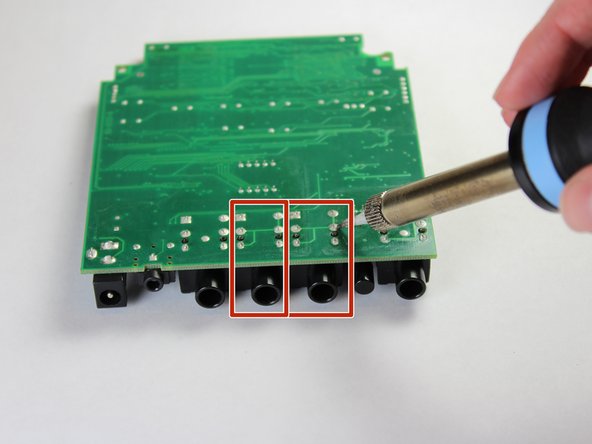
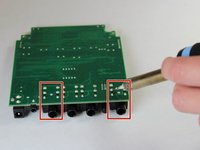
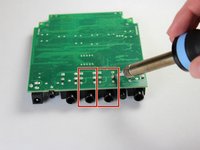
      • Desolder the back of the motherboard where the damaged input/output port is located.

      FixBotに聞いてみる

      コメントを追加

終わりに

To reassemble your device, follow these instructions in reverse order.

キャンセル: このガイドを終了できませんでした。

ある他の人がこのガイドを完成しました。

作成者

3人の作成者と共同で作成されました。

Elijah Smith

メンバー登録日: 09/10/18

738 ポイント

6のガイドは作成済み

チーム

Appalachian State University, Team S2-G2, Menagarishvili Fall 2018 Appalachian State University, Team S2-G2, Menagarishvili Fall 2018人のメンバー

APSU-MENAGARISHVILI-F18S2G2

3 メンバー

6のガイドは作成済み

0件のガイドコメント

コメントを追加

統計データ:

過去 24時間: 2

過去 7 日: 4

過去 30 日: 23

今までの合計 540