メインコンテンツにスキップ
リペアコミュニティに参加 - アカウントの作成

DJI Phantom 3 Advanced Flight Controller Replacement

必要な工具と部品

  1. DJI Phantom 3 Advanced Flight Controller Replacement, Battery: 手順 1、 2の画像 1 DJI Phantom 3 Advanced Flight Controller Replacement, Battery: 手順 1、 2の画像 2
    • With the battery facing you, locate the two tabs on the top and bottom of the battery as shown.

    • Remember to disarm and power down your quadcopter before beginning any disassembly.

    FixBotに聞いてみる

    コメントを追加

  2. DJI Phantom 3 Advanced Flight Controller Replacement: 手順 2、 2の画像 1 DJI Phantom 3 Advanced Flight Controller Replacement: 手順 2、 2の画像 2
    • Press the two tabs with your finger and thumb, and gently slide the battery towards you, out of the quadcopter frame.

    • With your other hand, be sure to hold the quadcopter steady to ensure that it stays still.

    FixBotに聞いてみる

    コメントを追加

  3. DJI Phantom 3 Advanced Flight Controller Replacement, Cover: 手順 3、 1の画像 1
    • Turn the Phantom 3 Advanced upside down.

    FixBotに聞いてみる

    コメントを追加

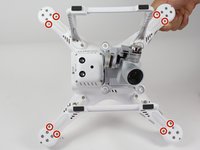
  4. DJI Phantom 3 Advanced Flight Controller Replacement: 手順 4、 1の画像 1
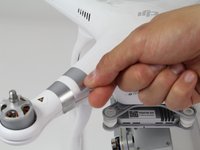
    • Remove the four 7mm long 2mm screws with a T-6 screwdriver.

    • There is one screw per arm, located at the tip of the arm.

    FixBotに聞いてみる

    コメントを追加

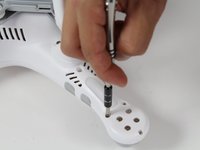
  5. DJI Phantom 3 Advanced Flight Controller Replacement: 手順 5、 2の画像 1 DJI Phantom 3 Advanced Flight Controller Replacement: 手順 5、 2の画像 2
    • Remove the eight 5mm long 2.5mm screws using the T-8 screwdriver.

    • There are two 5mm screws on each arm.

    FixBotに聞いてみる

    コメントを追加

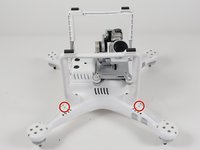
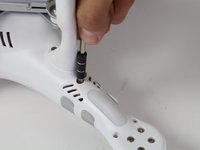
  6. DJI Phantom 3 Advanced Flight Controller Replacement: 手順 6、 2の画像 1 DJI Phantom 3 Advanced Flight Controller Replacement: 手順 6、 2の画像 2
    • Remove the four 10mm long deep 3mm screws using the T-8 screwdriver.

    • There is one screw on each arm located near the landing gear.

    FixBotに聞いてみる

    コメントを追加

  7. DJI Phantom 3 Advanced Flight Controller Replacement: 手順 7、 3の画像 1 DJI Phantom 3 Advanced Flight Controller Replacement: 手順 7、 3の画像 2 DJI Phantom 3 Advanced Flight Controller Replacement: 手順 7、 3の画像 3
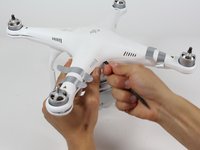
    • Carefully flip the phantom back over with the motors facing up.

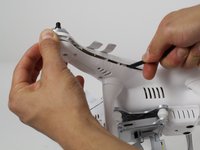
    • Peel back the silver stickers from the seam in the cover.

    • Using a plastic spudger, slowly separate the two halves of the plastic shell.

    • This step requires some force, and the plastic will click loudly as the shell separates.

    • Do not fully remove the cover. There is a wire that needs to be detached from the control board before the cover is completely free.

    FixBotに聞いてみる

    コメントを追加

  8. DJI Phantom 3 Advanced Flight Controller Replacement: 手順 8、 3の画像 1 DJI Phantom 3 Advanced Flight Controller Replacement: 手順 8、 3の画像 2 DJI Phantom 3 Advanced Flight Controller Replacement: 手順 8、 3の画像 3
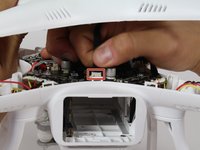
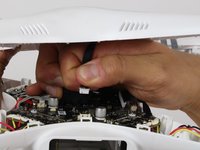
    • Slowly remove the upper half of the plastic case about halfway. There is a ribbon cable that's connects the cover and the control board.

    • Follow the ribbon cable to the control board and locate the connector that connects the cable to the control board.

    • Press the tab on the side of the connector and pull up on the cable.

    • Continue to remove the shell the rest of the way.

    FixBotに聞いてみる

    コメントを追加

  9. DJI Phantom 3 Advanced Flight Controller Replacement, Flight Controller: 手順 9、 1の画像 1
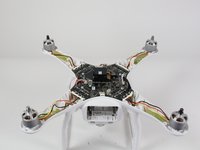
    • Locate the five ribbon cables that need to be disconnected from the control board.

    • Locate the red and black battery wires.

    • Follow the three wires from each motor and the three wires from each LED to where they connect on the control board.

    FixBotに聞いてみる

    コメントを追加

  10. DJI Phantom 3 Advanced Flight Controller Replacement: 手順 10、 3の画像 1 DJI Phantom 3 Advanced Flight Controller Replacement: 手順 10、 3の画像 2 DJI Phantom 3 Advanced Flight Controller Replacement: 手順 10、 3の画像 3
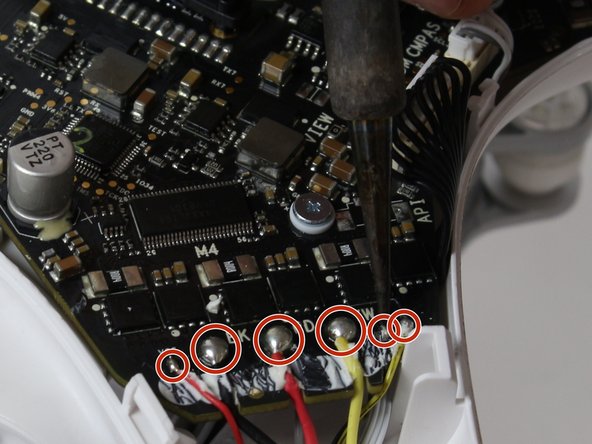
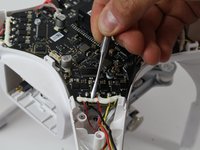
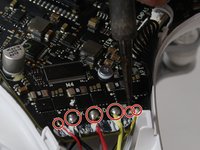
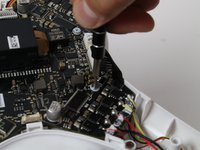
    • Use a plastic opening tool to remove the glue that covers the motor and LED wires. Use a metal opening tool if necessary.

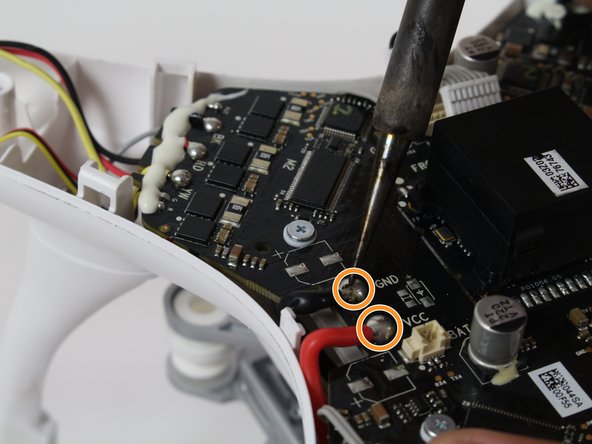
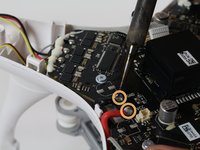
    • Desolder the six motor and LED wires where they connect on the flight controller for each arm. Refer to the Desoldering Guide on how to desolder.

    • Desolder the battery wires.

    FixBotに聞いてみる

    コメントを追加

  11. DJI Phantom 3 Advanced Flight Controller Replacement: 手順 11、 2の画像 1 DJI Phantom 3 Advanced Flight Controller Replacement: 手順 11、 2の画像 2
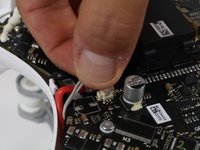
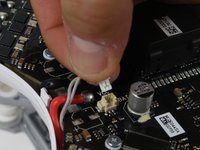
    • Remove the cable next to where the battery wires were connected. Pinch and hold the top of the connector, then pull it out.

    FixBotに聞いてみる

    コメントを追加

  12. DJI Phantom 3 Advanced Flight Controller Replacement: 手順 12、 3の画像 1 DJI Phantom 3 Advanced Flight Controller Replacement: 手順 12、 3の画像 2 DJI Phantom 3 Advanced Flight Controller Replacement: 手順 12、 3の画像 3
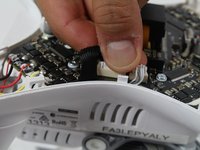
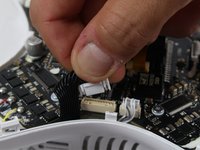
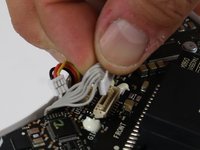
    • Remove the black ribbon cable and the 3-wire cable next to it. Press the small tab on the ribbon cable connector and pull it out.

    FixBotに聞いてみる

    コメントを追加

  13. DJI Phantom 3 Advanced Flight Controller Replacement: 手順 13、 3の画像 1 DJI Phantom 3 Advanced Flight Controller Replacement: 手順 13、 3の画像 2 DJI Phantom 3 Advanced Flight Controller Replacement: 手順 13、 3の画像 3
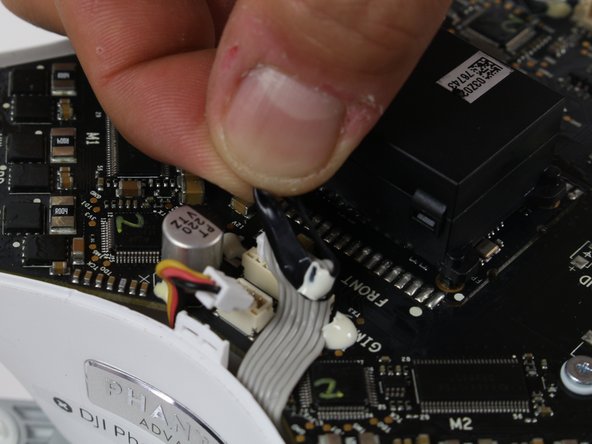
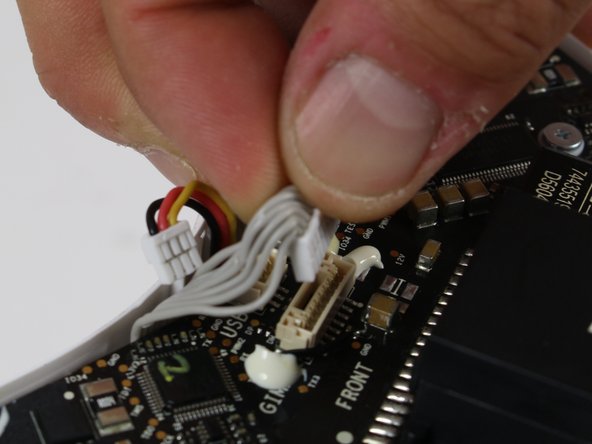
    • Locate the ribbon cable that is next to the word "Front" on the flight controller.

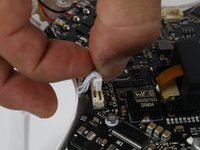
    • Remove the small cable next to the ribbon cable by pinching on the side tab and pulling up on the connector. It has black, red and yellow wires.

    • Remove the black band from the ribbon cable.

    • Remove the ribbon cable by pinching on the side tab and pulling up on the connector.

    FixBotに聞いてみる

    コメントを追加

  14. DJI Phantom 3 Advanced Flight Controller Replacement: 手順 14、 2の画像 1 DJI Phantom 3 Advanced Flight Controller Replacement: 手順 14、 2の画像 2
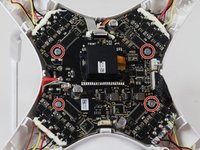
    • Remove the four 6.5mm long 2mm screws with a philips head 00 screwdriver.

    • Remove the flight controller now by slowly pulling if off of the frame.

    FixBotに聞いてみる

    コメントを追加

終わりに

To reassemble your device, follow these instructions in reverse order.

キャンセル: このガイドを終了できませんでした。

11 の人々がこのガイドを完成させました。

作成者

3人の作成者と共同で作成されました。

Robert Comstock

メンバー登録日: 10/06/16

436 ポイント

2のガイドは作成済み

チーム

Cal Poly, Team 10-2, Livingston Fall 2016 Cal Poly, Team 10-2, Livingston Fall 2016人のメンバー

CPSU-LIVINGSTON-F16S10G2

3 メンバー

12のガイドは作成済み

2件のガイドコメント

Very clear and helpful. Thank You.

Herb - 返信 共有

Excellent with great visuals. Can really see what to do

Leo Miller - 返信 共有

コメントを追加

統計データ:

過去 24時間: 1

過去 7 日: 8

過去 30 日: 68

今までの合計 8,032