メインコンテンツにスキップ
リペアコミュニティに参加 - アカウントの作成

Corsair K65 Plus Wireless Key Switch Replacement

必要な工具と部品

    1. Corsair K65 Plus Wireless Key Switch Replacement, Keycap: 手順 1、 1の画像 1
      • Place the keyboard face up on a flat surface.

      FixBotに聞いてみる

      コメントを追加

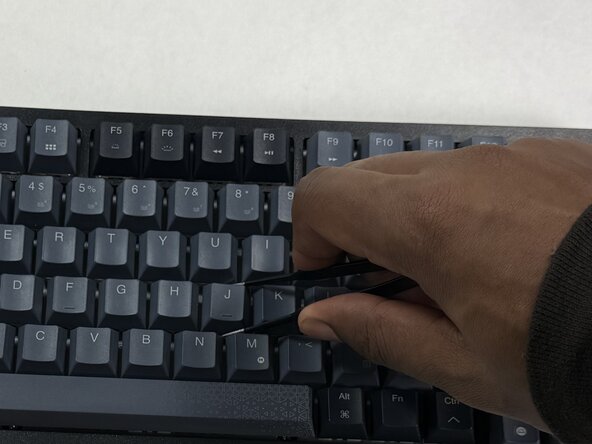
    2. Corsair K65 Plus Wireless Key Switch Replacement: 手順 2、 2の画像 1 Corsair K65 Plus Wireless Key Switch Replacement: 手順 2、 2の画像 2
      • Use a keycap puller to grip the keycap and pull straight up from the keyboard.

      FixBotに聞いてみる

      コメントを追加

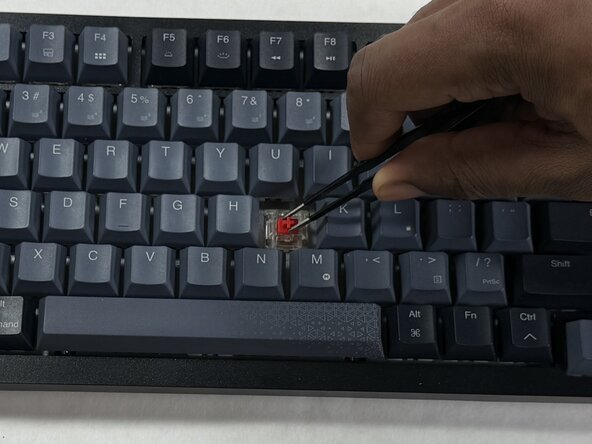
    1. Corsair K65 Plus Wireless Key Switch Replacement, Key Switch: 手順 3、 2の画像 1 Corsair K65 Plus Wireless Key Switch Replacement, Key Switch: 手順 3、 2の画像 2
      • Use a key switch puller to grip the key switch and pull straight up to remove it.

      FixBotに聞いてみる

      コメントを追加

    2. Corsair K65 Plus Wireless Key Switch Replacement: 手順 4、 2の画像 1 Corsair K65 Plus Wireless Key Switch Replacement: 手順 4、 2の画像 2
      • Look at the underside of the key switch, there are two prongs that stick out. These are what connects the electrical component of the switch to the keyboard. Avoid bending or damage to these prongs when reinstalling the switch.

      • The prongs (Red) will go into the receiving holes (Orange) upon reinstallation.

      FixBotに聞いてみる

      コメントを追加

終わりに

To reassemble your device, follow these instructions in reverse order. Take your e-waste to an R2 or e-Stewards certified recycler.

キャンセル: このガイドを終了できませんでした。

作成者

2人の作成者と共同で作成されました。

Nathaniel

メンバー登録日: 03/06/26

269 ポイント

2のガイドは作成済み

チーム

UMass Dartmouth, Team 3-3, Shaddix Spring 2026 UMass Dartmouth, Team 3-3, Shaddix Spring 2026人のメンバー

UMASSD-SHADDIX-S26S3G3

4 メンバー

9のガイドは作成済み

0件のガイドコメント

コメントを追加

統計データ:

過去 24時間: 0

過去 7 日: 4

過去 30 日: 35

今までの合計 95