メインコンテンツにスキップ
リペアコミュニティに参加 - アカウントの作成

Computer King Muffin Kinder 7 Battery Replacement

必要な工具と部品

    1. Computer King Muffin Kinder 7 Battery Replacement, Battery: 手順 1、 2の画像 1 Computer King Muffin Kinder 7 Battery Replacement, Battery: 手順 1、 2の画像 2
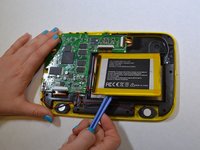
      • Use the plastic opening tool help push out the microSD card from the microSD slot.

      FixBotに聞いてみる

      コメントを追加

    2. Computer King Muffin Kinder 7 Battery Replacement: 手順 2、 1の画像 1
      • Use the plastic opening tool to unclip the plastic front from the plastic back. Use the MicroSD slot to initially start the unclipping.

      FixBotに聞いてみる

      コメントを追加

    3. Computer King Muffin Kinder 7 Battery Replacement: 手順 3、 2の画像 1 Computer King Muffin Kinder 7 Battery Replacement: 手順 3、 2の画像 2
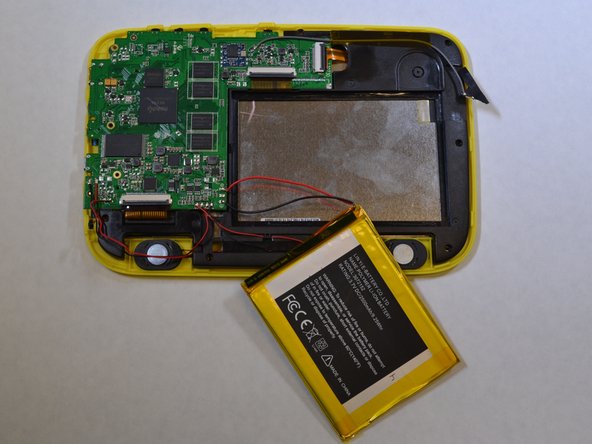
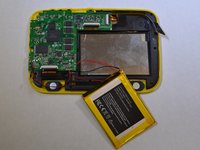
      • The battery is glued onto the black plastic. Use the plastic opening tool to pry the battery from the black plastic.

      FixBotに聞いてみる

      コメントを追加

    4. Computer King Muffin Kinder 7 Battery Replacement: 手順 4、 2の画像 1 Computer King Muffin Kinder 7 Battery Replacement: 手順 4、 2の画像 2
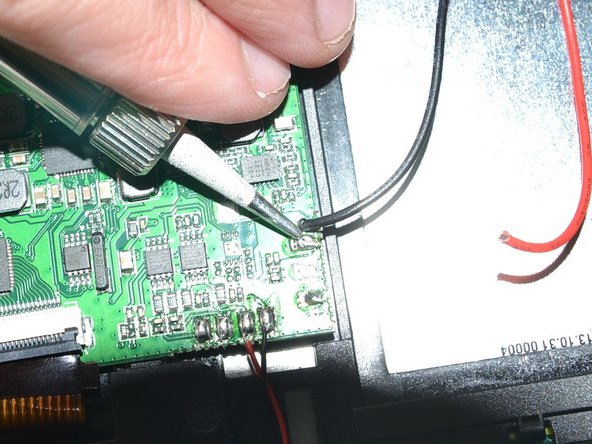
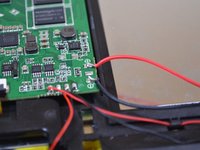
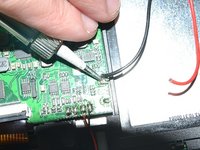
      • Unsolder the red and black wires that are connected to the battery from the logic board using a soldering iron.

      • Tips on how to solder can be found here.

      FixBotに聞いてみる

      コメントを追加

終わりに

To reassemble your device, follow these instructions in reverse order.

キャンセル: このガイドを終了できませんでした。

ある他の人がこのガイドを完成しました。

作成者

4人の作成者と共同で作成されました。

Katherine

メンバー登録日: 01/22/15

439 ポイント

3のガイドは作成済み

チーム

UWT Liner: Group 2 UWT Liner: Group 2人のメンバー

Community

4 メンバー

7のガイドは作成済み

0件のガイドコメント

コメントを追加

統計データ:

過去 24時間: 1

過去 7 日: 5

過去 30 日: 23

今までの合計 615