この翻訳は機械によって生成されたものであり、まだ人間による校正は行われていません。 日本語を話せますか? レビューはこちらから。
はじめに
Asus ZenBook UX330UまたはUX330UAのストレージ容量が不足している場合や、ファイルへのアクセスに問題がある場合は、ストレージデバイスの交換またはアップグレードが必要です。この修理ガイドを使用する前に、分解を伴わない解決策について、こちらのトラブルシューティングページを確認してください。この修理ガイドは、ASUS ZenBook UX330UまたはUX330UAのM.2 SSDを取り外すために使用します。
デバイスの分解を始める前に、必ず電源を切り、電源ケーブルの接続を外してください。
必要な工具と部品
-
-
-
デバイスの分解を始める前に、iFixitの静電気防止リストバンドを装着してください。リストバンドの金属部分が肌に触れていることを確認します。
-
リストバンドの端にあるワニ口クリップを引っ張って取り外し、バレットコネクタを露出させます。
-
バレットコネクタをコンセントの接地ポートに差し込みます。
 FixBotに聞いてみる
-
-
-
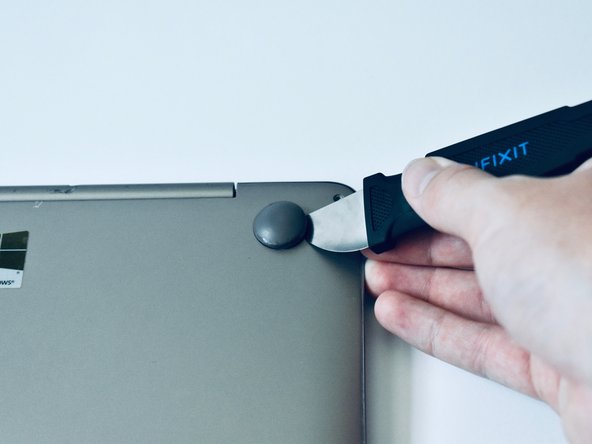
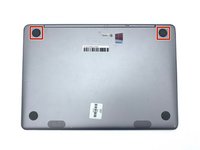
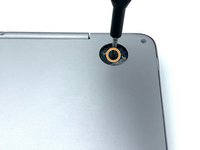
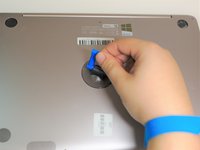
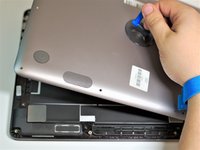
Jimmyまたはスパッジャーを使用して、ヒンジに最も近い2つのゴム足を取り外します。
-
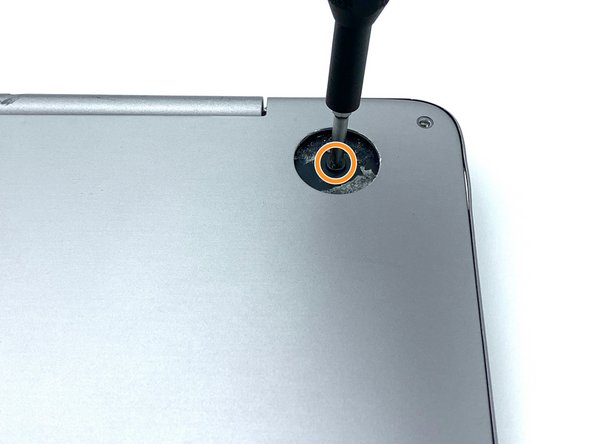
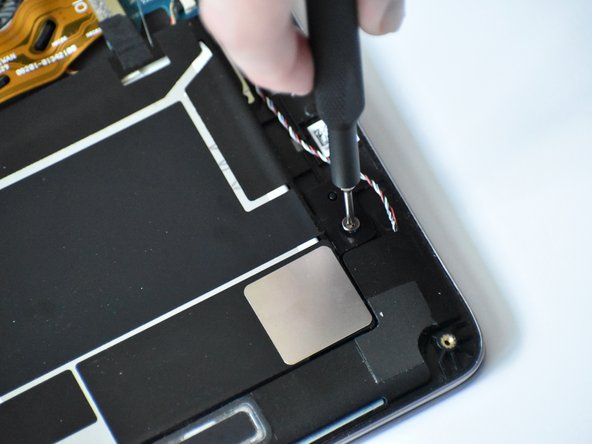
ゴム足の下にあった2本の5.6mmネジを、プラス #0 ドライバービットを使用して外します。
-
-
-
この手順で使用する道具:Tweezers$4.99
-
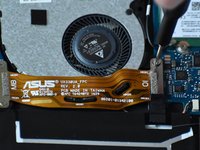
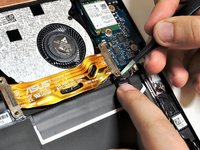
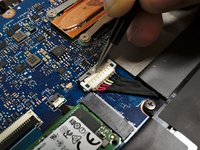
先丸ピンセット(tweezers)で金属製の端を上に引き、マザーボードのリボンコネクタを取り外します。
-
-
-
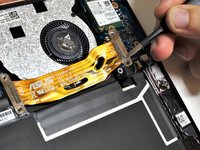
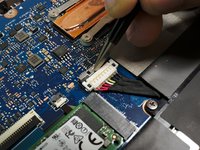
先丸ピンセットを使って、銀色のバッテリコネクタロックを引き戻します。軽く動かすだけでスライドするはずです。
-
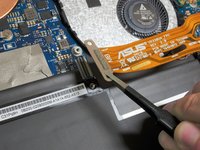
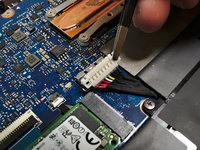
先丸ピンセットを使ってバッテリコネクタを垂直に持ち上げ、ソケットから取り外します。
-
-
-
-
-
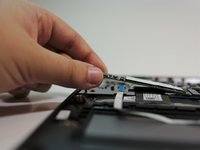
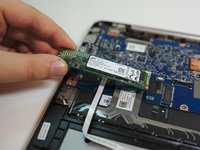
M.2 SSDを少し持ち上げ、SSDとマザーボードの間に15~25度の角度をつけます。
-
ゆっくりとM.2 SSDを引き抜きます。SSDの向きに合わせて真っ直ぐ力を加えます。
-





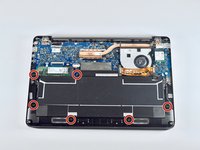
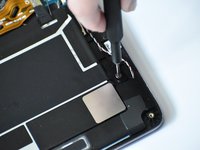


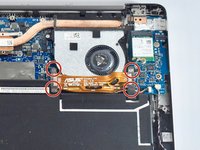
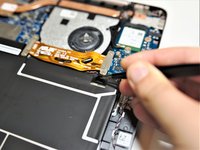






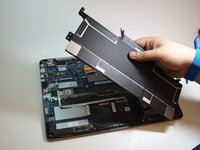


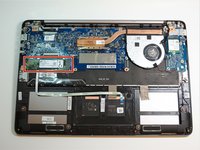
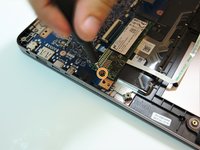
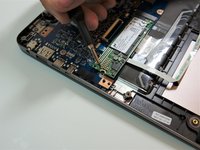


デバイスを再組み立てするには、これらのインストラクションを逆の順番に従って作業を進めてください。
8 の人々がこのガイドを完成させました。

チーム

Embry-Riddle Aeronautical University, Team S1-G111, Watkins Fall 2019 Embry-Riddle Aeronautical University, Team S1-G111, Watkins Fall 2019人のメンバー
ERAU-WATKINS-F19S1G111
3 メンバー
40のガイドは作成済み
5件のガイドコメント
Do you know the procedure to transfer the contents of the removed M.2 into the new M.2? Assuming the old one was working fine and you just want to upgrade to a larger memory M.2 - you can put the old one into a USB3 external case (I bought one for $10 on eBay) to make the transfer. Then you just need a bootable USB stick to put into the Zenbook. Boot up on the USB and format the new M.2 to match, I think this has to be Windows. Then you can use another bootable USB with Linux on it to make a bit-by-bit copy from the old one to the newly installed M.2 and all your applications and data will be good to go. Then you can format the old one and use it as an external drive. Did I get that right?
Why is it necessary to remove the motherboard ribbon and battery, to replace the M.2 SSD media? It’s not blocked in by the battery.
You need to remove the battery for safety reasons to replace the M.2 SSD. Technically, you don’t have to but then you risk damaging components since there is a chance of power going to them.
Where can I a troubleshooting guide?
