はじめに
Use this guide to replace the battery on the 4Sight 9
必要な工具と部品
-
-
-
Pry the case away from the device slowly by sliding a plastic opening tool along the device.
-
Once loosened, use your hands to separate the case from the device.
-
-
-
-
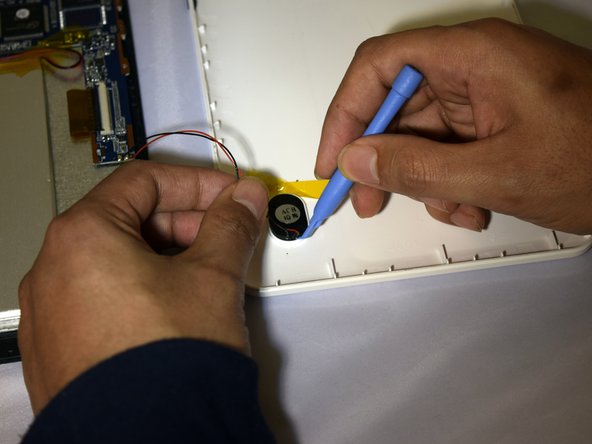
Hold the positive and negative wires as close as possible to the speaker.
-
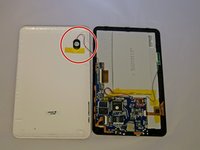
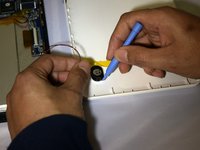
Use an opening tool and fingers to simultaneously lift the speaker from the cover.
-
-
-
-
Use soldering gun to remove the positive and negative wires connecting the battery to the circuit board.
-
-
-
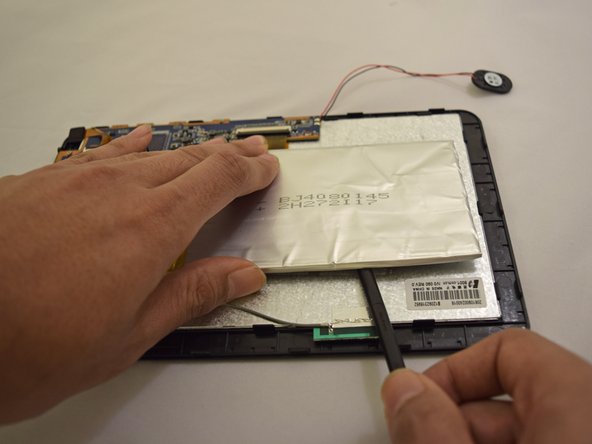
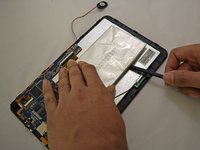
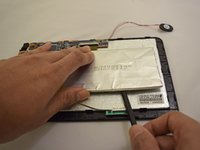
Insert plastic prying tool under upper-hand corner of battery and slide back and forth.
-
Once loosened, insert plastic prying tool under lower-hand corner and repeat sliding action.
-
-


 FixBotに聞いてみる




To reassemble your device, follow these instructions in reverse order.
7 の人々がこのガイドを完成させました。

チーム

Eastern Washington University, Team 1-2, Plummer Spring 2015 Eastern Washington University, Team 1-2, Plummer Spring 2015人のメンバー
EWU-PLUMMER-S15S1G2
4 メンバー
10のガイドは作成済み
