
スクリーンまたはデジタイザー
この翻訳は機械によって生成されたものであり、人間による校正は行われていません。母国語は日本語ですか? 翻訳を校正する。
以前、このデバイスの修理に使われていた一般的な工具です。修理過程において全部の工具が必要とは限りません。
パーツリストは近日公開予定です。
必要なツールは、iFixit Pro Tech ツールキットに含まれています。以下から購入可能です:
トラブルシューティングページはこちら:
Nextbook Flexx 10 Troubleshooting
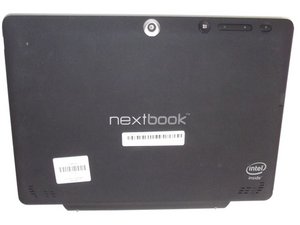
E FUN Nextbook Flexx 10は、10.1インチHD画面を搭載した2-in-1(タブレット兼ノートパソコン)デバイスです。このページでデモンストレーションに使用しているFlexx 10.1には、Intel® ATOM™ クアッドコアプロセッサ、2GB RAM、32GBストレージが搭載されています。Wi-FiおよびBluetoothに対応しています。
レビュー対象のデバイスにはフロントカメラとバックカメラがあり、画面上のフロントカメラの横にマイクが配置されています。また、Flexx 10.1には着脱式のキーボード、micro SDカードスロット、2つのUSBポートが備わっています。

WCU-VIRTUE-F17S1G4
5 メンバー
72のガイドは作成済み
過去 24時間: 2
過去 7 日: 17
過去 30 日: 107
今までの合計 12,992



