



|
3件の回答 0 スコア |
NUC working fine for a few years, but suddenly no HDMI signal |
|
2件の回答 0 スコア |
How to replace the 2.5" HDD ribbon cable? (NUC11PAHi7)? |
|
1 件の回答 2 スコア |
NUC is not powering on |
|
1 件の回答 1 スコア |
if device cannot power on what should I check? |
ドキュメント
製品情報
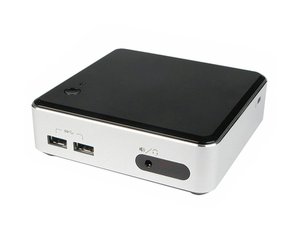
Next Unit of Computing(略してNUC)という印象的なタイトルの製品は、インテルが2012年からリリースした小型フォームファクタのコンピュータのラインアップです。インテルNUCは、ケース、小型マザーボード、冷却用のファンで構成されています。NUCのマザーボードは通常、一辺が4インチ(10.2cm)になるように作られており、インテルはこれを "ウルトラコンパクト・フォームファクター "と呼んでいます。小型で比較的安価なため、NUCは趣味のプロジェクトや家庭用メディアプレーヤーとして、あるいはオフィスや学校などでよく利用されています。
NUCs come in three varieties which suit different types of users.
- Preassembled: the NUC comes prebuilt with memory, a drive, and a case
- DIY: the NUC comes with a disassembled case and without any memory or drives (supply your own)
- Motherboard: Intel sends just the motherboard
No matter how your NUC came from the factory, you can upgrade the memory and drives on most models, but the CPUs are soldered in place. NUCs can be mounted to a wall or to the back of some monitors using a standard 100mm or 75mm VESA bracket (as shown in this Intel article).
If you have an Intel NUC with a case, you can find the serial number on a sticker on the bottom of the device. If you have only a NUC motherboard, the serial number is printed on a sticker on the RAM slots. Intel’s stocking ID number (labelled “SA” or “AA”) is also located on the stickers. Enter these two numbers on Intel’s check warranty page to find your NUC model. You can see pictures of these numbers in this guide from Intel.
追加情報
AnandtechによるNUC D54250WYKのレビュー
Intel NUC Kit DN2820FYKH (2.5インチドライブ対応) 製品概要
Intel NUC Kit NUC5i7RYH ユーザー修理ガイド
Intel NUC5i7RYH Core i7 Kit (M.2および2.5インチストレージ対応) 製品概要
Intel NUC Kit DN2820FYKH ユーザー修理ガイド
Intel NUC Kit NUC5i3RYH & NUC5i5RYH ユーザー修理ガイド
Intel NUC Core i3 Kit NUC5i3MYHE および Board NUC5i3MYBE 製品概要
Intel NUC Core i5 Kit NUC5i5MYHE および Board NUC5i5MYBE 製品概要
Intel NUC Kit NUC5i3RYK & NUC5i5RYK ユーザー修理ガイド
Intel NUC DE3815TYKHE Kit および DE3815TYBE Board 製品概要
Intel NUC D34010WYKH (2.5インチドライブスペース対応) 製品概要
Intel NUC Kit NUC6i3SYK & NUC6i5SYK ユーザー修理ガイド
Intel NUC Kits NUC6i5SYK および NUC6i5SYH 製品概要
Intel NUC Kit DC3217IYE Core i3 製品概要
Intel NUC Kit DC3217BY Core i3 製品概要
Intel NUC Kit DC53427HYE インストール手順 (EN, ZH, RU, ES, FR, DE, IT, JA, KO, PL, PT)
Intel NUC Board D53427RKE 技術仕様
Intel NUC D34010WYK 第4世代 Core i3 製品概要
Intel NUC Board NUC5i3MYBE 技術仕様
Intel NUC Kit NUC8i7BEH, NUC8i5BEH/BEHS および NUC8i3BEH/BEHS ユーザー修理ガイド
Intel NUC11PA Slim, Tall, and Wireless Charging Kit/Mini PC 技術仕様
Intel NUC11PHKi7C Kit and Mini PC 技術仕様, リビジョン 1.2
Intel NUC Kit NUC9 シリーズ ユーザー修理ガイド
Intel NUC Kit NUC8i7HNK & NUC8i7HVK ユーザー修理ガイド
Intel NUC 13 Extreme Kit および Compute Element ユーザー修理ガイド
Intel NUC Kit NUC10i7FNH/NUC10i5FNH/NUC10i3FNH ユーザー修理ガイド
Intel NUC10i3FN/i5FN/i7FN Slim and Tall Kits, Mini PCs and Board 技術仕様
PTZOptics Producer and Producer Plus Kits ビデオセットアップガイド
Intel NUC 12 Compute Element 特長, リビジョン 1.3
Intel NUC10i3FN/i5FN/i7FN Slim/Tall Kit, Mini PC and Board 技術仕様
以下の翻訳者の皆さんにお礼を申し上げます:
100%

Midori Doiさんは世界中で修理する私たちを助けてくれています! あなたも貢献してみませんか?
翻訳を始める ›
