
RAM
この翻訳は機械によって生成されたものであり、人間による校正は行われていません。母国語は日本語ですか? 翻訳を校正する。
|
1 件の回答 3 スコア |
How can I speed up my HP Mini? |
|
1 件の回答 0 スコア |
How do you do a full restore |
|
1 件の回答 0 スコア |
Continuous beep coming when pressing powerbutton . |
以前、このデバイスの修理に使われていた一般的な工具です。修理過程において全部の工具が必要とは限りません。
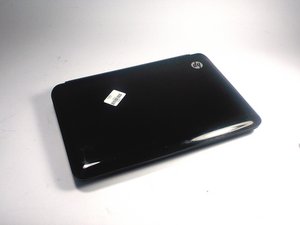
HP Mini 110-3735dxは、HP Mini 110シリーズの一部として2011年9月に発売されました。HP Mini 110シリーズは、HP 1000シリーズの低価格モデルとして開発されました。
寸法は10.55インチ(長さ)x 7.51インチ(幅)x 0.9~1.26インチ(高さ)で、非常に高い携帯性を備えています。10.1インチ対角線のWSVGA HPアンチグレアLEDディスプレイにより、照明環境に関わらず画像を鮮明に表示できます。ハードウェアには、1.66GHzのIntel AtomプロセッサN455、1GBのDDR3システムメモリ、250GBのハードドライブを搭載し、最適な処理能力を提供します。8時間45分のバッテリー駆動時間により、電源なしでもどこでも長時間使用できます。また、Energy Star認定も取得しています。一般的な問題として、ハードウェアのドライバーに関するトラブルやブルースクリーン(死の青い画面)などが挙げられます。
HP Mini 110-3735dxノートパソコンは、デバイスの底面に記載されているモデル番号で識別できます。モデル番号はバッテリーの下でも確認できます。デバイスの識別に関する詳細は、HPサポートページをご覧ください。
HP:HP Mini 110-3735dx PC - トラブルシューティング
HP Mini 210/110およびCompaq Mini CQ10 メンテナンス・サービスガイド
Hp Mini 110 Compaq Mini Cq10 メンテナンス・サービスガイド
UMASSD-CATANIA-S16S4G1
4 メンバー
84のガイドは作成済み
過去 24時間: 8
過去 7 日: 20
過去 30 日: 64
今までの合計 4,502



