キーボード
この翻訳は機械によって生成されたものであり、人間による校正は行われていません。母国語は日本語ですか? 翻訳を校正する。
|
17件の回答 20 スコア |
Ribbon doesn't move when printing |
|
2件の回答 1 スコア |
Why can't I change the font size over 12 |
|
6件の回答 6 スコア |
Why is my device not turning on? |
|
1 件の回答 0 スコア |
Dymo Label Maker 160 How to reset double lines? |
以前、このデバイスの修理に使われていた一般的な工具です。修理過程において全部の工具が必要とは限りません。
2011年に発売されたDYMO LabelManager 160は、同シリーズの初代モデルであり、DYMOが製造したハンドヘルド型デバイスの中で最高傑作と評されています。
DYMO LabelManager 160は、さまざまなフォントサイズやスタイルでラベルを印刷できます。また、QWERTYキーボードを搭載しており、ユーザーは素早く入力を行えます。このラベルライターにはオートパワーオフ機能が備わっており、使用していないときは自動的に電源が切れます。
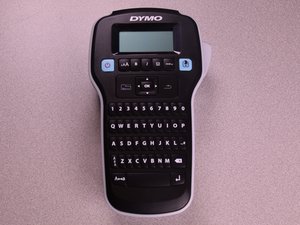
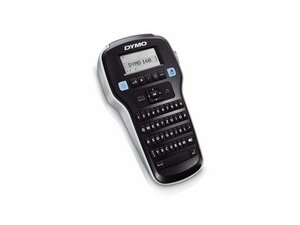
Dymo LabelManager 160は、上部に画面、その下に機能ボタン、さらにその下にQWERTYキーボードを備えた黒い本体ケースが特徴です。ボタンのほとんどは黒地に白の文字ですが、両端にある機能ボタンは水色地に黒の文字となっています。キーボードが本体の大部分を占めており、画面のある部分よりも幅が狭くなっています。
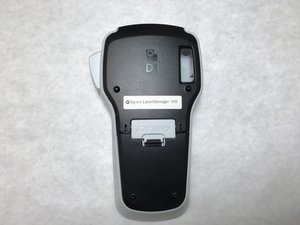
画面上部の中央にはDymoのロゴが印刷されています。モデル番号とシリアル番号はデバイスの背面に印字されています。
UA-SYDOW CAMPBELL-S16S1G4
4 メンバー
48のガイドは作成済み
過去 24時間: 4
過去 7 日: 49
過去 30 日: 193
今までの合計 9,585