メインコンテンツにスキップ
リペアコミュニティに参加 - アカウントの作成

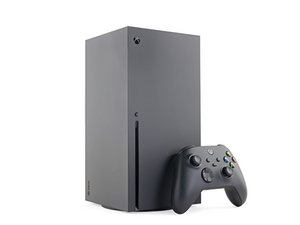
Microsoftの4KゲームコンソールであるXbox Series Xの修理、分解、トラブルシューティング情報です。Xbox Series Xは、同等のコンソールであるXbox Series Sとともに2020年11月10日に発売されました。

Series X no controller. Not wireless, Not wired.

One day I woke up and my controller would not connect. I spent hours trying to get it to connect. At one point, after I slapped it, the pairing button on the console did work, but then it stopped again.

Now the pairing button does nothing. Using the Xbox app to go into settings and try pairing it doesn't work either. When I use a USB-C cable that works fine with my PC and controller, nothing happens. I took the Xbox apart and reseated the accessory board. When I pressed the pairing button, it flashed for a second and then stopped.

Between when it first broke and now, the Xbox sat unplugged for a few weeks. I tried updating both the Xbox and the controller, but that didn't help. The controller, as well as two others I tried, work perfectly fine with my PC over the same cable.

I also tried unplugging everything external just to test it: no fan, no disc drive, no front-panel USB, and no accessory module. Still nothing. There is no change in behavior. It won't sync over a cable or wirelessly.

When I plug the controller in, it vibrates once. If I press the Xbox button, it turns on but just keeps flashing as if it's searching for something to connect to.

Does anybody have any idea what could be causing this? $800 for a new one is a rip-off, and I really don't want to buy a used one filled with weed smoke for $400 on eBay when I bought this one new for $500 a few years ago.

この質問に回答する 同じ問題があります

この質問は役に立ちましたか?

スコア 0
コメントを追加

1 件の回答

最も参考になった回答

Hi!

I would replace the accessory board and the sync button board together. I think 1 of them is starting to die…

You could also replace the sync button first and see how that goes.

Guide: Xbox Series X USBとペアボタンボードの交換

If that fails, replace the other one as well.

Guide: Xbox Series X アクセサリアンテナボードの交換

Please let us know how it goes!

Xbox Series X アクセサリアンテナボードの画像

ガイド

Xbox Series X アクセサリアンテナボードの交換

難易度:

中レベル

15 minutes - 1 hour

Xbox Series X USBとペアボタンボードの画像

ガイド

Xbox Series X USBとペアボタンボードの交換

難易度:

中レベル

30 minutes - 1 hour

このアンサーは役に立ちましたか?

スコア 2

8 件のコメント:

But wouldn’t it still work wired? Even when I don’t have either board plugged in it still does not work.

さんによる

Hi!

The last one is also the USB board. Or did you tried other USB ports as well? Most likely it’s one of those 2. Could be the motherboard, but this is less likely. Can you let me know which USB ports you did use? Thank you!

さんによる

I tried front and rear.

さんによる

Okay, since you tried to reseat it and it did work for a second, I would assume this is it. I could be wrong though. Since the backside isn’t working as well, you could try to replace the southbridge board together with the cable to see if that is it. Testing components is probably the easiest way now.. sorry

さんによる

I just find it odd. Obviously something is probably wrong with wireless board/front button. I have always had connection issues. But I would assume it would work without it. Atleast wired.

さんによる

3件以上のコメントを表示

コメントを追加

回答を追加する

1993 MAZDA MIATA さん、ありがとうございました!
統計データ:

過去 24時間: 0

過去 7 日: 11

過去 30 日: 125

今までの合計 125