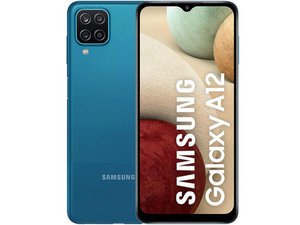

Why is my volume down button not working
When I Press the volume down it does not decrease the volume neither does it show on the screen
評価: 860.8千
 1.4千
1.4千
 976
976
 2.4千
2.4千
@jeremyvealar most likely a bad switch on the Volume Button Flex Cable. Since iFixit does not yet have a specific guide for that, use this video to open the phone and to get to the flex. Next use this video (different model same steps) to replace the flex cable. Replacement cables are readily available at many stores.
If new flex does not work you will have issues with the volume down rail on your main board. Let us know what you find out.
While you work on your phone, take lots of pictures. Once you are done with it, take those pictures and create a guide for iFixit. That will help the next person that has the same issues with their phone. It's easy and fun to create these guides. https://ifixit.com/Guide/new The iFixit community will appreciate this.
Repair is War on Entropy!
このアンサーは役に立ちましたか?
過去 24時間: 2
過去 7 日: 3
過去 30 日: 17
今までの合計 103

