
メインコンテンツにスキップ
リペアコミュニティに参加 - アカウントの作成

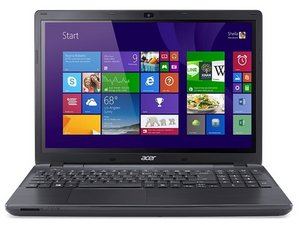
Repair information and support for the Acer Aspire E15 laptop, released from Acer in 2015. Model number: E5-575-33BM.

monitor is not displaying anything

I have this laptop it's monitor is not displaying anything, the power supply is still working fine and the monitor cables are connected however their seem to be a problem and the monitor is not showing any displays. Please help me out

この質問に回答する 同じ問題があります

この質問は役に立ちましたか?

スコア 0
コメントを追加

1 件の回答

最も参考になった回答

I guess there are possible things to consider as a problem, depending on the brand of your laptop. Follow this step: 1. Display settings misconfigured; maybe it was set up to output to an external monitor only. Try Fn +a key like F4/F5/F8, depending on your laptop brand. 2. Faulty screen Backlight might have failed. Shine a flashlight close to the screen at an angle if you can faintly see any content, if you see it then the backlight or its inverter is the main issue. 3. BIOS/UEFI may be outdated or corrupted taht could prevent the display from initializing the BIOS.

このアンサーは役に立ちましたか?

スコア 1

1件のコメント:

Try connecting an external monitor. If you can get a picture on that, then your display has failed. If not, it's an internal issue, possibly GPU or other hardware.

Come back and let us know what you find and we'll see if we can figure out what your next step should be.

さんによる

コメントを追加

回答を追加する

Ruben Serero さん、ありがとうございました!
統計データ:

過去 24時間: 2

過去 7 日: 14

過去 30 日: 14

今までの合計 14