メインコンテンツにスキップ
リペアコミュニティに参加 - アカウントの作成

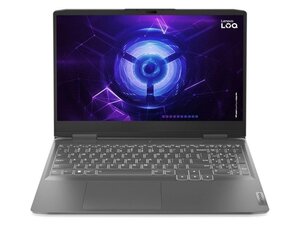
Lenovo LOQ 15IAX9 with Intel i5-12450HX, up to RTX 4060 GPU, 15.6″ FHD 144 Hz display, up to 32 GB DDR5, PCIe Gen4 SSD, 60 Wh battery, and full I/O including HDMI 2.1 and USB-C.

How do I reset BIOS.

When i was downloading GPU Drivers, it said that something went wrong. So i got to BIOS settings and turned GPU from Hybrid to Discrete. My screen went black, never turned on again, fans are spinning, keyboard lights up, just black screen. Tried resetting CMOS battery, tried disconnecting main battery too and also tried hard reset, nothing worked. Can y'all help me? Thanks.

この質問に回答する 同じ問題があります

この質問は役に立ちましたか?

スコア 1
コメントを追加

2件の回答

Turn off the laptop, then turn it on and repeatedly press F2 (or Fn+F2) to enter the BIOS menu. Navigate to the Exit tab, select Load Setup Defaults, confirm with Yes, then select Save & Exit. Hope it works!

このアンサーは役に立ちましたか?

スコア 0
コメントを追加

I also had a similar thing happen when changing any setting or updating bios, if it looks like it is boot looping trust that because it looped 5, maybe 6 times before the screen lit up for me after a bios update. It's scary but eh, I guess I can deal with it... If it didn't try to restart either your GPU might not be getting to the screen and in that case I'd just hold down f2 during boot and disable discrete mode, it's no use downloading a GPU driver if it's gonna stop functioning...

このアンサーは役に立ちましたか?

スコア 0
コメントを追加

回答を追加する

Giorgi Abramishvili さん、ありがとうございました!
統計データ:

過去 24時間: 4

過去 7 日: 33

過去 30 日: 33

今までの合計 33