メインコンテンツにスキップ
リペアコミュニティに参加 - アカウントの作成

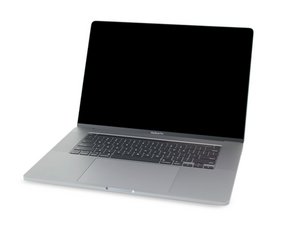
MacBook Pro 16インチの解体情報と修理ガイドです。2019年11月に発売されました。モデル番号はA2141とEMC3347です。

Stuck in DFU mode

Laptop had water damage on elc180 that powers nand chips, after repair laptop is stuck in DFU mode and revive option gives error amrestoreerrordomain – 0x6 (6)

Data is the most important part of the repair if i do a restore and delete data from laptop repair is not of anny help.

does someone have a solution that saves data.

All voltages and resistances are fine laptop is only not turning on vcore on cpu and gpu.

この質問に回答する 同じ問題があります

この質問は役に立ちましたか?

スコア 0
コメントを追加

1 件の回答

The low level aspects of the Flash chips (NAND) are corrupted. Without a DFU restore you really can't get past to save the data, sorry.

As a Hail Mary see if an external drive which is setup as a bootable drive will at least let you boot up. While you likely won't see the internal drives data as it's encrypted by the user account can you even get that far?

このアンサーは役に立ちましたか?

スコア 0

2 件のコメント:

Hi, do you by anny chance have T2 rom files for A2141 820-01700-05

さんによる

@dimitrijes46692 - The T2 chip is not reprogrammable! It is a gate array chip with a burnable Readable only ROM. The systems firmware is held in a EROM chip, but that won't help you here. That nukes the access to the NAND's like rebuilding via DFU.

さんによる

コメントを追加

回答を追加する

Dimitrije Stefanovic さん、ありがとうございました!
統計データ:

過去 24時間: 0

過去 7 日: 12

過去 30 日: 46

今までの合計 95