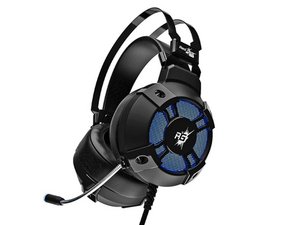

Fixing broken head sets
My headset is not working I am not actually interested with the mic I'm mostly interested with the speakers. I need instructions on how to connect the wires from the in line control pod directly to the speakers
評価: 10.1千
 29
29
 12
12
 56
56
Based on your post I take it that your headset cable is broken.
If the cable is broken by the headset, you may be able to get away with just shortening the cable, and re-soldering it inside the headset. Tho, make sure to take pictures and notes of which wire goes where. The wires used in headsets are usually very tiny and can be a bit tricky to solder.
Otherwise, you will have to open your headset and the controller pod, and note which cable goes where. Then you can de-solder the broken cable and solder on a new cable. Though, the solder pads on the circuit board can be a bit tricky to solder.
このアンサーは役に立ちましたか?
過去 24時間: 3
過去 7 日: 19
過去 30 日: 38
今までの合計 313