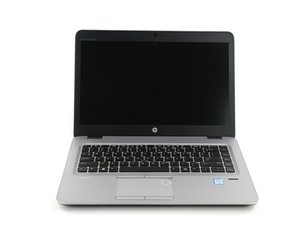

My PC is not charging
I was operating my PC and when it reach 6% it just turned off and since then ive been charging it, but does not charge and does not switch on
評価: 860.9千
 1.4千
1.4千
 978
978
 2.4千
2.4千
@azeezvicto39173 you are not telling us if your computer gives you any sign of life. We will need to know if any of the LEDs lights up.
Start of by checking the common things. First you want to check your power supply. Make sure it has the proper voltages. Check to make sure that connectors are not bend etc. Check the DC-in jack of your laptop. Make sure there is no corrosion, debris etc. that prevents it from working. Clean it of any debris etc, use a few puffs of air to clean it out. If none of this works, get an ammeter and see if your laptop draws any amperage from the charger. After that, you need to check and see if your motherboard even gets power. For that of course, you need to open it up. Post Some good pictures of what you see. That way we can see what you see. iFixitでの質問に画像を追加する方法
It is also possible that this is a bad RAM module. Remove the RAM, clean the contacts with a pencil eraser. Do it gentle so as to not destroy the module. Replace it and restart. If you have more than one module, remove it and just leave one connected.
Of course, you may also have to consider replacing the battery. A depleted battery can no longer be charged. However, it should not prevent your computer from coming on, if it is connected to the AC adapter.
Let us know what you find out.
このアンサーは役に立ちましたか?
過去 24時間: 1
過去 7 日: 2
過去 30 日: 6
今までの合計 154

