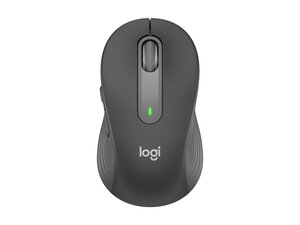

Logitech Signature M650 left click not working
Why is the left click on my Logitech Signature M650 mouse not working properly? I have to press it harder than usual or force click for it to register. What could be causing this, and how can I fix it?
評価: 25
 1
1
 1
1
評価: 37
1
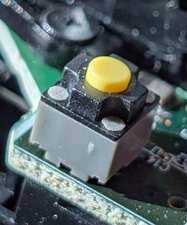
The switch failed. You can find the part on Amazon or AliEx. Search for phrases like:
Silent Mouse Button Switch 6*6*7.3MM Square Microswitch Two Pin
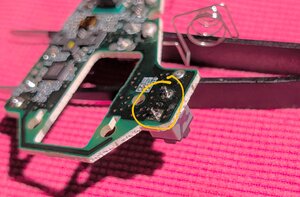
The switch is 7.3mm tall, and 6mm (or 6.2mm) square. You will need a solder sucker or wick, and to remove the board from the shell (4 screws and carefully pry out the battery contacts). The switch is held on by its own 2 pins and is easy to remove.
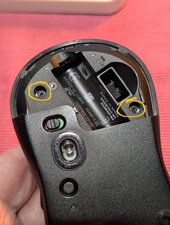
Getting in to the mouse is pretty easy. Start with these two screws inside the battery door. Then gently separate the mouse from the back. There is a clip near the front so you have to kind of slide the bottom forward to release it.
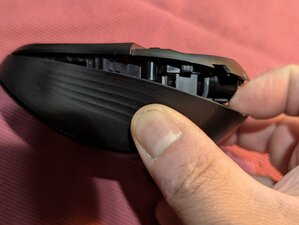
Remove the main cable
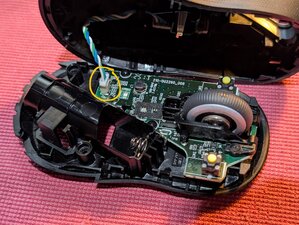
Remove 4 screws for the PCB & scroll wheel (scroll wheel comes off separately)
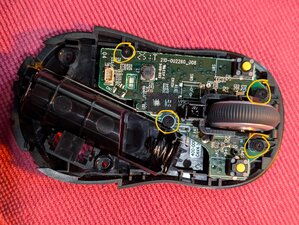
Remove the battery terminals by gently pulling up the whole PCB. Don't bend or stress the battery wires.
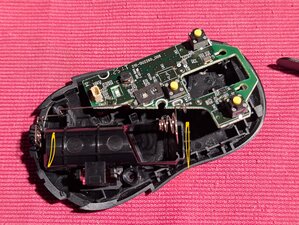
Use a solder-sucker to remove and then resolder with new switches for the left and right mouse button. .
このアンサーは役に立ちましたか?
Instead of replacement with non-stock ones, a semi-permanent fix may be to simply exchange the right and left switches (assuming that the left one has worn out way quicker).
評価: 157
1
Yup, same problem. Disassembled it. Tried to directly press the button underneath slightly, which is just right for my use - doesn't register. Have to press it harder. The disassembly process is just like M550 (on Youtube), but be careful of the extra twisted wire for LED on the top shell on the M650.
So far, finding the switch for the 'SW1' has been unfruitful. Will update if I find anything.
このアンサーは役に立ちましたか?
There are many on Amazon or AliEx. Search for phrases like:
Silent Mouse Button Switch 6*6*7.3MM Square Microswitch Two Pin
The switch is 7.3mm tall, and 6mm (or 6.2mm) square.
評価: 13
1


Thanks for providing the switch specifications! Successfully replaced both switches on my Logitech M650. The disassembly is straightforward and easy. I boght the switches from china, via Shoppee in the Philippines. The left button now registers light clicks perfectly instead of needing heavy force to actuate.
このアンサーは役に立ちましたか?
That's great news! thanks for sharing.
過去 24時間: 20
過去 7 日: 71
過去 30 日: 386
今までの合計 2,913




1件のコメント
Had same issue, disassembled and got some WD40 into the switch button works for me.
Keyu Alan さんによる