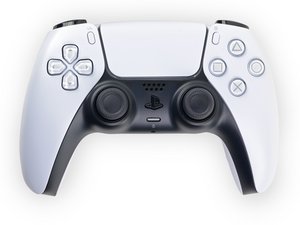

Options and Camera Button PCB replacement
I swapped my analog sticks with TMR sensors, and in the process of doing so I accidentally clamped down on the area of the PCB where the options and camera buttons are. The little gold domes are now completely smashed down and don't work. Is there a way to replace these without having to get a whole new board? If so, what are they called, and where can I get them? Thanks!
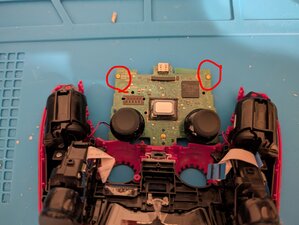
Update I kinda fixed my controller....I figured out you can heat the PCB from the back of the buttons using a hot air station to remove them (I used 350C and fan speed 4.5). I stole the controller reset button and put it in place of the "options" button. It's worth noting that if one of these buttons is removed from the PCB, it'll read as always "pushed"....so you have to put the bad button back on the spot you took the good one from. So, long story short, I can't take screenshots with this controller anymore, and if something weird happens I don't have the option to hit the "reset" button, but it's now usable again because my "options" button works great! Hope this helps anyone with this issue.....I'd still like to know if anyone can steer me in the direction of getting some new buttons though!

 20
20  18
18  33
33 
2 件のコメント
Hi! Is it possible to upload some photos regarding this?
iFixitでの質問に画像を追加する方法
Thank you!
koppie007 さんによる
Photo uploaded. Thanks!
Larry Jones さんによる