メインコンテンツにスキップ
リペアコミュニティに参加 - アカウントの作成

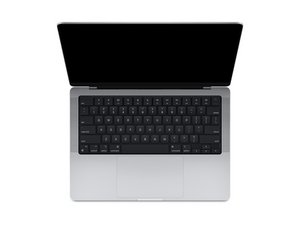
2021年10月発売の14インチディスプレイ搭載のMacBook Proモデルの修理ガイドです。

Disabling Haptics on trackpad

Hi, has anyone found a way to physically disable the Haptic actuator on the trackpad of the Macbook Pro M4? I am thinking about returning it unless I can find a way. The trackpad experience is awful because the haptics make the whole case rattle and feel tinny, even on the lightest setting.

この質問に回答する 同じ問題があります

この質問は役に立ちましたか?

スコア 0
コメントを追加

2件の回答

最も参考になった回答

You might want to try this tool: https://github.com/shalamand3r/SlabPad

It’s a small utility that disables the Force Touch haptic feedback on MacBook trackpads, which can stop the rattly/tinny feeling while still letting you press to click. Might be worth trying before returning the laptop.

このアンサーは役に立ちましたか?

スコア 1

3 件のコメント:

Of course look at GitHub for the answer!

さんによる

This is SO helpful! Thank you! This is exactly the kind of app I was looking for. This solved the terrible, tinny haptic feeling.

さんによる

So glad it helped!!!

さんによる

コメントを追加

I would recommend you bring the system to an Apple Store for them to checkout. It sounds like yours has a problem. It shouldn't cause the whole case to rattle or feel tinny.

So while one can kill it it's not someing I recommend as you would need to replace it to get it working again.

このアンサーは役に立ちましたか?

スコア 0
コメントを追加

回答を追加する

Luke L さん、ありがとうございました!
統計データ:

過去 24時間: 29

過去 7 日: 33

過去 30 日: 53

今までの合計 140
