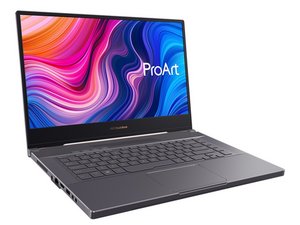

How do I replace the WiFi Module?
I have an ArtPro laptop with a defective WiFi module. I'm wondering how accessible it is and whether it is an easy module to replace.
評価: 551.1千
 11
11
 425
425
 1.6千
1.6千
Hi @robbpope
Here's an image taken from this teardown video that may help.
Might not be the exact same model number (you didn't specify) but it should be close enough.
Usually the WLAN card type/model/part number is on the card so search online for the number to find suppliers that suit you best.
Be sure to reconnect the two antenna cables the same way as they were connected before.
Also disconnect the battery cable from the motherboard (as shown in the video - you don't have to remove the battery) as soon as the back cover has been removed and before commencing any further work inside the laptop. This is to avoid any possible electrical problems from occurring whilst working on the board
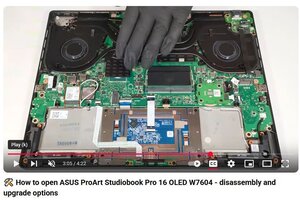
(click on image)
このアンサーは役に立ちましたか?
過去 24時間: 0
過去 7 日: 2
過去 30 日: 10
今までの合計 161

